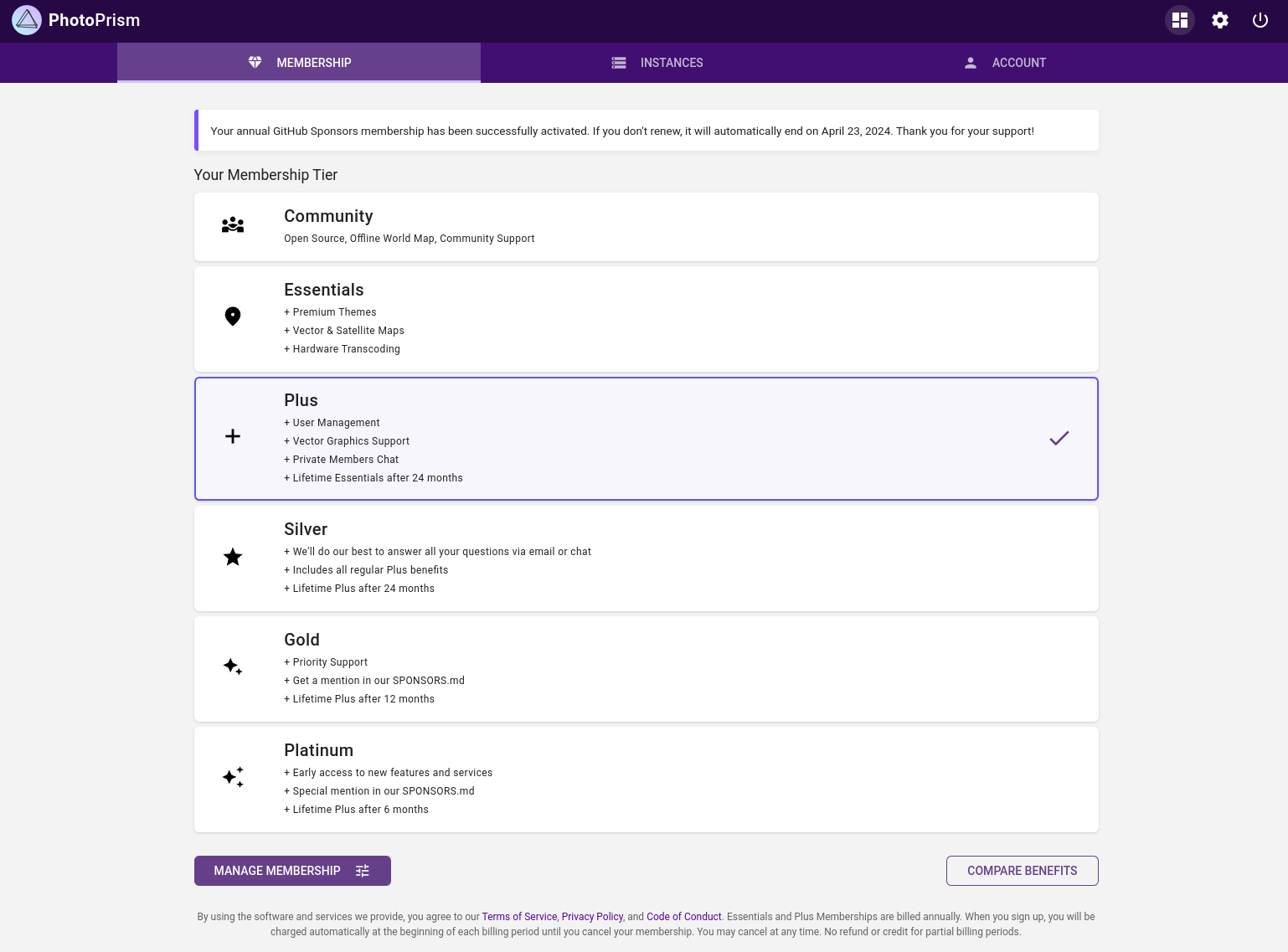
 To connect a new instance to your membership account, log in with the admin user[^1] that is automatically created during setup (see your configuration files or the app store documentation),[^2] then follow these steps once your membership is activated as shown in the screenshot:
(1) In the main navigation click on *Support Our Mission*. If you do not see this link, you can manually navigate to */library/upgrade* in the browser toolbar.
(2) Click *Register* to sign in on our website and receive a code to connect your account.
(3) Finally, please restart your instance for the changes to take effect. You should now see your membership level when you open the *About* page. Thank you very much!
### Troubleshooting ###
If you have installed the [latest release](https://docs.photoprism.app/release-notes/), our [members area](https://my.photoprism.app/dashboard/membership) shows that you have successfully signed up for *Essentials*, *Plus* or a higher tier, and you still get an error message when you follow the steps above:
(a) Try restarting your instance. We have found that this has solved the problem for many users.
(b) Should a restart not work, it is possible that your instance has problems connecting to the Internet. In this case, you will not be able to activate your instance, retrieve location data, or use the commercial maps:
To connect a new instance to your membership account, log in with the admin user[^1] that is automatically created during setup (see your configuration files or the app store documentation),[^2] then follow these steps once your membership is activated as shown in the screenshot:
(1) In the main navigation click on *Support Our Mission*. If you do not see this link, you can manually navigate to */library/upgrade* in the browser toolbar.
(2) Click *Register* to sign in on our website and receive a code to connect your account.
(3) Finally, please restart your instance for the changes to take effect. You should now see your membership level when you open the *About* page. Thank you very much!
### Troubleshooting ###
If you have installed the [latest release](https://docs.photoprism.app/release-notes/), our [members area](https://my.photoprism.app/dashboard/membership) shows that you have successfully signed up for *Essentials*, *Plus* or a higher tier, and you still get an error message when you follow the steps above:
(a) Try restarting your instance. We have found that this has solved the problem for many users.
(b) Should a restart not work, it is possible that your instance has problems connecting to the Internet. In this case, you will not be able to activate your instance, retrieve location data, or use the commercial maps:  ## Developer Guide
Our [Developer Guide](https://docs.photoprism.app/developer-guide/) contains all the information you need to get started as a developer. It guides you from [setting up your development environment](https://docs.photoprism.app/developer-guide/setup/) and [creating pull requests](https://docs.photoprism.app/developer-guide/pull-requests/) to [running tests](https://docs.photoprism.app/developer-guide/tests/) and [adding translations](https://docs.photoprism.app/developer-guide/translations-weblate/). Multiple subsections provide details on specific features and links to external resources for further information.
> [!NOTE]
> **Want to learn more about our development practices?** Our approach relies heavily on agile methodologies with a high degree of automation and continuous integration. Many of the best practices we use and have proven to be effective are described in [Quality and Best Practices](https://docs.photoprism.app/developer-guide/code-quality/).
## GitHub Repository
The source code, including automated tests and a readme file that gives a [short and concise overview](https://github.com/photoprism/photoprism/blob/develop/README.md) of the project, can be found on GitHub at
## Developer Guide
Our [Developer Guide](https://docs.photoprism.app/developer-guide/) contains all the information you need to get started as a developer. It guides you from [setting up your development environment](https://docs.photoprism.app/developer-guide/setup/) and [creating pull requests](https://docs.photoprism.app/developer-guide/pull-requests/) to [running tests](https://docs.photoprism.app/developer-guide/tests/) and [adding translations](https://docs.photoprism.app/developer-guide/translations-weblate/). Multiple subsections provide details on specific features and links to external resources for further information.
> [!NOTE]
> **Want to learn more about our development practices?** Our approach relies heavily on agile methodologies with a high degree of automation and continuous integration. Many of the best practices we use and have proven to be effective are described in [Quality and Best Practices](https://docs.photoprism.app/developer-guide/code-quality/).
## GitHub Repository
The source code, including automated tests and a readme file that gives a [short and concise overview](https://github.com/photoprism/photoprism/blob/develop/README.md) of the project, can be found on GitHub at  ### How many years has the product been sold to companies?
Our software was [first released in 2020](https://docs.photoprism.app/release-notes/) and is [freely available](https://github.com/photoprism/photoprism) under an [open source license](https://docs.photoprism.app/license/agpl/). As such, it is used by a considerable number of companies. To better meet the needs of professional users, we subsequently launched [PhotoPrism® Pro](/teams/#compare) in 2022, which provides [teams and organizations](/teams/#compare) with additional [configuration options](/pro/kb/), [enterprise support plans](/pro/support/), and [customer services](/pro/support/#professional-services).
### What is the difference between your public license and a license agreement?
A key difference between the Public License and our Pro License Agreement is that you get access to additional support and configuration options, as well as the right to customize functionality to your needs without having to publicly disclose your changes. We are also working to optimize the standard configuration, feature set, and scalability of [PhotoPrism® Pro](/teams/#compare) to meet the needs of professional users.
### What is the difference between your Pro and Enterprise offerings?
[PhotoPrism® Enterprise](/enterprise/) offers all the features of the [Pro Edition](/teams/#compare) with additional product and service options designed to meet the needs of large-scale enterprises and organizations. Individual pricing for our Enterprise offering depends on business size, number of users, and [support level](/pro/support/). Please [contact us](/contact/) for a custom quote.
### How many organisations are using your product?
There are currently more than 40,000 active installations, growing daily. Because we [respect the privacy](/privacy/) of our users, we do not have detailed information about whether these are run by individuals, businesses, or other organizations. [PhotoPrism® Pro](/teams/#compare), our version for professional users, is currently used by a number of news agencies, NGOs as well as governments.
### How many clients have stopped using the product?
For our paid [PhotoPrism+ Membership](/editions/#compare), we currently have a 2.7% churn rate. For SaaS, the [average churn rate](https://www.profitwell.com/recur/all/average-churn-rate) is around 5%, and a "good" churn rate is considered 3% or less.
### Are you prepared to guarantee the renewal price?
As stated in our [Terms of Service](/terms/) and in the [PhotoPrism® Pro License Agreement](/pro/license/), prices are subject to change and may be adjusted to account for currency fluctuations, inflation, new features and enhancements.
Changes will take effect at the next renewal of the Subscription Term. We intend to avoid unexpected changes and announce price adjustments in a timely manner.
### Where can I learn more about your team?
PhotoPrism was founded by Michael Mayer and Theresa Gresch. Prior to founding PhotoPrism, Michael spent more than two decades advising startups and corporate clients such as Deutsche Telekom, Mercedes-Benz and many others. Theresa holds a master's degree in neurobiology. Before she started working on PhotoPrism, she used her organizational skills as a freelance product manager at startups and creative agencies.
### Do you organize user forums or conferences?
Conferences are not currently planned. We do, however, operate a large number of private and [public forums](https://link.photoprism.app/discussions) and [chats](https://link.photoprism.app/chat) that our active community uses to network, share ideas, and help each other.
### How can we ensure that developments based on our requirements are not shared?
Purchasing a [commercial license](/pro/license/) gives you the right to customize the functionality to your needs without having to publicly disclose your changes. When PhotoPrism provides professional services to you for a fee, our [Terms of Service](/terms/) include an agreement to maintain the confidentiality of trade secrets and confidential or proprietary information.
In any event, PhotoPrism retains all proprietary rights in its software, services, documentation and all derivative works thereof, however created, and all intellectual property rights incorporated in or related to the foregoing. All rights not expressly provided by us to you under a license agreement or public license are reserved.
## Technology, Development, and Documentation {#technology}
### What range of documentation do you provide?
Our [knowledge base](/kb/) provides you with an overview of [all available documentation](/kb/docs/). You can find the sources of our user and developer guides on GitHub at [github.com/photoprism/photoprism-docs](https://github.com/photoprism/photoprism-docs).
### Is your source code available on demand?
The source code, including automated tests and a [readme file](https://github.com/photoprism/photoprism/blob/develop/README.md) that gives a short and concise overview of the project, can be found on GitHub at [github.com/photoprism/photoprism](https://github.com/photoprism/photoprism).
### Are you following software development best practices?
Our approach relies heavily on agile methodologies with a high degree of automation and continuous integration. Many of the best practices we use and have proven to be effective are described in [Quality and Best Practices](https://docs.photoprism.app/developer-guide/code-quality/), which is part of the [Developer Guide](https://docs.photoprism.app/developer-guide/).
### What technologies is your software based on?
**Frontend:** [Progressive Web App (PWA)](https://web.dev/progressive-web-apps/) based on [JavaScript](https://developer.mozilla.org/en-US/docs/Web/JavaScript), [HTML](https://developer.mozilla.org/en-US/docs/Web/HTML), and [CSS](https://developer.mozilla.org/en-US/docs/Web/CSS)
**Backend:** [Go](https://go.dev/) and [Google TensorFlow](https://www.tensorflow.org/)
**Operating Systems:** [Linux](https://www.debian.org/), [macOS](https://www.apple.com/macos/), and [FreeBSD](https://www.freebsd.org/) natively; plus all [platforms that support Docker](https://docs.docker.com/get-started/get-docker/), such as Windows
**Databases:** [MariaDB](https://mariadb.org/), [SQLite](https://www.sqlite.org/); support for [PostgreSQL](https://www.postgresql.org/) is planned without a specific release date yet
### Do you provide any mobile apps?
At the moment, PhotoPrism does not have a native mobile app that can be installed through an official app store. However, our [Progressive Web App (PWA)](https://docs.photoprism.app/user-guide/pwa/) offers an almost native app-like experience. You can conveniently install it on the home screen of all major operating systems and mobile devices.
To [sync photos and videos](https://docs.photoprism.app/user-guide/sync/mobile-devices/) on your phone, you can use any app that supports [WebDAV](https://docs.photoprism.app/user-guide/sync/webdav/). We recommend [PhotoSync](/partners/), which is available for Android and iOS.
### Which photo and video file formats are supported?
Our [knowledge base](/kb/) provides you with an overview of [all supported file formats](/kb/file-formats/).
### How many and which APIs do you have?
Based on our [public source code](https://github.com/photoprism/photoprism), GoDoc automatically generates [an API documentation for developers](https://pkg.go.dev/github.com/photoprism/photoprism).
## Scalability Limits {#scalability}
### Is there an explicit file size limit?
JPEG images are generally supported up to a maximum size of 30,000 pixels. Note, however, that high-resolution panoramic images may require additional swap space and/or physical memory beyond the [recommended minimum](https://docs.photoprism.app/getting-started/#system-requirements).
The file size limit in megabytes and the resolution limit in megapixels can be changed using parameters, so these depend on your individual configuration.
### What is the maximum number of files that are allowed or can be managed?
There is no explicit limit to the number of files, except for the limitations imposed by the underlying database, the server's file system, and the size of the variables used as record identifiers, i.e. in the billions.
The number of files is primarily limited by the storage available. Practical usability also relies on the server's CPU and memory, while the time needed for indexing depends on the size of your files and their formats. We recommend that you test the performance with our freely available [Community Edition](/editions/#compare) before purchasing a commercial license.
### Is your solution load-balanced?
Our Enterprise customers can receive support for setting up PhotoPrism in a cluster configuration on an individual basis.
### How many users can use your software simultaneously?
There is no predefined technical limit for the number of concurrent users. PhotoPrism generally scales well with the number of CPU cores. However, you should keep in mind that the available server resources can be significantly reduced when the backend is busy indexing or importing a large amount of files.
You can limit the number of indexing workers to reduce the server load depending on your individual needs. It is also possible to change the file size limit in megabytes and the resolution limit in megapixels.
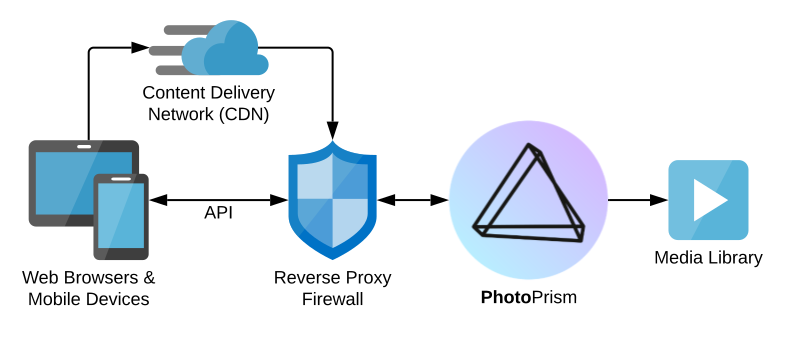
If you plan to connect your instance to the public Internet, where the number of users can fluctuate greatly and some users may be accessing the service from remote locations with high latency, we additionally recommend configuring a *Content Delivery Network (CDN)* like [bunny.net](https://link.photoprism.app/bunny-cdn), as this can effectively reduce server load and improve the user experience:
### How many years has the product been sold to companies?
Our software was [first released in 2020](https://docs.photoprism.app/release-notes/) and is [freely available](https://github.com/photoprism/photoprism) under an [open source license](https://docs.photoprism.app/license/agpl/). As such, it is used by a considerable number of companies. To better meet the needs of professional users, we subsequently launched [PhotoPrism® Pro](/teams/#compare) in 2022, which provides [teams and organizations](/teams/#compare) with additional [configuration options](/pro/kb/), [enterprise support plans](/pro/support/), and [customer services](/pro/support/#professional-services).
### What is the difference between your public license and a license agreement?
A key difference between the Public License and our Pro License Agreement is that you get access to additional support and configuration options, as well as the right to customize functionality to your needs without having to publicly disclose your changes. We are also working to optimize the standard configuration, feature set, and scalability of [PhotoPrism® Pro](/teams/#compare) to meet the needs of professional users.
### What is the difference between your Pro and Enterprise offerings?
[PhotoPrism® Enterprise](/enterprise/) offers all the features of the [Pro Edition](/teams/#compare) with additional product and service options designed to meet the needs of large-scale enterprises and organizations. Individual pricing for our Enterprise offering depends on business size, number of users, and [support level](/pro/support/). Please [contact us](/contact/) for a custom quote.
### How many organisations are using your product?
There are currently more than 40,000 active installations, growing daily. Because we [respect the privacy](/privacy/) of our users, we do not have detailed information about whether these are run by individuals, businesses, or other organizations. [PhotoPrism® Pro](/teams/#compare), our version for professional users, is currently used by a number of news agencies, NGOs as well as governments.
### How many clients have stopped using the product?
For our paid [PhotoPrism+ Membership](/editions/#compare), we currently have a 2.7% churn rate. For SaaS, the [average churn rate](https://www.profitwell.com/recur/all/average-churn-rate) is around 5%, and a "good" churn rate is considered 3% or less.
### Are you prepared to guarantee the renewal price?
As stated in our [Terms of Service](/terms/) and in the [PhotoPrism® Pro License Agreement](/pro/license/), prices are subject to change and may be adjusted to account for currency fluctuations, inflation, new features and enhancements.
Changes will take effect at the next renewal of the Subscription Term. We intend to avoid unexpected changes and announce price adjustments in a timely manner.
### Where can I learn more about your team?
PhotoPrism was founded by Michael Mayer and Theresa Gresch. Prior to founding PhotoPrism, Michael spent more than two decades advising startups and corporate clients such as Deutsche Telekom, Mercedes-Benz and many others. Theresa holds a master's degree in neurobiology. Before she started working on PhotoPrism, she used her organizational skills as a freelance product manager at startups and creative agencies.
### Do you organize user forums or conferences?
Conferences are not currently planned. We do, however, operate a large number of private and [public forums](https://link.photoprism.app/discussions) and [chats](https://link.photoprism.app/chat) that our active community uses to network, share ideas, and help each other.
### How can we ensure that developments based on our requirements are not shared?
Purchasing a [commercial license](/pro/license/) gives you the right to customize the functionality to your needs without having to publicly disclose your changes. When PhotoPrism provides professional services to you for a fee, our [Terms of Service](/terms/) include an agreement to maintain the confidentiality of trade secrets and confidential or proprietary information.
In any event, PhotoPrism retains all proprietary rights in its software, services, documentation and all derivative works thereof, however created, and all intellectual property rights incorporated in or related to the foregoing. All rights not expressly provided by us to you under a license agreement or public license are reserved.
## Technology, Development, and Documentation {#technology}
### What range of documentation do you provide?
Our [knowledge base](/kb/) provides you with an overview of [all available documentation](/kb/docs/). You can find the sources of our user and developer guides on GitHub at [github.com/photoprism/photoprism-docs](https://github.com/photoprism/photoprism-docs).
### Is your source code available on demand?
The source code, including automated tests and a [readme file](https://github.com/photoprism/photoprism/blob/develop/README.md) that gives a short and concise overview of the project, can be found on GitHub at [github.com/photoprism/photoprism](https://github.com/photoprism/photoprism).
### Are you following software development best practices?
Our approach relies heavily on agile methodologies with a high degree of automation and continuous integration. Many of the best practices we use and have proven to be effective are described in [Quality and Best Practices](https://docs.photoprism.app/developer-guide/code-quality/), which is part of the [Developer Guide](https://docs.photoprism.app/developer-guide/).
### What technologies is your software based on?
**Frontend:** [Progressive Web App (PWA)](https://web.dev/progressive-web-apps/) based on [JavaScript](https://developer.mozilla.org/en-US/docs/Web/JavaScript), [HTML](https://developer.mozilla.org/en-US/docs/Web/HTML), and [CSS](https://developer.mozilla.org/en-US/docs/Web/CSS)
**Backend:** [Go](https://go.dev/) and [Google TensorFlow](https://www.tensorflow.org/)
**Operating Systems:** [Linux](https://www.debian.org/), [macOS](https://www.apple.com/macos/), and [FreeBSD](https://www.freebsd.org/) natively; plus all [platforms that support Docker](https://docs.docker.com/get-started/get-docker/), such as Windows
**Databases:** [MariaDB](https://mariadb.org/), [SQLite](https://www.sqlite.org/); support for [PostgreSQL](https://www.postgresql.org/) is planned without a specific release date yet
### Do you provide any mobile apps?
At the moment, PhotoPrism does not have a native mobile app that can be installed through an official app store. However, our [Progressive Web App (PWA)](https://docs.photoprism.app/user-guide/pwa/) offers an almost native app-like experience. You can conveniently install it on the home screen of all major operating systems and mobile devices.
To [sync photos and videos](https://docs.photoprism.app/user-guide/sync/mobile-devices/) on your phone, you can use any app that supports [WebDAV](https://docs.photoprism.app/user-guide/sync/webdav/). We recommend [PhotoSync](/partners/), which is available for Android and iOS.
### Which photo and video file formats are supported?
Our [knowledge base](/kb/) provides you with an overview of [all supported file formats](/kb/file-formats/).
### How many and which APIs do you have?
Based on our [public source code](https://github.com/photoprism/photoprism), GoDoc automatically generates [an API documentation for developers](https://pkg.go.dev/github.com/photoprism/photoprism).
## Scalability Limits {#scalability}
### Is there an explicit file size limit?
JPEG images are generally supported up to a maximum size of 30,000 pixels. Note, however, that high-resolution panoramic images may require additional swap space and/or physical memory beyond the [recommended minimum](https://docs.photoprism.app/getting-started/#system-requirements).
The file size limit in megabytes and the resolution limit in megapixels can be changed using parameters, so these depend on your individual configuration.
### What is the maximum number of files that are allowed or can be managed?
There is no explicit limit to the number of files, except for the limitations imposed by the underlying database, the server's file system, and the size of the variables used as record identifiers, i.e. in the billions.
The number of files is primarily limited by the storage available. Practical usability also relies on the server's CPU and memory, while the time needed for indexing depends on the size of your files and their formats. We recommend that you test the performance with our freely available [Community Edition](/editions/#compare) before purchasing a commercial license.
### Is your solution load-balanced?
Our Enterprise customers can receive support for setting up PhotoPrism in a cluster configuration on an individual basis.
### How many users can use your software simultaneously?
There is no predefined technical limit for the number of concurrent users. PhotoPrism generally scales well with the number of CPU cores. However, you should keep in mind that the available server resources can be significantly reduced when the backend is busy indexing or importing a large amount of files.
You can limit the number of indexing workers to reduce the server load depending on your individual needs. It is also possible to change the file size limit in megabytes and the resolution limit in megapixels.
If you plan to connect your instance to the public Internet, where the number of users can fluctuate greatly and some users may be accessing the service from remote locations with high latency, we additionally recommend configuring a *Content Delivery Network (CDN)* like [bunny.net](https://link.photoprism.app/bunny-cdn), as this can effectively reduce server load and improve the user experience:
 When in doubt, you are welcome to test the performance with our freely available [Community Edition](/editions/#compare) before purchasing a commercial license.
### How much data is cached by the database?
When using MariaDB, the [InnoDB buffer pool](https://docs.photoprism.app/getting-started/troubleshooting/performance/#mariadb) serves as a cache for data and indexes. It is a key component for optimizing MariaDB performance. Its size should be as large as possible to keep frequently used data in memory and reduce disk I/O - typically the biggest bottleneck.
### Can you provide detailed performance test results?
You may find performance test results attached to specific [GitHub issues](https://github.com/photoprism/photoprism/issues) or [pull requests](https://github.com/photoprism/photoprism/pulls), for example, to document the [result of a performance optimization](https://github.com/photoprism/photoprism/pull/2433). However, we do not currently publish performance test results in a form that would be suitable for the general public or as marketing material.
When in doubt, we recommend that you test performance with our freely available [Community Edition](/editions/#compare) before purchasing a commercial license.
## Future Functionality {#functionality}
### What product changes are planned for the coming months and years?
Our [Project Roadmap](https://link.photoprism.app/roadmap) shows what tasks are in progress and which features are likely to be implemented next. Be aware that we have a [zero-bug policy](https://docs.photoprism.app/known-issues/) and do our best to help users when they need support or have other questions. This comes at a price, as we can't give exact release dates for new features.
As stated in our [Terms of Service](/terms/), you are welcome to ask for implementation of new features, enhancements, or other changes in the software, services or documentation. Our team will carefully consider your requests, but is not legally obligated to implement the changes you request. If your purchase depends on the availability of a certain feature, we recommend to wait until it has been released.
### How far into the future are you planning?
We focus on outcomes, optimize [effectiveness before efficiency](https://docs.photoprism.app/developer-guide/code-quality/#effectiveness-efficiency), and plan as much ahead as necessary to meet our goals and commitments. To reduce risk, overhead, and the need to schedule manual work, our approach relies heavily on agile methodologies with a high degree of automation and continuous integration. Many of the best practices we use and have proven to be effective are described in [Quality and Best Practices](https://docs.photoprism.app/developer-guide/code-quality/), which is part of the [Developer Guide](https://docs.photoprism.app/developer-guide/).
### What are the tasks and priorities in your daily work? {#priorities}
Our priorities are (1) providing bug fixes, security improvements, and support, (2) maintaining core functionality, e.g. ensuring compatibility and performance, providing documentation, (3) adding core functionality, e.g. file type support, search filters, config options, (4) working on other features such as multi-user, scalability, and hardware acceleration.
## Getting Updates {#updates}
### How frequently do you release updates?
Fully functional development previews with the latest features and improvements are provided very frequently, up to several times a day.
New stable versions that have been thoroughly tested are made available up to several times a month. Since quality is our top priority, this depends on what we are currently working on and whether we consider it ready for release.
### How do you resolve defects and provide corrections?
PhotoPrism follows a zero-bug policy, which means that we do our best to fix any issues we learn about. Corrections will then be made available with the next stable release. Fully functional development previews with the latest features and improvements are made available very frequently, up to several times a day.
If resolving an issue is not immediately possible, for example due to dependencies on third-party libraries or other applications, or because it is a specific use case that we do not currently support, you can find a note and available workarounds in our [Known Issues](https://docs.photoprism.app/known-issues/).
## Support Options {#support}
### Do you have a web-based support service?
Our business customers [enjoy email and chat support](/pro/support/) directly from our team. It is available during regular business hours from Monday to Friday on a best-effort basis.
We also offer remote assistance via phone and video call upon request. In addition, customers can choose to receive [Enterprise or Gold Support](/pro/support/), which guarantee a first response within 8 business hours, depending on severity.
### What happens on bank holidays?
Please [contact us](/contact/) to receive a custom quote for extended support on weekends and holidays.
## Data, Backups, and Reports {#data}
### Do you work with standardized fields and formats?
We rely on open standards and make our [source code available](https://github.com/photoprism/photoprism) to ensure a high level of compatibility and transparency. Our [Knowledge Base](/kb/) contains an overview of the [supported Exif, XMP, IPTC, and DCMI tags](/kb/metadata/) and their internal field names.
### How does your product allow us to create reports?
Currently, no business reporting engine is integrated. Security audits and many other technical reports, such as active browser sessions or the status of database migrations, can be viewed through the command line interface and exported as CSV or Markdown. You can also access the SQL database directly to generate reports on specific metrics using standard products designed for this purpose. If needed, we offer consulting services to help you set up a custom solution.
### Can the database be modified by means other than the user interface?
Yes, you can modify the index database and create backup copies using standard database tools compatible with MariaDB.
### Do you provide the possibility to anonymize copies of the database?
No. If required, we offer consulting services to help you implement a custom solution.
### What tools do you recommend for alternate data mining?
We do not recommend any particular tools. If needed, we offer consulting services to help you implement a custom solution.
### Do you have documents defining the referential elements of the database?
Information about the index database schema is provided as an entity-relationship diagram, [Mermaid.js](https://mermaid-js.github.io/) markup, and MariaDB-compatible SQL:
- [Developer Guide](https://docs.photoprism.app/developer-guide/database/schema/)
- [Database Schema](https://github.com/photoprism/photoprism/tree/develop/internal/entity/schema)
The [entity models](https://github.com/photoprism/photoprism/tree/develop/internal/entity) as part of our [public source code](https://github.com/photoprism/photoprism) also serve as a form of documentation that can be well used by many developers. Feel free to [contact us with your specific requirements](/contact/) if you need additional technical documentation.
### Is data archiving part of the solution?
PhotoPrism provides commands to back up and restore the database. It is your responsibility to back up your data and make sure it is kept safe. Backing up media files is possible with commercially available file backup tools. We do not recommend any particular tools at this time.
### Does your product identify unused data over a period of time?
Our solution does not currently provide analytics that allow you to identify media content that you have not downloaded or viewed over a period of time. However, commands are available to remove stale index entries and unused thumbnail files.
### In the event of an outage, how would you recommend to recover without a loss of data?
It is your responsibility to manage your own infrastructure, provide a sufficient level of redundancy, back up your data and ensure that it is kept secure.
## Privacy and Security
### How does your product support GDPR and Data Protection? {#privacy}
Our [Privacy Policy](/privacy/) explains what information we collect, how we use it, and under what circumstances we may share it. Read our [GDPR Compliance Statement](/privacy/gdpr/) to learn more about the rights you have as a resident of the European Economic Area ("EEA") and our ongoing commitment to user privacy and the General Data Protection Regulation ("GDPR"). We also provide a wide range of other [documentation and resources](/kb/docs/) to help you evaluate our products and services in terms of privacy.
### Does your software depend on external services or is it completely self-contained?
As explained in our [Privacy Policy](/privacy/#section-7), reverse geocoding and interactive world maps depend on retrieving the necessary information from [us](/contact/) and [MapTiler AG](https://www.maptiler.com/contacts/), headquartered in Switzerland. Both services are provided with a very high level of privacy and confidentiality.
Your use of these services is [fully covered by us](https://docs.photoprism.app/getting-started/faq/#are-the-keys-for-using-interactive-world-maps-provided-free-of-charge). Depending on your usage, this can save you thousands of dollars every month, since other providers generally charge usage-based fees and often don't allow you to cache the data they provide, compromising performance and your privacy with unnecessary requests.
Should you wish to operate one or both of these services on your own premises, we can set up such a [fully autonomous solution](#fully-autonomous-solution) for you, provided you are prepared to cover the initial setup costs as well as ongoing maintenance fees for content licenses and updates.
*Other open source applications sometimes use the free map tile service operated by [openstreetmap.org](https://operations.osmfoundation.org/policies/tiles/). In this case, [their usage](https://operations.osmfoundation.org/policies/tiles/) and [privacy policies](https://wiki.osmfoundation.org/wiki/Privacy_Policy) apply, which means that your request data is stored and used to [create publicly available reports](https://planet.openstreetmap.org/tile_logs/). This is different from our approach, which focuses on [your privacy](/privacy/) and user experience.*
### What are the initial costs for setting up self-hosted reverse geocoding and world maps? {#fully-autonomous-solution}
Setting up this infrastructure on premises is particularly suitable for enterprise customers such as large companies or government agencies that require an exceptionally high level of confidentiality.
Professional Services provided directly by our core team are [priced at € 1499.00 per day](/teams/#compare). The exact amount will depend on the specific environment in which you want us to set up these services, your scalability and security requirements, as well as how much and what type of documentation you want us to provide to your team. Server hardware should have [at least 128 GB of RAM and a 4 TB SSD](https://nominatim.org/release-docs/latest/admin/Installation/#hardware).
License prices for self-hosted world maps can be found, for example, at [www.maptiler.com/data/pricing/](https://www.maptiler.com/data/pricing/).
### What capabilities are built-in to protect from issues with the GDPR?
Self-hosting is the easiest way to stay in control and protect your privacy. Data that never leaves your private network can't be collected by anyone, including us. It is your responsibility to evaluate your use of our software for compliance with your privacy policy and to update it as necessary.
### Please explain the built-in security of your product? {#security}
PhotoPrism uses common best practices to protect the application and its users, such as storing passwords in a way that cannot be reversed and setting recommended HTTP security headers. In addition, PhotoPrism® Pro offers session monitoring, a security audit log, and role-based user access.
However, please note that virtually all file format parsers have vulnerabilities that have not been discovered yet. For example, the [release notes of all Apple products](https://support.apple.com/en-us/HT212602) contain a long list of fixes for bugs that allow execution of arbitrary code with kernel privileges. This is a known risk that can affect you even if your server is not directly connected to the Internet.
We recommend running our application in a container with limited host access, as this is an easy way to improve security without compromising performance and usability. When combined with a virtual machine or dedicated server, this provides optimal protection against malicious code accessing other applications and data. Additionally, please make sure that only trusted users can upload files, manage them via WebDAV or modify them directly in the file system.
If you install our software on a public server outside your own network or if you connect your private server to the public Internet, we additionally recommend using a firewall, such as [OPNsense®](https://shop.opnsense.com/), to ensure the highest level of security.
### Has your product ever been exposed to DDOS attacks and what was the result?
PhotoPrism Pro includes a rate limiter for HTTP requests and failed login attempts. We additionally recommend using a firewall, such as [OPNsense®](https://shop.opnsense.com/), to ensure the highest level of security.
### Which tools are required for monitoring and alerting the product?
You can use the GET /api/v1/status API endpoint to perform health checks in combination with any standard monitoring solution. You may also want to monitor CPU and memory usage during indexing so you can add more resources if needed. At this time, we do not recommend any particular tools. If needed, we offer consulting services to help you set up a custom solution.
---
# Config Options
URL: https://www.photoprism.app/kb/config-options/
> Get an overview of the global config variables and command-line flags available in PhotoPrism.
### Authentication
| Environment | CLI Flag | Default | Description |
|:-------------------------------------------------|:------------------------|:-----------------------------|:------------------------------------------------------------------------------------------------------------------------------------|
| PHOTOPRISM_AUTH_MODE | --auth-mode | password | authentication `MODE` (public, password) |
| PHOTOPRISM_ADMIN_USER, PHOTOPRISM_ADMIN_USERNAME | --admin-user | admin | `USERNAME` of the superadmin account that is created on first startup |
| PHOTOPRISM_ADMIN_PASSWORD | --admin-password | | initial `PASSWORD` of the superadmin account (8-72 characters) |
| PHOTOPRISM_PASSWORD_LENGTH | --password-length | 8 | minimum password `LENGTH` in characters |
| PHOTOPRISM_LOGIN_INFO | --login-info | | custom login footer info `TEXT` *plus* |
| PHOTOPRISM_OIDC_URI | --oidc-uri | | issuer `URI` for single sign-on via OpenID Connect, e.g. https://accounts.google.com |
| PHOTOPRISM_OIDC_CLIENT | --oidc-client | | client `ID` for single sign-on via OpenID Connect |
| PHOTOPRISM_OIDC_SECRET | --oidc-secret | | client `SECRET` for single sign-on via OpenID Connect |
| PHOTOPRISM_OIDC_SCOPES | --oidc-scopes | openid email profile address | client authorization `SCOPES` for single sign-on via OpenID Connect |
| PHOTOPRISM_OIDC_PROMPT | --oidc-prompt | | authorization `PROMPT` for single sign-on via OpenID Connect (login, select_account, consent) |
| PHOTOPRISM_OIDC_PROVIDER | --oidc-provider | | custom identity provider `NAME`, e.g. Google |
| PHOTOPRISM_OIDC_ICON | --oidc-icon | | custom identity provider icon `URI` |
| PHOTOPRISM_OIDC_REDIRECT | --oidc-redirect | false | automatically redirects unauthenticated users to the configured identity provider |
| PHOTOPRISM_OIDC_REGISTER | --oidc-register | false | allows new users to create an account when they sign in with OpenID Connect |
| PHOTOPRISM_OIDC_LOGOUT | --oidc-logout | false | ends the provider session on sign-out via OpenID Connect RP-initiated logout |
| PHOTOPRISM_OIDC_USERNAME | --oidc-username | preferred_username | preferred username `CLAIM` for new OpenID Connect users (preferred_username, name, nickname, email) |
| PHOTOPRISM_OIDC_WEBDAV | --oidc-webdav | false | allows new OpenID Connect users to use WebDAV when they have a role that allows it |
| PHOTOPRISM_DISABLE_OIDC | --disable-oidc | false | disables single sign-on via OpenID Connect, even if an identity provider has been configured |
| PHOTOPRISM_SESSION_MAXAGE | --session-maxage | 1209600 | session expiration time in `SECONDS`, doubled for accounts with 2FA (-1 to disable) |
| PHOTOPRISM_SESSION_TIMEOUT | --session-timeout | 604800 | session idle time in `SECONDS`, doubled for accounts with 2FA (-1 to disable) |
| PHOTOPRISM_SESSION_CACHE | --session-cache | 900 | session cache duration in `SECONDS` (60-3600) |
| PHOTOPRISM_DOWNLOAD_TOKEN | --download-token | | shared static `TOKEN` accepted for permanent download URLs without identifying a session (leave blank to accept signed tokens only) |
| PHOTOPRISM_DOWNLOAD_TOKEN_MAXAGE | --download-token-maxage | 3600 | signed download token lifetime in `SECONDS` (minimum 900) |
| PHOTOPRISM_PREVIEW_TOKEN | --preview-token | | shared static `TOKEN` for thumbnail and video streaming URLs (leave blank for an automatic value) |
### Logging
| Environment | CLI Flag | Default | Description |
|:---------------------|:------------|:--------|:-------------------------------------------------------------------|
| PHOTOPRISM_LOG_LEVEL | --log-level | info | log message verbosity `LEVEL` (trace, debug, info, warning, error) |
| PHOTOPRISM_PROD | --prod | false | disables debug mode and only logs startup warnings and errors |
| PHOTOPRISM_DEBUG | --debug | false | enables debug mode for development and troubleshooting |
| PHOTOPRISM_TRACE | --trace | false | enables trace mode to display all debug and trace logs |
### Storage
| Environment | CLI Flag | Default | Description |
|:----------------------------|:-------------------|:-----------------------------|:---------------------------------------------------------------------------------------------------------------------------|
| PHOTOPRISM_STORAGE_PATH | --storage-path | | writable storage `PATH` for sidecar, cache, and database files |
| PHOTOPRISM_STORAGE_FREE | --storage-free | -1 | minimum `PERCENT` (1-99) of free storage required for indexing, importing, and uploads, -1 disables the check |
| PHOTOPRISM_CONFIG_PATH | --config-path | | config storage `PATH` or options.yml filename, values in this file override CLI flags and environment variables if present |
| PHOTOPRISM_DEFAULTS_YAML | --defaults-yaml | /etc/photoprism/defaults.yml | loads default config values from `FILENAME` if it exists, does not override CLI flags or environment variables |
| PHOTOPRISM_ORIGINALS_PATH | --originals-path | | storage `PATH` of your original media files (photos and videos) |
| PHOTOPRISM_ORIGINALS_LIMIT | --originals-limit | 5000 | maximum size of a single media file in `MB` (1-100000; -1 to disable) |
| PHOTOPRISM_RESOLUTION_LIMIT | --resolution-limit | 150 | maximum resolution of media files in `MEGAPIXELS` (1-900; -1 to disable) |
| PHOTOPRISM_USERS_PATH | --users-path | users | relative `PATH` to create base and upload subdirectories for users |
| PHOTOPRISM_IMPORT_PATH | --import-path | | base `PATH` from which files can be imported to originals *optional* |
| PHOTOPRISM_IMPORT_DEST | --import-dest | | relative originals `PATH` in which files should be imported by default *optional* |
| PHOTOPRISM_IMPORT_ALLOW | --import-allow | | restricts imports to these file types (comma-separated list of `EXTENSIONS`; leave blank to allow all) |
| PHOTOPRISM_UPLOAD_NSFW | --upload-nsfw | false | allows uploads that might be offensive (when disabled, files flagged by the NSFW model are rejected before indexing) |
| PHOTOPRISM_UPLOAD_ALLOW | --upload-allow | | further restricts web uploads to these file types (comma-separated list of `EXTENSIONS`) |
| PHOTOPRISM_UPLOAD_ARCHIVES | --upload-archives | false | allows upload of zip archives (will be extracted before import) |
| PHOTOPRISM_UPLOAD_LIMIT | --upload-limit | 5000 | maximum total size of web uploads in `MB` (1-100000; -1 to disable) |
| PHOTOPRISM_CACHE_PATH | --cache-path | | custom cache `PATH` for sessions and thumbnail files *optional* |
| PHOTOPRISM_TEMP_PATH | --temp-path | | temporary file `PATH` *optional* |
| PHOTOPRISM_ASSETS_PATH | --assets-path | | assets `PATH` containing static resources like icons, models, and translations |
| PHOTOPRISM_MODELS_PATH | --models-path | | custom model assets `PATH` where computer vision models are located |
### Sidecar Files
| Environment | CLI Flag | Default | Description |
|:------------------------|:---------------|:--------|:-------------------------------------------------------|
| PHOTOPRISM_SIDECAR_PATH | --sidecar-path | | custom relative or absolute sidecar `PATH` *optional* |
| PHOTOPRISM_SIDECAR_YAML | --sidecar-yaml | true | creates YAML sidecar files to back up picture metadata |
### Usage
| Environment | CLI Flag | Default | Description |
|:-----------------------|:--------------|:--------|:------------------------------------------------------------------|
| PHOTOPRISM_USAGE_INFO | --usage-info | false | displays storage usage information in the user interface |
| PHOTOPRISM_FILES_QUOTA | --files-quota | 0 | maximum total size of all indexed files in `GB` (0 for unlimited) |
### Backup
| Environment | CLI Flag | Default | Description |
|:---------------------------|:------------------|:--------|:--------------------------------------------------------------------------------------------------------------|
| PHOTOPRISM_BACKUP_PATH | --backup-path | | custom base `PATH` for creating and restoring backups *optional* |
| PHOTOPRISM_BACKUP_SCHEDULE | --backup-schedule | daily | backup `SCHEDULE` in cron format (e.g. "0 12 \* \* \*" for daily at noon) or at a random time (daily, weekly) |
| PHOTOPRISM_BACKUP_RETAIN | --backup-retain | 3 | `NUMBER` of index backups to keep (-1 to keep all) |
| PHOTOPRISM_BACKUP_DATABASE | --backup-database | true | enables regular backups based on the configured schedule |
| PHOTOPRISM_BACKUP_ALBUMS | --backup-albums | true | enables the use of YAML files for backing up album metadata |
### Indexing
| Environment | CLI Flag | Default | Description |
|:---------------------------------------------|:------------------|:--------|:--------------------------------------------------------------------------------------------------|
| PHOTOPRISM_INDEX_WORKERS, PHOTOPRISM_WORKERS | --index-workers | auto | maximum `NUMBER` of indexing workers, or 'auto' to derive from the available CPU cores |
| PHOTOPRISM_INDEX_SCHEDULE | --index-schedule | | indexing `SCHEDULE` in cron format (e.g. "@every 3h" for every 3 hours; "" to disable) |
| PHOTOPRISM_WAKEUP_INTERVAL | --wakeup-interval | 15m0s | `TIME` between facial recognition, file sync, and metadata worker runs (1-86400s) |
| PHOTOPRISM_AUTO_INDEX | --auto-index | 300 | delay before automatically indexing files in `SECONDS` when uploading via WebDAV (-1 to disable) |
| PHOTOPRISM_AUTO_IMPORT | --auto-import | -1 | delay before automatically importing files in `SECONDS` when uploading via WebDAV (-1 to disable) |
### Feature Flags
| Environment | CLI Flag | Default | Description |
|:----------------------------------|:-------------------------|:--------|:--------------------------------------------------------------------------------------------------|
| PHOTOPRISM_READONLY | --read-only | false | disables features that require write permission for the originals folder |
| PHOTOPRISM_EXPERIMENTAL | --experimental | false | enables new features that may be incomplete or unstable |
| PHOTOPRISM_DISABLE_FRONTEND | --disable-frontend | false | disables the web user interface so that only the service API endpoints are accessible |
| PHOTOPRISM_DISABLE_SETTINGS | --disable-settings | false | disables the settings frontend and related API endpoints, e.g. in combination with public mode |
| PHOTOPRISM_DISABLE_BACKUPS | --disable-backups | false | prevents database and album backups as well as YAML sidecar files from being created |
| PHOTOPRISM_DISABLE_RESTART | --disable-restart | false | prevents admins from restarting the server through the user interface |
| PHOTOPRISM_DISABLE_WEBDAV | --disable-webdav | false | prevents other apps from accessing PhotoPrism as a shared network drive |
| PHOTOPRISM_DISABLE_MCP | --disable-mcp | false | disables the Model Context Protocol (MCP) API endpoint for AI agent integrations |
| PHOTOPRISM_DISABLE_PLACES | --disable-places | false | disables interactive world maps and reverse geocoding |
| PHOTOPRISM_DISABLE_TENSORFLOW | --disable-tensorflow | false | disables face recognition with TensorFlow *deprecated* |
| PHOTOPRISM_DISABLE_FACES | --disable-faces | false | disables face detection and recognition |
| PHOTOPRISM_DISABLE_CLASSIFICATION | --disable-classification | false | disables all image classification and label generation |
| PHOTOPRISM_DISABLE_FFMPEG | --disable-ffmpeg | false | disables video transcoding and thumbnail extraction with FFmpeg |
| PHOTOPRISM_DISABLE_EXIFTOOL | --disable-exiftool | false | disables metadata extraction with ExifTool (required for full Video, Live Photo, and XMP support) |
| PHOTOPRISM_DISABLE_SIPS | --disable-sips | false | disables file conversion using the sips command under macOS |
| PHOTOPRISM_DISABLE_DARKTABLE | --disable-darktable | false | disables conversion of RAW images with Darktable |
| PHOTOPRISM_DISABLE_RAWTHERAPEE | --disable-rawtherapee | false | disables conversion of RAW images with RawTherapee |
| PHOTOPRISM_DISABLE_IMAGEMAGICK | --disable-imagemagick | false | disables conversion of image files with ImageMagick |
| PHOTOPRISM_DISABLE_HEIFCONVERT | --disable-heifconvert | false | disables conversion of HEIC images with libheif |
| PHOTOPRISM_DISABLE_RSVGCONVERT | --disable-rsvgconvert | false | disables conversion of SVG graphics with librsvg *plus* |
| PHOTOPRISM_DISABLE_VECTORS | --disable-vectors | false | disables vector graphics support *plus* |
| PHOTOPRISM_DISABLE_JPEGXL | --disable-jpegxl | false | disables JPEG XL file format support |
| PHOTOPRISM_DISABLE_RAW | --disable-raw | false | disables indexing and conversion of RAW images |
| PHOTOPRISM_RAW_PRESETS | --raw-presets | false | enables custom user presets when converting RAW images (reduces performance) |
| PHOTOPRISM_EXIF_BRUTEFORCE | --exif-bruteforce | false | performs a brute-force search if no Exif headers were found |
### Customization
| Environment | CLI Flag | Default | Description |
|:----------------------------|:-------------------|:-----------|:---------------------------------------------------------------------------------------------------------|
| PHOTOPRISM_DEFAULT_LOCALE | --default-locale | en | default user interface language `CODE` |
| PHOTOPRISM_DEFAULT_TIMEZONE | --default-timezone | Local | default time zone `NAME`, e.g. for scheduling backups |
| PHOTOPRISM_DEFAULT_THEME | --default-theme | | default user interface theme `NAME` |
| PHOTOPRISM_PLACES_LOCALE | --places-locale | local | location details language `CODE`, e.g. en, de, or local |
| PHOTOPRISM_APP_NAME | --app-name | | app `NAME` when installed as a Progressive Web App (PWA) |
| PHOTOPRISM_APP_MODE | --app-mode | standalone | app display `MODE` (fullscreen, standalone, minimal-ui, browser) |
| PHOTOPRISM_APP_ICON | --app-icon | | home screen app `ICON` (logo, app, crisp, mint, bold, square, bloom, flower, ring, glass, neon, rainbow) |
| PHOTOPRISM_APP_COLOR | --app-color | #19191a | app background and splash screen `COLOR` |
| PHOTOPRISM_LEGAL_INFO | --legal-info | | legal information `TEXT`, displayed in the page footer |
| PHOTOPRISM_LEGAL_URL | --legal-url | | legal information `URL` |
| PHOTOPRISM_WALLPAPER_URI | --wallpaper-uri | | login screen background image `URI` |
### Site Information
| Environment | CLI Flag | Default | Description |
|:----------------------------|:-------------------|:--------------------------------------------------------------------------------------|:-----------------------------------------------------------------------------------------------------------------------------|
| PHOTOPRISM_SITE_URL | --site-url | http://localhost:2342/ | canonical site `URL` used in generated links and to determine HTTPS/TLS (scheme://host[:port]) |
| PHOTOPRISM_SITE_AUTHOR | --site-author | | site `OWNER` shown in the author meta tag |
| PHOTOPRISM_SITE_NAME | --site-name | | short `NAME` for identifying this instance within a cluster *optional* |
| PHOTOPRISM_SITE_TITLE | --site-title | | main `TITLE` shown in the web interface and meta tags |
| PHOTOPRISM_SITE_CAPTION | --site-caption | AI-Powered Photos App | short `CAPTION` or tagline shown alongside the title |
| PHOTOPRISM_SITE_DESCRIPTION | --site-description | | longer `DESCRIPTION` shown in SEO and social meta tags *optional* |
| PHOTOPRISM_SITE_FAVICON | --site-favicon | | custom favicon `FILENAME` for web browsers *optional* |
| PHOTOPRISM_SITE_PREVIEW | --site-preview | | sharing preview image `URL` |
| PHOTOPRISM_CDN_URL | --cdn-url | | content delivery network `URL` |
| PHOTOPRISM_CDN_VIDEO | --cdn-video | false | streams videos over the specified CDN |
| PHOTOPRISM_CORS_ORIGIN | --cors-origin | | origin `URL` from which browsers are allowed to perform cross-origin requests (leave blank to disable or use * to allow all) |
| PHOTOPRISM_CORS_HEADERS | --cors-headers | Accept, Accept-Ranges, Content-Disposition, Content-Encoding, Content-Range, Location | one or more `HEADERS` that browsers should see when performing a cross-origin request |
| PHOTOPRISM_CORS_METHODS | --cors-methods | GET, HEAD, OPTIONS | one or more `METHODS` that may be used when performing a cross-origin request |
### Networking
| Environment | CLI Flag | Default | Description |
|:--------------------------------|:-----------------------|:------------------|:--------------------------------------------------------------------------------------------------------|
| PHOTOPRISM_HTTPS_PROXY | --https-proxy | | proxy server `URL` to be used for outgoing connections *optional* |
| PHOTOPRISM_HTTPS_PROXY_INSECURE | --https-proxy-insecure | false | ignores invalid HTTPS certificates when using a proxy |
| PHOTOPRISM_TRUSTED_PLATFORM | --trusted-platform | | trusted client IP header `NAME`, e.g. when running behind a cloud provider load balancer |
| PHOTOPRISM_TRUSTED_PROXY | --trusted-proxy | 172.16.0.0/12 | `CIDR` ranges or IPv4/v6 addresses from which reverse proxy headers can be trusted, separated by commas |
| PHOTOPRISM_PROXY_CLIENT_HEADER | --proxy-client-header | X-Forwarded-For | proxy client IP header `NAME`, e.g. X-Forwarded-For, X-Client-IP, X-Real-IP, or CF-Connecting-IP |
| PHOTOPRISM_PROXY_PROTO_HEADER | --proxy-proto-header | X-Forwarded-Proto | proxy protocol header `NAME` |
| PHOTOPRISM_PROXY_PROTO_HTTPS | --proxy-proto-https | https | forwarded HTTPS protocol `NAME` |
| PHOTOPRISM_SERVICES_CIDR | --services-cidr | | comma-separated `CIDR` ranges or IPs allowed for outbound service connections, e.g. 172.18.0.0/16 |
### Web Server
| Environment | CLI Flag | Default | Description |
|:--------------------------------|:-----------------------|:------------|:----------------------------------------------------------------------------------------------------------------------|
| PHOTOPRISM_DISABLE_TLS | --disable-tls | false | disables HTTPS/TLS even if the site URL starts with https:// and a certificate is available |
| PHOTOPRISM_DEFAULT_TLS | --default-tls | false | uses a self-signed HTTPS/TLS certificate if no other certificate is available |
| PHOTOPRISM_TLS_CERT | --tls-cert | | public HTTPS certificate `FILENAME` (.crt), ignored for Unix domain sockets |
| PHOTOPRISM_TLS_KEY | --tls-key | | private HTTPS key `FILENAME` (.key), ignored for Unix domain sockets |
| PHOTOPRISM_DISABLE_STS | --disable-sts | false | disables HTTP Strict-Transport-Security (STS) header |
| PHOTOPRISM_STS_SECONDS | --sts-seconds | 31536000 | `TIME` for the browser to remember that the site is to be accessed only via HTTPS (0 to disable) *plus* |
| PHOTOPRISM_STS_SUBDOMAINS | --sts-subdomains | false | rule applies to all subdomains as well *plus* |
| PHOTOPRISM_STS_PRELOAD | --sts-preload | false | submit to Google's HSTS preload service *plus* |
| PHOTOPRISM_AUTH_LIMIT | --auth-limit | 60 | maximum number of consecutive invalid access `TOKENS` from a single IP *plus* |
| PHOTOPRISM_AUTH_INTERVAL | --auth-interval | 10s | average `DURATION` between invalid access tokens from a single IP (0-86400s) *plus* |
| PHOTOPRISM_LOGIN_LIMIT | --login-limit | 10 | maximum number of consecutive failed `LOGINS` from a single IP *plus* |
| PHOTOPRISM_LOGIN_INTERVAL | --login-interval | 1m0s | average `DURATION` between failed logins from a single IP (0-86400s) *plus* |
| PHOTOPRISM_IPS_LIMIT | --ips-limit | 3 | maximum number of malicious request `ATTEMPTS` before a client IP is blocked (-1 to disable) *plus* |
| PHOTOPRISM_IPS_INTERVAL | --ips-interval | 1h0m0s | average `DURATION` between malicious request attempts from a single IP (0-86400s) *plus* |
| PHOTOPRISM_HTTP_CSP | --http-csp | | HTTP Content-Security-Policy (CSP) `HEADER` *plus* |
| PHOTOPRISM_HTTP_CTO | --http-cto | nosniff | HTTP X-Content-Type-Options `HEADER` *plus* |
| PHOTOPRISM_HTTP_COOP | --http-coop | same-origin | HTTP Cross-Origin-Opener-Policy (COOP) `HEADER` *plus* |
| PHOTOPRISM_HTTP_REFERRER_POLICY | --http-referrer-policy | same-origin | HTTP Referrer-Policy `HEADER` *plus* |
| PHOTOPRISM_HTTP_FRAME_OPTIONS | --http-frame-options | DENY | HTTP X-Frame-Options `HEADER` *plus* |
| PHOTOPRISM_HTTP_MODE | --http-mode | | Web server `MODE` (debug, release, test) |
| PHOTOPRISM_HTTP_COMPRESSION | --http-compression | | Web server compression `METHODS` as a comma-separated preference list (e.g. "zstd,gzip"; supported: gzip, zstd, none) |
| PHOTOPRISM_HTTP_HEADER_TIMEOUT | --http-header-timeout | 15s | timeout for reading request headers as `DURATION` |
| PHOTOPRISM_HTTP_HEADER_BYTES | --http-header-bytes | 1048576 | maximum request header size in `BYTES` |
| PHOTOPRISM_HTTP_IDLE_TIMEOUT | --http-idle-timeout | 3m0s | timeout for idle keep-alive connections as `DURATION` |
| PHOTOPRISM_HTTP_CACHE_PUBLIC | --http-cache-public | false | allows static content to be cached by a CDN or caching proxy |
| PHOTOPRISM_HTTP_CACHE_MAXAGE | --http-cache-maxage | 2592000 | time in `SECONDS` until cached content expires |
| PHOTOPRISM_HTTP_VIDEO_MAXAGE | --http-video-maxage | 21600 | time in `SECONDS` until cached videos expire |
| PHOTOPRISM_HTTP_HOST | --http-host | 0.0.0.0 | Web server `IP` address or Unix domain socket, e.g. unix:/var/run/photoprism.sock?force=true&mode=660 |
| PHOTOPRISM_HTTP_PORT | --http-port | 2342 | Web server port `NUMBER`, ignored for Unix domain sockets |
| PHOTOPRISM_HTTP_HOSTNAME | --http-hostname | | serve requests for this `HOSTNAME` only *plus* |
### Database Connection
| Environment | CLI Flag | Default | Description |
|:-------------------------------|:----------------------|:-----------|:-------------------------------------------------------------------|
| PHOTOPRISM_DATABASE_DRIVER | --database-driver | sqlite | database `DRIVER` (sqlite, mysql) |
| PHOTOPRISM_DATABASE_DSN | --database-dsn | | database connection `DSN` (sqlite file, optional for mysql) |
| PHOTOPRISM_DATABASE_NAME | --database-name | photoprism | database schema `NAME` |
| PHOTOPRISM_DATABASE_SERVER | --database-server | | database `HOST` incl. port, e.g. "mariadb:3306" (or socket path) |
| PHOTOPRISM_DATABASE_USER | --database-user | photoprism | database user `NAME` |
| PHOTOPRISM_DATABASE_PASSWORD | --database-password | | database user `PASSWORD` |
| PHOTOPRISM_DATABASE_TIMEOUT | --database-timeout | 15 | timeout in `SECONDS` for establishing a database connection (1-60) |
| PHOTOPRISM_DATABASE_CONNS | --database-conns | 0 | maximum `NUMBER` of open database connections |
| PHOTOPRISM_DATABASE_CONNS_IDLE | --database-conns-idle | 0 | maximum `NUMBER` of idle database connections |
### File Conversion
| Environment | CLI Flag | Default | Description |
|:-----------------------------------------------------------------|:--------------------------|:-----------------------------------------|:----------------------------------------------------------------------------------------------------------|
| PHOTOPRISM_FFMPEG_BIN | --ffmpeg-bin | ffmpeg | FFmpeg `COMMAND` for video transcoding and thumbnail extraction |
| PHOTOPRISM_FFMPEG_ENCODER | --ffmpeg-encoder | libx264 | FFmpeg AVC video encoder `NAME` |
| PHOTOPRISM_FFMPEG_SIZE | --ffmpeg-size | 4096 | encoding resolution limit in `PIXELS` (720-15360) |
| PHOTOPRISM_FFMPEG_QUALITY | --ffmpeg-quality | 50 | encoding `QUALITY` (1-100, where 100 is almost lossless) |
| PHOTOPRISM_FFMPEG_BITRATE | --ffmpeg-bitrate | 60 | bitrate `LIMIT` in Mbps for forced transcoding of non-AVC videos (1-960; -1 to disable) |
| PHOTOPRISM_FFMPEG_FISHEYE_FOV | --ffmpeg-fisheye-fov | 190 | field of view in `DEGREES` for dewarping fisheye 360° originals (90-360) |
| PHOTOPRISM_FFMPEG_PRESET | --ffmpeg-preset | fast | FFmpeg compression `PRESET` when using an encoder that supports it, e.g. fast, medium, or slow |
| PHOTOPRISM_FFMPEG_DEVICE | --ffmpeg-device | | FFmpeg device `PATH` when using a hardware encoder that supports it as parameter |
| PHOTOPRISM_FFMPEG_MAP_VIDEO | --ffmpeg-map-video | `0:v:0` | transcoding video stream `MAP` |
| PHOTOPRISM_FFMPEG_MAP_AUDIO | --ffmpeg-map-audio | `0:a:0?` | transcoding audio stream `MAP` |
| PHOTOPRISM_FFMPEG_EXCLUDE, PHOTOPRISM_FFMPEG_BLACKLIST | --ffmpeg-exclude | magy, vfw | container and codec `FORMATS` not to be processed by FFmpeg, separated by commas |
| PHOTOPRISM_CONVERT_TIMEOUT | --convert-timeout | 10 | time in `MINUTES` after which converting a still image, document, or RAW file is given up (-1 to disable) |
| PHOTOPRISM_TRANSCODE_TIMEOUT | --transcode-timeout | -1 | time in `MINUTES` after which transcoding a video is given up (disabled by default) |
| PHOTOPRISM_EXIFTOOL_BIN | --exiftool-bin | exiftool | ExifTool `COMMAND` for extracting metadata |
| PHOTOPRISM_SIPS_BIN | --sips-bin | sips | Sips `COMMAND` for media file conversion *macOS only* |
| PHOTOPRISM_SIPS_EXCLUDE, PHOTOPRISM_SIPS_BLACKLIST | --sips-exclude | avif, avifs, thm | file `EXTENSIONS` not to be used with Sips *macOS only* |
| PHOTOPRISM_DARKTABLE_BIN | --darktable-bin | darktable-cli | Darktable CLI `COMMAND` for RAW to JPEG conversion |
| PHOTOPRISM_DARKTABLE_EXCLUDE, PHOTOPRISM_DARKTABLE_BLACKLIST | --darktable-exclude | thm | file `EXTENSIONS` not to be used with Darktable |
| PHOTOPRISM_DARKTABLE_CACHE_PATH | --darktable-cache-path | | custom Darktable cache `PATH` |
| PHOTOPRISM_DARKTABLE_CONFIG_PATH | --darktable-config-path | | custom Darktable config `PATH` |
| PHOTOPRISM_RAWTHERAPEE_BIN | --rawtherapee-bin | rawtherapee-cli | RawTherapee CLI `COMMAND` for RAW to JPEG conversion |
| PHOTOPRISM_RAWTHERAPEE_EXCLUDE, PHOTOPRISM_RAWTHERAPEE_BLACKLIST | --rawtherapee-exclude | dng, thm | file `EXTENSIONS` not to be used with RawTherapee |
| PHOTOPRISM_IMAGEMAGICK_BIN | --imagemagick-bin | convert | ImageMagick CLI `COMMAND` for image file conversion |
| PHOTOPRISM_IMAGEMAGICK_EXCLUDE, PHOTOPRISM_IMAGEMAGICK_BLACKLIST | --imagemagick-exclude | heif, heic, heics, avif, avifs, jxl, thm | file `EXTENSIONS` not to be used with ImageMagick |
| PHOTOPRISM_HEIFCONVERT_BIN | --heifconvert-bin | heif-dec | libheif HEIC image conversion `COMMAND` |
| PHOTOPRISM_RSVGCONVERT_BIN | --rsvgconvert-bin | rsvg-convert | librsvg SVG graphics conversion `COMMAND` *plus* |
| PHOTOPRISM_HEIFCONVERT_ORIENTATION | --heifconvert-orientation | keep | Exif `ORIENTATION` of images generated with libheif (keep, reset) |
### Preview Images
| Environment | CLI Flag | Default | Description |
|:-------------------------------|:----------------------|:--------|:-------------------------------------------------------------------------------------------------------------------|
| PHOTOPRISM_THUMB_LIBRARY | --thumb-library | auto | image processing `LIBRARY` to be used for generating thumbnails (auto, vips) |
| PHOTOPRISM_THUMB_COLOR | --thumb-color | auto | standard color `PROFILE` for thumbnails (auto, preserve, srgb, none) |
| PHOTOPRISM_THUMB_SIZE | --thumb-size | 1920 | maximum size of pre-generated thumbnails in `PIXELS` (720-15360) |
| PHOTOPRISM_THUMB_SIZE_UNCACHED | --thumb-size-uncached | 7680 | maximum size of thumbnails generated on demand in `PIXELS` (720-15360) |
| PHOTOPRISM_THUMB_SIZE_FACE | --thumb-size-face | 4096 | maximum size in `PIXELS` (720-15360) of the source rendered on demand so face crops are not upscaled, 0 to disable |
| PHOTOPRISM_THUMB_UNCACHED | --thumb-uncached | false | generates missing thumbnails on demand (high memory and cpu usage) |
### Image Quality
| Environment | CLI Flag | Default | Description |
|:------------------------|:---------------|:--------|:------------------------------------------------------------------|
| PHOTOPRISM_JPEG_QUALITY | --jpeg-quality | 83 | higher values increase the image `QUALITY` and file size (25-100) |
| PHOTOPRISM_JPEG_SIZE | --jpeg-size | 15360 | maximum size of generated JPEG images in `PIXELS` (720-30000) |
| PHOTOPRISM_PNG_SIZE | --png-size | 15360 | maximum size of generated PNG images in `PIXELS` (720-30000) |
### Computer Vision
| Environment | CLI Flag | Default | Description |
|:---------------------------|:------------------|:------------|:----------------------------------------------------------------------------------------------------------------------------------|
| PHOTOPRISM_VISION_YAML | --vision-yaml | | computer vision model configuration `FILENAME` *optional* |
| PHOTOPRISM_VISION_API | --vision-api | false | enables the computer vision API endpoints under /api/v1/vision (requires authorization) |
| PHOTOPRISM_VISION_URI | --vision-uri | | vision service base `URI`, e.g. https://example.com/api/v1/vision (leave blank to disable) |
| PHOTOPRISM_VISION_KEY | --vision-key | | vision service access `TOKEN` *optional* |
| PHOTOPRISM_VISION_SCHEDULE | --vision-schedule | | vision worker `SCHEDULE` for background processing (e.g. "0 12 \* \* \*" for daily at noon) or at a random time (daily, weekly) |
| PHOTOPRISM_VISION_FILTER | --vision-filter | public:true | vision worker search `FILTER` applied to scheduled runs (same syntax as photoprism vision run) |
| PHOTOPRISM_DETECT_NSFW | --detect-nsfw | false | flags newly added pictures as private if they might be offensive (uses the configured NSFW model; built-in TensorFlow by default) |
| PHOTOPRISM_XMP_FACES | --xmp-faces | false | imports face regions and names from XMP metadata as people markers |
| PHOTOPRISM_FACE_RUN | --face-run | auto | `WHEN` face detection and recognition should run (auto, always, on-index, newly-indexed, on-schedule, on-demand, manual, never) |
### Face Recognition
> [!NOTE]
> Changing the face model requires running `photoprism faces migrate`. Leaving the distance thresholds unset is recommended since they are calibrated for the configured face model. A range that fits one embedding model does not transfer to another. Higher values cluster more aggressively and produce more false positives. After changing any of the clustering parameters or after migration, run `photoprism faces update --force`: it clusters what is unassigned and matches every face against the clusters again, so an automatically matched face may end up in a different cluster while a face that you assigned manually keeps its assignment.
We recommend that only advanced users change these parameters:
| Environment | CLI Flag | Default | Description |
|:-----------------------------------|:--------------------------|:----------------------------------------------------------------|:--------------------------------------------------------------------------------------------------------------------------------------------------------------------------------------|
| PHOTOPRISM_FACE_DETECTOR | --face-detector | yunet | face detection model `NAME` (auto, yunet, none), derived from the face model unless named |
| PHOTOPRISM_FACE_DETECTOR_THREADS | --face-detector-threads | auto | face detection thread `COUNT` per indexing worker, derived from the CPU cores when unset |
| PHOTOPRISM_FACE_SIZE | --face-size | 25 | minimum size of faces in `PIXELS` (10-10000) |
| PHOTOPRISM_FACE_SIZE_RETRY | --face-size-retry | 10 (20 where a crop can reach no further than 1920, off at 720) | minimum size of faces in `PIXELS` when a picture would otherwise have none, -1 to disable |
| PHOTOPRISM_FACE_SCORE | --face-score | 65 | minimum face `QUALITY` score (1-100), replacing the detector's own calibrated cutoff, -1 disables the check |
| PHOTOPRISM_FACE_MIGRATE_SIZE | --face-migrate-size | 10 | minimum size of faces in `PIXELS` while a migration re-detects them, which is where a marker an earlier detector placed is found or lost |
| PHOTOPRISM_FACE_MIGRATE_SCORE | --face-migrate-score | 50 | minimum face `QUALITY` score (1-100) while a migration re-detects them, -1 disables the check |
| PHOTOPRISM_FACE_OVERLAP | --face-overlap | 42 | face area overlap threshold in `PERCENT` (1-100) |
| PHOTOPRISM_FACE_MODEL | --face-model | sface | face embedding model `NAME` (auto, sface, none), detected from the library unless named, and changed with photoprism faces migrate |
| PHOTOPRISM_FACE_MODEL_THREADS | --face-model-threads | auto | face embedding thread `COUNT`, derived from the CPU cores when unset |
| PHOTOPRISM_FACE_CLUSTER_SIZE | --face-cluster-size | 112 | minimum size of automatically clustered faces in `PIXELS` of the image their embedding was sampled from (20-10000), calibrated per face model when unset |
| PHOTOPRISM_FACE_CLUSTER_SCORE | --face-cluster-score | 85 | minimum `QUALITY` score of automatically clustered faces (1-100), overriding the bar calibrated per detector, -1 disables the check |
| PHOTOPRISM_FACE_CLUSTER_CORE | --face-cluster-core | 5 | `NUMBER` of faces forming a cluster core (2-100) |
| PHOTOPRISM_FACE_CLUSTER_CORE_RETRY | --face-cluster-core-retry | 4 (off where face-cluster-core is below 5) | `NUMBER` of faces forming a cluster core in a second pass over what matching left unclustered, -1 to disable |
| PHOTOPRISM_FACE_CLUSTER_DIST | --face-cluster-dist | 0.72 | similarity `DISTANCE` of faces forming a cluster core (collision distance to 1.25), calibrated per face model when unset |
| PHOTOPRISM_FACE_CLUSTER_RADIUS | --face-cluster-radius | 0.7 | maximum cluster `RADIUS` accepted for automatic matches, calibrated per face model when unset; radius plus match distance may not exceed 1.25 |
| PHOTOPRISM_FACE_CLUSTER_PERCENTILE | --face-cluster-percentile | 95 | `PERCENTILE` of the member distances a cluster's radius is derived from (1-100), where 100 uses the maximum and lets one loose face decide how far the cluster reaches |
| PHOTOPRISM_FACE_MATCH_DIST | --face-match-dist | 0.25 | similarity `OFFSET` for matching faces with existing clusters, calibrated per face model when unset; radius plus match distance may not exceed 1.25 |
| PHOTOPRISM_FACE_MATCH_MARGIN | --face-match-margin | 0.01 | minimum `DISTANCE` by which the nearest cluster must beat the runner-up, leaving a face between two people unassigned instead of guessing, 0 reads as unset and -1 disables the check |
| PHOTOPRISM_FACE_COLLISION_DIST | --face-collision-dist | 0.05 | minimum collision discrimination `DISTANCE` (greater than 0, up to 1), the same for every face model |
| PHOTOPRISM_FACE_EPSILON_DIST | --face-epsilon-dist | 0.001 | collision tolerance `DELTA` appended to max match distances (up to 0.01), the same for every face model; twice it is the distance at which a colliding cluster is retired for good |
### Daemon Mode
If you start the server as a *daemon* in the background, you can additionally specify a filename for the log and the process ID:
| Environment | CLI Flag | Default | Description |
|:------------------------|:---------------|:--------|:-----------------------------------------|
| PHOTOPRISM_PID_FILENAME | --pid-filename | | process id `FILENAME` *daemon-mode only* |
| PHOTOPRISM_LOG_FILENAME | --log-filename | | server log `FILENAME` *daemon-mode only* |
---
# Documentation
URL: https://www.photoprism.app/kb/docs/
> Find user guides, developer guides, legal information, and more.
## Getting Started
Step-by-step [installation instructions](https://docs.photoprism.app/getting-started/) for our self-hosted community edition can be found in [Getting Started](https://docs.photoprism.app/).
All you need is a Web browser and Docker to run the server. It is available for Mac, Linux, and Windows.
**Need help?** Common issues can be quickly diagnosed and solved using the troubleshooting checklists we provide at [docs.photoprism.app/getting-started/troubleshooting](https://docs.photoprism.app/getting-started/troubleshooting/). You can also find helpful background information on [Known Issues](https://docs.photoprism.app/known-issues/) and learn what workarounds are available.
## User Guide
Visit [docs.photoprism.app/user-guide](https://docs.photoprism.app/user-guide/) to learn how to sync, organize, and share your pictures. Our [User Guide](https://docs.photoprism.app/user-guide/) also covers many advanced topics, such as [migrating from Google Photos](https://docs.photoprism.app/user-guide/use-cases/google/) and [thumbnail quality settings](https://docs.photoprism.app/user-guide/settings/advanced/#preview-images).
A preliminary German version of the User Guide is published at [docs-de.photoprism.app](https://docs-de.photoprism.app/). We appreciate help with [improving the translation](https://github.com/photoprism/photoprism-docs-de) and keeping it up to date.
## Knowledge Base
Browse the [Knowledge Base](/kb/) for detailed information on specific product features, services, and related resources:
- [Compliance FAQ](/kb/compliance-faq/) for professional users and organizations
- [Getting Support](/kb/getting-support/) and [Reporting Bugs](/kb/reporting-bugs/)
- [Metadata Compatibility](/kb/metadata/)
- [Supported File Formats](/kb/file-formats/)
- [and more](/kb/)
## Developer Guide
Our [Developer Guide](https://docs.photoprism.app/developer-guide/) contains all the information you need to get started as a developer. It guides you from [setting up your development environment](https://docs.photoprism.app/developer-guide/setup/) and [creating pull requests](https://docs.photoprism.app/developer-guide/pull-requests/) to [running tests](https://docs.photoprism.app/developer-guide/tests/) and [adding translations](https://docs.photoprism.app/developer-guide/translations-weblate/). Multiple subsections provide details on specific features and links to external resources for further information.
> [!NOTE]
> **Want to learn more about our development practices?** Our approach relies heavily on agile methodologies with a high degree of automation and continuous integration. Many of the best practices we use and have proven to be effective are described in [Quality and Best Practices](https://docs.photoprism.app/developer-guide/code-quality/).
## GitHub Repository
The source code, including automated tests and a readme file that gives a [short and concise overview](https://github.com/photoprism/photoprism/blob/develop/README.md) of the project, can be found on GitHub at
## Config Options
You can use the following config options to specify the URL of an external CDN and change the cache expiration time for thumbnails and other static content:
| Environment | CLI Flag | Default | Description |
|------------------------------|---------------------|---------|-------------------------------------------------------------|
| PHOTOPRISM_CDN_URL | --cdn-url | | content delivery network `URL` |
| PHOTOPRISM_CDN_VIDEO | --cdn-video | false | stream videos over the specified CDN |
| PHOTOPRISM_HTTP_CSP | --http-csp | | HTTP Content-Security-Policy (CSP) `HEADER` *plus* |
| PHOTOPRISM_HTTP_CACHE_PUBLIC | --http-cache-public | true | allow static content to be cached by a CDN or caching proxy |
| PHOTOPRISM_HTTP_CACHE_MAXAGE | --http-cache-maxage | 2592000 | time in `SECONDS` until cached content expires |
| PHOTOPRISM_HTTP_VIDEO_MAXAGE | --http-video-maxage | 21600 | time in `SECONDS` until cached videos expire |
> [!NOTE]
> `PHOTOPRISM_HTTP_CACHE_PUBLIC` is enabled automatically as soon as a `PHOTOPRISM_CDN_URL` is
> configured, which is why it defaults to `true` here; without a CDN it defaults to `false`, as
> shown in the [config reference](/kb/config-options/#web-server). Publicly cacheable content can be
> served by a CDN or caching proxy without accessing your instance if it is already cached.
## CDN Providers
### bunny.net
When in doubt, you are welcome to test the performance with our freely available [Community Edition](/editions/#compare) before purchasing a commercial license.
### How much data is cached by the database?
When using MariaDB, the [InnoDB buffer pool](https://docs.photoprism.app/getting-started/troubleshooting/performance/#mariadb) serves as a cache for data and indexes. It is a key component for optimizing MariaDB performance. Its size should be as large as possible to keep frequently used data in memory and reduce disk I/O - typically the biggest bottleneck.
### Can you provide detailed performance test results?
You may find performance test results attached to specific [GitHub issues](https://github.com/photoprism/photoprism/issues) or [pull requests](https://github.com/photoprism/photoprism/pulls), for example, to document the [result of a performance optimization](https://github.com/photoprism/photoprism/pull/2433). However, we do not currently publish performance test results in a form that would be suitable for the general public or as marketing material.
When in doubt, we recommend that you test performance with our freely available [Community Edition](/editions/#compare) before purchasing a commercial license.
## Future Functionality {#functionality}
### What product changes are planned for the coming months and years?
Our [Project Roadmap](https://link.photoprism.app/roadmap) shows what tasks are in progress and which features are likely to be implemented next. Be aware that we have a [zero-bug policy](https://docs.photoprism.app/known-issues/) and do our best to help users when they need support or have other questions. This comes at a price, as we can't give exact release dates for new features.
As stated in our [Terms of Service](/terms/), you are welcome to ask for implementation of new features, enhancements, or other changes in the software, services or documentation. Our team will carefully consider your requests, but is not legally obligated to implement the changes you request. If your purchase depends on the availability of a certain feature, we recommend to wait until it has been released.
### How far into the future are you planning?
We focus on outcomes, optimize [effectiveness before efficiency](https://docs.photoprism.app/developer-guide/code-quality/#effectiveness-efficiency), and plan as much ahead as necessary to meet our goals and commitments. To reduce risk, overhead, and the need to schedule manual work, our approach relies heavily on agile methodologies with a high degree of automation and continuous integration. Many of the best practices we use and have proven to be effective are described in [Quality and Best Practices](https://docs.photoprism.app/developer-guide/code-quality/), which is part of the [Developer Guide](https://docs.photoprism.app/developer-guide/).
### What are the tasks and priorities in your daily work? {#priorities}
Our priorities are (1) providing bug fixes, security improvements, and support, (2) maintaining core functionality, e.g. ensuring compatibility and performance, providing documentation, (3) adding core functionality, e.g. file type support, search filters, config options, (4) working on other features such as multi-user, scalability, and hardware acceleration.
## Getting Updates {#updates}
### How frequently do you release updates?
Fully functional development previews with the latest features and improvements are provided very frequently, up to several times a day.
New stable versions that have been thoroughly tested are made available up to several times a month. Since quality is our top priority, this depends on what we are currently working on and whether we consider it ready for release.
### How do you resolve defects and provide corrections?
PhotoPrism follows a zero-bug policy, which means that we do our best to fix any issues we learn about. Corrections will then be made available with the next stable release. Fully functional development previews with the latest features and improvements are made available very frequently, up to several times a day.
If resolving an issue is not immediately possible, for example due to dependencies on third-party libraries or other applications, or because it is a specific use case that we do not currently support, you can find a note and available workarounds in our [Known Issues](https://docs.photoprism.app/known-issues/).
## Support Options {#support}
### Do you have a web-based support service?
Our business customers [enjoy email and chat support](/pro/support/) directly from our team. It is available during regular business hours from Monday to Friday on a best-effort basis.
We also offer remote assistance via phone and video call upon request. In addition, customers can choose to receive [Enterprise or Gold Support](/pro/support/), which guarantee a first response within 8 business hours, depending on severity.
### What happens on bank holidays?
Please [contact us](/contact/) to receive a custom quote for extended support on weekends and holidays.
## Data, Backups, and Reports {#data}
### Do you work with standardized fields and formats?
We rely on open standards and make our [source code available](https://github.com/photoprism/photoprism) to ensure a high level of compatibility and transparency. Our [Knowledge Base](/kb/) contains an overview of the [supported Exif, XMP, IPTC, and DCMI tags](/kb/metadata/) and their internal field names.
### How does your product allow us to create reports?
Currently, no business reporting engine is integrated. Security audits and many other technical reports, such as active browser sessions or the status of database migrations, can be viewed through the command line interface and exported as CSV or Markdown. You can also access the SQL database directly to generate reports on specific metrics using standard products designed for this purpose. If needed, we offer consulting services to help you set up a custom solution.
### Can the database be modified by means other than the user interface?
Yes, you can modify the index database and create backup copies using standard database tools compatible with MariaDB.
### Do you provide the possibility to anonymize copies of the database?
No. If required, we offer consulting services to help you implement a custom solution.
### What tools do you recommend for alternate data mining?
We do not recommend any particular tools. If needed, we offer consulting services to help you implement a custom solution.
### Do you have documents defining the referential elements of the database?
Information about the index database schema is provided as an entity-relationship diagram, [Mermaid.js](https://mermaid-js.github.io/) markup, and MariaDB-compatible SQL:
- [Developer Guide](https://docs.photoprism.app/developer-guide/database/schema/)
- [Database Schema](https://github.com/photoprism/photoprism/tree/develop/internal/entity/schema)
The [entity models](https://github.com/photoprism/photoprism/tree/develop/internal/entity) as part of our [public source code](https://github.com/photoprism/photoprism) also serve as a form of documentation that can be well used by many developers. Feel free to [contact us with your specific requirements](/contact/) if you need additional technical documentation.
### Is data archiving part of the solution?
PhotoPrism provides commands to back up and restore the database. It is your responsibility to back up your data and make sure it is kept safe. Backing up media files is possible with commercially available file backup tools. We do not recommend any particular tools at this time.
### Does your product identify unused data over a period of time?
Our solution does not currently provide analytics that allow you to identify media content that you have not downloaded or viewed over a period of time. However, commands are available to remove stale index entries and unused thumbnail files.
### In the event of an outage, how would you recommend to recover without a loss of data?
It is your responsibility to manage your own infrastructure, provide a sufficient level of redundancy, back up your data and ensure that it is kept secure.
## Privacy and Security
### How does your product support GDPR and Data Protection? {#privacy}
Our [Privacy Policy](/privacy/) explains what information we collect, how we use it, and under what circumstances we may share it. Read our [GDPR Compliance Statement](/privacy/gdpr/) to learn more about the rights you have as a resident of the European Economic Area ("EEA") and our ongoing commitment to user privacy and the General Data Protection Regulation ("GDPR"). We also provide a wide range of other [documentation and resources](/kb/docs/) to help you evaluate our products and services in terms of privacy.
### Does your software depend on external services or is it completely self-contained?
As explained in our [Privacy Policy](/privacy/#section-7), reverse geocoding and interactive world maps depend on retrieving the necessary information from [us](/contact/) and [MapTiler AG](https://www.maptiler.com/contacts/), headquartered in Switzerland. Both services are provided with a very high level of privacy and confidentiality.
Your use of these services is [fully covered by us](https://docs.photoprism.app/getting-started/faq/#are-the-keys-for-using-interactive-world-maps-provided-free-of-charge). Depending on your usage, this can save you thousands of dollars every month, since other providers generally charge usage-based fees and often don't allow you to cache the data they provide, compromising performance and your privacy with unnecessary requests.
Should you wish to operate one or both of these services on your own premises, we can set up such a [fully autonomous solution](#fully-autonomous-solution) for you, provided you are prepared to cover the initial setup costs as well as ongoing maintenance fees for content licenses and updates.
*Other open source applications sometimes use the free map tile service operated by [openstreetmap.org](https://operations.osmfoundation.org/policies/tiles/). In this case, [their usage](https://operations.osmfoundation.org/policies/tiles/) and [privacy policies](https://wiki.osmfoundation.org/wiki/Privacy_Policy) apply, which means that your request data is stored and used to [create publicly available reports](https://planet.openstreetmap.org/tile_logs/). This is different from our approach, which focuses on [your privacy](/privacy/) and user experience.*
### What are the initial costs for setting up self-hosted reverse geocoding and world maps? {#fully-autonomous-solution}
Setting up this infrastructure on premises is particularly suitable for enterprise customers such as large companies or government agencies that require an exceptionally high level of confidentiality.
Professional Services provided directly by our core team are [priced at € 1499.00 per day](/teams/#compare). The exact amount will depend on the specific environment in which you want us to set up these services, your scalability and security requirements, as well as how much and what type of documentation you want us to provide to your team. Server hardware should have [at least 128 GB of RAM and a 4 TB SSD](https://nominatim.org/release-docs/latest/admin/Installation/#hardware).
License prices for self-hosted world maps can be found, for example, at [www.maptiler.com/data/pricing/](https://www.maptiler.com/data/pricing/).
### What capabilities are built-in to protect from issues with the GDPR?
Self-hosting is the easiest way to stay in control and protect your privacy. Data that never leaves your private network can't be collected by anyone, including us. It is your responsibility to evaluate your use of our software for compliance with your privacy policy and to update it as necessary.
### Please explain the built-in security of your product? {#security}
PhotoPrism uses common best practices to protect the application and its users, such as storing passwords in a way that cannot be reversed and setting recommended HTTP security headers. In addition, PhotoPrism® Pro offers session monitoring, a security audit log, and role-based user access.
However, please note that virtually all file format parsers have vulnerabilities that have not been discovered yet. For example, the [release notes of all Apple products](https://support.apple.com/en-us/HT212602) contain a long list of fixes for bugs that allow execution of arbitrary code with kernel privileges. This is a known risk that can affect you even if your server is not directly connected to the Internet.
We recommend running our application in a container with limited host access, as this is an easy way to improve security without compromising performance and usability. When combined with a virtual machine or dedicated server, this provides optimal protection against malicious code accessing other applications and data. Additionally, please make sure that only trusted users can upload files, manage them via WebDAV or modify them directly in the file system.
If you install our software on a public server outside your own network or if you connect your private server to the public Internet, we additionally recommend using a firewall, such as [OPNsense®](https://shop.opnsense.com/), to ensure the highest level of security.
### Has your product ever been exposed to DDOS attacks and what was the result?
PhotoPrism Pro includes a rate limiter for HTTP requests and failed login attempts. We additionally recommend using a firewall, such as [OPNsense®](https://shop.opnsense.com/), to ensure the highest level of security.
### Which tools are required for monitoring and alerting the product?
You can use the GET /api/v1/status API endpoint to perform health checks in combination with any standard monitoring solution. You may also want to monitor CPU and memory usage during indexing so you can add more resources if needed. At this time, we do not recommend any particular tools. If needed, we offer consulting services to help you set up a custom solution.
---
# Config Options
URL: https://www.photoprism.app/kb/config-options/
> Get an overview of the global config variables and command-line flags available in PhotoPrism.
### Authentication
| Environment | CLI Flag | Default | Description |
|:-------------------------------------------------|:------------------------|:-----------------------------|:------------------------------------------------------------------------------------------------------------------------------------|
| PHOTOPRISM_AUTH_MODE | --auth-mode | password | authentication `MODE` (public, password) |
| PHOTOPRISM_ADMIN_USER, PHOTOPRISM_ADMIN_USERNAME | --admin-user | admin | `USERNAME` of the superadmin account that is created on first startup |
| PHOTOPRISM_ADMIN_PASSWORD | --admin-password | | initial `PASSWORD` of the superadmin account (8-72 characters) |
| PHOTOPRISM_PASSWORD_LENGTH | --password-length | 8 | minimum password `LENGTH` in characters |
| PHOTOPRISM_LOGIN_INFO | --login-info | | custom login footer info `TEXT` *plus* |
| PHOTOPRISM_OIDC_URI | --oidc-uri | | issuer `URI` for single sign-on via OpenID Connect, e.g. https://accounts.google.com |
| PHOTOPRISM_OIDC_CLIENT | --oidc-client | | client `ID` for single sign-on via OpenID Connect |
| PHOTOPRISM_OIDC_SECRET | --oidc-secret | | client `SECRET` for single sign-on via OpenID Connect |
| PHOTOPRISM_OIDC_SCOPES | --oidc-scopes | openid email profile address | client authorization `SCOPES` for single sign-on via OpenID Connect |
| PHOTOPRISM_OIDC_PROMPT | --oidc-prompt | | authorization `PROMPT` for single sign-on via OpenID Connect (login, select_account, consent) |
| PHOTOPRISM_OIDC_PROVIDER | --oidc-provider | | custom identity provider `NAME`, e.g. Google |
| PHOTOPRISM_OIDC_ICON | --oidc-icon | | custom identity provider icon `URI` |
| PHOTOPRISM_OIDC_REDIRECT | --oidc-redirect | false | automatically redirects unauthenticated users to the configured identity provider |
| PHOTOPRISM_OIDC_REGISTER | --oidc-register | false | allows new users to create an account when they sign in with OpenID Connect |
| PHOTOPRISM_OIDC_LOGOUT | --oidc-logout | false | ends the provider session on sign-out via OpenID Connect RP-initiated logout |
| PHOTOPRISM_OIDC_USERNAME | --oidc-username | preferred_username | preferred username `CLAIM` for new OpenID Connect users (preferred_username, name, nickname, email) |
| PHOTOPRISM_OIDC_WEBDAV | --oidc-webdav | false | allows new OpenID Connect users to use WebDAV when they have a role that allows it |
| PHOTOPRISM_DISABLE_OIDC | --disable-oidc | false | disables single sign-on via OpenID Connect, even if an identity provider has been configured |
| PHOTOPRISM_SESSION_MAXAGE | --session-maxage | 1209600 | session expiration time in `SECONDS`, doubled for accounts with 2FA (-1 to disable) |
| PHOTOPRISM_SESSION_TIMEOUT | --session-timeout | 604800 | session idle time in `SECONDS`, doubled for accounts with 2FA (-1 to disable) |
| PHOTOPRISM_SESSION_CACHE | --session-cache | 900 | session cache duration in `SECONDS` (60-3600) |
| PHOTOPRISM_DOWNLOAD_TOKEN | --download-token | | shared static `TOKEN` accepted for permanent download URLs without identifying a session (leave blank to accept signed tokens only) |
| PHOTOPRISM_DOWNLOAD_TOKEN_MAXAGE | --download-token-maxage | 3600 | signed download token lifetime in `SECONDS` (minimum 900) |
| PHOTOPRISM_PREVIEW_TOKEN | --preview-token | | shared static `TOKEN` for thumbnail and video streaming URLs (leave blank for an automatic value) |
### Logging
| Environment | CLI Flag | Default | Description |
|:---------------------|:------------|:--------|:-------------------------------------------------------------------|
| PHOTOPRISM_LOG_LEVEL | --log-level | info | log message verbosity `LEVEL` (trace, debug, info, warning, error) |
| PHOTOPRISM_PROD | --prod | false | disables debug mode and only logs startup warnings and errors |
| PHOTOPRISM_DEBUG | --debug | false | enables debug mode for development and troubleshooting |
| PHOTOPRISM_TRACE | --trace | false | enables trace mode to display all debug and trace logs |
### Storage
| Environment | CLI Flag | Default | Description |
|:----------------------------|:-------------------|:-----------------------------|:---------------------------------------------------------------------------------------------------------------------------|
| PHOTOPRISM_STORAGE_PATH | --storage-path | | writable storage `PATH` for sidecar, cache, and database files |
| PHOTOPRISM_STORAGE_FREE | --storage-free | -1 | minimum `PERCENT` (1-99) of free storage required for indexing, importing, and uploads, -1 disables the check |
| PHOTOPRISM_CONFIG_PATH | --config-path | | config storage `PATH` or options.yml filename, values in this file override CLI flags and environment variables if present |
| PHOTOPRISM_DEFAULTS_YAML | --defaults-yaml | /etc/photoprism/defaults.yml | loads default config values from `FILENAME` if it exists, does not override CLI flags or environment variables |
| PHOTOPRISM_ORIGINALS_PATH | --originals-path | | storage `PATH` of your original media files (photos and videos) |
| PHOTOPRISM_ORIGINALS_LIMIT | --originals-limit | 5000 | maximum size of a single media file in `MB` (1-100000; -1 to disable) |
| PHOTOPRISM_RESOLUTION_LIMIT | --resolution-limit | 150 | maximum resolution of media files in `MEGAPIXELS` (1-900; -1 to disable) |
| PHOTOPRISM_USERS_PATH | --users-path | users | relative `PATH` to create base and upload subdirectories for users |
| PHOTOPRISM_IMPORT_PATH | --import-path | | base `PATH` from which files can be imported to originals *optional* |
| PHOTOPRISM_IMPORT_DEST | --import-dest | | relative originals `PATH` in which files should be imported by default *optional* |
| PHOTOPRISM_IMPORT_ALLOW | --import-allow | | restricts imports to these file types (comma-separated list of `EXTENSIONS`; leave blank to allow all) |
| PHOTOPRISM_UPLOAD_NSFW | --upload-nsfw | false | allows uploads that might be offensive (when disabled, files flagged by the NSFW model are rejected before indexing) |
| PHOTOPRISM_UPLOAD_ALLOW | --upload-allow | | further restricts web uploads to these file types (comma-separated list of `EXTENSIONS`) |
| PHOTOPRISM_UPLOAD_ARCHIVES | --upload-archives | false | allows upload of zip archives (will be extracted before import) |
| PHOTOPRISM_UPLOAD_LIMIT | --upload-limit | 5000 | maximum total size of web uploads in `MB` (1-100000; -1 to disable) |
| PHOTOPRISM_CACHE_PATH | --cache-path | | custom cache `PATH` for sessions and thumbnail files *optional* |
| PHOTOPRISM_TEMP_PATH | --temp-path | | temporary file `PATH` *optional* |
| PHOTOPRISM_ASSETS_PATH | --assets-path | | assets `PATH` containing static resources like icons, models, and translations |
| PHOTOPRISM_MODELS_PATH | --models-path | | custom model assets `PATH` where computer vision models are located |
### Sidecar Files
| Environment | CLI Flag | Default | Description |
|:------------------------|:---------------|:--------|:-------------------------------------------------------|
| PHOTOPRISM_SIDECAR_PATH | --sidecar-path | | custom relative or absolute sidecar `PATH` *optional* |
| PHOTOPRISM_SIDECAR_YAML | --sidecar-yaml | true | creates YAML sidecar files to back up picture metadata |
### Usage
| Environment | CLI Flag | Default | Description |
|:-----------------------|:--------------|:--------|:------------------------------------------------------------------|
| PHOTOPRISM_USAGE_INFO | --usage-info | false | displays storage usage information in the user interface |
| PHOTOPRISM_FILES_QUOTA | --files-quota | 0 | maximum total size of all indexed files in `GB` (0 for unlimited) |
### Backup
| Environment | CLI Flag | Default | Description |
|:---------------------------|:------------------|:--------|:--------------------------------------------------------------------------------------------------------------|
| PHOTOPRISM_BACKUP_PATH | --backup-path | | custom base `PATH` for creating and restoring backups *optional* |
| PHOTOPRISM_BACKUP_SCHEDULE | --backup-schedule | daily | backup `SCHEDULE` in cron format (e.g. "0 12 \* \* \*" for daily at noon) or at a random time (daily, weekly) |
| PHOTOPRISM_BACKUP_RETAIN | --backup-retain | 3 | `NUMBER` of index backups to keep (-1 to keep all) |
| PHOTOPRISM_BACKUP_DATABASE | --backup-database | true | enables regular backups based on the configured schedule |
| PHOTOPRISM_BACKUP_ALBUMS | --backup-albums | true | enables the use of YAML files for backing up album metadata |
### Indexing
| Environment | CLI Flag | Default | Description |
|:---------------------------------------------|:------------------|:--------|:--------------------------------------------------------------------------------------------------|
| PHOTOPRISM_INDEX_WORKERS, PHOTOPRISM_WORKERS | --index-workers | auto | maximum `NUMBER` of indexing workers, or 'auto' to derive from the available CPU cores |
| PHOTOPRISM_INDEX_SCHEDULE | --index-schedule | | indexing `SCHEDULE` in cron format (e.g. "@every 3h" for every 3 hours; "" to disable) |
| PHOTOPRISM_WAKEUP_INTERVAL | --wakeup-interval | 15m0s | `TIME` between facial recognition, file sync, and metadata worker runs (1-86400s) |
| PHOTOPRISM_AUTO_INDEX | --auto-index | 300 | delay before automatically indexing files in `SECONDS` when uploading via WebDAV (-1 to disable) |
| PHOTOPRISM_AUTO_IMPORT | --auto-import | -1 | delay before automatically importing files in `SECONDS` when uploading via WebDAV (-1 to disable) |
### Feature Flags
| Environment | CLI Flag | Default | Description |
|:----------------------------------|:-------------------------|:--------|:--------------------------------------------------------------------------------------------------|
| PHOTOPRISM_READONLY | --read-only | false | disables features that require write permission for the originals folder |
| PHOTOPRISM_EXPERIMENTAL | --experimental | false | enables new features that may be incomplete or unstable |
| PHOTOPRISM_DISABLE_FRONTEND | --disable-frontend | false | disables the web user interface so that only the service API endpoints are accessible |
| PHOTOPRISM_DISABLE_SETTINGS | --disable-settings | false | disables the settings frontend and related API endpoints, e.g. in combination with public mode |
| PHOTOPRISM_DISABLE_BACKUPS | --disable-backups | false | prevents database and album backups as well as YAML sidecar files from being created |
| PHOTOPRISM_DISABLE_RESTART | --disable-restart | false | prevents admins from restarting the server through the user interface |
| PHOTOPRISM_DISABLE_WEBDAV | --disable-webdav | false | prevents other apps from accessing PhotoPrism as a shared network drive |
| PHOTOPRISM_DISABLE_MCP | --disable-mcp | false | disables the Model Context Protocol (MCP) API endpoint for AI agent integrations |
| PHOTOPRISM_DISABLE_PLACES | --disable-places | false | disables interactive world maps and reverse geocoding |
| PHOTOPRISM_DISABLE_TENSORFLOW | --disable-tensorflow | false | disables face recognition with TensorFlow *deprecated* |
| PHOTOPRISM_DISABLE_FACES | --disable-faces | false | disables face detection and recognition |
| PHOTOPRISM_DISABLE_CLASSIFICATION | --disable-classification | false | disables all image classification and label generation |
| PHOTOPRISM_DISABLE_FFMPEG | --disable-ffmpeg | false | disables video transcoding and thumbnail extraction with FFmpeg |
| PHOTOPRISM_DISABLE_EXIFTOOL | --disable-exiftool | false | disables metadata extraction with ExifTool (required for full Video, Live Photo, and XMP support) |
| PHOTOPRISM_DISABLE_SIPS | --disable-sips | false | disables file conversion using the sips command under macOS |
| PHOTOPRISM_DISABLE_DARKTABLE | --disable-darktable | false | disables conversion of RAW images with Darktable |
| PHOTOPRISM_DISABLE_RAWTHERAPEE | --disable-rawtherapee | false | disables conversion of RAW images with RawTherapee |
| PHOTOPRISM_DISABLE_IMAGEMAGICK | --disable-imagemagick | false | disables conversion of image files with ImageMagick |
| PHOTOPRISM_DISABLE_HEIFCONVERT | --disable-heifconvert | false | disables conversion of HEIC images with libheif |
| PHOTOPRISM_DISABLE_RSVGCONVERT | --disable-rsvgconvert | false | disables conversion of SVG graphics with librsvg *plus* |
| PHOTOPRISM_DISABLE_VECTORS | --disable-vectors | false | disables vector graphics support *plus* |
| PHOTOPRISM_DISABLE_JPEGXL | --disable-jpegxl | false | disables JPEG XL file format support |
| PHOTOPRISM_DISABLE_RAW | --disable-raw | false | disables indexing and conversion of RAW images |
| PHOTOPRISM_RAW_PRESETS | --raw-presets | false | enables custom user presets when converting RAW images (reduces performance) |
| PHOTOPRISM_EXIF_BRUTEFORCE | --exif-bruteforce | false | performs a brute-force search if no Exif headers were found |
### Customization
| Environment | CLI Flag | Default | Description |
|:----------------------------|:-------------------|:-----------|:---------------------------------------------------------------------------------------------------------|
| PHOTOPRISM_DEFAULT_LOCALE | --default-locale | en | default user interface language `CODE` |
| PHOTOPRISM_DEFAULT_TIMEZONE | --default-timezone | Local | default time zone `NAME`, e.g. for scheduling backups |
| PHOTOPRISM_DEFAULT_THEME | --default-theme | | default user interface theme `NAME` |
| PHOTOPRISM_PLACES_LOCALE | --places-locale | local | location details language `CODE`, e.g. en, de, or local |
| PHOTOPRISM_APP_NAME | --app-name | | app `NAME` when installed as a Progressive Web App (PWA) |
| PHOTOPRISM_APP_MODE | --app-mode | standalone | app display `MODE` (fullscreen, standalone, minimal-ui, browser) |
| PHOTOPRISM_APP_ICON | --app-icon | | home screen app `ICON` (logo, app, crisp, mint, bold, square, bloom, flower, ring, glass, neon, rainbow) |
| PHOTOPRISM_APP_COLOR | --app-color | #19191a | app background and splash screen `COLOR` |
| PHOTOPRISM_LEGAL_INFO | --legal-info | | legal information `TEXT`, displayed in the page footer |
| PHOTOPRISM_LEGAL_URL | --legal-url | | legal information `URL` |
| PHOTOPRISM_WALLPAPER_URI | --wallpaper-uri | | login screen background image `URI` |
### Site Information
| Environment | CLI Flag | Default | Description |
|:----------------------------|:-------------------|:--------------------------------------------------------------------------------------|:-----------------------------------------------------------------------------------------------------------------------------|
| PHOTOPRISM_SITE_URL | --site-url | http://localhost:2342/ | canonical site `URL` used in generated links and to determine HTTPS/TLS (scheme://host[:port]) |
| PHOTOPRISM_SITE_AUTHOR | --site-author | | site `OWNER` shown in the author meta tag |
| PHOTOPRISM_SITE_NAME | --site-name | | short `NAME` for identifying this instance within a cluster *optional* |
| PHOTOPRISM_SITE_TITLE | --site-title | | main `TITLE` shown in the web interface and meta tags |
| PHOTOPRISM_SITE_CAPTION | --site-caption | AI-Powered Photos App | short `CAPTION` or tagline shown alongside the title |
| PHOTOPRISM_SITE_DESCRIPTION | --site-description | | longer `DESCRIPTION` shown in SEO and social meta tags *optional* |
| PHOTOPRISM_SITE_FAVICON | --site-favicon | | custom favicon `FILENAME` for web browsers *optional* |
| PHOTOPRISM_SITE_PREVIEW | --site-preview | | sharing preview image `URL` |
| PHOTOPRISM_CDN_URL | --cdn-url | | content delivery network `URL` |
| PHOTOPRISM_CDN_VIDEO | --cdn-video | false | streams videos over the specified CDN |
| PHOTOPRISM_CORS_ORIGIN | --cors-origin | | origin `URL` from which browsers are allowed to perform cross-origin requests (leave blank to disable or use * to allow all) |
| PHOTOPRISM_CORS_HEADERS | --cors-headers | Accept, Accept-Ranges, Content-Disposition, Content-Encoding, Content-Range, Location | one or more `HEADERS` that browsers should see when performing a cross-origin request |
| PHOTOPRISM_CORS_METHODS | --cors-methods | GET, HEAD, OPTIONS | one or more `METHODS` that may be used when performing a cross-origin request |
### Networking
| Environment | CLI Flag | Default | Description |
|:--------------------------------|:-----------------------|:------------------|:--------------------------------------------------------------------------------------------------------|
| PHOTOPRISM_HTTPS_PROXY | --https-proxy | | proxy server `URL` to be used for outgoing connections *optional* |
| PHOTOPRISM_HTTPS_PROXY_INSECURE | --https-proxy-insecure | false | ignores invalid HTTPS certificates when using a proxy |
| PHOTOPRISM_TRUSTED_PLATFORM | --trusted-platform | | trusted client IP header `NAME`, e.g. when running behind a cloud provider load balancer |
| PHOTOPRISM_TRUSTED_PROXY | --trusted-proxy | 172.16.0.0/12 | `CIDR` ranges or IPv4/v6 addresses from which reverse proxy headers can be trusted, separated by commas |
| PHOTOPRISM_PROXY_CLIENT_HEADER | --proxy-client-header | X-Forwarded-For | proxy client IP header `NAME`, e.g. X-Forwarded-For, X-Client-IP, X-Real-IP, or CF-Connecting-IP |
| PHOTOPRISM_PROXY_PROTO_HEADER | --proxy-proto-header | X-Forwarded-Proto | proxy protocol header `NAME` |
| PHOTOPRISM_PROXY_PROTO_HTTPS | --proxy-proto-https | https | forwarded HTTPS protocol `NAME` |
| PHOTOPRISM_SERVICES_CIDR | --services-cidr | | comma-separated `CIDR` ranges or IPs allowed for outbound service connections, e.g. 172.18.0.0/16 |
### Web Server
| Environment | CLI Flag | Default | Description |
|:--------------------------------|:-----------------------|:------------|:----------------------------------------------------------------------------------------------------------------------|
| PHOTOPRISM_DISABLE_TLS | --disable-tls | false | disables HTTPS/TLS even if the site URL starts with https:// and a certificate is available |
| PHOTOPRISM_DEFAULT_TLS | --default-tls | false | uses a self-signed HTTPS/TLS certificate if no other certificate is available |
| PHOTOPRISM_TLS_CERT | --tls-cert | | public HTTPS certificate `FILENAME` (.crt), ignored for Unix domain sockets |
| PHOTOPRISM_TLS_KEY | --tls-key | | private HTTPS key `FILENAME` (.key), ignored for Unix domain sockets |
| PHOTOPRISM_DISABLE_STS | --disable-sts | false | disables HTTP Strict-Transport-Security (STS) header |
| PHOTOPRISM_STS_SECONDS | --sts-seconds | 31536000 | `TIME` for the browser to remember that the site is to be accessed only via HTTPS (0 to disable) *plus* |
| PHOTOPRISM_STS_SUBDOMAINS | --sts-subdomains | false | rule applies to all subdomains as well *plus* |
| PHOTOPRISM_STS_PRELOAD | --sts-preload | false | submit to Google's HSTS preload service *plus* |
| PHOTOPRISM_AUTH_LIMIT | --auth-limit | 60 | maximum number of consecutive invalid access `TOKENS` from a single IP *plus* |
| PHOTOPRISM_AUTH_INTERVAL | --auth-interval | 10s | average `DURATION` between invalid access tokens from a single IP (0-86400s) *plus* |
| PHOTOPRISM_LOGIN_LIMIT | --login-limit | 10 | maximum number of consecutive failed `LOGINS` from a single IP *plus* |
| PHOTOPRISM_LOGIN_INTERVAL | --login-interval | 1m0s | average `DURATION` between failed logins from a single IP (0-86400s) *plus* |
| PHOTOPRISM_IPS_LIMIT | --ips-limit | 3 | maximum number of malicious request `ATTEMPTS` before a client IP is blocked (-1 to disable) *plus* |
| PHOTOPRISM_IPS_INTERVAL | --ips-interval | 1h0m0s | average `DURATION` between malicious request attempts from a single IP (0-86400s) *plus* |
| PHOTOPRISM_HTTP_CSP | --http-csp | | HTTP Content-Security-Policy (CSP) `HEADER` *plus* |
| PHOTOPRISM_HTTP_CTO | --http-cto | nosniff | HTTP X-Content-Type-Options `HEADER` *plus* |
| PHOTOPRISM_HTTP_COOP | --http-coop | same-origin | HTTP Cross-Origin-Opener-Policy (COOP) `HEADER` *plus* |
| PHOTOPRISM_HTTP_REFERRER_POLICY | --http-referrer-policy | same-origin | HTTP Referrer-Policy `HEADER` *plus* |
| PHOTOPRISM_HTTP_FRAME_OPTIONS | --http-frame-options | DENY | HTTP X-Frame-Options `HEADER` *plus* |
| PHOTOPRISM_HTTP_MODE | --http-mode | | Web server `MODE` (debug, release, test) |
| PHOTOPRISM_HTTP_COMPRESSION | --http-compression | | Web server compression `METHODS` as a comma-separated preference list (e.g. "zstd,gzip"; supported: gzip, zstd, none) |
| PHOTOPRISM_HTTP_HEADER_TIMEOUT | --http-header-timeout | 15s | timeout for reading request headers as `DURATION` |
| PHOTOPRISM_HTTP_HEADER_BYTES | --http-header-bytes | 1048576 | maximum request header size in `BYTES` |
| PHOTOPRISM_HTTP_IDLE_TIMEOUT | --http-idle-timeout | 3m0s | timeout for idle keep-alive connections as `DURATION` |
| PHOTOPRISM_HTTP_CACHE_PUBLIC | --http-cache-public | false | allows static content to be cached by a CDN or caching proxy |
| PHOTOPRISM_HTTP_CACHE_MAXAGE | --http-cache-maxage | 2592000 | time in `SECONDS` until cached content expires |
| PHOTOPRISM_HTTP_VIDEO_MAXAGE | --http-video-maxage | 21600 | time in `SECONDS` until cached videos expire |
| PHOTOPRISM_HTTP_HOST | --http-host | 0.0.0.0 | Web server `IP` address or Unix domain socket, e.g. unix:/var/run/photoprism.sock?force=true&mode=660 |
| PHOTOPRISM_HTTP_PORT | --http-port | 2342 | Web server port `NUMBER`, ignored for Unix domain sockets |
| PHOTOPRISM_HTTP_HOSTNAME | --http-hostname | | serve requests for this `HOSTNAME` only *plus* |
### Database Connection
| Environment | CLI Flag | Default | Description |
|:-------------------------------|:----------------------|:-----------|:-------------------------------------------------------------------|
| PHOTOPRISM_DATABASE_DRIVER | --database-driver | sqlite | database `DRIVER` (sqlite, mysql) |
| PHOTOPRISM_DATABASE_DSN | --database-dsn | | database connection `DSN` (sqlite file, optional for mysql) |
| PHOTOPRISM_DATABASE_NAME | --database-name | photoprism | database schema `NAME` |
| PHOTOPRISM_DATABASE_SERVER | --database-server | | database `HOST` incl. port, e.g. "mariadb:3306" (or socket path) |
| PHOTOPRISM_DATABASE_USER | --database-user | photoprism | database user `NAME` |
| PHOTOPRISM_DATABASE_PASSWORD | --database-password | | database user `PASSWORD` |
| PHOTOPRISM_DATABASE_TIMEOUT | --database-timeout | 15 | timeout in `SECONDS` for establishing a database connection (1-60) |
| PHOTOPRISM_DATABASE_CONNS | --database-conns | 0 | maximum `NUMBER` of open database connections |
| PHOTOPRISM_DATABASE_CONNS_IDLE | --database-conns-idle | 0 | maximum `NUMBER` of idle database connections |
### File Conversion
| Environment | CLI Flag | Default | Description |
|:-----------------------------------------------------------------|:--------------------------|:-----------------------------------------|:----------------------------------------------------------------------------------------------------------|
| PHOTOPRISM_FFMPEG_BIN | --ffmpeg-bin | ffmpeg | FFmpeg `COMMAND` for video transcoding and thumbnail extraction |
| PHOTOPRISM_FFMPEG_ENCODER | --ffmpeg-encoder | libx264 | FFmpeg AVC video encoder `NAME` |
| PHOTOPRISM_FFMPEG_SIZE | --ffmpeg-size | 4096 | encoding resolution limit in `PIXELS` (720-15360) |
| PHOTOPRISM_FFMPEG_QUALITY | --ffmpeg-quality | 50 | encoding `QUALITY` (1-100, where 100 is almost lossless) |
| PHOTOPRISM_FFMPEG_BITRATE | --ffmpeg-bitrate | 60 | bitrate `LIMIT` in Mbps for forced transcoding of non-AVC videos (1-960; -1 to disable) |
| PHOTOPRISM_FFMPEG_FISHEYE_FOV | --ffmpeg-fisheye-fov | 190 | field of view in `DEGREES` for dewarping fisheye 360° originals (90-360) |
| PHOTOPRISM_FFMPEG_PRESET | --ffmpeg-preset | fast | FFmpeg compression `PRESET` when using an encoder that supports it, e.g. fast, medium, or slow |
| PHOTOPRISM_FFMPEG_DEVICE | --ffmpeg-device | | FFmpeg device `PATH` when using a hardware encoder that supports it as parameter |
| PHOTOPRISM_FFMPEG_MAP_VIDEO | --ffmpeg-map-video | `0:v:0` | transcoding video stream `MAP` |
| PHOTOPRISM_FFMPEG_MAP_AUDIO | --ffmpeg-map-audio | `0:a:0?` | transcoding audio stream `MAP` |
| PHOTOPRISM_FFMPEG_EXCLUDE, PHOTOPRISM_FFMPEG_BLACKLIST | --ffmpeg-exclude | magy, vfw | container and codec `FORMATS` not to be processed by FFmpeg, separated by commas |
| PHOTOPRISM_CONVERT_TIMEOUT | --convert-timeout | 10 | time in `MINUTES` after which converting a still image, document, or RAW file is given up (-1 to disable) |
| PHOTOPRISM_TRANSCODE_TIMEOUT | --transcode-timeout | -1 | time in `MINUTES` after which transcoding a video is given up (disabled by default) |
| PHOTOPRISM_EXIFTOOL_BIN | --exiftool-bin | exiftool | ExifTool `COMMAND` for extracting metadata |
| PHOTOPRISM_SIPS_BIN | --sips-bin | sips | Sips `COMMAND` for media file conversion *macOS only* |
| PHOTOPRISM_SIPS_EXCLUDE, PHOTOPRISM_SIPS_BLACKLIST | --sips-exclude | avif, avifs, thm | file `EXTENSIONS` not to be used with Sips *macOS only* |
| PHOTOPRISM_DARKTABLE_BIN | --darktable-bin | darktable-cli | Darktable CLI `COMMAND` for RAW to JPEG conversion |
| PHOTOPRISM_DARKTABLE_EXCLUDE, PHOTOPRISM_DARKTABLE_BLACKLIST | --darktable-exclude | thm | file `EXTENSIONS` not to be used with Darktable |
| PHOTOPRISM_DARKTABLE_CACHE_PATH | --darktable-cache-path | | custom Darktable cache `PATH` |
| PHOTOPRISM_DARKTABLE_CONFIG_PATH | --darktable-config-path | | custom Darktable config `PATH` |
| PHOTOPRISM_RAWTHERAPEE_BIN | --rawtherapee-bin | rawtherapee-cli | RawTherapee CLI `COMMAND` for RAW to JPEG conversion |
| PHOTOPRISM_RAWTHERAPEE_EXCLUDE, PHOTOPRISM_RAWTHERAPEE_BLACKLIST | --rawtherapee-exclude | dng, thm | file `EXTENSIONS` not to be used with RawTherapee |
| PHOTOPRISM_IMAGEMAGICK_BIN | --imagemagick-bin | convert | ImageMagick CLI `COMMAND` for image file conversion |
| PHOTOPRISM_IMAGEMAGICK_EXCLUDE, PHOTOPRISM_IMAGEMAGICK_BLACKLIST | --imagemagick-exclude | heif, heic, heics, avif, avifs, jxl, thm | file `EXTENSIONS` not to be used with ImageMagick |
| PHOTOPRISM_HEIFCONVERT_BIN | --heifconvert-bin | heif-dec | libheif HEIC image conversion `COMMAND` |
| PHOTOPRISM_RSVGCONVERT_BIN | --rsvgconvert-bin | rsvg-convert | librsvg SVG graphics conversion `COMMAND` *plus* |
| PHOTOPRISM_HEIFCONVERT_ORIENTATION | --heifconvert-orientation | keep | Exif `ORIENTATION` of images generated with libheif (keep, reset) |
### Preview Images
| Environment | CLI Flag | Default | Description |
|:-------------------------------|:----------------------|:--------|:-------------------------------------------------------------------------------------------------------------------|
| PHOTOPRISM_THUMB_LIBRARY | --thumb-library | auto | image processing `LIBRARY` to be used for generating thumbnails (auto, vips) |
| PHOTOPRISM_THUMB_COLOR | --thumb-color | auto | standard color `PROFILE` for thumbnails (auto, preserve, srgb, none) |
| PHOTOPRISM_THUMB_SIZE | --thumb-size | 1920 | maximum size of pre-generated thumbnails in `PIXELS` (720-15360) |
| PHOTOPRISM_THUMB_SIZE_UNCACHED | --thumb-size-uncached | 7680 | maximum size of thumbnails generated on demand in `PIXELS` (720-15360) |
| PHOTOPRISM_THUMB_SIZE_FACE | --thumb-size-face | 4096 | maximum size in `PIXELS` (720-15360) of the source rendered on demand so face crops are not upscaled, 0 to disable |
| PHOTOPRISM_THUMB_UNCACHED | --thumb-uncached | false | generates missing thumbnails on demand (high memory and cpu usage) |
### Image Quality
| Environment | CLI Flag | Default | Description |
|:------------------------|:---------------|:--------|:------------------------------------------------------------------|
| PHOTOPRISM_JPEG_QUALITY | --jpeg-quality | 83 | higher values increase the image `QUALITY` and file size (25-100) |
| PHOTOPRISM_JPEG_SIZE | --jpeg-size | 15360 | maximum size of generated JPEG images in `PIXELS` (720-30000) |
| PHOTOPRISM_PNG_SIZE | --png-size | 15360 | maximum size of generated PNG images in `PIXELS` (720-30000) |
### Computer Vision
| Environment | CLI Flag | Default | Description |
|:---------------------------|:------------------|:------------|:----------------------------------------------------------------------------------------------------------------------------------|
| PHOTOPRISM_VISION_YAML | --vision-yaml | | computer vision model configuration `FILENAME` *optional* |
| PHOTOPRISM_VISION_API | --vision-api | false | enables the computer vision API endpoints under /api/v1/vision (requires authorization) |
| PHOTOPRISM_VISION_URI | --vision-uri | | vision service base `URI`, e.g. https://example.com/api/v1/vision (leave blank to disable) |
| PHOTOPRISM_VISION_KEY | --vision-key | | vision service access `TOKEN` *optional* |
| PHOTOPRISM_VISION_SCHEDULE | --vision-schedule | | vision worker `SCHEDULE` for background processing (e.g. "0 12 \* \* \*" for daily at noon) or at a random time (daily, weekly) |
| PHOTOPRISM_VISION_FILTER | --vision-filter | public:true | vision worker search `FILTER` applied to scheduled runs (same syntax as photoprism vision run) |
| PHOTOPRISM_DETECT_NSFW | --detect-nsfw | false | flags newly added pictures as private if they might be offensive (uses the configured NSFW model; built-in TensorFlow by default) |
| PHOTOPRISM_XMP_FACES | --xmp-faces | false | imports face regions and names from XMP metadata as people markers |
| PHOTOPRISM_FACE_RUN | --face-run | auto | `WHEN` face detection and recognition should run (auto, always, on-index, newly-indexed, on-schedule, on-demand, manual, never) |
### Face Recognition
> [!NOTE]
> Changing the face model requires running `photoprism faces migrate`. Leaving the distance thresholds unset is recommended since they are calibrated for the configured face model. A range that fits one embedding model does not transfer to another. Higher values cluster more aggressively and produce more false positives. After changing any of the clustering parameters or after migration, run `photoprism faces update --force`: it clusters what is unassigned and matches every face against the clusters again, so an automatically matched face may end up in a different cluster while a face that you assigned manually keeps its assignment.
We recommend that only advanced users change these parameters:
| Environment | CLI Flag | Default | Description |
|:-----------------------------------|:--------------------------|:----------------------------------------------------------------|:--------------------------------------------------------------------------------------------------------------------------------------------------------------------------------------|
| PHOTOPRISM_FACE_DETECTOR | --face-detector | yunet | face detection model `NAME` (auto, yunet, none), derived from the face model unless named |
| PHOTOPRISM_FACE_DETECTOR_THREADS | --face-detector-threads | auto | face detection thread `COUNT` per indexing worker, derived from the CPU cores when unset |
| PHOTOPRISM_FACE_SIZE | --face-size | 25 | minimum size of faces in `PIXELS` (10-10000) |
| PHOTOPRISM_FACE_SIZE_RETRY | --face-size-retry | 10 (20 where a crop can reach no further than 1920, off at 720) | minimum size of faces in `PIXELS` when a picture would otherwise have none, -1 to disable |
| PHOTOPRISM_FACE_SCORE | --face-score | 65 | minimum face `QUALITY` score (1-100), replacing the detector's own calibrated cutoff, -1 disables the check |
| PHOTOPRISM_FACE_MIGRATE_SIZE | --face-migrate-size | 10 | minimum size of faces in `PIXELS` while a migration re-detects them, which is where a marker an earlier detector placed is found or lost |
| PHOTOPRISM_FACE_MIGRATE_SCORE | --face-migrate-score | 50 | minimum face `QUALITY` score (1-100) while a migration re-detects them, -1 disables the check |
| PHOTOPRISM_FACE_OVERLAP | --face-overlap | 42 | face area overlap threshold in `PERCENT` (1-100) |
| PHOTOPRISM_FACE_MODEL | --face-model | sface | face embedding model `NAME` (auto, sface, none), detected from the library unless named, and changed with photoprism faces migrate |
| PHOTOPRISM_FACE_MODEL_THREADS | --face-model-threads | auto | face embedding thread `COUNT`, derived from the CPU cores when unset |
| PHOTOPRISM_FACE_CLUSTER_SIZE | --face-cluster-size | 112 | minimum size of automatically clustered faces in `PIXELS` of the image their embedding was sampled from (20-10000), calibrated per face model when unset |
| PHOTOPRISM_FACE_CLUSTER_SCORE | --face-cluster-score | 85 | minimum `QUALITY` score of automatically clustered faces (1-100), overriding the bar calibrated per detector, -1 disables the check |
| PHOTOPRISM_FACE_CLUSTER_CORE | --face-cluster-core | 5 | `NUMBER` of faces forming a cluster core (2-100) |
| PHOTOPRISM_FACE_CLUSTER_CORE_RETRY | --face-cluster-core-retry | 4 (off where face-cluster-core is below 5) | `NUMBER` of faces forming a cluster core in a second pass over what matching left unclustered, -1 to disable |
| PHOTOPRISM_FACE_CLUSTER_DIST | --face-cluster-dist | 0.72 | similarity `DISTANCE` of faces forming a cluster core (collision distance to 1.25), calibrated per face model when unset |
| PHOTOPRISM_FACE_CLUSTER_RADIUS | --face-cluster-radius | 0.7 | maximum cluster `RADIUS` accepted for automatic matches, calibrated per face model when unset; radius plus match distance may not exceed 1.25 |
| PHOTOPRISM_FACE_CLUSTER_PERCENTILE | --face-cluster-percentile | 95 | `PERCENTILE` of the member distances a cluster's radius is derived from (1-100), where 100 uses the maximum and lets one loose face decide how far the cluster reaches |
| PHOTOPRISM_FACE_MATCH_DIST | --face-match-dist | 0.25 | similarity `OFFSET` for matching faces with existing clusters, calibrated per face model when unset; radius plus match distance may not exceed 1.25 |
| PHOTOPRISM_FACE_MATCH_MARGIN | --face-match-margin | 0.01 | minimum `DISTANCE` by which the nearest cluster must beat the runner-up, leaving a face between two people unassigned instead of guessing, 0 reads as unset and -1 disables the check |
| PHOTOPRISM_FACE_COLLISION_DIST | --face-collision-dist | 0.05 | minimum collision discrimination `DISTANCE` (greater than 0, up to 1), the same for every face model |
| PHOTOPRISM_FACE_EPSILON_DIST | --face-epsilon-dist | 0.001 | collision tolerance `DELTA` appended to max match distances (up to 0.01), the same for every face model; twice it is the distance at which a colliding cluster is retired for good |
### Daemon Mode
If you start the server as a *daemon* in the background, you can additionally specify a filename for the log and the process ID:
| Environment | CLI Flag | Default | Description |
|:------------------------|:---------------|:--------|:-----------------------------------------|
| PHOTOPRISM_PID_FILENAME | --pid-filename | | process id `FILENAME` *daemon-mode only* |
| PHOTOPRISM_LOG_FILENAME | --log-filename | | server log `FILENAME` *daemon-mode only* |
---
# Documentation
URL: https://www.photoprism.app/kb/docs/
> Find user guides, developer guides, legal information, and more.
## Getting Started
Step-by-step [installation instructions](https://docs.photoprism.app/getting-started/) for our self-hosted community edition can be found in [Getting Started](https://docs.photoprism.app/).
All you need is a Web browser and Docker to run the server. It is available for Mac, Linux, and Windows.
**Need help?** Common issues can be quickly diagnosed and solved using the troubleshooting checklists we provide at [docs.photoprism.app/getting-started/troubleshooting](https://docs.photoprism.app/getting-started/troubleshooting/). You can also find helpful background information on [Known Issues](https://docs.photoprism.app/known-issues/) and learn what workarounds are available.
## User Guide
Visit [docs.photoprism.app/user-guide](https://docs.photoprism.app/user-guide/) to learn how to sync, organize, and share your pictures. Our [User Guide](https://docs.photoprism.app/user-guide/) also covers many advanced topics, such as [migrating from Google Photos](https://docs.photoprism.app/user-guide/use-cases/google/) and [thumbnail quality settings](https://docs.photoprism.app/user-guide/settings/advanced/#preview-images).
A preliminary German version of the User Guide is published at [docs-de.photoprism.app](https://docs-de.photoprism.app/). We appreciate help with [improving the translation](https://github.com/photoprism/photoprism-docs-de) and keeping it up to date.
## Knowledge Base
Browse the [Knowledge Base](/kb/) for detailed information on specific product features, services, and related resources:
- [Compliance FAQ](/kb/compliance-faq/) for professional users and organizations
- [Getting Support](/kb/getting-support/) and [Reporting Bugs](/kb/reporting-bugs/)
- [Metadata Compatibility](/kb/metadata/)
- [Supported File Formats](/kb/file-formats/)
- [and more](/kb/)
## Developer Guide
Our [Developer Guide](https://docs.photoprism.app/developer-guide/) contains all the information you need to get started as a developer. It guides you from [setting up your development environment](https://docs.photoprism.app/developer-guide/setup/) and [creating pull requests](https://docs.photoprism.app/developer-guide/pull-requests/) to [running tests](https://docs.photoprism.app/developer-guide/tests/) and [adding translations](https://docs.photoprism.app/developer-guide/translations-weblate/). Multiple subsections provide details on specific features and links to external resources for further information.
> [!NOTE]
> **Want to learn more about our development practices?** Our approach relies heavily on agile methodologies with a high degree of automation and continuous integration. Many of the best practices we use and have proven to be effective are described in [Quality and Best Practices](https://docs.photoprism.app/developer-guide/code-quality/).
## GitHub Repository
The source code, including automated tests and a readme file that gives a [short and concise overview](https://github.com/photoprism/photoprism/blob/develop/README.md) of the project, can be found on GitHub at
## Config Options
You can use the following config options to specify the URL of an external CDN and change the cache expiration time for thumbnails and other static content:
| Environment | CLI Flag | Default | Description |
|------------------------------|---------------------|---------|-------------------------------------------------------------|
| PHOTOPRISM_CDN_URL | --cdn-url | | content delivery network `URL` |
| PHOTOPRISM_CDN_VIDEO | --cdn-video | false | stream videos over the specified CDN |
| PHOTOPRISM_HTTP_CSP | --http-csp | | HTTP Content-Security-Policy (CSP) `HEADER` *plus* |
| PHOTOPRISM_HTTP_CACHE_PUBLIC | --http-cache-public | true | allow static content to be cached by a CDN or caching proxy |
| PHOTOPRISM_HTTP_CACHE_MAXAGE | --http-cache-maxage | 2592000 | time in `SECONDS` until cached content expires |
| PHOTOPRISM_HTTP_VIDEO_MAXAGE | --http-video-maxage | 21600 | time in `SECONDS` until cached videos expire |
> [!NOTE]
> `PHOTOPRISM_HTTP_CACHE_PUBLIC` is enabled automatically as soon as a `PHOTOPRISM_CDN_URL` is
> configured, which is why it defaults to `true` here; without a CDN it defaults to `false`, as
> shown in the [config reference](/kb/config-options/#web-server). Publicly cacheable content can be
> served by a CDN or caching proxy without accessing your instance if it is already cached.
## CDN Providers
### bunny.net
 If you don't have a CDN provider yet, we can recommend [bunny.net](https://link.photoprism.app/bunny-cdn). This EU-based company has a cute name, but is a reputable provider with [excellent performance](https://www.cdnperf.com/), a wide range of features, and more than 20,000 customers including big names like Hyundai. We also chose bunny.net for our website and public demo as they are fully compliant with the GDPR.[^1]
Pricing starts at $0.005/GB and there is no minimum usage or monthly fee, so you only pay for what you actually need.
[Learn more ›](https://link.photoprism.app/bunny-cdn)
### Cloudflare
[Cloudflare](https://www.cloudflare.com/) works similar to a [reverse proxy](https://docs.photoprism.app/getting-started/proxies/traefik/), allowing you to make a private server publicly accessible over the Internet. This means that users accessing your instance through their service will only see a single URL, as if they were connecting directly.
You must therefore not configure an external CDN URL, since this could prevent PhotoPrism from loading. Also note that their free version [does not include video streaming](https://www.cloudflare.com/plans/), so there may be problems with video playback if you are not a paying customer.
## PhotoPrism® Documentation
For more information on specific features, services and related resources, please refer to the other documentation available in our Knowledge Base and User Guide:
- [PhotoPrism® User Guide](https://docs.photoprism.app/user-guide/)
- [PhotoPrism® Knowledge Base](/kb/)
[^1]: We receive a $20 credit when you sign up through our link, which helps us fund the project infrastructure.
---
# Using HTTPS
URL: https://www.photoprism.app/kb/https/
> In this guide, we show you how to enable transport encryption, add server certificates, and create new certificates.
## Why Use Encryption?
If you install PhotoPrism on a shared server so that it is not only accessible to the local host, always **secure the connection using HTTPS**. Your files and passwords will otherwise be transmitted in clear text and can be intercepted by anyone, including your provider, hackers, and governments. Backup tools and file synchronization apps may also refuse to connect.
If you don't have a CDN provider yet, we can recommend [bunny.net](https://link.photoprism.app/bunny-cdn). This EU-based company has a cute name, but is a reputable provider with [excellent performance](https://www.cdnperf.com/), a wide range of features, and more than 20,000 customers including big names like Hyundai. We also chose bunny.net for our website and public demo as they are fully compliant with the GDPR.[^1]
Pricing starts at $0.005/GB and there is no minimum usage or monthly fee, so you only pay for what you actually need.
[Learn more ›](https://link.photoprism.app/bunny-cdn)
### Cloudflare
[Cloudflare](https://www.cloudflare.com/) works similar to a [reverse proxy](https://docs.photoprism.app/getting-started/proxies/traefik/), allowing you to make a private server publicly accessible over the Internet. This means that users accessing your instance through their service will only see a single URL, as if they were connecting directly.
You must therefore not configure an external CDN URL, since this could prevent PhotoPrism from loading. Also note that their free version [does not include video streaming](https://www.cloudflare.com/plans/), so there may be problems with video playback if you are not a paying customer.
## PhotoPrism® Documentation
For more information on specific features, services and related resources, please refer to the other documentation available in our Knowledge Base and User Guide:
- [PhotoPrism® User Guide](https://docs.photoprism.app/user-guide/)
- [PhotoPrism® Knowledge Base](/kb/)
[^1]: We receive a $20 credit when you sign up through our link, which helps us fund the project infrastructure.
---
# Using HTTPS
URL: https://www.photoprism.app/kb/https/
> In this guide, we show you how to enable transport encryption, add server certificates, and create new certificates.
## Why Use Encryption?
If you install PhotoPrism on a shared server so that it is not only accessible to the local host, always **secure the connection using HTTPS**. Your files and passwords will otherwise be transmitted in clear text and can be intercepted by anyone, including your provider, hackers, and governments. Backup tools and file synchronization apps may also refuse to connect.
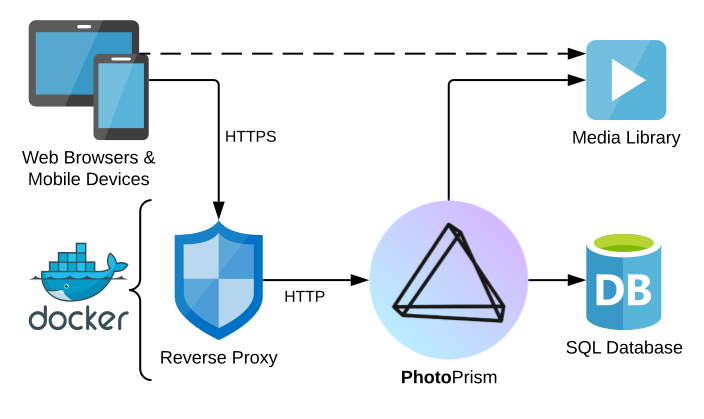 > [!NOTE]
> HTTPS connections use Transport Layer Security (TLS) for encryption. TLS is a network protocol that establishes an encrypted connection to an authenticated peer over an untrusted network.
## How To Enable HTTPS
You have the following options to enable HTTPS/TLS when using our [latest stable release](https://docs.photoprism.app/release-notes/).
Note that after adding or updating certificates, it is required to restart PhotoPrism for the changes to take effect.
### 1. HTTPS Reverse Proxy
To run your instance behind an [HTTPS reverse proxy like Traefik](https://docs.photoprism.app/getting-started/proxies/traefik/), we recommend that you explicitly disable TLS in PhotoPrism by setting `PHOTOPRISM_DISABLE_TLS` to `"true"` in your `compose.yaml` configuration:
```yaml
services:
photoprism:
# ...
environment:
PHOTOPRISM_SITE_URL: "https://www.example.com/"
PHOTOPRISM_DISABLE_TLS: "true"
```
> [!NOTE]
> Especially if your server also has other web applications installed and/or a proxy with working HTTPS is already in place, this may be the best option.
### 2. Self-Signed Certificate
```yaml
services:
photoprism:
# ...
environment:
PHOTOPRISM_SITE_URL: "https://www.example.com/"
PHOTOPRISM_DISABLE_TLS: "false"
PHOTOPRISM_DEFAULT_TLS: "true"
PHOTOPRISM_INIT: "https"
```
### 3. Custom Certificate
To use your own certificates, you can add a custom TLS certificate and private key to the `storage/config/certificates` folder with the filenames `www.example.com.crt` and `www.example.com.key`, replacing `www.example.com` with the actual server domain. For this, you can set the same config options as when using a self-signed certificate (see above).
Alternatively, you can specify a custom TLS certificate (`*.crt`) and private key (`*.key`) filename within the `storage/config/certificates` folder using the `PHOTOPRISM_TLS_CERT` and `PHOTOPRISM_TLS_KEY` [environment variables](https://docs.photoprism.app/getting-started/config-options/) in your `compose.yaml`, or use the corresponding [command flags](https://docs.photoprism.app/getting-started/config-options/):
```yaml
services:
photoprism:
# ...
environment:
PHOTOPRISM_SITE_URL: "https://www.example.com/"
PHOTOPRISM_TLS_CERT: "site.crt"
PHOTOPRISM_TLS_KEY: "site.key"
PHOTOPRISM_DISABLE_TLS: "false"
PHOTOPRISM_DEFAULT_TLS: "true"
PHOTOPRISM_INIT: "https"
```
> [!NOTE]
> We recommend that you keep the `PHOTOPRISM_DEFAULT_TLS` option enabled so that you can always connect securely over HTTPS even if there is a problem with your custom certificates.
## Obtaining Certificates
Valid server certificates can be obtained either from a commercial [Certificate Authority](https://en.wikipedia.org/wiki/Certificate_authority) (CA) like [ZeroSSL](#zerossl) or free of charge from [Let's Encrypt](#lets-encrypt):
### Let’s Encrypt
> [!NOTE]
> HTTPS connections use Transport Layer Security (TLS) for encryption. TLS is a network protocol that establishes an encrypted connection to an authenticated peer over an untrusted network.
## How To Enable HTTPS
You have the following options to enable HTTPS/TLS when using our [latest stable release](https://docs.photoprism.app/release-notes/).
Note that after adding or updating certificates, it is required to restart PhotoPrism for the changes to take effect.
### 1. HTTPS Reverse Proxy
To run your instance behind an [HTTPS reverse proxy like Traefik](https://docs.photoprism.app/getting-started/proxies/traefik/), we recommend that you explicitly disable TLS in PhotoPrism by setting `PHOTOPRISM_DISABLE_TLS` to `"true"` in your `compose.yaml` configuration:
```yaml
services:
photoprism:
# ...
environment:
PHOTOPRISM_SITE_URL: "https://www.example.com/"
PHOTOPRISM_DISABLE_TLS: "true"
```
> [!NOTE]
> Especially if your server also has other web applications installed and/or a proxy with working HTTPS is already in place, this may be the best option.
### 2. Self-Signed Certificate
```yaml
services:
photoprism:
# ...
environment:
PHOTOPRISM_SITE_URL: "https://www.example.com/"
PHOTOPRISM_DISABLE_TLS: "false"
PHOTOPRISM_DEFAULT_TLS: "true"
PHOTOPRISM_INIT: "https"
```
### 3. Custom Certificate
To use your own certificates, you can add a custom TLS certificate and private key to the `storage/config/certificates` folder with the filenames `www.example.com.crt` and `www.example.com.key`, replacing `www.example.com` with the actual server domain. For this, you can set the same config options as when using a self-signed certificate (see above).
Alternatively, you can specify a custom TLS certificate (`*.crt`) and private key (`*.key`) filename within the `storage/config/certificates` folder using the `PHOTOPRISM_TLS_CERT` and `PHOTOPRISM_TLS_KEY` [environment variables](https://docs.photoprism.app/getting-started/config-options/) in your `compose.yaml`, or use the corresponding [command flags](https://docs.photoprism.app/getting-started/config-options/):
```yaml
services:
photoprism:
# ...
environment:
PHOTOPRISM_SITE_URL: "https://www.example.com/"
PHOTOPRISM_TLS_CERT: "site.crt"
PHOTOPRISM_TLS_KEY: "site.key"
PHOTOPRISM_DISABLE_TLS: "false"
PHOTOPRISM_DEFAULT_TLS: "true"
PHOTOPRISM_INIT: "https"
```
> [!NOTE]
> We recommend that you keep the `PHOTOPRISM_DEFAULT_TLS` option enabled so that you can always connect securely over HTTPS even if there is a problem with your custom certificates.
## Obtaining Certificates
Valid server certificates can be obtained either from a commercial [Certificate Authority](https://en.wikipedia.org/wiki/Certificate_authority) (CA) like [ZeroSSL](#zerossl) or free of charge from [Let's Encrypt](#lets-encrypt):
### Let’s Encrypt
 [Let's Encrypt](https://letsencrypt.org/) is an automatic certificate authority that provides you with free HTTPS/TLS certificates. Many web servers and reverse proxies such as [Traefik](https://docs.photoprism.app/getting-started/proxies/traefik/) and [Caddy](https://docs.photoprism.app/getting-started/proxies/caddy-2/) have integrated support for obtaining single-domain certificates if your server is accessible on port 80 over the public Internet.
The creation of certificates for servers that are not publicly reachable or that are valid for all subdomains (wildcard) is alternatively possible with the [LEGO Let's Encrypt client](https://go-acme.github.io/lego/usage/cli/obtain-a-certificate/). If you use Docker and [DigitalOcean's free DNS service](https://m.do.co/c/f9725a28bb6b), the [command to run](https://go-acme.github.io/lego/usage/cli/obtain-a-certificate/) will look as follows (replace the certificate path, access token, domain names, and email address with the appropriate values):
```bash
docker run --rm -v "/path/to/certificates:/data/" \
-e DO_AUTH_TOKEN=Your_Access_Token goacme/lego -a \
-d "example.com" -d "*.example.com" --email="you@example.com" \
--dns=digitalocean --dns-timeout=180 --path=/data run
```
Note that this verification method only works if you use a [supported DNS provider](https://go-acme.github.io/lego/dns/) that LEGO can access through an API. Please refer to [its documentation](https://go-acme.github.io/lego/dns/) for details, as each provider requires different authentication credentials. If you are [using DigitalOcean](https://m.do.co/c/f9725a28bb6b), you can create the required access token in [your customer dashboard](https://cloud.digitalocean.com/account/api/tokens) and replace `Your_Access_Token` with it.
### ZeroSSL
[Let's Encrypt](https://letsencrypt.org/) is an automatic certificate authority that provides you with free HTTPS/TLS certificates. Many web servers and reverse proxies such as [Traefik](https://docs.photoprism.app/getting-started/proxies/traefik/) and [Caddy](https://docs.photoprism.app/getting-started/proxies/caddy-2/) have integrated support for obtaining single-domain certificates if your server is accessible on port 80 over the public Internet.
The creation of certificates for servers that are not publicly reachable or that are valid for all subdomains (wildcard) is alternatively possible with the [LEGO Let's Encrypt client](https://go-acme.github.io/lego/usage/cli/obtain-a-certificate/). If you use Docker and [DigitalOcean's free DNS service](https://m.do.co/c/f9725a28bb6b), the [command to run](https://go-acme.github.io/lego/usage/cli/obtain-a-certificate/) will look as follows (replace the certificate path, access token, domain names, and email address with the appropriate values):
```bash
docker run --rm -v "/path/to/certificates:/data/" \
-e DO_AUTH_TOKEN=Your_Access_Token goacme/lego -a \
-d "example.com" -d "*.example.com" --email="you@example.com" \
--dns=digitalocean --dns-timeout=180 --path=/data run
```
Note that this verification method only works if you use a [supported DNS provider](https://go-acme.github.io/lego/dns/) that LEGO can access through an API. Please refer to [its documentation](https://go-acme.github.io/lego/dns/) for details, as each provider requires different authentication credentials. If you are [using DigitalOcean](https://m.do.co/c/f9725a28bb6b), you can create the required access token in [your customer dashboard](https://cloud.digitalocean.com/account/api/tokens) and replace `Your_Access_Token` with it.
### ZeroSSL
 [ZeroSSL](https://link.photoprism.app/zerossl) is a widely trusted commercial certificate authority with more than 500,000 customers worldwide. Its headquarters are located in [Vienna, Austria](https://link.photoprism.app/zerossl-contact).
Compared to Let's Encrypt, you can also create and revoke certificates through a user-friendly web interface, obtain certificates with a validity of more than 90 days, and choose between additional domain verification methods.[^1]
[Learn more ›](https://link.photoprism.app/zerossl)
## Troubleshooting
### Enabling Trace Log Mode
A good way to troubleshoot configuration issues is to increase the log level. To enable [trace log mode](https://docs.photoprism.app/getting-started/config-options/), set `PHOTOPRISM_LOG_LEVEL` to `"trace"` in the `environment:` section of the `photoprism` service (or use the `--trace` flag when running the `photoprism` command directly):
```yaml
services:
photoprism:
environment:
PHOTOPRISM_LOG_LEVEL: "trace"
...
```
Then [restart all services](https://docs.photoprism.app/getting-started/docker-compose/#step-2-start-the-server) for your changes to take effect:
```bash
docker compose stop
docker compose up -d
```
### Viewing Docker Service Logs
You can run this command to check the server logs for warnings and errors, including the last 100 messages (omit `--tail=100` to see them all, and `-f` to output only the last logs without watching them):
```bash
docker compose logs -f --tail=100
```
[Learn more ›](https://docs.photoprism.app/getting-started/troubleshooting/docker/#viewing-logs)
### Failed to Find Any PEM Data in Key Input
This error can indicate that your key file starts with an unexpected Byte Order Mark (BOM):
- https://www.google.com/search?q=failed+to+find+any+pem+data+tls+golang
- https://stackoverflow.com/questions/57596920/failed-to-find-any-pem-data-in-key
While BOMs are not strictly forbidden, there is only one way to encode UTF-8, and so they are not needed and extremely rare. As a result, a lot of software has problems with them.
You should be able to fix this by opening the file with a regular text or code editor (not Notepad) and then saving it again. Finally, restart all services for the changes to take effect:
```bash
docker compose stop
docker compose up -d
```
> [!NOTE]
> Our examples use the new `docker compose` command by default. If your server does not yet support it, you can still use `docker-compose` or alternatively `podman-compose` on Red Hat-compatible Linux distributions.
## PhotoPrism® Documentation
For more information on specific features, services and related resources, please refer to the other documentation available in our Knowledge Base and User Guide:
- [PhotoPrism® User Guide](https://docs.photoprism.app/user-guide/)
- [PhotoPrism® Setup Guide](https://docs.photoprism.app/getting-started/)
- [PhotoPrism® Knowledge Base](/kb/)
[^1]: We may receive a credit when you sign up through our link, which helps us fund the project infrastructure.
---
# Activating Your License
URL: https://www.photoprism.app/pro/kb/activation/
> This guide shows you how to create a customer account to get full access to our products and services.
## Step 1: Create a Customer Account ##
If you don't already have a customer account with us, you can register using the link you have received from us by email. Once this is done, or if you already have an account, [we will be happy](mailto:support@photoprism.app) to assign your licenses to that account.
> [!NOTE]
> Our [Privacy Policy](/privacy/) explains what information we collect and how we use it. Don't hesitate to [contact us](/contact/) if you have any questions about this policy, other privacy-related topics, or the registration process.
## Step 2: Install PhotoPrism Pro ##
Make sure you have the latest version of PhotoPrism® Pro installed. If you don't have it installed yet, our [Quickstart Guide](/pro/kb/quickstart/) will show you how to set it up and customize it to your needs in just a few steps.
> [!NOTE]
> In case you already have our free [Community Edition](https://docs.photoprism.app/getting-started/) or [PhotoPrism Plus](/plus/) installed, you can follow the [Upgrade Guide](/pro/kb/upgrade/) to get started with PhotoPrism® Pro.
## Step 3: Connect Your Account ##
[ZeroSSL](https://link.photoprism.app/zerossl) is a widely trusted commercial certificate authority with more than 500,000 customers worldwide. Its headquarters are located in [Vienna, Austria](https://link.photoprism.app/zerossl-contact).
Compared to Let's Encrypt, you can also create and revoke certificates through a user-friendly web interface, obtain certificates with a validity of more than 90 days, and choose between additional domain verification methods.[^1]
[Learn more ›](https://link.photoprism.app/zerossl)
## Troubleshooting
### Enabling Trace Log Mode
A good way to troubleshoot configuration issues is to increase the log level. To enable [trace log mode](https://docs.photoprism.app/getting-started/config-options/), set `PHOTOPRISM_LOG_LEVEL` to `"trace"` in the `environment:` section of the `photoprism` service (or use the `--trace` flag when running the `photoprism` command directly):
```yaml
services:
photoprism:
environment:
PHOTOPRISM_LOG_LEVEL: "trace"
...
```
Then [restart all services](https://docs.photoprism.app/getting-started/docker-compose/#step-2-start-the-server) for your changes to take effect:
```bash
docker compose stop
docker compose up -d
```
### Viewing Docker Service Logs
You can run this command to check the server logs for warnings and errors, including the last 100 messages (omit `--tail=100` to see them all, and `-f` to output only the last logs without watching them):
```bash
docker compose logs -f --tail=100
```
[Learn more ›](https://docs.photoprism.app/getting-started/troubleshooting/docker/#viewing-logs)
### Failed to Find Any PEM Data in Key Input
This error can indicate that your key file starts with an unexpected Byte Order Mark (BOM):
- https://www.google.com/search?q=failed+to+find+any+pem+data+tls+golang
- https://stackoverflow.com/questions/57596920/failed-to-find-any-pem-data-in-key
While BOMs are not strictly forbidden, there is only one way to encode UTF-8, and so they are not needed and extremely rare. As a result, a lot of software has problems with them.
You should be able to fix this by opening the file with a regular text or code editor (not Notepad) and then saving it again. Finally, restart all services for the changes to take effect:
```bash
docker compose stop
docker compose up -d
```
> [!NOTE]
> Our examples use the new `docker compose` command by default. If your server does not yet support it, you can still use `docker-compose` or alternatively `podman-compose` on Red Hat-compatible Linux distributions.
## PhotoPrism® Documentation
For more information on specific features, services and related resources, please refer to the other documentation available in our Knowledge Base and User Guide:
- [PhotoPrism® User Guide](https://docs.photoprism.app/user-guide/)
- [PhotoPrism® Setup Guide](https://docs.photoprism.app/getting-started/)
- [PhotoPrism® Knowledge Base](/kb/)
[^1]: We may receive a credit when you sign up through our link, which helps us fund the project infrastructure.
---
# Activating Your License
URL: https://www.photoprism.app/pro/kb/activation/
> This guide shows you how to create a customer account to get full access to our products and services.
## Step 1: Create a Customer Account ##
If you don't already have a customer account with us, you can register using the link you have received from us by email. Once this is done, or if you already have an account, [we will be happy](mailto:support@photoprism.app) to assign your licenses to that account.
> [!NOTE]
> Our [Privacy Policy](/privacy/) explains what information we collect and how we use it. Don't hesitate to [contact us](/contact/) if you have any questions about this policy, other privacy-related topics, or the registration process.
## Step 2: Install PhotoPrism Pro ##
Make sure you have the latest version of PhotoPrism® Pro installed. If you don't have it installed yet, our [Quickstart Guide](/pro/kb/quickstart/) will show you how to set it up and customize it to your needs in just a few steps.
> [!NOTE]
> In case you already have our free [Community Edition](https://docs.photoprism.app/getting-started/) or [PhotoPrism Plus](/plus/) installed, you can follow the [Upgrade Guide](/pro/kb/upgrade/) to get started with PhotoPrism® Pro.
## Step 3: Connect Your Account ##
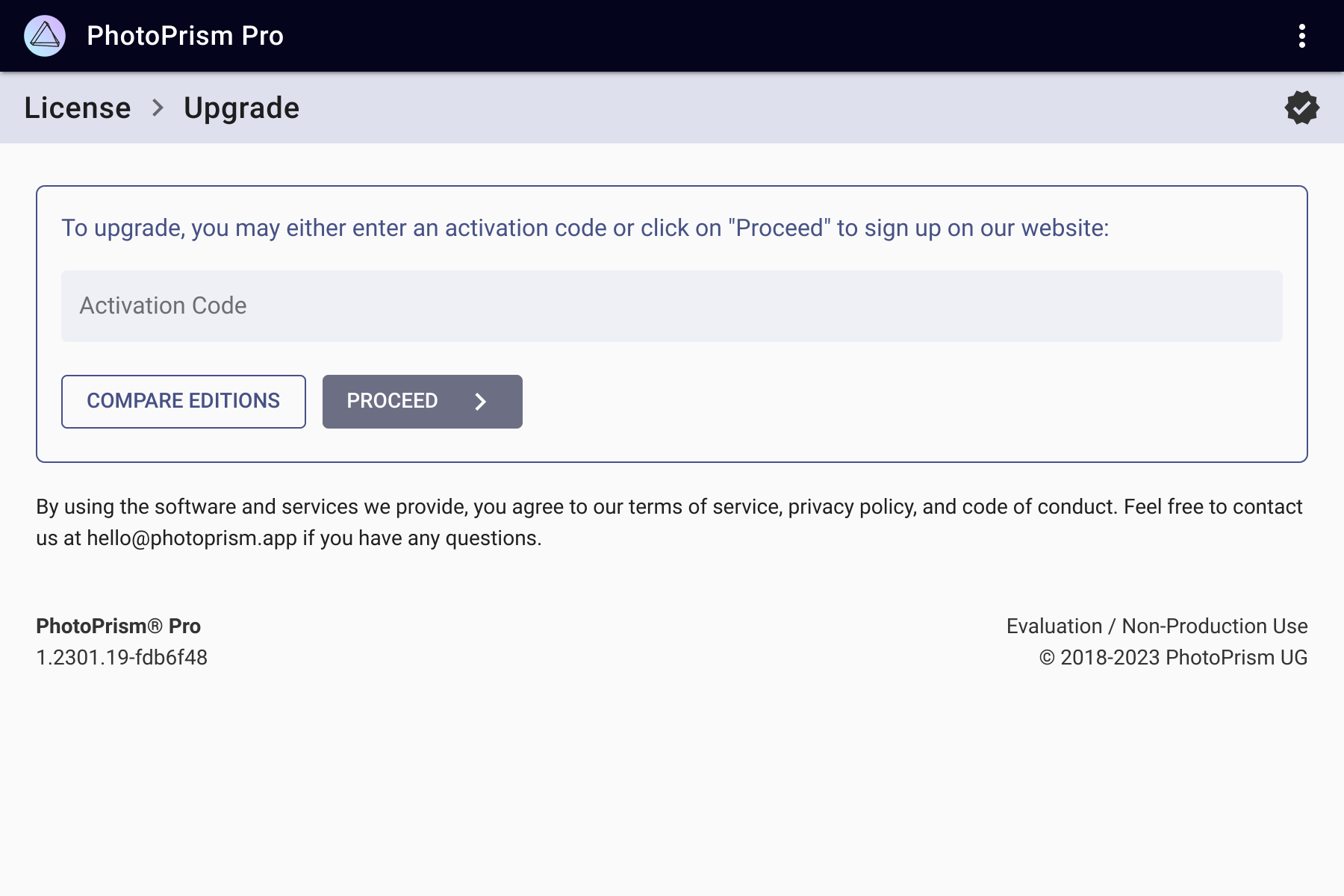 To connect a new instance to your customer account, log in with the admin user[^1] that is automatically created during setup (see your configuration files or the app store documentation),[^2] and then follow these steps:
(1) In the main navigation click on *Upgrade*. If you do not see this link, you can manually navigate to */library/upgrade* in the browser toolbar.
(2) Click *Register* to sign in on our website and receive a code to connect your account.
(3) Finally, please restart your instance for the changes to take effect. You should now see the name of your company or organization in the footer of the *Settings* page instead of *Unregistered / Non-Production Use*. This means that your instance has been successfully activated for production use. Thank you very much!
### Troubleshooting ###
If you have installed the [latest release](/pro/kb/release-notes/), our [customer portal](https://my.photoprism.app/) shows that you have a Pro license assigned to your account, and you still get an error message when you follow the steps above:
(a) Try restarting your instance. We have found that this has solved the problem for many users.
(b) Should a restart not work, it is possible that your instance has problems connecting to the Internet. In this case, you will not be able to activate your instance, retrieve location data, or use the commercial maps:
To connect a new instance to your customer account, log in with the admin user[^1] that is automatically created during setup (see your configuration files or the app store documentation),[^2] and then follow these steps:
(1) In the main navigation click on *Upgrade*. If you do not see this link, you can manually navigate to */library/upgrade* in the browser toolbar.
(2) Click *Register* to sign in on our website and receive a code to connect your account.
(3) Finally, please restart your instance for the changes to take effect. You should now see the name of your company or organization in the footer of the *Settings* page instead of *Unregistered / Non-Production Use*. This means that your instance has been successfully activated for production use. Thank you very much!
### Troubleshooting ###
If you have installed the [latest release](/pro/kb/release-notes/), our [customer portal](https://my.photoprism.app/) shows that you have a Pro license assigned to your account, and you still get an error message when you follow the steps above:
(a) Try restarting your instance. We have found that this has solved the problem for many users.
(b) Should a restart not work, it is possible that your instance has problems connecting to the Internet. In this case, you will not be able to activate your instance, retrieve location data, or use the commercial maps: 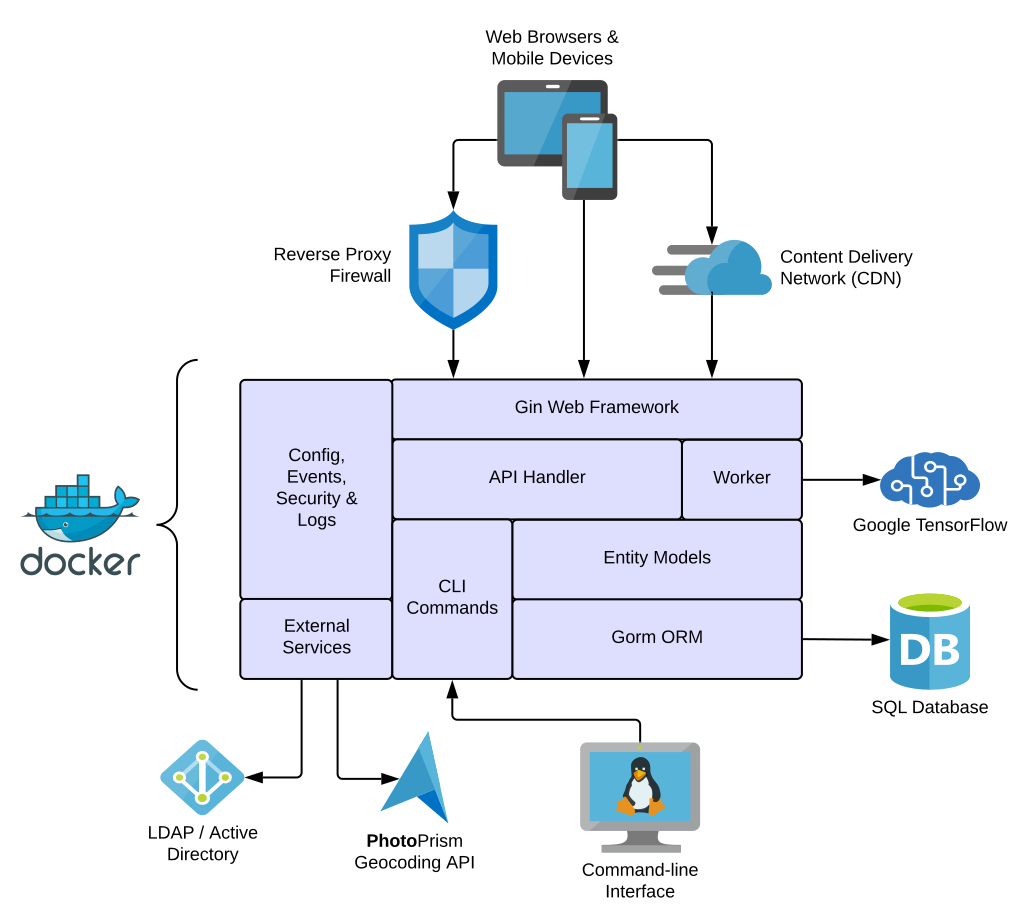 ## Developer Guide
Our [Developer Guide](https://docs.photoprism.app/developer-guide/) contains all the information you need to get started as a developer. It guides you from [setting up your development environment](https://docs.photoprism.app/developer-guide/setup/) and [creating pull requests](https://docs.photoprism.app/developer-guide/pull-requests/) to [running tests](https://docs.photoprism.app/developer-guide/tests/) and [adding translations](https://docs.photoprism.app/developer-guide/translations-weblate/). Multiple subsections provide details on specific features and links to external resources for further information.
> [!NOTE]
> **Want to learn more about our development practices?** Our approach relies heavily on agile methodologies with a high degree of automation and continuous integration. Many of the best practices we use and have proven to be effective are described in [Quality and Best Practices](https://docs.photoprism.app/developer-guide/code-quality/).
## GitHub Repository
The source code, including automated tests and a readme file that gives a [short and concise overview](https://github.com/photoprism/photoprism/blob/develop/README.md) of the project, can be found on GitHub at
## Developer Guide
Our [Developer Guide](https://docs.photoprism.app/developer-guide/) contains all the information you need to get started as a developer. It guides you from [setting up your development environment](https://docs.photoprism.app/developer-guide/setup/) and [creating pull requests](https://docs.photoprism.app/developer-guide/pull-requests/) to [running tests](https://docs.photoprism.app/developer-guide/tests/) and [adding translations](https://docs.photoprism.app/developer-guide/translations-weblate/). Multiple subsections provide details on specific features and links to external resources for further information.
> [!NOTE]
> **Want to learn more about our development practices?** Our approach relies heavily on agile methodologies with a high degree of automation and continuous integration. Many of the best practices we use and have proven to be effective are described in [Quality and Best Practices](https://docs.photoprism.app/developer-guide/code-quality/).
## GitHub Repository
The source code, including automated tests and a readme file that gives a [short and concise overview](https://github.com/photoprism/photoprism/blob/develop/README.md) of the project, can be found on GitHub at 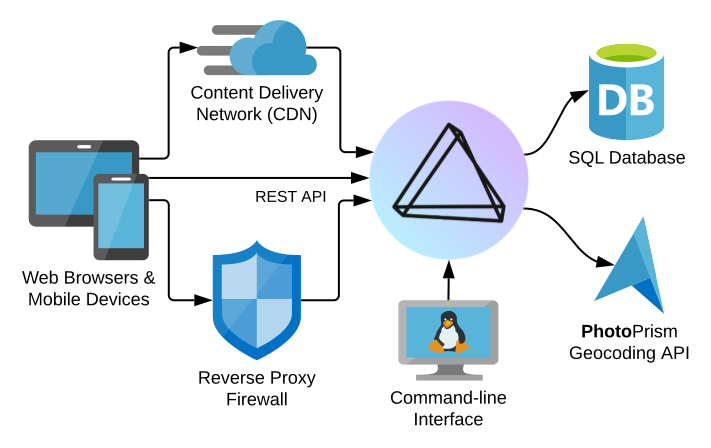 ## Outgoing Connections
As explained in our [Privacy Policy](/privacy/#section-7), reverse geocoding and interactive world maps depend on retrieving the necessary information [from us](/contact/) and [MapTiler AG](https://www.maptiler.com/contacts/), headquartered in Switzerland. Both services are provided with a very high level of privacy and confidentiality.
In order to successfully set up your installation and view location details in PhotoPrism® Pro, you must **allow requests to the following hosts** if you have a firewall installed, and make sure that your Internet connection is working:
- dl.photoprism.app
- my.photoprism.app
- cdn.photoprism.app
- charts.photoprism.app
- maps.photoprism.app
- setup.photoprism.app
- places.photoprism.app
- places.photoprism.xyz
In addition, the following API endpoints should be allowed so that public Docker images can be pulled from [Docker Hub](https://hub.docker.com/):
- auth.docker.io
- registry-1.docker.io
- index.docker.io
- dseasb33srnrn.cloudfront.net
- production.cloudfront.docker.com
- production.cloudflare.docker.com
## IPTables and Docker
On Linux, Docker manipulates the `iptables` rules to provide network isolation. This does have some implications for what you need to do if you want to have your own policies in addition to the rules Docker manages.
[Learn more ›](https://docs.docker.com/engine/network/packet-filtering-firewalls/)
## PhotoPrism® Documentation
For more information on specific features, services and related resources, please refer to the other documentation available in our Knowledge Base and User Guide:
- [PhotoPrism® User Guide](https://docs.photoprism.app/user-guide/)
- [PhotoPrism® Knowledge Base](/kb/)
- [PhotoPrism® Pro Knowledge Base](/pro/kb/)
---
# Getting Started with Rancher and Kubernetes
URL: https://www.photoprism.app/pro/kb/kubernetes/
> Practical tips and advice for running PhotoPrism® on a Kubernetes cluster.
## Table of Contents
[**Firewall Configuration**](#firewall-configuration)
- [Outgoing Connections](#outgoing-connections)
- [Required Ports and Interfaces](#required-ports-and-interfaces)
- [Firewall Rules Table](#firewall-rules-table)
- [NodePort Services](#nodeport-services)
- [Related Documentation](#related-documentation)
[**Linux Network Configuration**](#linux-network-configuration)
- [Name Server Configuration](#name-server-configuration)
- [Configuring a System-wide Proxy](#configuring-a-system-wide-proxy)
[**Linux Kernel Modules**](#linux-kernel-modules)
- [How to Enable `br_netfilter` on Ubuntu Linux](#linux-kernel-ubuntu)
- [How to Enable `br_netfilter` on Red Hat Enterprise Linux (RHEL)](#linux-kernel-redhat)
[**Rancher Cluster Setup**](#rancher-cluster-setup)
- [Registering a New Cluster Node](#registering-a-new-cluster-node)
- [Helm Chart for PhotoPrism® Pro](#helm-charts)
> [!NOTE]
> Although this guide uses IP addresses from the 10.0.0.0/24 subnet for internal networking in its configuration examples, you can also use other subnets and address ranges for the servers in your Kubernetes cluster.
### Firewall Configuration
#### Outgoing Connections
To successfully complete the setup and view location details in PhotoPrism®, please ensure that your firewall or HTTP/HTTPS proxy server allows outgoing connections to the following hosts:
- dl.photoprism.app
- my.photoprism.app
- cdn.photoprism.app
- charts.photoprism.app
- maps.photoprism.app
- setup.photoprism.app
- places.photoprism.app
- places.photoprism.xyz
In addition, access to the following hosts should be allowed for pulling the required images from [Docker Hub](https://hub.docker.com/):
- auth.docker.io
- registry-1.docker.io
- index.docker.io
- dseasb33srnrn.cloudfront.net
- production.cloudfront.docker.com
- production.cloudflare.docker.com
[Learn more ›](/pro/kb/firewall/)
#### Required Ports and Interfaces
**1. Internal Communication (10.0.0.0/24)**
Depending on your specific configuration, some or all of the following ports should be open to enable communication between the cluster nodes over the internal (private) network:
* **TCP 22**: Secure Shell (SSH)
* **TCP/UDP 53**: Domain Name System (DNS)
* **TCP/UDP 443**: HTTPS, [QUIC](https://en.wikipedia.org/wiki/QUIC)
* **TCP/UDP 2049**: NFS v4 (Network File System)
* **TCP 3306**: MariaDB Database Server
* **TCP/UDP 6443**: Kubernetes API
* **TCP/UDP 8472**: Flannel VXLAN (network overlay)
* **TCP 10250**: Kubelet API
* **TCP 2379-2380**: etcd (only for etcd nodes/control plane)
* **TCP 10251-10252**: kube-scheduler, kube-controller-manager (control plane only)
> **Note:** Since administrators or custom applications may require access to additional ports, it is recommended that no firewall rules are applied to restrict communication within the cluster.
**2. Public Interfaces**
Allow only the following ports for incoming traffic on public internet or intranet interfaces (as needed):
* **TCP 22**: SSH (for administration; restrict by IP as much as possible)
* **TCP 80**: HTTP Ingress (e.g. for redirects and certificate validation)
* **TCP/UDP 443**: HTTPS/QUIC Ingress (to access the application and admin interface)
* **TCP 6443**: Kubernetes API (for external access if required; restrict by IP if possible)
#### Firewall Rules Table
| Interface | Port(s) | Protocol | Source | Purpose |
|-------------------|-----------|----------------|----------------------------|------------------------------------------------------------------------|
| Internal (10.0.0) | allow all | ICMP, TCP, UDP | Admin, Kubernetes, MariaDB | Cluster operation |
| Public | | ICMP | Intranet, Internet | [Path MTU Discovery](https://en.wikipedia.org/wiki/Path_MTU_Discovery) |
| Public | 22 | TCP | Admin IPs, VPN | [Secure Shell (SSH)](https://en.wikipedia.org/wiki/Secure_Shell) |
| Public | 80 | TCP | Intranet, Internet | HTTP Ingress (optional) |
| Public | 443 | TCP, UDP | Intranet, Internet | HTTPS/[QUIC](https://en.wikipedia.org/wiki/QUIC) Ingress |
| Public | 6443 | TCP | Admin IPs, VPN | Kubernetes API |
> **Note:** Never expose the Flannel (8472), etcd (2379–2380) or Kubelet API (10250) ports on a public interface.
#### NodePort Services
The NodePort range (30000–32767, TCP/UDP) is the default port range that Kubernetes uses to publish NodePort services. This means that if services are exposed using the NodePort type (e.g. by Rancher), traffic can reach them via any node’s public or internal IP on a port in this range:
| Interface | Port(s) | Protocol | Source | Purpose |
|-------------------|-------------|----------|----------------|---------------------|
| Internal (10.0.0) | 30000-32767 | TCP/UDP | Cluster nodes | NodePort services |
| Public | 30000-32767 | TCP/UDP | As needed only | Public NodePort svc |
If Traefik is the only ingress controller used to expose applications (through ports 80 and 443 only), the NodePort range does not need to be opened externally. In this case, NodePort ports should only be accessible on the internal interface.
However, if workloads (or Rancher features such as the dashboard, monitoring or ingress controllers) are exposed via NodePort, you need to allow inbound traffic to these ports, but only on the interface(s) where the services should be accessible:
- *Typical*: Open the NodePort range on the internal interface (10.0.0.x) for inter-node communication.
- *Optional*: Open specific NodePort ports on the public interface to expose a service externally, without exposing the entire range to the world for security reasons.
#### Related Documentation
* [k3s Network Requirements](https://docs.k3s.io/networking)
* [Rancher - Ports Requirements](https://ranchermanager.docs.rancher.com/getting-started/installation-and-upgrade/installation-requirements/port-requirements)
* [Flannel Networking](https://github.com/flannel-io/flannel#flannel)
* [Traefik - Exposing Services](https://doc.traefik.io/traefik/expose/kubernetes/basic/)
* [Kubernetes - Publishing Services (ServiceTypes)](https://kubernetes.io/docs/concepts/services-networking/service/#publishing-services-service-types)
* [Kubernetes - Communication between Nodes and the Control Plane](https://kubernetes.io/docs/concepts/architecture/control-plane-node-communication/)
### Linux Network Configuration
#### Name Server Configuration
If your servers have a Linux distribution with `systemd` installed, it is recommended that you disable `systemd-resolved` before proceeding with the installation to avoid Rancher or Kubernetes name resolution problems:
```bash
sudo systemctl disable systemd-resolved --now
```
Make sure to also delete the symbolic link to the `systemd-resolved` configuration:
```bash
sudo rm /etc/resolv.conf
```
Once `systemd-resolved` is disabled, you can manually configure name resolution in `/etc/resolv.conf`, for example:
```
nameserver 8.8.8.8
nameserver 8.8.4.4
options edns0 trust-ad
search .
```
If the server is on a private network without a public IP address, you can set up a forwarding nameserver and configure it in `/etc/resolv.conf` as shown in this example (make sure to replace `10.0.0.2` with the actual nameserver IP address):
```
nameserver 10.0.0.2
```
#### Configuring a System-wide Proxy
To use this proxy service, you can add the following lines to `/etc/environment` (replace `10.0.0.2` with the actual proxy server address):
```
HTTP_PROXY="http://10.0.0.2:3128"
HTTPS_PROXY="http://10.0.0.2:3128"
FTP_PROXY="http://10.0.0.2:3128"
NO_PROXY="localhost,10.0.0.0/8,127.0.0.0/8,172.16.0.0/12,192.168.0.0/16,::1"
```
On Debian/Ubuntu, create or edit `/etc/apt/apt.conf.d/95proxies` to include the following:
```
Acquire::http::Proxy "http://10.0.0.2:3128";
Acquire::https::Proxy "http://10.0.0.2:3128";
```
The proxy settings for Snap on Ubuntu Linux can be changed with the following commands:
```bash
sudo snap set system proxy.http="http://10.0.0.2:3128"
sudo snap set system proxy.https="http://10.0.0.2:3128"
```
### Linux Kernel Modules
The `br_netfilter` Linux kernel module is crucial for Kubernetes networking—especially when using network plugins (like Flannel, Calico, Cilium, etc.) that rely on bridged networking.
Without the module, packets traveling across Linux bridges bypass `iptables` by default, so firewall rules, NAT, or port forwarding won’t apply to inter-pod or pod-to-service traffic.
You must therefore ensure that the `br_netfilter` module is loaded before installing Rancher or Kubernetes cluster nodes:
#### How to Enable `br_netfilter` on Ubuntu Linux
```bash
echo "br_netfilter" | sudo tee /etc/modules-load.d/br_netfilter.conf
sudo modprobe br_netfilter
sudo sed -i 's/#net.ipv4.ip_forward=1/net.ipv4.ip_forward=1/g' /etc/sysctl.conf
```
Running the command `sudo lsmod` will show a list of all the currently loaded kernel modules. It should now include `br_netfilter`.
Also ensure that your servers have the latest security updates installed:
```bash
sudo apt update
sudo apt dist-upgrade
```
Then, restart your servers before proceeding with the installation.
#### How to Enable `br_netfilter` on Red Hat Enterprise Linux (RHEL)
```bash
echo "br_netfilter" | sudo tee /etc/modules-load.d/br_netfilter.conf
sudo modprobe br_netfilter
```
Running the command `sudo lsmod` will show a list of all the currently loaded kernel modules. It should now include `br_netfilter`.
You should also ensure that the latest security updates are installed. Then, restart your servers before proceeding with the installation.
### Rancher Cluster Setup
#### Registering a New Cluster Node
To add a new node to a Rancher-managed cluster, run the following command on the server you want to add (replace the Rancher server hostname and authentication token, as well as the node's external and internal IP addresses):
```bash
curl -fL https://[server_hostname]/system-agent-install.sh | sudo sh -s - \
--server https://[server_hostname] --label 'cattle.io/os=linux' \
--token [token] \
--address [external_ip] --internal-address [internal_ip] \
--etcd --controlplane --worker
```
After running the script, you can use the following command to view the logs and check whether the node is connecting to the server:
```bash
sudo tail -f /var/log/syslog
```
If the service fails to start due to an incorrect `token`, wrong server hostname, or other configuration problem, you can try resolving these issues and then restarting the service with the following command:
```bash
sudo systemctl restart rancher-system-agent
```
The following script removes the Rancher agent from the server, so you can start from scratch or use the server for other purposes:
```bash
sudo rancher-system-agent-uninstall.sh
```
> **Note:** Be sure to remove the node from the cluster in the Rancher web interface before uninstalling the agent, shutting down the server permanently, or reinstalling its operating system.
#### Helm Chart for PhotoPrism® Pro
Our `photoprism-pro` chart, hosted at [**charts.photoprism.app/photoprism**](https://charts.photoprism.app/photoprism), is compatible with Rancher and includes safe defaults for standalone installations. It can optionally be integrated with a [PhotoPrism® Portal](/pro/kb/portal/) server for automated provisioning, shared single sign-on, and centralized [access control](/pro/kb/openid-connect/#cluster-authentication) across multiple instances.
[Learn more ›](/pro/kb/helm-chart/)
## PhotoPrism® Documentation
For more information on specific features, services and related resources, please refer to the other documentation available in our Knowledge Base and User Guide:
- [PhotoPrism® Portal Knowledge Base](/portal/kb/)
- [PhotoPrism® User Guide](https://docs.photoprism.app/user-guide/)
- [PhotoPrism® Knowledge Base](/kb/)
- [PhotoPrism® Pro Knowledge Base](/pro/kb/)
---
# Getting Updates
URL: https://www.photoprism.app/pro/kb/updates/
> This guide shows you how to get and install updated versions of PhotoPrism® Pro.
### Docker Compose
Open a terminal and change to the folder where your `compose.yaml` or `docker-compose.yml` file is located.[^1] Now run the following commands to download the [most recent version](/pro/kb/release-notes/) from our private registry and restart your instance in the background:[^2]
```
docker compose up -d --pull always
```
Pulling a new version can take several minutes, depending on your internet connection speed. Advanced users can [add this to a `Makefile`](https://dl.photoprism.app/docker/Makefile) so that they only have to type a single command like `make update`.
> [!NOTE]
> Even when you use an image with the `:latest` tag, Docker does not automatically download new images for you. You can either manually upgrade as shown above, or set up a service like [Watchtower](#watchtower) to get automatic updates.
#### Config Examples
We recommend that you compare your own `compose.yaml` with [our latest examples](/pro/kb/quickstart/#step-1) from time to time, as they may include new [config options](/pro/kb/config-options/) or other enhancements relevant to you.
#### Development Preview
You can test upcoming features and enhancements by changing the image from `photoprism/pro:latest` to `photoprism/pro:preview` in your [`compose.yaml`](https://dl.photoprism.app/docker/). Then pull the most recent image and restart your instance as shown above.
#### Watchtower
Adding [Watchtower](https://github.com/nicholas-fedor/watchtower) as a service to your `compose.yaml` will automatically keep images up-to-date:
```yaml
services:
watchtower:
image: nickfedor/watchtower
restart: unless-stopped
volumes:
- "/var/run/docker.sock:/var/run/docker.sock"
```
> [!NOTE]
> Automatic updates may interrupt indexing and import operations. Only enable Watchtower if you are comfortable with this.
### Pure Docker
Open a terminal on your server, and run the following command to pull the most recent container image:[^2]
```
docker pull photoprism/pro:latest
```
### Complete Rescan
We recommend performing a [complete rescan](https://docs.photoprism.app/user-guide/library/originals/#when-should-complete-rescan-be-selected) after major updates to take advantage of new search filters and sorting options. Be sure to [read the notes for each release](/pro/kb/release-notes/) to see what changes have been made and if they might affect your library, for example, because of the file types you have or because new search features have been added. If you encounter problems that you cannot solve otherwise (i.e. before reporting a bug), please also try a rescan and see if it solves the problem.
You can start a [rescan from the user interface](https://docs.photoprism.app/user-guide/library/originals/) by navigating to *Library* > *Index*, selecting "Complete Rescan", and then clicking "Start". Manually entered information such as labels, people, titles or descriptions will not be modified when indexing, even if you perform a "complete rescan".
> [!NOTE]
> Be careful not to start multiple indexing processes at the same time, as this will lead to a high server load.
### MariaDB Server
Our [configuration examples](/pro/kb/quickstart/#step-1) are generally based on the [current stable version](https://mariadb.com/kb/en/mariadb-server-release-dates/) to take advantage of performance improvements. This does not mean that [older versions](https://docs.photoprism.app/getting-started/#databases) are no longer supported and you must upgrade immediately. We recommend not using the `:latest` tag for the MariaDB Docker image and to upgrade manually by changing the tag once we had a chance to test a new major version, e.g.:
```yaml
services:
mariadb:
image: mariadb:12.3
...
```
If MariaDB fails to start after upgrading from an earlier version (or migrating from MySQL), the internal management schema may be outdated. See [Troubleshooting MariaDB Problems](https://docs.photoprism.app/getting-started/troubleshooting/mariadb/#version-upgrade) for instructions on how to fix this.
## PhotoPrism® Documentation
For more information on specific features, services and related resources, please refer to the other documentation available in our Knowledge Base and User Guide:
- [PhotoPrism® User Guide](https://docs.photoprism.app/user-guide/)
- [PhotoPrism® Knowledge Base](/kb/)
- [PhotoPrism® Pro Knowledge Base](/pro/kb/)
[^1]: The default [Docker Compose](https://docs.docker.com/compose/) config filename is `compose.yaml`. For simplicity, it doesn't need to be specified when running `docker compose` in the same directory. Config files for other apps or instances should be placed in separate folders.
[^2]: Our guides use the new `docker compose` command by default. If your server does not yet support it, the old `docker-compose` command will still work. Users of Red Hat Enterprise Linux® and compatible Linux distributions such as CentOS, Fedora, AlmaLinux, and Rocky Linux can substitute the `docker` and `docker compose` commands with `podman` and `podman-compose` as drop-in replacements.
---
# Helm Chart
URL: https://www.photoprism.app/pro/kb/helm-chart/
> Deploys PhotoPrism® Pro on Kubernetes
Our `photoprism-pro` chart, hosted at [**charts.photoprism.app/photoprism**](https://charts.photoprism.app/photoprism), is compatible [with Rancher](/pro/kb/kubernetes/) and includes safe defaults for standalone installations. It can optionally be integrated with a PhotoPrism® Portal server for automated provisioning.
## Features
- Runs the `photoprism/pro` image with non-root defaults (UID/GID 1000) and baseline security settings.
- Creates persistent volumes for originals (optional) and application storage with conservative 10 GiB / 5 GiB defaults that can be resized post-install.
- Supports either SQLite (default) or MariaDB/MySQL by overriding the database block.
- Optional LDAP and OIDC configuration mapped directly to PhotoPrism environment variables.
- Portal integration is opt-in; when enabled, the chart can consume the standard `photoprism-cluster-secrets` or user-defined secrets without hard-coding customer data.
## Quick Start
```bash
helm repo add photoprism https://charts.photoprism.app/photoprism
helm repo update photoprism
helm upgrade --install photos photoprism/photoprism-pro \
--namespace photos --create-namespace
```
This deploys PhotoPrism with SQLite storage. To use MariaDB (recommended for production), supply the connection details:
```bash
helm upgrade --install photos photoprism/photoprism-pro \
--namespace photos \
--set database.driver=mysql \
--set database.server=mariadb.default.svc.cluster.local:3306 \
--set database.name=photoprism \
--set database.user=photoprism \
--set database.password=changeme
```
## Persistence
- `persistence.storage` provides the writable application directory (`/photoprism/storage`).
- `persistence.originals` defaults to a PVC but can be replaced with NFS by enabling `persistence.originals.nfs`.
- The chart never assumes Longhorn; it honours your cluster default storage class unless overridden via `persistence.storageClassName`.
## Optional Portal Integration
Set `cluster.integration.enabled=true` to populate cluster-specific environment variables:
```yaml
cluster:
integration:
enabled: true
secretName: photoprism-cluster-secrets # optional, defaults to this name
```
If the secret is not available, you may provide the values inline (`domain`, `portalURL`, `joinToken`, …). All secret references are marked optional so the chart remains usable without a Portal deployment.
## Values Reference
Run `helm show values photoprism/photoprism-pro` for a complete list of configurable options. Common adjustments include:
- `config.PHOTOPRISM_SITE_TITLE` / `config.PHOTOPRISM_SITE_DESCRIPTION`
- `config.PHOTOPRISM_PASSWORD_LENGTH`, `config.PHOTOPRISM_SESSION_*`
- `ldap.*` and `oidc.*` blocks for enterprise authentication
- `persistence.*` for storage sizing or NFS mounting
## Networking and TLS
The chart exposes PhotoPrism on TCP 2342 through a ClusterIP service. You can override the service type or enable an Ingress resource when you terminate TLS in the cluster edge:
```yaml
service:
type: ClusterIP
port: 2342
ingress:
enabled: true
className: traefik
hosts:
- host: photos.example.com
paths:
- path: /
pathType: Prefix
tls:
- hosts:
- photos.example.com
secretName: photos-tls
```
Because TLS typically terminates at the ingress or proxy layer, the chart keeps `PHOTOPRISM_DISABLE_TLS` set to `true`. Only enable PhotoPrism’s internal TLS if your cluster design requires end-to-end encryption and you manage the certificates yourself.
## Security Notes
- Admin passwords are generated on first install when `adminPassword` is empty and stored in the release secret (`
## Outgoing Connections
As explained in our [Privacy Policy](/privacy/#section-7), reverse geocoding and interactive world maps depend on retrieving the necessary information [from us](/contact/) and [MapTiler AG](https://www.maptiler.com/contacts/), headquartered in Switzerland. Both services are provided with a very high level of privacy and confidentiality.
In order to successfully set up your installation and view location details in PhotoPrism® Pro, you must **allow requests to the following hosts** if you have a firewall installed, and make sure that your Internet connection is working:
- dl.photoprism.app
- my.photoprism.app
- cdn.photoprism.app
- charts.photoprism.app
- maps.photoprism.app
- setup.photoprism.app
- places.photoprism.app
- places.photoprism.xyz
In addition, the following API endpoints should be allowed so that public Docker images can be pulled from [Docker Hub](https://hub.docker.com/):
- auth.docker.io
- registry-1.docker.io
- index.docker.io
- dseasb33srnrn.cloudfront.net
- production.cloudfront.docker.com
- production.cloudflare.docker.com
## IPTables and Docker
On Linux, Docker manipulates the `iptables` rules to provide network isolation. This does have some implications for what you need to do if you want to have your own policies in addition to the rules Docker manages.
[Learn more ›](https://docs.docker.com/engine/network/packet-filtering-firewalls/)
## PhotoPrism® Documentation
For more information on specific features, services and related resources, please refer to the other documentation available in our Knowledge Base and User Guide:
- [PhotoPrism® User Guide](https://docs.photoprism.app/user-guide/)
- [PhotoPrism® Knowledge Base](/kb/)
- [PhotoPrism® Pro Knowledge Base](/pro/kb/)
---
# Getting Started with Rancher and Kubernetes
URL: https://www.photoprism.app/pro/kb/kubernetes/
> Practical tips and advice for running PhotoPrism® on a Kubernetes cluster.
## Table of Contents
[**Firewall Configuration**](#firewall-configuration)
- [Outgoing Connections](#outgoing-connections)
- [Required Ports and Interfaces](#required-ports-and-interfaces)
- [Firewall Rules Table](#firewall-rules-table)
- [NodePort Services](#nodeport-services)
- [Related Documentation](#related-documentation)
[**Linux Network Configuration**](#linux-network-configuration)
- [Name Server Configuration](#name-server-configuration)
- [Configuring a System-wide Proxy](#configuring-a-system-wide-proxy)
[**Linux Kernel Modules**](#linux-kernel-modules)
- [How to Enable `br_netfilter` on Ubuntu Linux](#linux-kernel-ubuntu)
- [How to Enable `br_netfilter` on Red Hat Enterprise Linux (RHEL)](#linux-kernel-redhat)
[**Rancher Cluster Setup**](#rancher-cluster-setup)
- [Registering a New Cluster Node](#registering-a-new-cluster-node)
- [Helm Chart for PhotoPrism® Pro](#helm-charts)
> [!NOTE]
> Although this guide uses IP addresses from the 10.0.0.0/24 subnet for internal networking in its configuration examples, you can also use other subnets and address ranges for the servers in your Kubernetes cluster.
### Firewall Configuration
#### Outgoing Connections
To successfully complete the setup and view location details in PhotoPrism®, please ensure that your firewall or HTTP/HTTPS proxy server allows outgoing connections to the following hosts:
- dl.photoprism.app
- my.photoprism.app
- cdn.photoprism.app
- charts.photoprism.app
- maps.photoprism.app
- setup.photoprism.app
- places.photoprism.app
- places.photoprism.xyz
In addition, access to the following hosts should be allowed for pulling the required images from [Docker Hub](https://hub.docker.com/):
- auth.docker.io
- registry-1.docker.io
- index.docker.io
- dseasb33srnrn.cloudfront.net
- production.cloudfront.docker.com
- production.cloudflare.docker.com
[Learn more ›](/pro/kb/firewall/)
#### Required Ports and Interfaces
**1. Internal Communication (10.0.0.0/24)**
Depending on your specific configuration, some or all of the following ports should be open to enable communication between the cluster nodes over the internal (private) network:
* **TCP 22**: Secure Shell (SSH)
* **TCP/UDP 53**: Domain Name System (DNS)
* **TCP/UDP 443**: HTTPS, [QUIC](https://en.wikipedia.org/wiki/QUIC)
* **TCP/UDP 2049**: NFS v4 (Network File System)
* **TCP 3306**: MariaDB Database Server
* **TCP/UDP 6443**: Kubernetes API
* **TCP/UDP 8472**: Flannel VXLAN (network overlay)
* **TCP 10250**: Kubelet API
* **TCP 2379-2380**: etcd (only for etcd nodes/control plane)
* **TCP 10251-10252**: kube-scheduler, kube-controller-manager (control plane only)
> **Note:** Since administrators or custom applications may require access to additional ports, it is recommended that no firewall rules are applied to restrict communication within the cluster.
**2. Public Interfaces**
Allow only the following ports for incoming traffic on public internet or intranet interfaces (as needed):
* **TCP 22**: SSH (for administration; restrict by IP as much as possible)
* **TCP 80**: HTTP Ingress (e.g. for redirects and certificate validation)
* **TCP/UDP 443**: HTTPS/QUIC Ingress (to access the application and admin interface)
* **TCP 6443**: Kubernetes API (for external access if required; restrict by IP if possible)
#### Firewall Rules Table
| Interface | Port(s) | Protocol | Source | Purpose |
|-------------------|-----------|----------------|----------------------------|------------------------------------------------------------------------|
| Internal (10.0.0) | allow all | ICMP, TCP, UDP | Admin, Kubernetes, MariaDB | Cluster operation |
| Public | | ICMP | Intranet, Internet | [Path MTU Discovery](https://en.wikipedia.org/wiki/Path_MTU_Discovery) |
| Public | 22 | TCP | Admin IPs, VPN | [Secure Shell (SSH)](https://en.wikipedia.org/wiki/Secure_Shell) |
| Public | 80 | TCP | Intranet, Internet | HTTP Ingress (optional) |
| Public | 443 | TCP, UDP | Intranet, Internet | HTTPS/[QUIC](https://en.wikipedia.org/wiki/QUIC) Ingress |
| Public | 6443 | TCP | Admin IPs, VPN | Kubernetes API |
> **Note:** Never expose the Flannel (8472), etcd (2379–2380) or Kubelet API (10250) ports on a public interface.
#### NodePort Services
The NodePort range (30000–32767, TCP/UDP) is the default port range that Kubernetes uses to publish NodePort services. This means that if services are exposed using the NodePort type (e.g. by Rancher), traffic can reach them via any node’s public or internal IP on a port in this range:
| Interface | Port(s) | Protocol | Source | Purpose |
|-------------------|-------------|----------|----------------|---------------------|
| Internal (10.0.0) | 30000-32767 | TCP/UDP | Cluster nodes | NodePort services |
| Public | 30000-32767 | TCP/UDP | As needed only | Public NodePort svc |
If Traefik is the only ingress controller used to expose applications (through ports 80 and 443 only), the NodePort range does not need to be opened externally. In this case, NodePort ports should only be accessible on the internal interface.
However, if workloads (or Rancher features such as the dashboard, monitoring or ingress controllers) are exposed via NodePort, you need to allow inbound traffic to these ports, but only on the interface(s) where the services should be accessible:
- *Typical*: Open the NodePort range on the internal interface (10.0.0.x) for inter-node communication.
- *Optional*: Open specific NodePort ports on the public interface to expose a service externally, without exposing the entire range to the world for security reasons.
#### Related Documentation
* [k3s Network Requirements](https://docs.k3s.io/networking)
* [Rancher - Ports Requirements](https://ranchermanager.docs.rancher.com/getting-started/installation-and-upgrade/installation-requirements/port-requirements)
* [Flannel Networking](https://github.com/flannel-io/flannel#flannel)
* [Traefik - Exposing Services](https://doc.traefik.io/traefik/expose/kubernetes/basic/)
* [Kubernetes - Publishing Services (ServiceTypes)](https://kubernetes.io/docs/concepts/services-networking/service/#publishing-services-service-types)
* [Kubernetes - Communication between Nodes and the Control Plane](https://kubernetes.io/docs/concepts/architecture/control-plane-node-communication/)
### Linux Network Configuration
#### Name Server Configuration
If your servers have a Linux distribution with `systemd` installed, it is recommended that you disable `systemd-resolved` before proceeding with the installation to avoid Rancher or Kubernetes name resolution problems:
```bash
sudo systemctl disable systemd-resolved --now
```
Make sure to also delete the symbolic link to the `systemd-resolved` configuration:
```bash
sudo rm /etc/resolv.conf
```
Once `systemd-resolved` is disabled, you can manually configure name resolution in `/etc/resolv.conf`, for example:
```
nameserver 8.8.8.8
nameserver 8.8.4.4
options edns0 trust-ad
search .
```
If the server is on a private network without a public IP address, you can set up a forwarding nameserver and configure it in `/etc/resolv.conf` as shown in this example (make sure to replace `10.0.0.2` with the actual nameserver IP address):
```
nameserver 10.0.0.2
```
#### Configuring a System-wide Proxy
To use this proxy service, you can add the following lines to `/etc/environment` (replace `10.0.0.2` with the actual proxy server address):
```
HTTP_PROXY="http://10.0.0.2:3128"
HTTPS_PROXY="http://10.0.0.2:3128"
FTP_PROXY="http://10.0.0.2:3128"
NO_PROXY="localhost,10.0.0.0/8,127.0.0.0/8,172.16.0.0/12,192.168.0.0/16,::1"
```
On Debian/Ubuntu, create or edit `/etc/apt/apt.conf.d/95proxies` to include the following:
```
Acquire::http::Proxy "http://10.0.0.2:3128";
Acquire::https::Proxy "http://10.0.0.2:3128";
```
The proxy settings for Snap on Ubuntu Linux can be changed with the following commands:
```bash
sudo snap set system proxy.http="http://10.0.0.2:3128"
sudo snap set system proxy.https="http://10.0.0.2:3128"
```
### Linux Kernel Modules
The `br_netfilter` Linux kernel module is crucial for Kubernetes networking—especially when using network plugins (like Flannel, Calico, Cilium, etc.) that rely on bridged networking.
Without the module, packets traveling across Linux bridges bypass `iptables` by default, so firewall rules, NAT, or port forwarding won’t apply to inter-pod or pod-to-service traffic.
You must therefore ensure that the `br_netfilter` module is loaded before installing Rancher or Kubernetes cluster nodes:
#### How to Enable `br_netfilter` on Ubuntu Linux
```bash
echo "br_netfilter" | sudo tee /etc/modules-load.d/br_netfilter.conf
sudo modprobe br_netfilter
sudo sed -i 's/#net.ipv4.ip_forward=1/net.ipv4.ip_forward=1/g' /etc/sysctl.conf
```
Running the command `sudo lsmod` will show a list of all the currently loaded kernel modules. It should now include `br_netfilter`.
Also ensure that your servers have the latest security updates installed:
```bash
sudo apt update
sudo apt dist-upgrade
```
Then, restart your servers before proceeding with the installation.
#### How to Enable `br_netfilter` on Red Hat Enterprise Linux (RHEL)
```bash
echo "br_netfilter" | sudo tee /etc/modules-load.d/br_netfilter.conf
sudo modprobe br_netfilter
```
Running the command `sudo lsmod` will show a list of all the currently loaded kernel modules. It should now include `br_netfilter`.
You should also ensure that the latest security updates are installed. Then, restart your servers before proceeding with the installation.
### Rancher Cluster Setup
#### Registering a New Cluster Node
To add a new node to a Rancher-managed cluster, run the following command on the server you want to add (replace the Rancher server hostname and authentication token, as well as the node's external and internal IP addresses):
```bash
curl -fL https://[server_hostname]/system-agent-install.sh | sudo sh -s - \
--server https://[server_hostname] --label 'cattle.io/os=linux' \
--token [token] \
--address [external_ip] --internal-address [internal_ip] \
--etcd --controlplane --worker
```
After running the script, you can use the following command to view the logs and check whether the node is connecting to the server:
```bash
sudo tail -f /var/log/syslog
```
If the service fails to start due to an incorrect `token`, wrong server hostname, or other configuration problem, you can try resolving these issues and then restarting the service with the following command:
```bash
sudo systemctl restart rancher-system-agent
```
The following script removes the Rancher agent from the server, so you can start from scratch or use the server for other purposes:
```bash
sudo rancher-system-agent-uninstall.sh
```
> **Note:** Be sure to remove the node from the cluster in the Rancher web interface before uninstalling the agent, shutting down the server permanently, or reinstalling its operating system.
#### Helm Chart for PhotoPrism® Pro
Our `photoprism-pro` chart, hosted at [**charts.photoprism.app/photoprism**](https://charts.photoprism.app/photoprism), is compatible with Rancher and includes safe defaults for standalone installations. It can optionally be integrated with a [PhotoPrism® Portal](/pro/kb/portal/) server for automated provisioning, shared single sign-on, and centralized [access control](/pro/kb/openid-connect/#cluster-authentication) across multiple instances.
[Learn more ›](/pro/kb/helm-chart/)
## PhotoPrism® Documentation
For more information on specific features, services and related resources, please refer to the other documentation available in our Knowledge Base and User Guide:
- [PhotoPrism® Portal Knowledge Base](/portal/kb/)
- [PhotoPrism® User Guide](https://docs.photoprism.app/user-guide/)
- [PhotoPrism® Knowledge Base](/kb/)
- [PhotoPrism® Pro Knowledge Base](/pro/kb/)
---
# Getting Updates
URL: https://www.photoprism.app/pro/kb/updates/
> This guide shows you how to get and install updated versions of PhotoPrism® Pro.
### Docker Compose
Open a terminal and change to the folder where your `compose.yaml` or `docker-compose.yml` file is located.[^1] Now run the following commands to download the [most recent version](/pro/kb/release-notes/) from our private registry and restart your instance in the background:[^2]
```
docker compose up -d --pull always
```
Pulling a new version can take several minutes, depending on your internet connection speed. Advanced users can [add this to a `Makefile`](https://dl.photoprism.app/docker/Makefile) so that they only have to type a single command like `make update`.
> [!NOTE]
> Even when you use an image with the `:latest` tag, Docker does not automatically download new images for you. You can either manually upgrade as shown above, or set up a service like [Watchtower](#watchtower) to get automatic updates.
#### Config Examples
We recommend that you compare your own `compose.yaml` with [our latest examples](/pro/kb/quickstart/#step-1) from time to time, as they may include new [config options](/pro/kb/config-options/) or other enhancements relevant to you.
#### Development Preview
You can test upcoming features and enhancements by changing the image from `photoprism/pro:latest` to `photoprism/pro:preview` in your [`compose.yaml`](https://dl.photoprism.app/docker/). Then pull the most recent image and restart your instance as shown above.
#### Watchtower
Adding [Watchtower](https://github.com/nicholas-fedor/watchtower) as a service to your `compose.yaml` will automatically keep images up-to-date:
```yaml
services:
watchtower:
image: nickfedor/watchtower
restart: unless-stopped
volumes:
- "/var/run/docker.sock:/var/run/docker.sock"
```
> [!NOTE]
> Automatic updates may interrupt indexing and import operations. Only enable Watchtower if you are comfortable with this.
### Pure Docker
Open a terminal on your server, and run the following command to pull the most recent container image:[^2]
```
docker pull photoprism/pro:latest
```
### Complete Rescan
We recommend performing a [complete rescan](https://docs.photoprism.app/user-guide/library/originals/#when-should-complete-rescan-be-selected) after major updates to take advantage of new search filters and sorting options. Be sure to [read the notes for each release](/pro/kb/release-notes/) to see what changes have been made and if they might affect your library, for example, because of the file types you have or because new search features have been added. If you encounter problems that you cannot solve otherwise (i.e. before reporting a bug), please also try a rescan and see if it solves the problem.
You can start a [rescan from the user interface](https://docs.photoprism.app/user-guide/library/originals/) by navigating to *Library* > *Index*, selecting "Complete Rescan", and then clicking "Start". Manually entered information such as labels, people, titles or descriptions will not be modified when indexing, even if you perform a "complete rescan".
> [!NOTE]
> Be careful not to start multiple indexing processes at the same time, as this will lead to a high server load.
### MariaDB Server
Our [configuration examples](/pro/kb/quickstart/#step-1) are generally based on the [current stable version](https://mariadb.com/kb/en/mariadb-server-release-dates/) to take advantage of performance improvements. This does not mean that [older versions](https://docs.photoprism.app/getting-started/#databases) are no longer supported and you must upgrade immediately. We recommend not using the `:latest` tag for the MariaDB Docker image and to upgrade manually by changing the tag once we had a chance to test a new major version, e.g.:
```yaml
services:
mariadb:
image: mariadb:12.3
...
```
If MariaDB fails to start after upgrading from an earlier version (or migrating from MySQL), the internal management schema may be outdated. See [Troubleshooting MariaDB Problems](https://docs.photoprism.app/getting-started/troubleshooting/mariadb/#version-upgrade) for instructions on how to fix this.
## PhotoPrism® Documentation
For more information on specific features, services and related resources, please refer to the other documentation available in our Knowledge Base and User Guide:
- [PhotoPrism® User Guide](https://docs.photoprism.app/user-guide/)
- [PhotoPrism® Knowledge Base](/kb/)
- [PhotoPrism® Pro Knowledge Base](/pro/kb/)
[^1]: The default [Docker Compose](https://docs.docker.com/compose/) config filename is `compose.yaml`. For simplicity, it doesn't need to be specified when running `docker compose` in the same directory. Config files for other apps or instances should be placed in separate folders.
[^2]: Our guides use the new `docker compose` command by default. If your server does not yet support it, the old `docker-compose` command will still work. Users of Red Hat Enterprise Linux® and compatible Linux distributions such as CentOS, Fedora, AlmaLinux, and Rocky Linux can substitute the `docker` and `docker compose` commands with `podman` and `podman-compose` as drop-in replacements.
---
# Helm Chart
URL: https://www.photoprism.app/pro/kb/helm-chart/
> Deploys PhotoPrism® Pro on Kubernetes
Our `photoprism-pro` chart, hosted at [**charts.photoprism.app/photoprism**](https://charts.photoprism.app/photoprism), is compatible [with Rancher](/pro/kb/kubernetes/) and includes safe defaults for standalone installations. It can optionally be integrated with a PhotoPrism® Portal server for automated provisioning.
## Features
- Runs the `photoprism/pro` image with non-root defaults (UID/GID 1000) and baseline security settings.
- Creates persistent volumes for originals (optional) and application storage with conservative 10 GiB / 5 GiB defaults that can be resized post-install.
- Supports either SQLite (default) or MariaDB/MySQL by overriding the database block.
- Optional LDAP and OIDC configuration mapped directly to PhotoPrism environment variables.
- Portal integration is opt-in; when enabled, the chart can consume the standard `photoprism-cluster-secrets` or user-defined secrets without hard-coding customer data.
## Quick Start
```bash
helm repo add photoprism https://charts.photoprism.app/photoprism
helm repo update photoprism
helm upgrade --install photos photoprism/photoprism-pro \
--namespace photos --create-namespace
```
This deploys PhotoPrism with SQLite storage. To use MariaDB (recommended for production), supply the connection details:
```bash
helm upgrade --install photos photoprism/photoprism-pro \
--namespace photos \
--set database.driver=mysql \
--set database.server=mariadb.default.svc.cluster.local:3306 \
--set database.name=photoprism \
--set database.user=photoprism \
--set database.password=changeme
```
## Persistence
- `persistence.storage` provides the writable application directory (`/photoprism/storage`).
- `persistence.originals` defaults to a PVC but can be replaced with NFS by enabling `persistence.originals.nfs`.
- The chart never assumes Longhorn; it honours your cluster default storage class unless overridden via `persistence.storageClassName`.
## Optional Portal Integration
Set `cluster.integration.enabled=true` to populate cluster-specific environment variables:
```yaml
cluster:
integration:
enabled: true
secretName: photoprism-cluster-secrets # optional, defaults to this name
```
If the secret is not available, you may provide the values inline (`domain`, `portalURL`, `joinToken`, …). All secret references are marked optional so the chart remains usable without a Portal deployment.
## Values Reference
Run `helm show values photoprism/photoprism-pro` for a complete list of configurable options. Common adjustments include:
- `config.PHOTOPRISM_SITE_TITLE` / `config.PHOTOPRISM_SITE_DESCRIPTION`
- `config.PHOTOPRISM_PASSWORD_LENGTH`, `config.PHOTOPRISM_SESSION_*`
- `ldap.*` and `oidc.*` blocks for enterprise authentication
- `persistence.*` for storage sizing or NFS mounting
## Networking and TLS
The chart exposes PhotoPrism on TCP 2342 through a ClusterIP service. You can override the service type or enable an Ingress resource when you terminate TLS in the cluster edge:
```yaml
service:
type: ClusterIP
port: 2342
ingress:
enabled: true
className: traefik
hosts:
- host: photos.example.com
paths:
- path: /
pathType: Prefix
tls:
- hosts:
- photos.example.com
secretName: photos-tls
```
Because TLS typically terminates at the ingress or proxy layer, the chart keeps `PHOTOPRISM_DISABLE_TLS` set to `true`. Only enable PhotoPrism’s internal TLS if your cluster design requires end-to-end encryption and you manage the certificates yourself.
## Security Notes
- Admin passwords are generated on first install when `adminPassword` is empty and stored in the release secret (`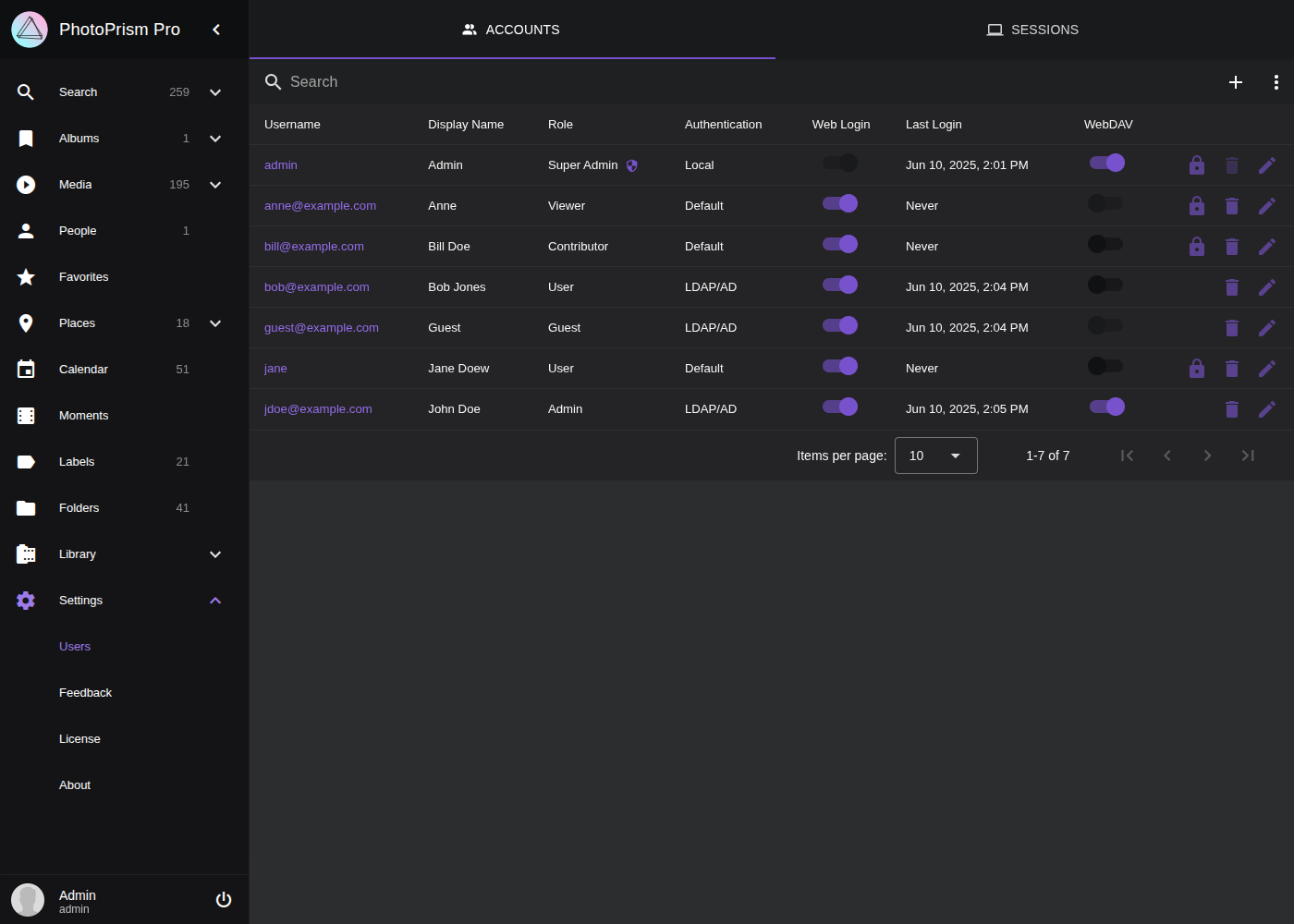 ### CLI Commands
As an alternative to the [web user interface](#admin-web-ui), you can [run the following commands in a terminal](/pro/kb/cli/) to perform tasks such as adding, viewing, editing and deleting user accounts:
| Command | Description |
|---------------------------------------------|----------------------------------------------|
| `photoprism users ls [search]` | Searches existing user accounts |
| `photoprism users legacy [search]` | Searches legacy user accounts |
| `photoprism users add [options] [username]` | Adds a new user account |
| `photoprism users show [username]` | Displays user account information |
| `photoprism users mod [options] [username]` | Modifies an existing user account |
| `photoprism users rm [username]` | Removes a user account |
| `photoprism users reset` | Removes all accounts and resets the database |
| `photoprism passwd [username]` | Changes the password required to log in |
| `photoprism passwd --rm [username]` | Removes the password from a local account |
#### Account Options
The `users add` and `users mod` commands support these flags to set or change account properties:
| Command Flag | Description |
|--------------------------------------|---------------------------------------------------------------------------------|
| `--name NAME`, `-n NAME` | full NAME for display in the interface |
| `--email EMAIL`, `-m EMAIL` | unique EMAIL address of the user |
| `--password PASSWORD`, `-p PASSWORD` | PASSWORD for authentication |
| `--role value`, `-r value` | user account ROLE (admin, user, viewer, contributor or guest) (default: "user") |
| `--auth PROVIDER`, `-A PROVIDER` | authentication PROVIDER (default, local, oidc, ldap or none) |
| `--auth-id ID` | authentication ID e.g. Subject ID or Distinguished Name (DN) |
| `--attr ATTRIBUTES`, `-a ATTRIBUTES` | custom user account ATTRIBUTES |
| `--superadmin`, `-s` | make user super admin with full access |
| `--no-login`, `-l` | disable login on the web interface |
| `--webdav`, `-w` | allow to sync files via WebDAV |
| `--base-path value, `-d value` | restrict search to this originals folder |
| `--upload-path value`, `-u value` | upload files to this sub-folder |
| `--disable-2fa` | deactivate two-factor authentication |
#### Changing a Password
Running the following in a terminal changes the password of an existing user without affecting other account settings, e.g. if you cannot remember the currently set password or if there was a problem [configuring the initial admin account](https://www.photoprism.app/pro/kb/config-options/) (replace `[username]` with the username of the account you want to update):
```bash
photoprism passwd [username]
```
Note that when you use Docker Compose and do not [already have a terminal session open](https://docs.photoprism.app/getting-started/docker-compose/#opening-a-terminal), you must prepend `docker compose exec photoprism` so that the command is executed within the `photoprism` container, for example:
```bash
docker compose exec photoprism photoprism passwd admin
```
> [!NOTE]
> The examples in our documentation use the new `docker compose` command by default. If your server does not yet support it, you can still use `docker-compose` or alternatively `podman-compose` on Red Hat-compatible Linux distributions.
## Removing a Password
Changing the authentication of an existing account to a password-less provider like [*OIDC*](https://docs.photoprism.app/getting-started/advanced/openid-connect/#existing-accounts) will not remove a previously set password, so it can still be used to log in (optionally also with [2FA](https://docs.photoprism.app/user-guide/users/2fa/)).
If a local password has been set for [such an account](https://docs.photoprism.app/getting-started/advanced/openid-connect/#existing-accounts) that should no longer be used, you can remove it by running the following command [in a terminal](https://docs.photoprism.app/getting-started/docker-compose/#opening-a-terminal):
```bash
photoprism passwd --rm [username]
```
#### Creating a New Account
The command `photoprism users add` creates a new user account. For example, you could run the following to add a new admin with the username "bob" and the password "mysecret":
```bash
docker compose exec photoprism photoprism users add -p mysecret -n "Bob" bob
```
> [!NOTE]
> If you do not specify an initial password with the `-p` flag, you will be prompted to enter a password for the new account. Further account properties can be set with the flags listed above.
#### Viewing Account Details
To view the account properties of a specific user, use the `show` subcommand:
```
docker compose exec photoprism photoprism users show bob
```
#### Searching User Accounts
To list all existing accounts, you can run the following:
```
docker compose exec photoprism photoprism users ls
```
With the `photoprism users ls` command, you can also find specific accounts based on a search term you provide:
```
docker compose exec photoprism photoprism users ls bob
```
To display a description and the available options for a command, use the `--help` flag:
```
docker compose exec photoprism photoprism users ls --help
```
### Session Management
You can use the following terminal commands to create, inspect and, if necessary, delete access tokens for the authentication of browsers and other clients (including [app passwords](https://docs.photoprism.app/user-guide/settings/account/#apps-and-devices)):
| CLI Command | Description |
|-------------------------------------|----------------------------------------------------------|
| `photoprism auth ls [search]` | Lists currently authenticated users and clients |
| `photoprism auth add [username]` | Adds a new authentication secret for client applications |
| `photoprism auth show [identifier]` | Shows detailed information about a session |
| `photoprism auth rm [identifier]` | Deletes a session by id or access token |
| `photoprism auth reset --yes` | Resets the authentication of all users and clients |
In addition, login attempts can be viewed in the application service logs as well as with this command:
```
docker compose exec photoprism photoprism audit logins [search]
```
[Learn more ›](/pro/kb/monitoring/)
## PhotoPrism® Documentation
For more information on specific features, services and related resources, please refer to the other documentation available in our Knowledge Base and User Guide:
- [PhotoPrism® User Guide](https://docs.photoprism.app/user-guide/)
- [PhotoPrism® Knowledge Base](/kb/)
- [PhotoPrism® Pro Knowledge Base](/pro/kb/)
---
# Metadata Compatibility
URL: https://www.photoprism.app/pro/kb/metadata/
> Get an overview of the supported Exif, XMP, IPTC, and DCMI tags and their internal field names in PhotoPrism® Pro.
| Field | Type | Exiftool | Adobe XMP | DCMI |
|:--------------|:----------|:------------------------------------------------------------------------------------------------------------------------------------------|:-------------------------------------------------------------------|:-----------------------------|
| Altitude | decimal | GlobalAltitude, GPSAltitude | exif:GPSAltitude | |
| Aperture | decimal | ApertureValue, Aperture | exif:ApertureValue | |
| FNumber | decimal | FNumber | exif:FNumber | |
| FPS | decimal | VideoFrameRate, VideoAvgFrameRate | | |
| FocalDistance | decimal | HyperfocalDistance | | |
| Duration | duration | Duration, MediaDuration, TrackDuration, PreviewDuration | | |
| Favorite | flag | Favorite | fstop:favorite | |
| Flash | flag | FlashFired | exif:Flash/exif:Fired | |
| Keywords | list | Keywords | | |
| FocalLength | number | FocalLength, FocalLengthIn35mmFormat | exif:FocalLength, exif:FocalLengthIn35mmFilm | |
| Frames | number | FrameCount, AnimationFrames | | |
| Height | number | ImageHeight, ImageLength, PixelYDimension, ExifImageHeight, SourceImageHeight | | |
| ImageType | number | HDRImageType | | |
| Iso | number | ISO | exifEX:PhotographicSensitivity, exif:ISOSpeedRatings | |
| Pages | number | PageCount, NPages, Pages | | |
| Rotation | number | Rotation | | |
| Width | number | ImageWidth, PixelXDimension, ExifImageWidth, SourceImageWidth | | |
| Artist | text | Artist, Creator, By-line, OwnerName, Owner | dc:creator | creator |
| CameraMake | text | CameraMake, Make | tiff:Make | |
| CameraModel | text | CameraModel, Model, CameraID, UniqueCameraModel | tiff:Model | |
| CameraOwner | text | OwnerName | aux:OwnerName | |
| CameraSerial | text | SerialNumber | exifEX:BodySerialNumber, aux:SerialNumber | |
| Caption | text | Description, ImageDescription, Caption, Caption-Abstract | dc:description, tiff:ImageDescription | description, description.Alt |
| Codec | text | CompressorID, VideoCodecID, CodecID, OtherFormat, VideoCodec, FileType | | |
| ColorProfile | text | ICCProfileName, ProfileDescription | photoshop:ICCProfile | |
| Copyright | text | Rights, Copyright, CopyrightNotice, WebStatement | dc:rights, tiff:Copyright, xmpRights:WebStatement | rights, rights.Alt |
| DocumentID | text | ContentIdentifier, MediaGroupUUID, BurstUUID, OriginalDocumentID, DocumentID, ImageUniqueID, DigitalImageGUID | xmpMM:OriginalDocumentID, xmpMM:DocumentID, dc:identifier | identifier |
| Exposure | text | ExposureTime, ShutterSpeedValue, ShutterSpeed, TargetExposureTime | exif:ExposureTime, exif:ShutterSpeedValue | |
| FileName | text | FileName | | |
| GPSLatitude | text | GPSLatitude | exif:GPSLatitude | |
| GPSLongitude | text | GPSLongitude | exif:GPSLongitude | |
| GPSPosition | text | GPSPosition | | |
| InstanceID | text | InstanceID, DocumentID | xmpMM:InstanceID | |
| LensMake | text | LensMake | exifEX:LensMake | |
| LensModel | text | LensModel, Lens, LensID | exifEX:LensModel, aux:Lens, aux:LensID | |
| License | text | UsageTerms, License | xmpRights:UsageTerms | |
| Notes | text | Comment, UserComment | exif:UserComment | |
| Projection | text | ProjectionType | GPano:ProjectionType | |
| Software | text | Software, Producer, CreatorTool, CreatorSubTool, HistorySoftwareAgent, ProcessingSoftware | xmp:CreatorTool, tiff:Software | |
| Subject | text | Subject, PersonInImage, ObjectName, HierarchicalSubject, CatalogSets | dc:subject, Iptc4xmpExt:PersonInImage, lr:hierarchicalSubject | subject |
| TimeOffset | text | OffsetTime, OffsetTimeOriginal, OffsetTimeDigitized | exif:OffsetTimeOriginal, exif:OffsetTime, exif:OffsetTimeDigitized | |
| Title | text | Title, Headline | dc:title, photoshop:Headline | title, title.Alt |
| CreatedAt | timestamp | SubSecCreateDate, CreationTime, CreationDate, CreateDate, MediaCreateDate, ContentCreateDate, TrackCreateDate | xmp:CreateDate, xmpDM:CreationDate | |
| TakenAt | timestamp | SubSecDateTimeOriginal, SubSecDateTimeCreated, DateTimeOriginal, CreationTime, CreationDate, DateTimeCreated, DateTime, DateTimeDigitized | photoshop:DateCreated, exif:DateTimeOriginal, xmp:CreateDate | |
| TakenAtLocal | timestamp | SubSecDateTimeOriginal, SubSecDateTimeCreated, DateTimeOriginal, CreationDate, DateTimeCreated, DateTime, DateTimeDigitized | photoshop:DateCreated, exif:DateTimeOriginal, xmp:CreateDate | |
| TakenGps | timestamp | GPSDateTime, GPSDateStamp | exif:GPSTimeStamp, exif:GPSDateStamp | |
## Metadata Tags by Namespace ##
| Namespace | Documentation |
|:--------------------|:------------------------------------------------------------------------------------|
| Exiftool | https://exiftool.org/TagNames/EXIF.html |
| Exiftool XMP | https://exiftool.org/TagNames/XMP.html |
| Adobe XMP | https://docs.photoprism.app/developer-guide/metadata/xmp/#fields-extracted-from-xmp |
| Dublin Core (DCMI) | https://www.dublincore.org/specifications/dublin-core/dcmi-terms/ |
| IPTC Photo Metadata | https://iptc.org/standards/photo-metadata/iptc-standard/ |
## PhotoPrism® Documentation
For more information on specific features, services and related resources, please refer to the other documentation available in our Knowledge Base and User Guide:
- [PhotoPrism® User Guide](https://docs.photoprism.app/user-guide/)
- [PhotoPrism® Knowledge Base](/kb/)
- [PhotoPrism® Pro Knowledge Base](/pro/kb/)
---
# PhotoPrism® Portal & Clusters
URL: https://www.photoprism.app/pro/kb/portal/
> Centrally manage authentication, branding, and multiple instances from a single management server.
The PhotoPrism® Portal is a central management server for running several PhotoPrism® instances as a *cluster*. Instead of configuring and maintaining each instance on its own, the Portal provides shared single sign-on, centralized access control, consistent branding, and a single place to register and manage instances.
> [!NOTE]
> Running a Portal-managed cluster is only available with our [team plans](/teams/#compare), not the [personal editions](/editions/#compare).
For step-by-step deployment guides — Quickstart, configuration options, Kubernetes, OpenShift, and MariaDB Enterprise — see the [PhotoPrism® Portal Knowledge Base](/portal/kb/).
## What the Portal Does
A Portal combines several roles that would otherwise have to be set up separately for every instance:
- **Identity provider** — users sign in once at the Portal, which then logs them in to the instances they are allowed to use. See [Cluster Authentication & Access Control](/pro/kb/openid-connect/#cluster-authentication).
- **Node registry** — keeps track of every registered instance, its address, role, and database, and issues the credentials each instance uses to talk to the Portal.
- **Theme distributor** — stores a single branding theme that instances download and keep in sync automatically.
- **Optional reverse proxy** — can serve several instances under one shared domain using `/i/
### CLI Commands
As an alternative to the [web user interface](#admin-web-ui), you can [run the following commands in a terminal](/pro/kb/cli/) to perform tasks such as adding, viewing, editing and deleting user accounts:
| Command | Description |
|---------------------------------------------|----------------------------------------------|
| `photoprism users ls [search]` | Searches existing user accounts |
| `photoprism users legacy [search]` | Searches legacy user accounts |
| `photoprism users add [options] [username]` | Adds a new user account |
| `photoprism users show [username]` | Displays user account information |
| `photoprism users mod [options] [username]` | Modifies an existing user account |
| `photoprism users rm [username]` | Removes a user account |
| `photoprism users reset` | Removes all accounts and resets the database |
| `photoprism passwd [username]` | Changes the password required to log in |
| `photoprism passwd --rm [username]` | Removes the password from a local account |
#### Account Options
The `users add` and `users mod` commands support these flags to set or change account properties:
| Command Flag | Description |
|--------------------------------------|---------------------------------------------------------------------------------|
| `--name NAME`, `-n NAME` | full NAME for display in the interface |
| `--email EMAIL`, `-m EMAIL` | unique EMAIL address of the user |
| `--password PASSWORD`, `-p PASSWORD` | PASSWORD for authentication |
| `--role value`, `-r value` | user account ROLE (admin, user, viewer, contributor or guest) (default: "user") |
| `--auth PROVIDER`, `-A PROVIDER` | authentication PROVIDER (default, local, oidc, ldap or none) |
| `--auth-id ID` | authentication ID e.g. Subject ID or Distinguished Name (DN) |
| `--attr ATTRIBUTES`, `-a ATTRIBUTES` | custom user account ATTRIBUTES |
| `--superadmin`, `-s` | make user super admin with full access |
| `--no-login`, `-l` | disable login on the web interface |
| `--webdav`, `-w` | allow to sync files via WebDAV |
| `--base-path value, `-d value` | restrict search to this originals folder |
| `--upload-path value`, `-u value` | upload files to this sub-folder |
| `--disable-2fa` | deactivate two-factor authentication |
#### Changing a Password
Running the following in a terminal changes the password of an existing user without affecting other account settings, e.g. if you cannot remember the currently set password or if there was a problem [configuring the initial admin account](https://www.photoprism.app/pro/kb/config-options/) (replace `[username]` with the username of the account you want to update):
```bash
photoprism passwd [username]
```
Note that when you use Docker Compose and do not [already have a terminal session open](https://docs.photoprism.app/getting-started/docker-compose/#opening-a-terminal), you must prepend `docker compose exec photoprism` so that the command is executed within the `photoprism` container, for example:
```bash
docker compose exec photoprism photoprism passwd admin
```
> [!NOTE]
> The examples in our documentation use the new `docker compose` command by default. If your server does not yet support it, you can still use `docker-compose` or alternatively `podman-compose` on Red Hat-compatible Linux distributions.
## Removing a Password
Changing the authentication of an existing account to a password-less provider like [*OIDC*](https://docs.photoprism.app/getting-started/advanced/openid-connect/#existing-accounts) will not remove a previously set password, so it can still be used to log in (optionally also with [2FA](https://docs.photoprism.app/user-guide/users/2fa/)).
If a local password has been set for [such an account](https://docs.photoprism.app/getting-started/advanced/openid-connect/#existing-accounts) that should no longer be used, you can remove it by running the following command [in a terminal](https://docs.photoprism.app/getting-started/docker-compose/#opening-a-terminal):
```bash
photoprism passwd --rm [username]
```
#### Creating a New Account
The command `photoprism users add` creates a new user account. For example, you could run the following to add a new admin with the username "bob" and the password "mysecret":
```bash
docker compose exec photoprism photoprism users add -p mysecret -n "Bob" bob
```
> [!NOTE]
> If you do not specify an initial password with the `-p` flag, you will be prompted to enter a password for the new account. Further account properties can be set with the flags listed above.
#### Viewing Account Details
To view the account properties of a specific user, use the `show` subcommand:
```
docker compose exec photoprism photoprism users show bob
```
#### Searching User Accounts
To list all existing accounts, you can run the following:
```
docker compose exec photoprism photoprism users ls
```
With the `photoprism users ls` command, you can also find specific accounts based on a search term you provide:
```
docker compose exec photoprism photoprism users ls bob
```
To display a description and the available options for a command, use the `--help` flag:
```
docker compose exec photoprism photoprism users ls --help
```
### Session Management
You can use the following terminal commands to create, inspect and, if necessary, delete access tokens for the authentication of browsers and other clients (including [app passwords](https://docs.photoprism.app/user-guide/settings/account/#apps-and-devices)):
| CLI Command | Description |
|-------------------------------------|----------------------------------------------------------|
| `photoprism auth ls [search]` | Lists currently authenticated users and clients |
| `photoprism auth add [username]` | Adds a new authentication secret for client applications |
| `photoprism auth show [identifier]` | Shows detailed information about a session |
| `photoprism auth rm [identifier]` | Deletes a session by id or access token |
| `photoprism auth reset --yes` | Resets the authentication of all users and clients |
In addition, login attempts can be viewed in the application service logs as well as with this command:
```
docker compose exec photoprism photoprism audit logins [search]
```
[Learn more ›](/pro/kb/monitoring/)
## PhotoPrism® Documentation
For more information on specific features, services and related resources, please refer to the other documentation available in our Knowledge Base and User Guide:
- [PhotoPrism® User Guide](https://docs.photoprism.app/user-guide/)
- [PhotoPrism® Knowledge Base](/kb/)
- [PhotoPrism® Pro Knowledge Base](/pro/kb/)
---
# Metadata Compatibility
URL: https://www.photoprism.app/pro/kb/metadata/
> Get an overview of the supported Exif, XMP, IPTC, and DCMI tags and their internal field names in PhotoPrism® Pro.
| Field | Type | Exiftool | Adobe XMP | DCMI |
|:--------------|:----------|:------------------------------------------------------------------------------------------------------------------------------------------|:-------------------------------------------------------------------|:-----------------------------|
| Altitude | decimal | GlobalAltitude, GPSAltitude | exif:GPSAltitude | |
| Aperture | decimal | ApertureValue, Aperture | exif:ApertureValue | |
| FNumber | decimal | FNumber | exif:FNumber | |
| FPS | decimal | VideoFrameRate, VideoAvgFrameRate | | |
| FocalDistance | decimal | HyperfocalDistance | | |
| Duration | duration | Duration, MediaDuration, TrackDuration, PreviewDuration | | |
| Favorite | flag | Favorite | fstop:favorite | |
| Flash | flag | FlashFired | exif:Flash/exif:Fired | |
| Keywords | list | Keywords | | |
| FocalLength | number | FocalLength, FocalLengthIn35mmFormat | exif:FocalLength, exif:FocalLengthIn35mmFilm | |
| Frames | number | FrameCount, AnimationFrames | | |
| Height | number | ImageHeight, ImageLength, PixelYDimension, ExifImageHeight, SourceImageHeight | | |
| ImageType | number | HDRImageType | | |
| Iso | number | ISO | exifEX:PhotographicSensitivity, exif:ISOSpeedRatings | |
| Pages | number | PageCount, NPages, Pages | | |
| Rotation | number | Rotation | | |
| Width | number | ImageWidth, PixelXDimension, ExifImageWidth, SourceImageWidth | | |
| Artist | text | Artist, Creator, By-line, OwnerName, Owner | dc:creator | creator |
| CameraMake | text | CameraMake, Make | tiff:Make | |
| CameraModel | text | CameraModel, Model, CameraID, UniqueCameraModel | tiff:Model | |
| CameraOwner | text | OwnerName | aux:OwnerName | |
| CameraSerial | text | SerialNumber | exifEX:BodySerialNumber, aux:SerialNumber | |
| Caption | text | Description, ImageDescription, Caption, Caption-Abstract | dc:description, tiff:ImageDescription | description, description.Alt |
| Codec | text | CompressorID, VideoCodecID, CodecID, OtherFormat, VideoCodec, FileType | | |
| ColorProfile | text | ICCProfileName, ProfileDescription | photoshop:ICCProfile | |
| Copyright | text | Rights, Copyright, CopyrightNotice, WebStatement | dc:rights, tiff:Copyright, xmpRights:WebStatement | rights, rights.Alt |
| DocumentID | text | ContentIdentifier, MediaGroupUUID, BurstUUID, OriginalDocumentID, DocumentID, ImageUniqueID, DigitalImageGUID | xmpMM:OriginalDocumentID, xmpMM:DocumentID, dc:identifier | identifier |
| Exposure | text | ExposureTime, ShutterSpeedValue, ShutterSpeed, TargetExposureTime | exif:ExposureTime, exif:ShutterSpeedValue | |
| FileName | text | FileName | | |
| GPSLatitude | text | GPSLatitude | exif:GPSLatitude | |
| GPSLongitude | text | GPSLongitude | exif:GPSLongitude | |
| GPSPosition | text | GPSPosition | | |
| InstanceID | text | InstanceID, DocumentID | xmpMM:InstanceID | |
| LensMake | text | LensMake | exifEX:LensMake | |
| LensModel | text | LensModel, Lens, LensID | exifEX:LensModel, aux:Lens, aux:LensID | |
| License | text | UsageTerms, License | xmpRights:UsageTerms | |
| Notes | text | Comment, UserComment | exif:UserComment | |
| Projection | text | ProjectionType | GPano:ProjectionType | |
| Software | text | Software, Producer, CreatorTool, CreatorSubTool, HistorySoftwareAgent, ProcessingSoftware | xmp:CreatorTool, tiff:Software | |
| Subject | text | Subject, PersonInImage, ObjectName, HierarchicalSubject, CatalogSets | dc:subject, Iptc4xmpExt:PersonInImage, lr:hierarchicalSubject | subject |
| TimeOffset | text | OffsetTime, OffsetTimeOriginal, OffsetTimeDigitized | exif:OffsetTimeOriginal, exif:OffsetTime, exif:OffsetTimeDigitized | |
| Title | text | Title, Headline | dc:title, photoshop:Headline | title, title.Alt |
| CreatedAt | timestamp | SubSecCreateDate, CreationTime, CreationDate, CreateDate, MediaCreateDate, ContentCreateDate, TrackCreateDate | xmp:CreateDate, xmpDM:CreationDate | |
| TakenAt | timestamp | SubSecDateTimeOriginal, SubSecDateTimeCreated, DateTimeOriginal, CreationTime, CreationDate, DateTimeCreated, DateTime, DateTimeDigitized | photoshop:DateCreated, exif:DateTimeOriginal, xmp:CreateDate | |
| TakenAtLocal | timestamp | SubSecDateTimeOriginal, SubSecDateTimeCreated, DateTimeOriginal, CreationDate, DateTimeCreated, DateTime, DateTimeDigitized | photoshop:DateCreated, exif:DateTimeOriginal, xmp:CreateDate | |
| TakenGps | timestamp | GPSDateTime, GPSDateStamp | exif:GPSTimeStamp, exif:GPSDateStamp | |
## Metadata Tags by Namespace ##
| Namespace | Documentation |
|:--------------------|:------------------------------------------------------------------------------------|
| Exiftool | https://exiftool.org/TagNames/EXIF.html |
| Exiftool XMP | https://exiftool.org/TagNames/XMP.html |
| Adobe XMP | https://docs.photoprism.app/developer-guide/metadata/xmp/#fields-extracted-from-xmp |
| Dublin Core (DCMI) | https://www.dublincore.org/specifications/dublin-core/dcmi-terms/ |
| IPTC Photo Metadata | https://iptc.org/standards/photo-metadata/iptc-standard/ |
## PhotoPrism® Documentation
For more information on specific features, services and related resources, please refer to the other documentation available in our Knowledge Base and User Guide:
- [PhotoPrism® User Guide](https://docs.photoprism.app/user-guide/)
- [PhotoPrism® Knowledge Base](/kb/)
- [PhotoPrism® Pro Knowledge Base](/pro/kb/)
---
# PhotoPrism® Portal & Clusters
URL: https://www.photoprism.app/pro/kb/portal/
> Centrally manage authentication, branding, and multiple instances from a single management server.
The PhotoPrism® Portal is a central management server for running several PhotoPrism® instances as a *cluster*. Instead of configuring and maintaining each instance on its own, the Portal provides shared single sign-on, centralized access control, consistent branding, and a single place to register and manage instances.
> [!NOTE]
> Running a Portal-managed cluster is only available with our [team plans](/teams/#compare), not the [personal editions](/editions/#compare).
For step-by-step deployment guides — Quickstart, configuration options, Kubernetes, OpenShift, and MariaDB Enterprise — see the [PhotoPrism® Portal Knowledge Base](/portal/kb/).
## What the Portal Does
A Portal combines several roles that would otherwise have to be set up separately for every instance:
- **Identity provider** — users sign in once at the Portal, which then logs them in to the instances they are allowed to use. See [Cluster Authentication & Access Control](/pro/kb/openid-connect/#cluster-authentication).
- **Node registry** — keeps track of every registered instance, its address, role, and database, and issues the credentials each instance uses to talk to the Portal.
- **Theme distributor** — stores a single branding theme that instances download and keep in sync automatically.
- **Optional reverse proxy** — can serve several instances under one shared domain using `/i/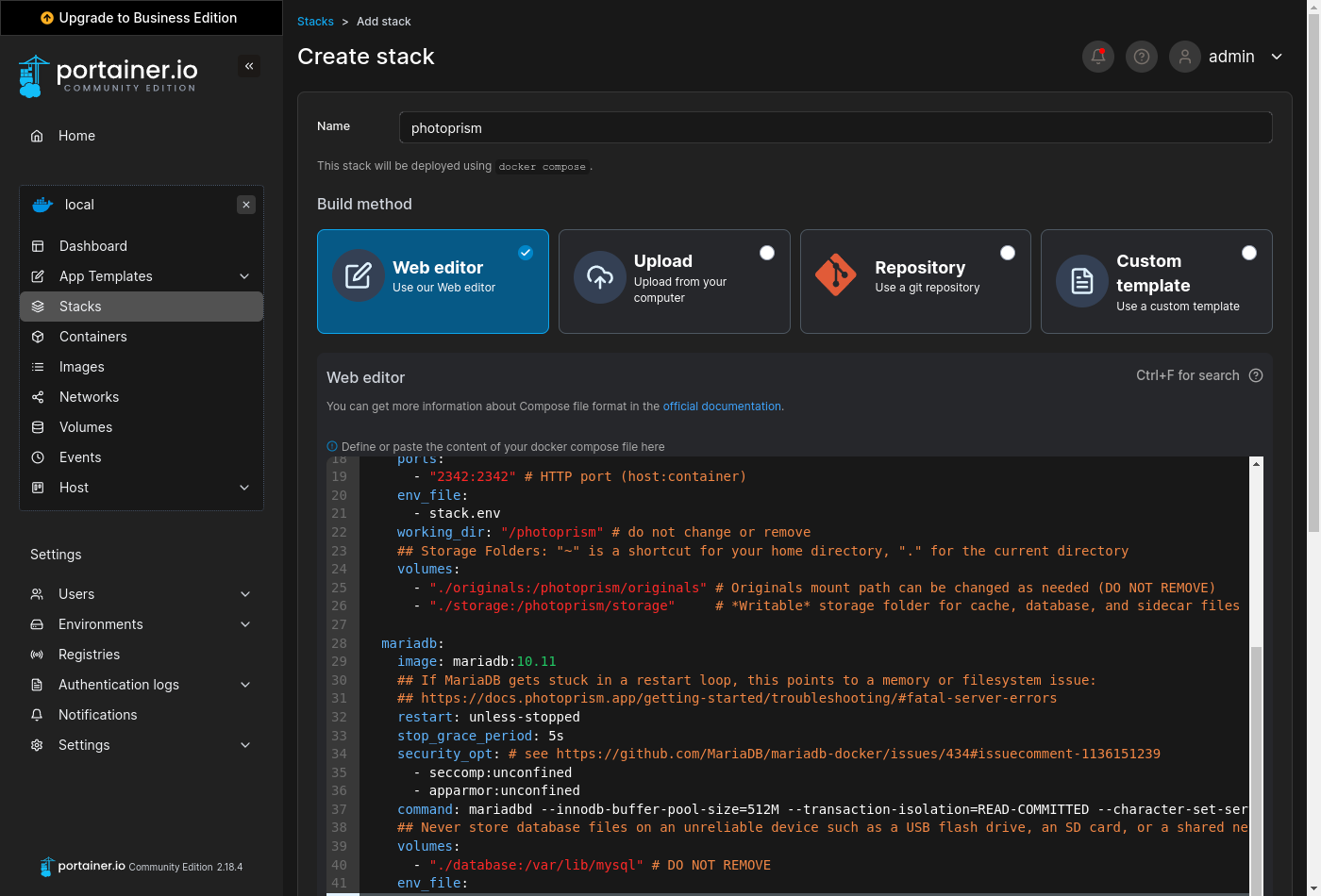 When using the *Web editor*, please make sure that related values remain on the [same indentation level](https://docs.photoprism.app/developer-guide/technologies/yaml/) and that lists start with a dash as shown in our template.
### Volumes ###
You need to explicitly [specify the directories](https://docs.docker.com/reference/compose-file/services/#volumes) you want to use on your NAS device, since PhotoPrism can't see files in folders that have not been shared. This is an important security feature and allows for a flexible configuration without having to change any other variables.
> **It is important that all folders specified in the "volumes" sections are located on a persistent volume on your device.** We recommend changing the relative paths used in our example to absolute paths in order to avoid potential data loss, e.g. if the default application folder managed by Portainer changes or is reset after an update.
>
> The volume mount paths to configure depend on your NAS device and its settings. As on most operating systems, a dot followed by a slash `./` can be used to specify a path relative to the current directory. If you keep the defaults, all files will be located in the internal application folder that Portainer automatically creates when you add a new stack.
#### Database ####
Our [stack template](https://setup.photoprism.app/pro/portainer/stack.yml) includes a pre-configured [MariaDB](https://mariadb.com/) database server that stores its data in the internal application folder by default:
```yaml
services:
mariadb:
volumes:
- "./database:/var/lib/mysql"
```
If your NAS device has a mixed drive configuration with solid-state drives (SSDs) and traditional hard disks, we recommend that you change `./database` to an absolute path located on an SSD as this [significantly improves performance](https://docs.photoprism.app/getting-started/troubleshooting/performance/#storage), for example:
```yaml
- "/mnt/ssd/database:/var/lib/mysql"
```
> [!NOTE]
> Database files should [never be located on an unreliable device](https://docs.photoprism.app/getting-started/troubleshooting/mariadb/#corrupted-files) such as a USB flash drive, SD card, or network folder.
#### /photoprism/originals ####
The *originals* folder contains your original photo and video files:
```yaml
services:
photoprism:
volumes:
- "./originals:/photoprism/originals"
```
We recommend that you change `./originals` to the directory on your NAS where your existing media files are, for example:
```yaml
- "/mnt/photos:/photoprism/originals"
```
Additional directories can be mounted as sub folders of `/photoprism/originals` (depending on [overlay filesystem support](https://docs.photoprism.app/getting-started/troubleshooting/docker/#overlay-volumes)):
```yaml
volumes:
- "/mnt/photos:/photoprism/originals"
- "/mnt/videos:/photoprism/originals/videos"
```
> [!NOTE]
> If you want to start with an empty library, you can mount any directory that has enough free space for your needs.
#### /photoprism/storage ####
The *storage* folder is used to save config, cache, thumbnail, and sidecar files. It must always be specified so that you do not lose these files after a restart or upgrade.
If available, we recommend that you put the *storage* folder on a [local SSD drive](https://docs.photoprism.app/getting-started/troubleshooting/performance/#storage) for best performance. You can otherwise keep the default to store the files in the internal application folder:
```yaml
services:
photoprism:
volumes:
- "./storage:/photoprism/storage"
```
> [!NOTE]
> Never configure the *storage* folder to be inside the *originals* folder unless the name starts with a `.` to indicate that it is hidden.
Should you later want to move your instance to another NAS, the easiest and most time-saving way is to copy the entire *storage* folder along with your *originals* and *database*.
#### /photoprism/import ####
You can optionally mount an *import* folder from which files can be transferred to the *originals* folder in a structured way that avoids duplicates, for example:
```yaml
services:
photoprism:
volumes:
- "/mnt/media/usb:/photoprism/import"
```
[Imported files](https://docs.photoprism.app/user-guide/library/import/) receive a canonical filename and will be organized by year and month. You should never configure the *import* folder to be inside the *originals* folder, as this will cause a loop by importing already indexed files.
> [!NOTE]
> Even if you don't specify an *import* folder, adding files via [Web Upload](https://docs.photoprism.app/user-guide/library/upload/) and [WebDAV](https://docs.photoprism.app/user-guide/sync/webdav/) remains possible unless [read-only mode](/pro/kb/config-options/) is enabled or the [features have been disabled](https://docs.photoprism.app/user-guide/settings/general/).
## Step 2: Finalize Setup ##
When using the *Web editor*, please make sure that related values remain on the [same indentation level](https://docs.photoprism.app/developer-guide/technologies/yaml/) and that lists start with a dash as shown in our template.
### Volumes ###
You need to explicitly [specify the directories](https://docs.docker.com/reference/compose-file/services/#volumes) you want to use on your NAS device, since PhotoPrism can't see files in folders that have not been shared. This is an important security feature and allows for a flexible configuration without having to change any other variables.
> **It is important that all folders specified in the "volumes" sections are located on a persistent volume on your device.** We recommend changing the relative paths used in our example to absolute paths in order to avoid potential data loss, e.g. if the default application folder managed by Portainer changes or is reset after an update.
>
> The volume mount paths to configure depend on your NAS device and its settings. As on most operating systems, a dot followed by a slash `./` can be used to specify a path relative to the current directory. If you keep the defaults, all files will be located in the internal application folder that Portainer automatically creates when you add a new stack.
#### Database ####
Our [stack template](https://setup.photoprism.app/pro/portainer/stack.yml) includes a pre-configured [MariaDB](https://mariadb.com/) database server that stores its data in the internal application folder by default:
```yaml
services:
mariadb:
volumes:
- "./database:/var/lib/mysql"
```
If your NAS device has a mixed drive configuration with solid-state drives (SSDs) and traditional hard disks, we recommend that you change `./database` to an absolute path located on an SSD as this [significantly improves performance](https://docs.photoprism.app/getting-started/troubleshooting/performance/#storage), for example:
```yaml
- "/mnt/ssd/database:/var/lib/mysql"
```
> [!NOTE]
> Database files should [never be located on an unreliable device](https://docs.photoprism.app/getting-started/troubleshooting/mariadb/#corrupted-files) such as a USB flash drive, SD card, or network folder.
#### /photoprism/originals ####
The *originals* folder contains your original photo and video files:
```yaml
services:
photoprism:
volumes:
- "./originals:/photoprism/originals"
```
We recommend that you change `./originals` to the directory on your NAS where your existing media files are, for example:
```yaml
- "/mnt/photos:/photoprism/originals"
```
Additional directories can be mounted as sub folders of `/photoprism/originals` (depending on [overlay filesystem support](https://docs.photoprism.app/getting-started/troubleshooting/docker/#overlay-volumes)):
```yaml
volumes:
- "/mnt/photos:/photoprism/originals"
- "/mnt/videos:/photoprism/originals/videos"
```
> [!NOTE]
> If you want to start with an empty library, you can mount any directory that has enough free space for your needs.
#### /photoprism/storage ####
The *storage* folder is used to save config, cache, thumbnail, and sidecar files. It must always be specified so that you do not lose these files after a restart or upgrade.
If available, we recommend that you put the *storage* folder on a [local SSD drive](https://docs.photoprism.app/getting-started/troubleshooting/performance/#storage) for best performance. You can otherwise keep the default to store the files in the internal application folder:
```yaml
services:
photoprism:
volumes:
- "./storage:/photoprism/storage"
```
> [!NOTE]
> Never configure the *storage* folder to be inside the *originals* folder unless the name starts with a `.` to indicate that it is hidden.
Should you later want to move your instance to another NAS, the easiest and most time-saving way is to copy the entire *storage* folder along with your *originals* and *database*.
#### /photoprism/import ####
You can optionally mount an *import* folder from which files can be transferred to the *originals* folder in a structured way that avoids duplicates, for example:
```yaml
services:
photoprism:
volumes:
- "/mnt/media/usb:/photoprism/import"
```
[Imported files](https://docs.photoprism.app/user-guide/library/import/) receive a canonical filename and will be organized by year and month. You should never configure the *import* folder to be inside the *originals* folder, as this will cause a loop by importing already indexed files.
> [!NOTE]
> Even if you don't specify an *import* folder, adding files via [Web Upload](https://docs.photoprism.app/user-guide/library/upload/) and [WebDAV](https://docs.photoprism.app/user-guide/sync/webdav/) remains possible unless [read-only mode](/pro/kb/config-options/) is enabled or the [features have been disabled](https://docs.photoprism.app/user-guide/settings/general/).
## Step 2: Finalize Setup ##
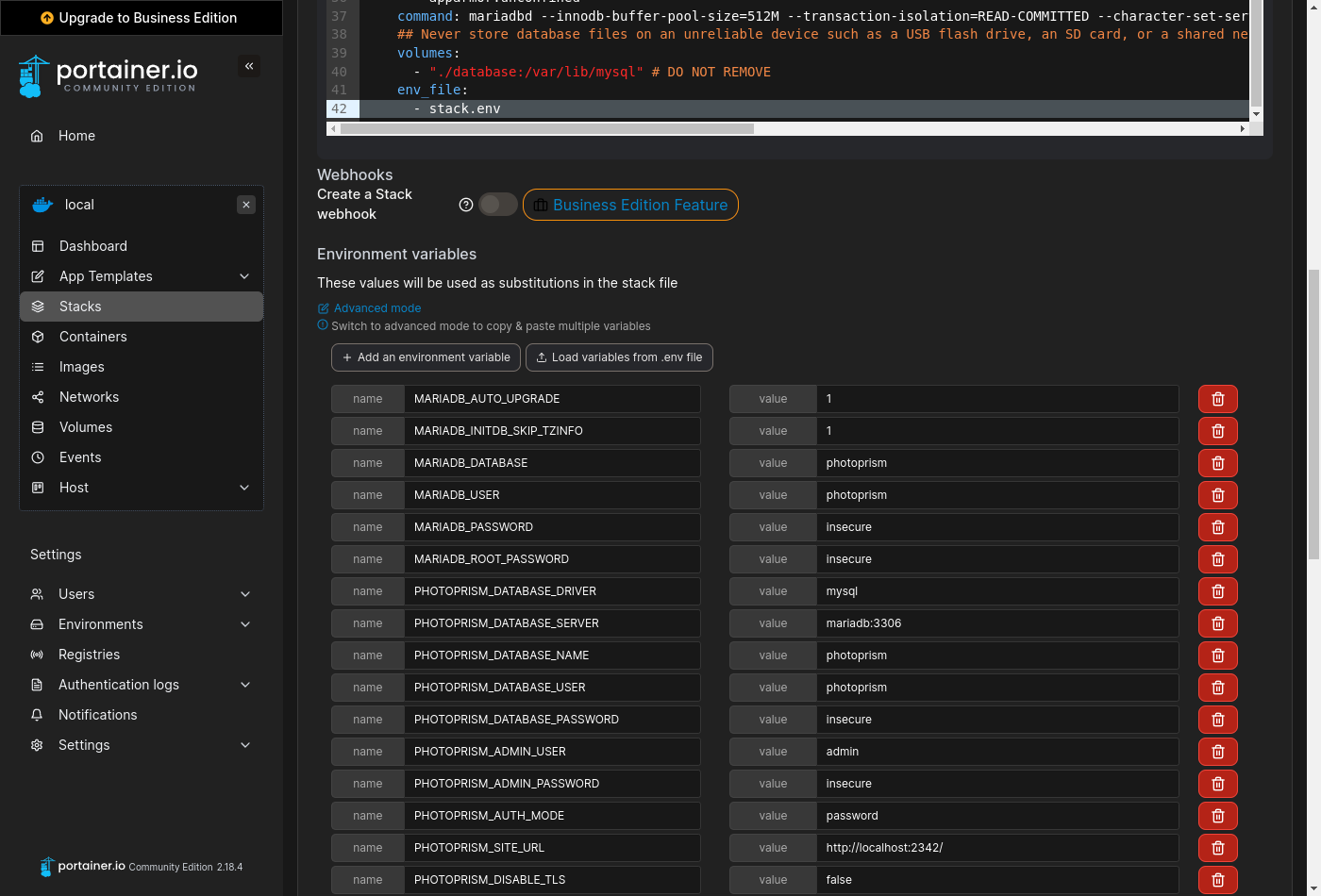 To complete the setup, [download the *stack.env* file from our server](https://setup.photoprism.app/pro/portainer/stack.env) (right click and *Save Link As...*), click "Load variables from .env file", upload it to Portainer, and then [change the values according to your needs](/pro/kb/config-options/):
> Always change `PHOTOPRISM_ADMIN_PASSWORD` so that the app **starts with a secure initial password**.
Never use easy-to-guess passwords or default values like `insecure` on publicly accessible instances.
There is no default in case no password was provided. A minimum length of 8 characters is required.
> [!NOTE]
> It is **not possible to change the database password** with `MARIADB_PASSWORD` after MariaDB has been started for the first time. However, choosing a secure password is not essential if you don't [expose the database to other apps or hosts](https://docs.photoprism.app/getting-started/troubleshooting/mariadb/#cannot-connect). To enable [automatic schema updates](https://docs.photoprism.app/getting-started/troubleshooting/mariadb/#auto-upgrade) after upgrading to a new major version, make sure that `MARIADB_AUTO_UPGRADE` is set to a non-empty value.
When you are done, scroll down and click "Deploy the stack" without changing any of the other options:
To complete the setup, [download the *stack.env* file from our server](https://setup.photoprism.app/pro/portainer/stack.env) (right click and *Save Link As...*), click "Load variables from .env file", upload it to Portainer, and then [change the values according to your needs](/pro/kb/config-options/):
> Always change `PHOTOPRISM_ADMIN_PASSWORD` so that the app **starts with a secure initial password**.
Never use easy-to-guess passwords or default values like `insecure` on publicly accessible instances.
There is no default in case no password was provided. A minimum length of 8 characters is required.
> [!NOTE]
> It is **not possible to change the database password** with `MARIADB_PASSWORD` after MariaDB has been started for the first time. However, choosing a secure password is not essential if you don't [expose the database to other apps or hosts](https://docs.photoprism.app/getting-started/troubleshooting/mariadb/#cannot-connect). To enable [automatic schema updates](https://docs.photoprism.app/getting-started/troubleshooting/mariadb/#auto-upgrade) after upgrading to a new major version, make sure that `MARIADB_AUTO_UPGRADE` is set to a non-empty value.
When you are done, scroll down and click "Deploy the stack" without changing any of the other options:
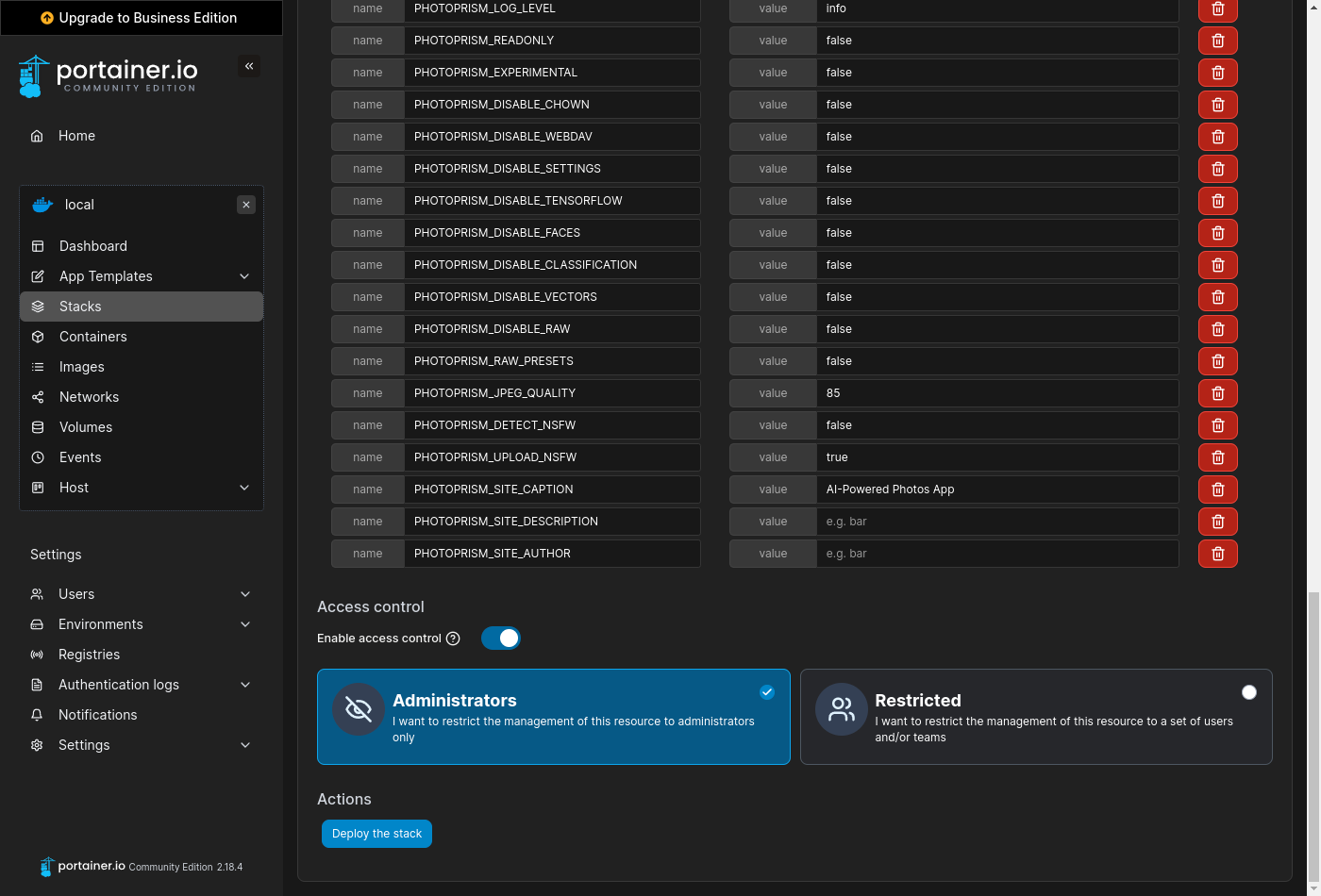 After waiting a few moments, you should be able to log in as `admin` with the password specified in `PHOTOPRISM_ADMIN_PASSWORD` when you navigate to **
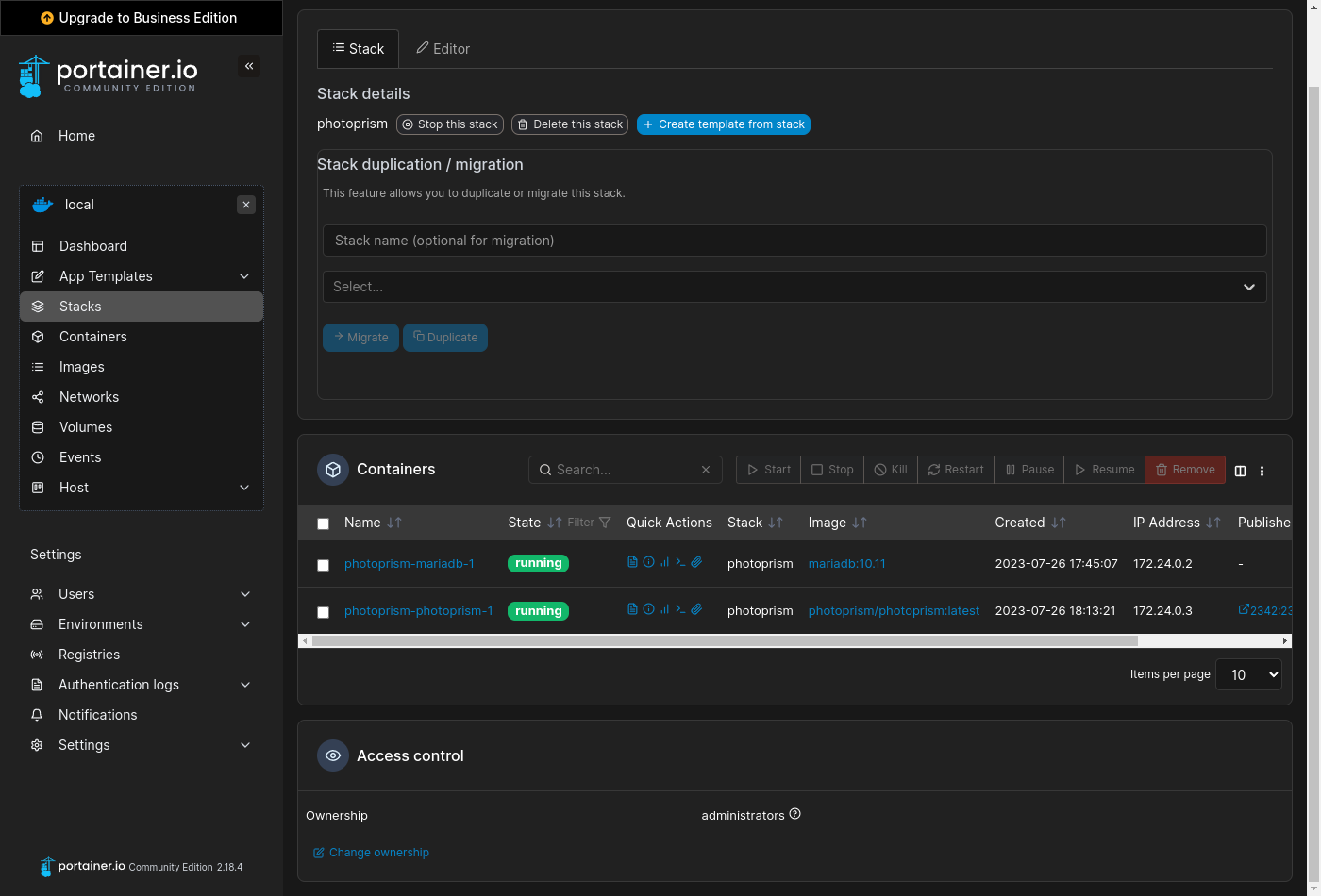 Now click the :fontawesome-solid-terminal: button belonging to the *photoprism-photoprism-1* container and [accept the default settings](https://dl.photoprism.app/img/screenshots/portainer/console-settings.png) to open a terminal:
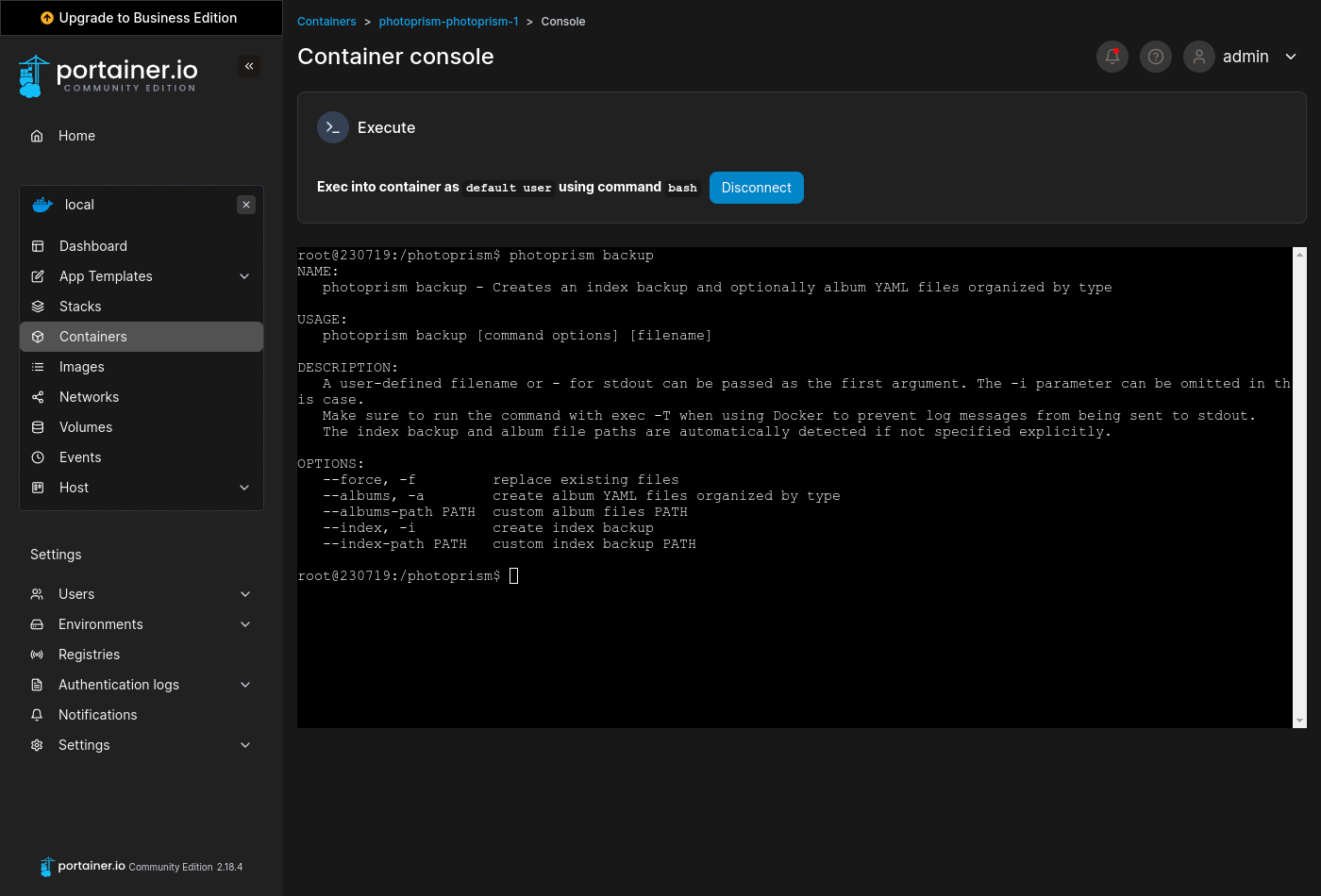 Running `photoprism help` lists all commands and [options](/pro/kb/config-options/) available in the current version:
```bash
photoprism help
```
Use the `--help` flag to see a detailed command description, for example:
```bash
photoprism backup --help
```
The command-line interface is also well suited for job automation using a [scheduler](https://dl.photoprism.app/docker/scheduler/).
### Examples
| Action | Command |
|-------------------------------------------------------------------------------|-------------------------------------|
| *Display Config Values* | `photoprism show config` |
| *Show Migration Status* | `photoprism migrations ls` |
| *Repeat Failed Migrations* | `photoprism migrations run -f` |
| *Reset Database* | `photoprism reset --yes` |
| *Backup Database* | `photoprism backup -a -i` |
| *Restore Database* | `photoprism restore -a -i` |
| *Change Password* | `photoprism passwd [username]` |
| *Remove Password* | `photoprism passwd --rm [username]` |
| *Show User Management Commands* | `photoprism users help` |
| *Reset User Accounts* | `photoprism users reset --yes` |
| *Reset Sessions and Access Tokens* | `photoprism auth reset --yes` |
| *Show Face Recognition Commands* | `photoprism faces help` |
| *Index Faces* | `photoprism faces index` |
| *Reset People & Faces* | `photoprism faces reset -f` |
| *Transcode Videos to AVC* | `photoprism convert` |
| *Regenerate Thumbnails* | `photoprism thumbs -f` |
| [*Update Index*](https://docs.photoprism.app/user-guide/library/originals/) | `photoprism index --cleanup` |
| [*Move to Originals*](https://docs.photoprism.app/user-guide/library/import/) | `photoprism import [path]` |
| [*Copy to Originals*](https://docs.photoprism.app/user-guide/library/import/) | `photoprism cp [path]` |
## PhotoPrism® Documentation ##
For more information on specific features, services and related resources, please refer to the other documentation available in our Knowledge Base and User Guide:
- [PhotoPrism® User Guide](https://docs.photoprism.app/user-guide/)
- [PhotoPrism® Knowledge Base](/kb/)
- [PhotoPrism® Pro Knowledge Base](/pro/kb/)
---
# Product FAQ
URL: https://www.photoprism.app/pro/kb/product-faq/
> Get answers to the most frequently asked questions about product features.
### How many organisations are using your product?
PhotoPrism has more than 35,000 active installations, growing daily. Because we [respect the privacy](/privacy/) of our users, we do not have detailed information about whether these are run by individuals, businesses, or other organizations. PhotoPrism® Pro, our version for professional users, is currently used by a number of news agencies, NGOs as well as governments.
### Is your system SSO enabled?
PhotoPrism® Pro supports single sign-on via [OpenID Connect (OIDC)](https://www.photoprism.app/pro/kb/openid-connect/) and lets you authenticate users against a central [Lightweight Directory Access Protocol (LDAP) or Active Directory (AD)](https://www.photoprism.app/pro/kb/ldap/) server, so that users on the corporate network can sign in with their existing usernames and passwords.
### Is your application a SaaS solution?
Most customers prefer to host PhotoPrism® Pro on-premises for maximum data protection and performance. However, we can also provide a fully managed cloud service and other professional services for an additional fee upon request. Installation instructions and system requirements can be found in our [Knowledge Base](/pro/kb/).
Unlike many competing solutions, PhotoPrism® Pro has no library size limit, so licensing costs do not depend on how many files you have. In order to provide a quote for a fully managed cloud solution, please let us know your availability requirements and which hosting location you prefer.
### Which photo and video file formats are supported?
Our [Knowledge Base](/pro/kb/) provides you with an overview of [all supported formats](/pro/kb/file-formats/), which includes the most common image, video and vector graphics file types.
### What is the maximum number of files that are allowed or can be managed?
There is no explicit limit to the number of files, except for the limitations imposed by the underlying database, the server's file system, and the size of the variables used as record identifiers, i.e. in the billions.
The number of files is primarily limited by the storage available. Practical usability also relies on the server's CPU and memory, while the time needed for indexing depends on the size of your files and their formats. We recommend that you test the performance with our freely available [Community Edition](/editions/#compare) before purchasing a commercial license.
### Is it possible to bulk upload photos and videos?
To sync or bulk upload photos and videos, you can use any application or operating system that supports [WebDAV](https://docs.photoprism.app/user-guide/sync/webdav/), such as Microsoft's Windows Explorer and Apple's Finder. This allows you to connect directly to PhotoPrism and open, edit, and delete files on your computer as if they were local.
### Can external vendors be granted to upload photos and videos?
Users with the [Contributor](https://www.photoprism.app/pro/kb/roles/) role have read-only access (view and download) to the resources that are in their configured base path, and to the albums that an admin or regular user has shared with them through a link. The Contributor role does not have access to the entire library, but does have the right to upload files to the directory specified as the upload path.
### Is it possible to identify people and exclude them from a photo selection?
PhotoPrism includes [face recognition](https://docs.photoprism.app/user-guide/organize/people/) functionality that lets you find pictures of specific people. New faces are detected as you scan your library. They are then grouped by similarity so you can quickly match them. By setting the [private flag](https://docs.photoprism.app/user-guide/organize/private/), you can hide certain photos or videos from shared albums and unprivileged users. In an upcoming release, you'll also be able to flag a person directly, so images can be hidden in the same way.
### In what ways can photos and videos be searched?
PhotoPrism offers a wide range of [search filters](https://www.photoprism.app/pro/kb/search-filters/) that let you find specific photos and videos, for example, by person, location, and tags.
### Can you jump to a specific point in a video where a person is tagged?
No, this is not possible at the moment. If we see a demand for such a feature, we will consider adding it to our roadmap.
### Can you search video transcripts to find a particular video?
PhotoPrism supports text search for most photo and video metadata. However, it does not automatically create video transcripts.
### Can you tag people in videos?
At the moment, only a single still image is extracted from the videos. If a face is detected there, it can be tagged. Manual tagging is planned for an upcoming release. If we see a demand for detecting faces throughout the length of a video, we will consider adding this to our roadmap.
### Is it possible to add tags or other picture metadata?
Yes, you can add metadata to your photos/videos when you open the picture details in the [edit dialog](https://docs.photoprism.app/user-guide/organize/edit/).
### Is there a bulk edit feature to change the metadata of multiple pictures at once?
Not yet, but this is planned for an [upcoming release](https://github.com/photoprism/photoprism/issues/271).
### Is it possible to share a link so someone can view a photo gallery?
Yes, it is possible to share albums using secret links. You can create multiple links for each album and optionally set an expiration date. No additional apps need to be installed and no registration is required for this to work.
### What is the largest file size you support when uploading?
There is no specific limit. It depends only on the server configuration.
### What collaboration features are integrated in your product?
PhotoPrism includes advanced multi-user features with a set of account roles. These roles are intended for applications where multiple users share a single library, for example, to give employees access to the library without granting write permissions or exposing sensitive content.
It is recommended to set up multiple instances if you have multiple teams, where each team wants to manage their own files independently and share only selected albums. This way you can avoid problems with conflicting library settings, file permissions, and dealing with duplicates.
### Can tags be automatically assigned based on the attributes of a folder?
PhotoPrism searches all metadata, including file and folder names, and extracts tags from it where possible. Since the source code is available, you can also customize this if needed.
### Can your software integrate with our employee directory to automatically tag specific people?
This is not a standard functionality. However, since the source code is available, you can customize it to your needs.
### Do you have a concept of cold and hot storage?
You can move photos and videos that you don't want to keep in your collection to the [Archive](https://docs.photoprism.app/user-guide/organize/archive/). Content that is archived is not deleted, but it does not appear in any area other than the archive. You can also have multiple instances, for example, one that contains all content while others have only a subset.
### Can you provide us with additional documentation?
Our Knowledge Base and User Guide provide additional information on product features and system requirements:
- [PhotoPrism® User Guide](https://docs.photoprism.app/user-guide/)
- [PhotoPrism® Knowledge Base](/kb/)
- [PhotoPrism® Pro Knowledge Base](/pro/kb/)
---
# Quickstart Guide
URL: https://www.photoprism.app/pro/kb/quickstart/
> In this guide, we show you how to set up PhotoPrism® Pro in just a few steps and customize it to your needs.
Before you proceed, please make sure you have a customer account with us. You can register using the link you have [received from us by email](mailto:support@photoprism.app). If you already have an account, we will be happy to [assign your licenses](mailto:support@photoprism.app) to that account or give you [a free trial](mailto:sales@photoprism.app).
> [!NOTE]
> In case you already have our free [Community Edition](https://docs.photoprism.app/getting-started/) or [PhotoPrism Plus](/plus/) installed, you can follow the [Upgrade Guide](/pro/kb/upgrade/) to get started with PhotoPrism® Pro.
## System Requirements ##
We recommend hosting PhotoPrism Pro on a server with **at least 4 cores**, **8 GB of physical memory**, and a 64-bit operating system. It runs best with Docker Desktop on [Windows 10+](https://docs.docker.com/desktop/setup/install/windows-install/) and [macOS 11+](https://docs.docker.com/desktop/setup/install/mac-install/), [Podman](https://podman.io/) on Red Hat and compatible Linux distributions such as CentOS, Fedora, AlmaLinux, and Rocky Linux, and [Docker](https://docs.docker.com/desktop/setup/install/linux/) on all other Linux distributions such as Ubuntu and Debian.
## Firewall Settings ##
In order to successfully set up your installation and view location details in PhotoPrism® Pro, you must **allow requests to Docker Hub and our geocoding API** if you have a firewall installed, and make sure your internet connection is working.
## Portainer Setup Guide ##
Portainer lets you manage Docker containers through a web interface. On many NAS devices it either comes pre-installed or you can install it from the vendor's app store.
## Setup Using Docker Compose ##
[Docker Compose](https://docs.docker.com/compose/) uses a [human-friendly YAML config file](https://docs.photoprism.app/developer-guide/technologies/yaml/) to specify all application services, so you can easily start them with a single command.
For this to work, make sure that you have [Docker and Docker Compose](https://docs.photoprism.app/getting-started/troubleshooting/docker/#installation) (Linux) or [Docker Desktop](https://www.docker.com/products/docker-desktop/) (Windows) installed and running on your server before you continue. Be careful not to use an old Docker Enterprise version that Microsoft used to pre-install on Windows Server, as it is incompatible with modern Docker images. If your server does not yet support the new `docker compose` command, you can still use the legacy `docker-compose` command instead.
[Podman](https://podman.io/) is also [supported as a replacement for Docker](https://docs.photoprism.app/getting-started/troubleshooting/docker/#podman-compose) on Red Hat Enterprise Linux® and compatible Linux distributions such as CentOS, Fedora, AlmaLinux, and Rocky Linux.
In case you are not sure if you have Docker installed yet, and if so, which version, you can run the following command in a terminal to display the version information:
```
docker --version
```
For users of Red Hat-based Linux distributions:
```
podman --version
```
**Windows** users should have the latest [Windows Subsystem for Linux (WSL2)](https://learn.microsoft.com/en-us/windows/wsl/about) installed. With Windows Pro, Server and Enterprise, [Hyper-V can be enabled](https://learn.microsoft.com/en-us/virtualization/hyper-v-on-windows/quick-start/enable-hyper-v) as an alternative, which Microsoft does not offer its Windows Home customers.
**Linux Kernel Security Modules** such as AppArmor and SELinux may [require additional configuration](https://docs.photoprism.app/getting-started/troubleshooting/docker/#kernel-security) if you want to use them. The application services may fail to start if they have insufficient permissions or privileges.
> [!NOTE]
> We can offer you alternative installation methods if needed. However, this method is the fastest and least error-prone for most operating systems and we generally recommend it unless there is a specific problem.
### Step 1: Customize Configuration ###
Download the *compose.yaml* default configuration for your operating system (right click and *Save Link As...*) to a local folder, e.g. `/opt/photoprism` on Linux, then open the file with a text editor to [customize the storage volumes](https://docs.photoprism.app/getting-started/docker-compose/#volumes) and [other options](/pro/kb/config-options/) as needed:
| | |
|-------------|--------------------------------------------------------------------------------------------------------------------------|
| **Windows** | [https://setup.photoprism.app/pro/windows/compose.yaml](https://setup.photoprism.app/pro/windows/compose.yaml) |
| **macOS** | [https://setup.photoprism.app/pro/macos/compose.yaml](https://setup.photoprism.app/pro/macos/compose.yaml) |
| **Ubuntu** | [https://setup.photoprism.app/pro/ubuntu/compose.yaml](https://setup.photoprism.app/pro/ubuntu/compose.yaml) |
| **Red Hat** | [https://setup.photoprism.app/pro/redhat/docker-compose.yml](https://setup.photoprism.app/pro/redhat/docker-compose.yml) |
Except for the additional features, PhotoPrism Pro is [configured in the same way](/pro/kb/config-options/) as PhotoPrism. You can therefore refer to our [official documentation](https://docs.photoprism.app/) for [basic settings](https://docs.photoprism.app/getting-started/docker-compose/#volumes) and [general setup instructions](https://docs.photoprism.app/getting-started/docker-compose/). When editing the configuration file, please note that related values must start at the same indentation level [in YAML files](https://docs.photoprism.app/developer-guide/technologies/yaml/) and that tabs are not allowed for indentation. We recommend using 2 spaces.
Please always change `PHOTOPRISM_ADMIN_PASSWORD` so that the app starts with a secure initial password. Never use easy-to-guess passwords or default values like "insecure" on publicly accessible servers. There is no default in case no password was provided. A minimum length of 8 characters is required.
> [!NOTE]
> If you want to start with an empty library, you can mount any directory that has enough free space for your needs.
### Step 2: Start PhotoPrism Pro ###
When you are done with the configuration, open a terminal and change to the folder where the *compose.yaml* file was saved.
Now run the following commands to pull the latest images from there, and then start MariaDB and PhotoPrism as background services:
```
docker compose pull
docker compose up -d
```
Users of Red Hat Enterprise Linux® and compatible Linux distributions such as CentOS, Fedora, AlmaLinux, and Rocky Linux can substitute the `docker` and `docker compose` commands with `podman` and `podman-compose` as [drop-in replacements](https://docs.photoprism.app/getting-started/troubleshooting/docker/#podman-compose):
```
podman-compose pull
podman-compose up -d
```
Running `photoprism help` lists all commands and [options](/pro/kb/config-options/) available in the current version:
```bash
photoprism help
```
Use the `--help` flag to see a detailed command description, for example:
```bash
photoprism backup --help
```
The command-line interface is also well suited for job automation using a [scheduler](https://dl.photoprism.app/docker/scheduler/).
### Examples
| Action | Command |
|-------------------------------------------------------------------------------|-------------------------------------|
| *Display Config Values* | `photoprism show config` |
| *Show Migration Status* | `photoprism migrations ls` |
| *Repeat Failed Migrations* | `photoprism migrations run -f` |
| *Reset Database* | `photoprism reset --yes` |
| *Backup Database* | `photoprism backup -a -i` |
| *Restore Database* | `photoprism restore -a -i` |
| *Change Password* | `photoprism passwd [username]` |
| *Remove Password* | `photoprism passwd --rm [username]` |
| *Show User Management Commands* | `photoprism users help` |
| *Reset User Accounts* | `photoprism users reset --yes` |
| *Reset Sessions and Access Tokens* | `photoprism auth reset --yes` |
| *Show Face Recognition Commands* | `photoprism faces help` |
| *Index Faces* | `photoprism faces index` |
| *Reset People & Faces* | `photoprism faces reset -f` |
| *Transcode Videos to AVC* | `photoprism convert` |
| *Regenerate Thumbnails* | `photoprism thumbs -f` |
| [*Update Index*](https://docs.photoprism.app/user-guide/library/originals/) | `photoprism index --cleanup` |
| [*Move to Originals*](https://docs.photoprism.app/user-guide/library/import/) | `photoprism import [path]` |
| [*Copy to Originals*](https://docs.photoprism.app/user-guide/library/import/) | `photoprism cp [path]` |
## PhotoPrism® Documentation ##
For more information on specific features, services and related resources, please refer to the other documentation available in our Knowledge Base and User Guide:
- [PhotoPrism® User Guide](https://docs.photoprism.app/user-guide/)
- [PhotoPrism® Knowledge Base](/kb/)
- [PhotoPrism® Pro Knowledge Base](/pro/kb/)
---
# Product FAQ
URL: https://www.photoprism.app/pro/kb/product-faq/
> Get answers to the most frequently asked questions about product features.
### How many organisations are using your product?
PhotoPrism has more than 35,000 active installations, growing daily. Because we [respect the privacy](/privacy/) of our users, we do not have detailed information about whether these are run by individuals, businesses, or other organizations. PhotoPrism® Pro, our version for professional users, is currently used by a number of news agencies, NGOs as well as governments.
### Is your system SSO enabled?
PhotoPrism® Pro supports single sign-on via [OpenID Connect (OIDC)](https://www.photoprism.app/pro/kb/openid-connect/) and lets you authenticate users against a central [Lightweight Directory Access Protocol (LDAP) or Active Directory (AD)](https://www.photoprism.app/pro/kb/ldap/) server, so that users on the corporate network can sign in with their existing usernames and passwords.
### Is your application a SaaS solution?
Most customers prefer to host PhotoPrism® Pro on-premises for maximum data protection and performance. However, we can also provide a fully managed cloud service and other professional services for an additional fee upon request. Installation instructions and system requirements can be found in our [Knowledge Base](/pro/kb/).
Unlike many competing solutions, PhotoPrism® Pro has no library size limit, so licensing costs do not depend on how many files you have. In order to provide a quote for a fully managed cloud solution, please let us know your availability requirements and which hosting location you prefer.
### Which photo and video file formats are supported?
Our [Knowledge Base](/pro/kb/) provides you with an overview of [all supported formats](/pro/kb/file-formats/), which includes the most common image, video and vector graphics file types.
### What is the maximum number of files that are allowed or can be managed?
There is no explicit limit to the number of files, except for the limitations imposed by the underlying database, the server's file system, and the size of the variables used as record identifiers, i.e. in the billions.
The number of files is primarily limited by the storage available. Practical usability also relies on the server's CPU and memory, while the time needed for indexing depends on the size of your files and their formats. We recommend that you test the performance with our freely available [Community Edition](/editions/#compare) before purchasing a commercial license.
### Is it possible to bulk upload photos and videos?
To sync or bulk upload photos and videos, you can use any application or operating system that supports [WebDAV](https://docs.photoprism.app/user-guide/sync/webdav/), such as Microsoft's Windows Explorer and Apple's Finder. This allows you to connect directly to PhotoPrism and open, edit, and delete files on your computer as if they were local.
### Can external vendors be granted to upload photos and videos?
Users with the [Contributor](https://www.photoprism.app/pro/kb/roles/) role have read-only access (view and download) to the resources that are in their configured base path, and to the albums that an admin or regular user has shared with them through a link. The Contributor role does not have access to the entire library, but does have the right to upload files to the directory specified as the upload path.
### Is it possible to identify people and exclude them from a photo selection?
PhotoPrism includes [face recognition](https://docs.photoprism.app/user-guide/organize/people/) functionality that lets you find pictures of specific people. New faces are detected as you scan your library. They are then grouped by similarity so you can quickly match them. By setting the [private flag](https://docs.photoprism.app/user-guide/organize/private/), you can hide certain photos or videos from shared albums and unprivileged users. In an upcoming release, you'll also be able to flag a person directly, so images can be hidden in the same way.
### In what ways can photos and videos be searched?
PhotoPrism offers a wide range of [search filters](https://www.photoprism.app/pro/kb/search-filters/) that let you find specific photos and videos, for example, by person, location, and tags.
### Can you jump to a specific point in a video where a person is tagged?
No, this is not possible at the moment. If we see a demand for such a feature, we will consider adding it to our roadmap.
### Can you search video transcripts to find a particular video?
PhotoPrism supports text search for most photo and video metadata. However, it does not automatically create video transcripts.
### Can you tag people in videos?
At the moment, only a single still image is extracted from the videos. If a face is detected there, it can be tagged. Manual tagging is planned for an upcoming release. If we see a demand for detecting faces throughout the length of a video, we will consider adding this to our roadmap.
### Is it possible to add tags or other picture metadata?
Yes, you can add metadata to your photos/videos when you open the picture details in the [edit dialog](https://docs.photoprism.app/user-guide/organize/edit/).
### Is there a bulk edit feature to change the metadata of multiple pictures at once?
Not yet, but this is planned for an [upcoming release](https://github.com/photoprism/photoprism/issues/271).
### Is it possible to share a link so someone can view a photo gallery?
Yes, it is possible to share albums using secret links. You can create multiple links for each album and optionally set an expiration date. No additional apps need to be installed and no registration is required for this to work.
### What is the largest file size you support when uploading?
There is no specific limit. It depends only on the server configuration.
### What collaboration features are integrated in your product?
PhotoPrism includes advanced multi-user features with a set of account roles. These roles are intended for applications where multiple users share a single library, for example, to give employees access to the library without granting write permissions or exposing sensitive content.
It is recommended to set up multiple instances if you have multiple teams, where each team wants to manage their own files independently and share only selected albums. This way you can avoid problems with conflicting library settings, file permissions, and dealing with duplicates.
### Can tags be automatically assigned based on the attributes of a folder?
PhotoPrism searches all metadata, including file and folder names, and extracts tags from it where possible. Since the source code is available, you can also customize this if needed.
### Can your software integrate with our employee directory to automatically tag specific people?
This is not a standard functionality. However, since the source code is available, you can customize it to your needs.
### Do you have a concept of cold and hot storage?
You can move photos and videos that you don't want to keep in your collection to the [Archive](https://docs.photoprism.app/user-guide/organize/archive/). Content that is archived is not deleted, but it does not appear in any area other than the archive. You can also have multiple instances, for example, one that contains all content while others have only a subset.
### Can you provide us with additional documentation?
Our Knowledge Base and User Guide provide additional information on product features and system requirements:
- [PhotoPrism® User Guide](https://docs.photoprism.app/user-guide/)
- [PhotoPrism® Knowledge Base](/kb/)
- [PhotoPrism® Pro Knowledge Base](/pro/kb/)
---
# Quickstart Guide
URL: https://www.photoprism.app/pro/kb/quickstart/
> In this guide, we show you how to set up PhotoPrism® Pro in just a few steps and customize it to your needs.
Before you proceed, please make sure you have a customer account with us. You can register using the link you have [received from us by email](mailto:support@photoprism.app). If you already have an account, we will be happy to [assign your licenses](mailto:support@photoprism.app) to that account or give you [a free trial](mailto:sales@photoprism.app).
> [!NOTE]
> In case you already have our free [Community Edition](https://docs.photoprism.app/getting-started/) or [PhotoPrism Plus](/plus/) installed, you can follow the [Upgrade Guide](/pro/kb/upgrade/) to get started with PhotoPrism® Pro.
## System Requirements ##
We recommend hosting PhotoPrism Pro on a server with **at least 4 cores**, **8 GB of physical memory**, and a 64-bit operating system. It runs best with Docker Desktop on [Windows 10+](https://docs.docker.com/desktop/setup/install/windows-install/) and [macOS 11+](https://docs.docker.com/desktop/setup/install/mac-install/), [Podman](https://podman.io/) on Red Hat and compatible Linux distributions such as CentOS, Fedora, AlmaLinux, and Rocky Linux, and [Docker](https://docs.docker.com/desktop/setup/install/linux/) on all other Linux distributions such as Ubuntu and Debian.
## Firewall Settings ##
In order to successfully set up your installation and view location details in PhotoPrism® Pro, you must **allow requests to Docker Hub and our geocoding API** if you have a firewall installed, and make sure your internet connection is working.
## Portainer Setup Guide ##
Portainer lets you manage Docker containers through a web interface. On many NAS devices it either comes pre-installed or you can install it from the vendor's app store.
## Setup Using Docker Compose ##
[Docker Compose](https://docs.docker.com/compose/) uses a [human-friendly YAML config file](https://docs.photoprism.app/developer-guide/technologies/yaml/) to specify all application services, so you can easily start them with a single command.
For this to work, make sure that you have [Docker and Docker Compose](https://docs.photoprism.app/getting-started/troubleshooting/docker/#installation) (Linux) or [Docker Desktop](https://www.docker.com/products/docker-desktop/) (Windows) installed and running on your server before you continue. Be careful not to use an old Docker Enterprise version that Microsoft used to pre-install on Windows Server, as it is incompatible with modern Docker images. If your server does not yet support the new `docker compose` command, you can still use the legacy `docker-compose` command instead.
[Podman](https://podman.io/) is also [supported as a replacement for Docker](https://docs.photoprism.app/getting-started/troubleshooting/docker/#podman-compose) on Red Hat Enterprise Linux® and compatible Linux distributions such as CentOS, Fedora, AlmaLinux, and Rocky Linux.
In case you are not sure if you have Docker installed yet, and if so, which version, you can run the following command in a terminal to display the version information:
```
docker --version
```
For users of Red Hat-based Linux distributions:
```
podman --version
```
**Windows** users should have the latest [Windows Subsystem for Linux (WSL2)](https://learn.microsoft.com/en-us/windows/wsl/about) installed. With Windows Pro, Server and Enterprise, [Hyper-V can be enabled](https://learn.microsoft.com/en-us/virtualization/hyper-v-on-windows/quick-start/enable-hyper-v) as an alternative, which Microsoft does not offer its Windows Home customers.
**Linux Kernel Security Modules** such as AppArmor and SELinux may [require additional configuration](https://docs.photoprism.app/getting-started/troubleshooting/docker/#kernel-security) if you want to use them. The application services may fail to start if they have insufficient permissions or privileges.
> [!NOTE]
> We can offer you alternative installation methods if needed. However, this method is the fastest and least error-prone for most operating systems and we generally recommend it unless there is a specific problem.
### Step 1: Customize Configuration ###
Download the *compose.yaml* default configuration for your operating system (right click and *Save Link As...*) to a local folder, e.g. `/opt/photoprism` on Linux, then open the file with a text editor to [customize the storage volumes](https://docs.photoprism.app/getting-started/docker-compose/#volumes) and [other options](/pro/kb/config-options/) as needed:
| | |
|-------------|--------------------------------------------------------------------------------------------------------------------------|
| **Windows** | [https://setup.photoprism.app/pro/windows/compose.yaml](https://setup.photoprism.app/pro/windows/compose.yaml) |
| **macOS** | [https://setup.photoprism.app/pro/macos/compose.yaml](https://setup.photoprism.app/pro/macos/compose.yaml) |
| **Ubuntu** | [https://setup.photoprism.app/pro/ubuntu/compose.yaml](https://setup.photoprism.app/pro/ubuntu/compose.yaml) |
| **Red Hat** | [https://setup.photoprism.app/pro/redhat/docker-compose.yml](https://setup.photoprism.app/pro/redhat/docker-compose.yml) |
Except for the additional features, PhotoPrism Pro is [configured in the same way](/pro/kb/config-options/) as PhotoPrism. You can therefore refer to our [official documentation](https://docs.photoprism.app/) for [basic settings](https://docs.photoprism.app/getting-started/docker-compose/#volumes) and [general setup instructions](https://docs.photoprism.app/getting-started/docker-compose/). When editing the configuration file, please note that related values must start at the same indentation level [in YAML files](https://docs.photoprism.app/developer-guide/technologies/yaml/) and that tabs are not allowed for indentation. We recommend using 2 spaces.
Please always change `PHOTOPRISM_ADMIN_PASSWORD` so that the app starts with a secure initial password. Never use easy-to-guess passwords or default values like "insecure" on publicly accessible servers. There is no default in case no password was provided. A minimum length of 8 characters is required.
> [!NOTE]
> If you want to start with an empty library, you can mount any directory that has enough free space for your needs.
### Step 2: Start PhotoPrism Pro ###
When you are done with the configuration, open a terminal and change to the folder where the *compose.yaml* file was saved.
Now run the following commands to pull the latest images from there, and then start MariaDB and PhotoPrism as background services:
```
docker compose pull
docker compose up -d
```
Users of Red Hat Enterprise Linux® and compatible Linux distributions such as CentOS, Fedora, AlmaLinux, and Rocky Linux can substitute the `docker` and `docker compose` commands with `podman` and `podman-compose` as [drop-in replacements](https://docs.photoprism.app/getting-started/troubleshooting/docker/#podman-compose):
```
podman-compose pull
podman-compose up -d
```
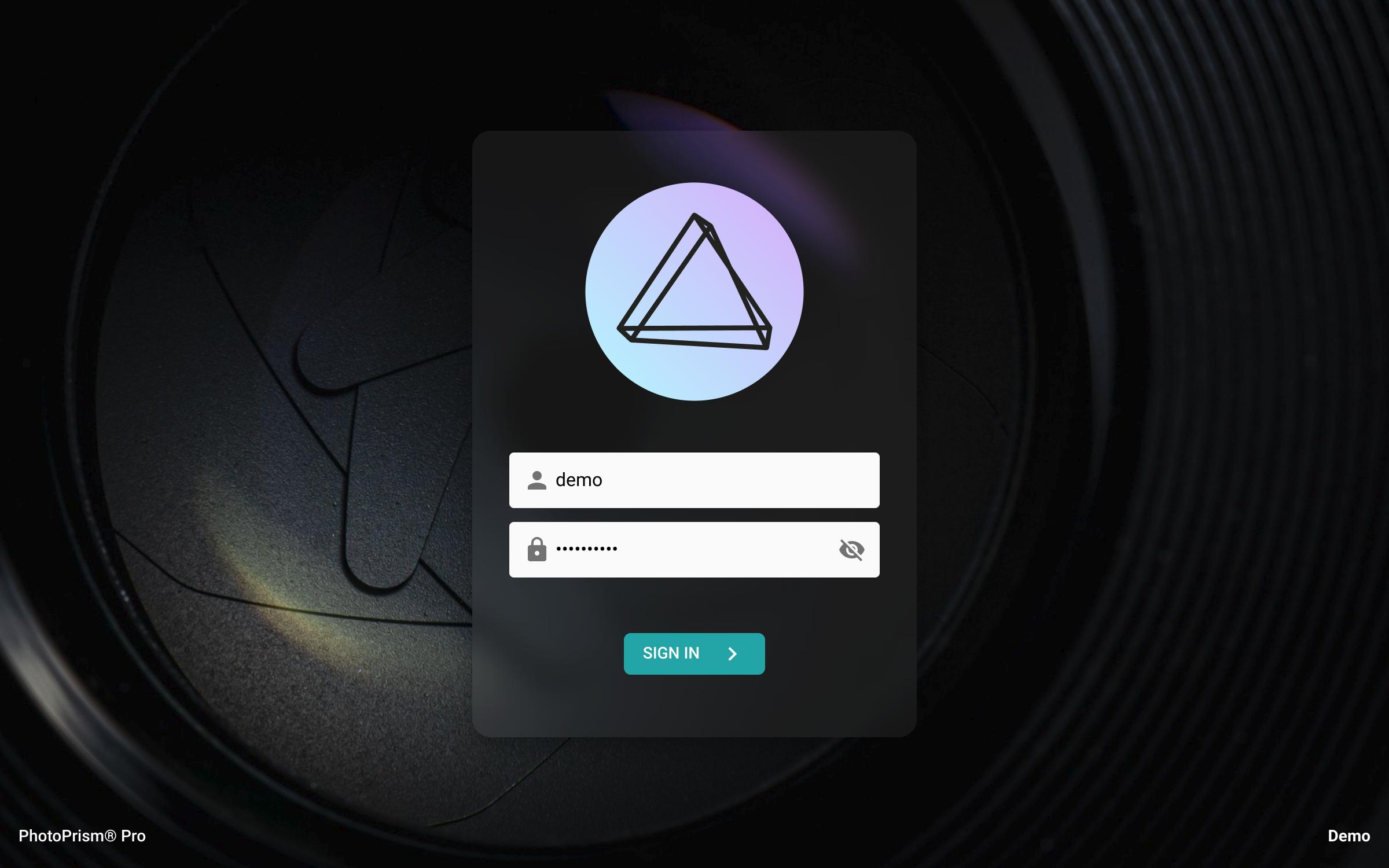 After waiting a few moments, you should be able to open the user interface in a Web browser by navigating to:
👉 [**https://privatecloud.photos:2342/**](https://privatecloud.photos:2342/)
If you have modified the server hostname, port, or protocol in your configuration, the URL to use changes accordingly.
Other issues? Our [Troubleshooting Checklists](https://docs.photoprism.app/getting-started/troubleshooting/) help you quickly diagnose and solve them.
When you see the login screen, **sign in with the admin username and initial password** you specified in your *compose.yaml* file.
You can change it in the user interface when you navigate to *Settings > Account*. PhotoPrism® Pro also includes a [web user interface for creating additional accounts](https://docs.photoprism.app/user-guide/users/) and managing sessions.
> [!NOTE]
> Note that the examples in our documentation use the new `docker compose` command by default. If your server does not yet support it, the old `docker-compose` command will continue to work.
> [!NOTE]
> To verify that all services are running properly, you can view the server logs at any time by running `docker compose logs -f`.
### Step 3: Activate Your License ###
You can now follow these steps to [activate your license](/pro/kb/activation/) by connecting your instance to your customer account at [my.photoprism.app](https://my.photoprism.app/):
(1) From the main navigation, open *Settings* and click the *Evaluation / Non-Production Use* link in the footer. If you do not see this link, for example on mobile devices, you can manually navigate to */library/upgrade* in the browser toolbar.
(2) If you have already received an activation code, enter it and click *Activate* or click *Register* to sign up on our website and receive a code to connect your account.
(3) Finally, please restart your instance for the changes to take effect. You should now see the name of your company or organization in the footer of the *Settings* page instead of *Evaluation / Non-Production Use*. This means that your instance has been successfully activated for production use. Thank you very much!
### Step 4: Get Started ###
Our [First Steps 👣](https://docs.photoprism.app/user-guide/first-steps/) tutorial guides you through the user interface and library settings to ensure your library is indexed according to your individual preferences.
In the following section, we'll give you an overview of the available user roles in PhotoPrism® Pro and show you how to manage accounts.
#### User Management ####
In addition to the command-line interface available in all editions, PhotoPrism® Pro includes a web user interface for managing user accounts as well as additional account roles to restrict permissions as needed.
#### Authenticating Users Against a Directory Server ####
With the built-in LDAP support, you can authenticate users against a central [Lightweight Directory Access Protocol](https://ubuntu.com/server/docs/service-ldap) or [Active Directory (AD)](https://learn.microsoft.com/en-us/azure/active-directory/fundamentals/auth-ldap) server so that users on the corporate network can sign in with their existing usernames and passwords.
#### Using Audit Logs ####
Audit logs help your security, auditing, and compliance entities monitor PhotoPrism® Pro for potential vulnerabilities, misuse, and other critical incidents.
#### Hardened Web Security ####
PhotoPrism® Pro additionally includes advanced security features such as session monitoring (run `photoprism auth --help` to see the available commands), which allows you to create, inspect and delete access tokens for authenticating browsers and other clients (including [app passwords](https://docs.photoprism.app/user-guide/settings/account/#apps-and-devices)). You can also set a general request rate limit for the built-in web server and a threshold for failed login attempts.
For more information on the available security options, see the *Authentication* and *Web Server* sections in our [configuration options](/pro/kb/config-options/) overview.
#### Using HTTPS ####
For **HTTPS** to work with your own domains, you can either [use an HTTPS reverse proxy like Traefik](https://docs.photoprism.app/getting-started/proxies/traefik/) (that you might already have to run other services) or specify a TLS certificate and private key file via `PHOTOPRISM_TLS_CERT` and `PHOTOPRISM_TLS_KEY` in your *compose.yaml* file.
## PhotoPrism® Documentation
For more information on specific features, services and related resources, please refer to the other documentation available in our Knowledge Base and User Guide:
- [PhotoPrism® User Guide](https://docs.photoprism.app/user-guide/)
- [PhotoPrism® Knowledge Base](/kb/)
- [PhotoPrism® Pro Knowledge Base](/pro/kb/)
---
# Release Notes
URL: https://www.photoprism.app/pro/kb/release-notes/
> Find out about the latest features and enhancements in our team editions for professional users.
### Build 1.2609.19 (September 19, 2026)
This release introduces new detection and embedding models for face recognition: more faces are found, including small ones in group pictures, and clustering now keeps different people apart instead of grouping them as one. Existing libraries keep their current model until you run [`photoprism faces migrate`](https://docs.photoprism.app/user-guide/ai/face-recognition/#upgrading-an-existing-library), which re-embeds every face and keeps the names you have already assigned.
People whose names should remain private can now be [flagged as Private or Hidden](https://docs.photoprism.app/user-guide/organize/people/#private-hidden-people) to hide their names and face regions from non-privileged accounts, while their pictures remain visible.
In addition, [360° photos, videos, and fisheye DNG files from Insta360 cameras](https://github.com/photoprism/photoprism/issues/5711) can be viewed directly, [maps have moved to MapLibre GL JS v6](https://github.com/photoprism/photoprism/issues/5812), and the [default size limit has been raised to 5 GB](https://github.com/photoprism/photoprism/issues/5824) so that larger videos are indexed without changing the configuration.
What's new?
- Viewer: [Added support for 360° Insta360 photos, videos, and fisheye DNG](https://github.com/photoprism/photoprism/issues/5711) by [@omerdduran](https://github.com/omerdduran)
- AI: [Improved facial recognition with new detection and embedding models](https://github.com/photoprism/photoprism/issues/4669) by [@omerdduran](https://github.com/omerdduran)
- AI: [Added a `Normalize` option to keep compound label names whole](https://github.com/photoprism/photoprism/issues/5773)
- AI: [Upgraded ONNX Runtime from v1.26.0 to v1.29.0](https://github.com/photoprism/photoprism/issues/5703)
- People: [Improved clustering to separate people whose faces were grouped as one](https://github.com/photoprism/photoprism/issues/4669)
- People: [Added a confirmation before a typed name creates a new person](https://docs.photoprism.app/user-guide/organize/people/#assign-names-to-faces)
- People: [Added Private and Hidden options to hide names and face regions](https://docs.photoprism.app/user-guide/organize/people/#private-hidden-people)
- People: [Fixed two people being merged when reassigning a face](https://github.com/photoprism/photoprism/issues/5764)
- People: [Improved error handling when updating counts](https://github.com/photoprism/photoprism/pull/5757) by [@keif888](https://github.com/keif888)
- People: [Improved memory usage and performance when naming clusters](https://github.com/photoprism/photoprism/issues/3891)
- People: [Improved the speed of face updates in very large libraries](https://github.com/photoprism/photoprism/issues/5393)
- Places: [Upgraded MapLibre GL JS from v5 to v6 (requires WebGL 2)](https://github.com/photoprism/photoprism/issues/5812)
- Index: [Added support for Cineon, ORI, and camcorder video files](https://github.com/photoprism/photoprism/issues/5818)
- Index: [Improved support for large files by raising the default size limit to 5 GB](https://github.com/photoprism/photoprism/issues/5824)
- Thumbs: [Improved oversized preview requests to return the largest available size](https://github.com/photoprism/photoprism/issues/5780)
- Thumbs: [Improved error messages to be logged as a single readable line](https://github.com/photoprism/photoprism/issues/5778)
- Covers: [Improved album, label, and folder covers to load from the thumbs cache](https://github.com/photoprism/photoprism/issues/5779)
- Metadata: [Improved the docs to include complete XMP and DCMI tags](https://www.photoprism.app/kb/metadata/)
- Config: [Added a `thumb-size-face` option that limits the sources rendered for face crops](https://docs.photoprism.app/getting-started/config-options/#face-recognition)
- Config: [Added a `face-cluster-core-retry` option to control the second clustering pass](https://docs.photoprism.app/getting-started/config-options/#face-recognition)
- CLI: [Added `faces migrate` to switch a library to a new face model](https://docs.photoprism.app/user-guide/ai/face-recognition/#upgrading-an-existing-library)
- CLI: [Added `faces reset --all` to start over without detecting faces again](https://docs.photoprism.app/user-guide/ai/face-recognition/#cli-reference)
- CLI: [Added `faces status` to help with configuration and troubleshooting](https://docs.photoprism.app/user-guide/ai/face-recognition/#cli-reference)
- CLI: [Added `faces subjects`, `faces ls`, and `faces markers` to inspect face data](https://docs.photoprism.app/user-guide/ai/face-recognition/#cli-reference)
- CLI: [Added a Detail column showing how well a face crop was resolved](https://docs.photoprism.app/user-guide/ai/face-recognition/#cli-reference)
- Helm: [Added a values schema that validates the chart configuration](https://charts.photoprism.app/)
- Tests: [Improved backend and acceptance test coverage](https://github.com/photoprism/photoprism/pull/5783) by [@keif888](https://github.com/keif888)
- Security: [Upgraded `libheif` from v1.23.1 to v1.23.4 (8 CVE fixes)](https://github.com/photoprism/photoprism/issues/5814)
- Security: [Upgraded Go from v1.26.5 to v1.27.1](https://github.com/golang/go/issues?q=milestone%3AGo1.27.1)
- Translations: [Improved French](https://docs.photoprism.app/developer-guide/translations-weblate/) by [@jean-louis67](https://github.com/jean-louis67)
- Translations: [Improved Hebrew](https://docs.photoprism.app/developer-guide/translations-weblate/) by [@avma](https://github.com/avma)
> [!NOTE]
> Missing [user interface translations](https://docs.photoprism.app/developer-guide/translations-weblate/) have been generated with the help of DeepL and Google Translate. Native speakers are [welcome to help us improve them](https://docs.photoprism.app/developer-guide/translations-weblate/) where needed.
### Build 1.2607.28 (July 28, 2026)
With this major new release, [equirectangular 360° photos and videos](https://github.com/photoprism/photoprism/issues/5623) can now be explored interactively. To preserve detail when zooming in, the maximum [thumbnail and video resolution has been increased to 16K](https://github.com/photoprism/photoprism/issues/5669).
A new [inline document viewer](https://github.com/photoprism/photoprism/issues/5488) makes it possible to read multi-page PDFs without downloading them first. Metadata enthusiasts benefit from enhanced XMP support, allowing GPS coordinates and face regions to be imported from both [XMP sidecar files](https://github.com/photoprism/photoprism/issues/5712) and [embedded XMP metadata](https://github.com/photoprism/photoprism/issues/5751). In addition, camera and lens make and model information can now be [edited through the CLI and API](https://github.com/photoprism/photoprism/issues/5663). Elsewhere, the Settings interface has been reorganized and now includes a dedicated Accessibility section, where you can, for example, prevent action menus from opening on hover. Album download and sorting options have moved to a new Collections tab.
[AI-related improvements](https://docs.photoprism.app/user-guide/ai/) include a [new `service_tier` option](https://github.com/photoprism/photoprism/issues/5725) for more cost-effective API requests, along with various [fixes and improvements for Ollama](https://github.com/photoprism/photoprism/issues/5728).
What's new?
- Viewer: [Added support for 360° panorama photos and videos](https://github.com/photoprism/photoprism/pull/5623) by [@omerdduran](https://github.com/omerdduran)
- Viewer: [Added an inline viewer for reading multi-page PDF documents](https://github.com/photoprism/photoprism/issues/5488) by [@omerdduran](https://github.com/omerdduran)
- AI: [Added `service_tier` setting for OpenAI-compatible service requests](https://github.com/photoprism/photoprism/issues/5725)
- AI: [Updated Ollama default settings and default cloud model](https://github.com/photoprism/photoprism/issues/5726)
- AI: [Improved Ollama caption and label quality by disabling reasoning output](https://github.com/photoprism/photoprism/issues/5728)
- AI: [Improved retry handling for rate-limited (HTTP 429) vision requests](https://github.com/photoprism/photoprism/issues/5729)
- AI: [Improved image reference validation for computer vision requests](https://github.com/photoprism/photoprism/issues/5734)
- AI: [Fixed a concurrency issue in the local TensorFlow classifier](https://github.com/photoprism/photoprism/issues/5694)
- UX: [Added a setting to prevent action menus from opening on hover](https://github.com/photoprism/photoprism/issues/5650) by [@lastzero](https://github.com/lastzero)
- UX: [Improved face-marker overlay performance and interaction](https://github.com/photoprism/photoprism/issues/5672) by [@omerdduran](https://github.com/omerdduran)
- UX: [Improved notification messages to appear in the current interface language](https://github.com/photoprism/photoprism/issues/5682)
- UX: [Fixed clearing the photo selection after saving batch edits](https://github.com/photoprism/photoprism/issues/5738)
- Auth: [Added a configurable OpenID Connect sign-in prompt to force re-authentication](https://github.com/photoprism/photoprism/issues/5698)
- Auth: [Added OpenID Connect RP-initiated logout to end the upstream provider session](https://github.com/photoprism/photoprism/issues/5684)
- Auth: [Fixed Cognito-issued ID token validation by sending a nonce during OIDC sign-in](https://github.com/photoprism/photoprism/issues/5695)
- Auth: [Fixed the OpenID Connect sign-in button not being translated](https://github.com/photoprism/photoprism/pull/5754)
- Auth: [Improved login, session, and OIDC error messages to appear in the current language](https://github.com/photoprism/photoprism/issues/5699)
- Auth: [Limited app passwords of accounts without web login to WebDAV sync](https://github.com/photoprism/photoprism/issues/5647) by [@lastzero](https://github.com/lastzero)
- People: [Added import of face regions from XMP sidecar files](https://github.com/photoprism/photoprism/issues/5712) by [@omerdduran](https://github.com/omerdduran)
- People: [Added import of face regions from embedded XMP metadata](https://github.com/photoprism/photoprism/issues/5751) by [@omerdduran](https://github.com/omerdduran)
- People: [Added a type-ahead cache for faster name suggestions](https://github.com/photoprism/photoprism/issues/5666) by [@lastzero](https://github.com/lastzero)
- Places: [Fixed stacking of photos at the same location when zoomed in](https://github.com/photoprism/photoprism/issues/5643)
- Albums: [Fixed download of sidecar files when the option is enabled](https://github.com/photoprism/photoprism/issues/5743)
- Albums: [Fixed single file downloads from a shared folder, moment, calendar, or region](https://github.com/photoprism/photoprism/issues/5727)
- Albums: [Fixed error when creating a share link as a non-admin user](https://github.com/photoprism/photoprism/issues/5748)
- Folders: [Fixed search results not including pictures from subdirectories](https://github.com/photoprism/photoprism/issues/5724)
- Batch Edit: [Fixed the sorting of pictures in searches after editing dates](https://github.com/photoprism/photoprism/issues/5739)
- Settings: [Added a "Collections" tab to configure download settings](https://github.com/photoprism/photoprism/issues/848) by [@omerdduran](https://github.com/omerdduran)
- Settings: [Added 16K thumbnail and video size support for 360° media](https://github.com/photoprism/photoprism/issues/5669) by [@lastzero](https://github.com/lastzero)
- Settings: [Reorganized interface with a new accessibility section](https://github.com/photoprism/photoprism/issues/5429) by [@omerdduran](https://github.com/omerdduran)
- Index: [Added a fallback to embedded JPEG previews for unsupported files](https://github.com/photoprism/photoprism/issues/5673)
- Index: [Added native JPEG XL decoding as an alternative to the external `djxl` tool](https://github.com/photoprism/photoprism/issues/5693)
- Index: [Fixed duplicate creation when identical files are indexed in parallel](https://github.com/photoprism/photoprism/issues/5652) by [@knowald](https://github.com/knowald)
- Index: [Improved indexing to record original file names only for imported files](https://github.com/photoprism/photoprism/issues/5668)
- Metadata: [Added extraction of GPS coordinates from XMP sidecar files](https://github.com/photoprism/photoprism/issues/4106) by [@omerdduran](https://github.com/omerdduran)
- Metadata: [Added Lens Make and Model updates via CLI and API](https://github.com/photoprism/photoprism/issues/5656) by [@keif888](https://github.com/keif888)
- Metadata: [Added Camera Make and Model updates via CLI and API](https://github.com/photoprism/photoprism/issues/5663) by [@lastzero](https://github.com/lastzero)
- Metadata: [Improved support for metadata from XMP sidecar files](https://github.com/photoprism/photoprism/pull/5563) by [@omerdduran](https://github.com/omerdduran)
- Metadata: [Improved XMP handling to map `dc:subject` to the Subject field](https://github.com/photoprism/photoprism/issues/2075)
- PWA: [Added glass, mint, neon, and rainbow app icons and full-bleed touch variants](https://github.com/photoprism/photoprism/issues/5737)
- PWA: [Improved the app manifest with maskable icons, language, and screenshots](https://github.com/photoprism/photoprism/issues/5691)
- PWA: [Fixed using the configured app icon as the iOS Home Screen icon](https://github.com/photoprism/photoprism/issues/5737)
- CLI: [Improved role and auth-provider usage descriptions](https://github.com/photoprism/photoprism/issues/5667) by [@lastzero](https://github.com/lastzero)
- CLI: [Fixed `auth add` command when the database runs with `NO_ZERO_DATE` enabled](https://github.com/photoprism/photoprism/issues/5707)
- API: [Added an `X-Count` header to label and service search responses](https://github.com/photoprism/photoprism/issues/5649) by [@keif888](https://github.com/keif888)
- WebDAV: [Fixed uploads reporting success even when they failed](https://github.com/photoprism/photoprism/issues/5745)
- WebDAV: [Improved uploads to skip videos and RAW files when raw and video sync is off](https://github.com/photoprism/photoprism/issues/5744)
- WebDAV: [Fixed routine sync-client folder checks being logged as errors](https://github.com/photoprism/photoprism/issues/5715)
- Storage: [Fixed a path lookup error when resolving filesystem locations](https://github.com/photoprism/photoprism/issues/5683)
- Storage: [Added automatic expiry for temporary download archives](https://github.com/photoprism/photoprism/commit/4bcd670c5)
- Database: [Improved error logging to capture connection issues](https://github.com/photoprism/photoprism/issues/5637)
- Database: [Upgraded config examples from MariaDB 11.8 to 12.3 (LTS)](https://github.com/photoprism/photoprism/issues/5705)
- Database: [Fixed byte truncation to be rune-safe for all text columns](https://github.com/photoprism/photoprism/issues/5638)
- Docker: [Removed per-user skeleton files to reduce the image size](https://github.com/photoprism/photoprism/issues/5154) by [@alexisLefebvre](https://github.com/alexisLefebvre)
- Helm: [Added support for external database password secrets](https://github.com/photoprism/photoprism/issues/5661) by [@kurczynski](https://github.com/kurczynski)
- Security: [Added a feature flag to disable app passwords](https://github.com/photoprism/photoprism/issues/5647) by [@lastzero](https://github.com/lastzero)
- Security: [Added signed download tokens and improved preview token handling](https://github.com/photoprism/photoprism/issues/5733)
- Security: [Hardened WebDAV syncing, indexing](https://github.com/photoprism/photoprism/issues/5735), and [file locking](https://github.com/photoprism/photoprism/issues/5736)
- Security: [Upgraded `libheif` from v1.22.2 to v1.23.1 (CVE-2026-50142)](https://github.com/photoprism/photoprism/issues/5653)
- Security: [Upgraded Go from v1.26.3 to v1.26.5](https://github.com/golang/go/issues?q=milestone%3AGo1.26.5) and [ONNX Runtime to v1.26.0](https://github.com/photoprism/photoprism/commit/1fad248031eca0ae80f1bb7b122535e79852558b)
- Translations: [Improved French](https://docs.photoprism.app/developer-guide/translations-weblate/) by [@jean-louis67](https://github.com/jean-louis67), and [Hebrew](https://docs.photoprism.app/developer-guide/translations-weblate/) by [@avma](https://github.com/avma)
> [!NOTE]
> We recommend performing a [complete rescan](https://docs.photoprism.app/user-guide/library/originals/) of your library after upgrading to benefit from the improvements. Please note that manually marking faces on 360° content is not yet supported in this release.
### Build 1.2606.01 (June 1, 2026)
This service release includes important security and reliability updates. As an additional safety measure, indexing, importing, and uploading can be disabled when [free disk space falls below a configurable threshold](https://docs.photoprism.app/user-guide/library/originals/#free-storage-threshold) to prevent storage volumes from filling up.
What's new?
- Index: [Optional free disk space threshold prevents storage from filling up](https://github.com/photoprism/photoprism/issues/5613)
- Index: [Fixed recovery of hidden stacks whose primary image was replaced](https://github.com/photoprism/photoprism/issues/5625)
- Videos: [Improved hardware transcoding setup and documentation](https://github.com/photoprism/photoprism/issues/5631)
- Videos: [Fixed VAAPI transcoding for compatibility with FFmpeg 8](https://github.com/photoprism/photoprism/issues/5630)
- Videos: [Added an option to exclude formats from FFmpeg processing](https://github.com/photoprism/photoprism/issues/5617)
- Thumbs: [PNGs are exported without an ICC profile if `libpng` rejects it](https://github.com/photoprism/photoprism/issues/5616)
- Folders: [Fixed recurring deletion and re-creation of folder albums](https://github.com/photoprism/photoprism/issues/5615)
- Security: [Reinforced user profile endpoint authorization checks](https://github.com/photoprism/photoprism/issues/5619) by [@geo-chen](https://github.com/geo-chen)
- Security: [Removed Pebble binary from Ubuntu base images (CVE-2026-39821)](https://github.com/photoprism/photoprism/issues/5620)
- Security: [Upgraded `libheif` from v1.21.2 to v1.22.2 (17 CVE fixes)](https://github.com/photoprism/photoprism/issues/5621)
### Build 1.2605.23 (May 23, 2026)
This update introduces a redesigned [Info Sidebar](https://docs.photoprism.app/user-guide/organize/info-sidebar/) that lets you [edit metadata, albums, and labels](https://github.com/photoprism/photoprism/issues/4966) as well as [manually tag faces](https://github.com/photoprism/photoprism/issues/1548) without leaving the full-screen viewer. On the AI side, our ONNX-based face recognition pipeline has fully [replaced the legacy Pigo detector](https://github.com/photoprism/photoprism/issues/5508), and the [`vision.yml`](https://docs.photoprism.app/user-guide/ai/#visionyml-reference) configuration now accepts [mixed-case model names](https://github.com/photoprism/photoprism/issues/5594) so all identifiers from Hugging Face, Ollama, and OpenAI-compatible catalogs can be used.
Media handling has been thoroughly modernized: video transcoding now supports [Vulkan hardware acceleration via FFmpeg 8](https://github.com/photoprism/photoprism/issues/5592), images use a [native HEIC/AVIF reader](https://github.com/photoprism/photoprism/issues/5509) (with `libheif` upgraded to v1.21.2), and [layered TIFF and Adobe Photoshop PSD](https://github.com/photoprism/photoprism/issues/5383) files are now supported. Other highlights include [NOT & AND operators in the label filter](https://github.com/photoprism/photoprism/issues/5535), a [drag-and-drop file upload zone](https://github.com/photoprism/photoprism/issues/1216), [`zstd` compression](https://github.com/photoprism/photoprism/issues/5550) for faster page loads, [hardened WebDAV interoperability](https://github.com/photoprism/photoprism/issues/3541), and a new Ubuntu 26.04 LTS base image.
What's new?
- Viewer: [Sidebar shows editable metadata, albums, and labels](https://github.com/photoprism/photoprism/issues/4966) by [@omerdduran](https://github.com/omerdduran)
- Viewer: [Captions can be hidden using the menu or a keyboard shortcut](https://github.com/photoprism/photoprism/issues/5580)
- Faces: [Viewer sidebar allows to manually tag faces on pictures](https://github.com/photoprism/photoprism/issues/1548) by [@omerdduran](https://github.com/omerdduran)
- Faces: [Dropped legacy Pigo detector in favor of ONNX-based detection](https://github.com/photoprism/photoprism/issues/5508)
- UX: [Added a drag-and-drop zone to the file upload dialog](https://github.com/photoprism/photoprism/issues/1216)
- UX: [Improved form input validation and numeric range caps](https://github.com/photoprism/photoprism/issues/5584)
- Login: [Enhanced login page with "Stay signed in on this device" toggle](https://github.com/photoprism/photoprism/issues/5476)
- Login: [OIDC provider initialization is retried after transient discovery failure](https://github.com/photoprism/photoprism/issues/5478)
- Login: [Fixed OIDC redirect of unauthenticated users when opening direct links](https://github.com/photoprism/photoprism/issues/5506)
- Search: [Improved label filter with support for NOT & AND operators](https://github.com/photoprism/photoprism/issues/5535)
- Labels: [Added support for homophones and homophone-aware lookups](https://github.com/photoprism/photoprism/issues/5227) by [@keif888](https://github.com/keif888)
- Labels: [Fixed duplicates when renaming a label and re-adding the previous name](https://github.com/photoprism/photoprism/issues/5531)
- Labels: [Fixed case and punctuation variants creating duplicates in the edit dialog](https://github.com/photoprism/photoprism/issues/5532)
- Folders: [Child folders with emoji paths no longer overwrite parent albums](https://github.com/photoprism/photoprism/issues/5366)
- Videos: [Added support for Vulkan hardware transcoding using FFmpeg 8](https://github.com/photoprism/photoprism/issues/5592)
- Videos: [HEVC remux output is tagged as `hvc1` based on MP4 chunk scan](https://github.com/photoprism/photoprism/issues/5593)
- Images: [Added support for layered TIFF and Adobe Photoshop PSD images](https://github.com/photoprism/photoprism/issues/5383)
- Images: [Added native HEIC/AVIF reader and upgraded `libheif` to v1.21.2](https://github.com/photoprism/photoprism/issues/5509)
- Images: [Replaced `disintegration/imaging` library with native format support](https://github.com/photoprism/photoprism/issues/5353)
- Server: [Added `zstd` compression support for faster loading times](https://github.com/photoprism/photoprism/issues/5550)
- Server: [Added pre-compressed frontend bundles for faster loading times](https://github.com/photoprism/photoprism/issues/5552)
- Server: [Fixed nil-DB race in async count and cover update goroutines](https://github.com/photoprism/photoprism/issues/5551)
- WebDAV: [Hardened timeouts, cancellation, and Depth-1 fallback diagnostics](https://github.com/photoprism/photoprism/issues/5474)
- WebDAV: [Fixed settings dialog to allow credentials for existing services to be changed](https://github.com/photoprism/photoprism/issues/5558)
- WebDAV: [Added fallback for servers that only allow `PROPFIND` with a Depth of 1](https://github.com/photoprism/photoprism/issues/3541)
- CLI: [Improved `vision run` command updates sidecar YAML files](https://github.com/photoprism/photoprism/issues/5493)
- CLI: [Added a `faces config` subcommand to list face-related options](https://github.com/photoprism/photoprism/issues/5597)
- CLI: [Fixed flags placed after positional arguments being silently dropped](https://github.com/photoprism/photoprism/issues/5604)
- MCP: [Added read-only support for the Model Context Protocol (MCP)](https://github.com/photoprism/photoprism/issues/5024)
- MCP: [Added `--disable-mcp` flag to disable Model Context Protocol support](https://github.com/photoprism/photoprism/issues/5536)
- Config: [Removed limitation for vision model names to be lowercased](https://github.com/photoprism/photoprism/issues/5594)
- Config: [Improved worker auto-configuration based on number of CPU cores](https://github.com/photoprism/photoprism/issues/5567)
- Config: [Consolidated SQL driver names and parsing in `pkg/dsn`](https://github.com/photoprism/photoprism/issues/5588) by [@keif888](https://github.com/keif888)
- Config: [Default HTTP and HTTPS ports are stripped from base URLs](https://github.com/photoprism/photoprism/issues/5590)
- Logs: [Information about long-running processes is logged](https://github.com/photoprism/photoprism/pull/5481) by [@keif888](https://github.com/keif888)
- Docker: [Upgraded base image to Ubuntu 26.04 LTS (Resolute Raccoon)](https://github.com/photoprism/photoprism/issues/5543)
- Security: [Search queries now use parameterized statements for all user input](https://github.com/photoprism/photoprism/issues/5587)
- Security: Upgraded Go from v1.26 to v1.26.3 and [ONNX Runtime to v1.25.1](https://github.com/photoprism/photoprism/issues/5555)
### Build 1.2603.05 (March 5, 2026)
This service release focuses on security hardening, interoperability improvements, and bug fixes to create a stable platform for upcoming features. 🔧
Ollama users benefit from [easier configuration](https://docs.photoprism.app/user-guide/ai/using-ollama/) with the `OLLAMA_BASE_URL` and `OLLAMA_API_KEY` environment variables, as well as improved fallback response handling for [caption generation](https://docs.photoprism.app/user-guide/ai/ollama-models/#caption-prompts) with reasoning models. To improve reliability, we addressed edge cases in [indexing](https://docs.photoprism.app/user-guide/library/originals/), [Places](https://docs.photoprism.app/user-guide/organize/places/) (GPS boundary overshoots), [folder albums](https://docs.photoprism.app/user-guide/organize/folders/) (emoji and slug collisions), [thumbnails](https://docs.photoprism.app/user-guide/settings/advanced/#preview-images), [metadata parsing](https://docs.photoprism.app/user-guide/library/metadata/), [WebDAV](https://docs.photoprism.app/user-guide/sync/webdav/) response headers, CLI validation, [OIDC](https://docs.photoprism.app/getting-started/advanced/openid-connect/) compatibility, and shared-domain hosting.
What's new?
- Ollama: [Added support for configuration via `OLLAMA_BASE_URL` and `OLLAMA_API_KEY`](https://github.com/photoprism/photoprism/issues/5361)
- Ollama: [Added a "thinking" response fallback for captions](https://github.com/photoprism/photoprism/issues/5455) by [@lastzero](https://github.com/lastzero)
- Index: [Fixed merged photos keeping image type after video file merges](https://github.com/photoprism/photoprism/issues/5418)
- Places: [Fixed handling of minor GPS coordinate overshoots near map boundaries](https://github.com/photoprism/photoprism/issues/5445)
- Folders: [Fixed emoji subfolders conflicting with parent folder albums](https://github.com/photoprism/photoprism/issues/5366)
- Folders: [Fixed folder album path collisions caused by truncated slugs](https://github.com/photoprism/photoprism/issues/5437)
- Library: [Hidden results now display file error reasons in Card and List views](https://github.com/photoprism/photoprism/issues/5391)
- Thumbs: [Fixed error buffer handling when interop index was missing](https://github.com/photoprism/photoprism/issues/5389)
- Metadata: [Clamped invalid Google JSON GPS coordinates to geo bounds](https://github.com/photoprism/photoprism/issues/5373)
- WebDAV: [Hardened response headers for interoperability](https://github.com/photoprism/photoprism/issues/5472) by [@lastzero](https://github.com/lastzero)
- CLI: [Standardized input path validation and exit codes](https://github.com/photoprism/photoprism/issues/5457) by [@lastzero](https://github.com/lastzero)
- SQLite: [Improved compatibility with Google OIDC identity provider](https://github.com/photoprism/photoprism/issues/4951) by [@keif888](https://github.com/keif888)
- Server: [Added HTTP security hardening config options](https://github.com/photoprism/photoprism/issues/5471) by [@lastzero](https://github.com/lastzero)
- Server: [Improved configuration and performance of Gzip route exclusions](https://github.com/photoprism/photoprism/issues/5384)
- Server: [Resolved known issues when hosting on a shared domain](https://github.com/photoprism/photoprism/issues/2391)
- Logs: [Fixed handling of missing caption thumbnails and video remux errors](https://github.com/photoprism/photoprism/issues/5398)
- Security: Upgraded Go to v1.26, which includes fixes and improvements
- Translations: [Updated French, German, Latvian, and Romanian](https://docs.photoprism.app/developer-guide/translations-weblate/)
### Build 1.2511.30 (November 30, 2025)
This major update introduces the long-awaited [Batch Edit](https://docs.photoprism.app/user-guide/organize/batch-edit/) dialog, which allows you to [edit the metadata of multiple pictures](https://docs.photoprism.app/user-guide/organize/batch-edit/) in one go. On the AI side, an [upgraded face recognition pipeline](https://docs.photoprism.app/user-guide/ai/face-recognition/) delivers more and better matches. PhotoPrism now integrates directly with [Ollama](https://docs.photoprism.app/user-guide/ai/using-ollama/) and [OpenAI](https://docs.photoprism.app/user-guide/ai/using-openai/) to generate [captions and labels](https://docs.photoprism.app/user-guide/ai/). Support for [custom TensorFlow models](https://docs.photoprism.app/developer-guide/vision/tensorflow/custom-models/), [refined configuration](https://docs.photoprism.app/user-guide/ai/#visionyml-reference), and [new scheduling options](https://docs.photoprism.app/user-guide/ai/#run-modes) offer further flexibility.
You'll also notice many performance and usability enhancements, such as the ability to [change the cover image for a person](https://docs.photoprism.app/user-guide/organize/people/#change-cover-for-a-person), as well as updated dependencies and new translations.
Upgrade Notes
- To benefit from the [facial recognition improvements](https://docs.photoprism.app/user-guide/ai/face-recognition/), we recommend running `photoprism faces audit --fix` and `photoprism faces index` [in a terminal](https://docs.photoprism.app/getting-started/docker-compose/#opening-a-terminal) to resolve any inconsistencies before detecting and matching additional faces. If you want the new engine to re-detect all faces for a clean state, you can do so by executing the commands `photoprism faces reset -f` and then `photoprism faces index` (after that, all detected faces must be reassigned). A [complete rescan](https://docs.photoprism.app/user-guide/library/originals/#when-should-complete-rescan-be-selected) will also detect additional faces, but takes longer since more indexing tasks are performed.
- PhotoPrism now [supports multiple AI engines](https://docs.photoprism.app/user-guide/ai/#model-engines), so the `PHOTOPRISM_DISABLE_TENSORFLOW` option [has been deprecated](https://github.com/photoprism/photoprism/issues/5310). You can still disable individual AI features using the [`PHOTOPRISM_DISABLE_*` feature flags](https://docs.photoprism.app/getting-started/config-options/#feature-flags) and/or a [custom `vision.yml`](https://docs.photoprism.app/user-guide/ai/#visionyml-reference) configuration.
What's new?
- AI: [Support for custom TensorFlow image classification models](https://github.com/photoprism/photoprism/pull/5011) by [@raystlin](https://github.com/raystlin)
- AI: [Direct Ollama integration for generating captions](https://github.com/photoprism/photoprism/issues/5123) and [labels](https://github.com/photoprism/photoprism/issues/5232) by [@lastzero](https://github.com/lastzero)
- AI: [Generate Captions & Labels using the OpenAI Responses API](https://github.com/photoprism/photoprism/issues/5322) by [@lastzero](https://github.com/lastzero)
- AI: [Improved face detection and embedding pipeline with a new CNN engine](https://github.com/photoprism/photoprism/issues/5167)
- AI: [Improved model configuration and `photoprism vision run` command](https://github.com/photoprism/photoprism/commit/4bc9cd6ca23bb65072b766ae16b7966b4e7b3e36)
- AI: [Added scheduling options for running vision models in the background](https://github.com/photoprism/photoprism/issues/5234)
- UX: [Added a batch edit dialog to edit multiple pictures at once](https://github.com/photoprism/photoprism/issues/271)
- UX: [Added a menu to select a cover image for people](https://github.com/photoprism/photoprism/issues/4151) by [@omerdduran](https://github.com/omerdduran)
- UX: ["Add to Album" dialog allows selection of multiple albums](https://github.com/photoprism/photoprism/pull/5177) by [@omerdduran](https://github.com/omerdduran)
- UX: [Improved people name editing and focus management](https://github.com/photoprism/photoprism/pull/5307) by [@omerdduran](https://github.com/omerdduran)
- UX: [Improved window scroll position restoration when navigating](https://github.com/photoprism/photoprism/issues/5211)
- UX: [Disabled autofocus on mobile devices to prevent keyboard from opening](https://github.com/photoprism/photoprism/issues/5213)
- UX: [Added a browser capability check displaying a warning if unsupported](https://github.com/photoprism/photoprism/issues/5047)
- UX: [Improved memory and event management in Viewer](https://github.com/photoprism/photoprism/issues/5260) and [Places](https://github.com/photoprism/photoprism/issues/5259)
- Auth: [2FA can be activated, even if the recovery code cannot be copied](https://github.com/photoprism/photoprism/issues/5106)
- OIDC: [Added support for Microsoft Entra ID security groups](https://github.com/photoprism/photoprism/issues/5334)
- Search: [Added escaping for `|` and `&` in filters](https://github.com/photoprism/photoprism/pull/5188) by [@keif888](https://github.com/keif888)
- Search: [Improved Boolean value parsing in filters](https://github.com/photoprism/photoprism/pull/5191) by [@keif888](https://github.com/keif888)
- Index: [Selecting "Complete Rescan" refreshes the detected media types](https://github.com/photoprism/photoprism/issues/5096)
- Index: [Underlying errors are logged when file type detection fails](https://github.com/photoprism/photoprism/issues/5149)
- Index: [Improved error logging when PDF documents cannot be indexed](https://github.com/photoprism/photoprism/issues/5166)
- Index: [Fixed in-memory photo and file lookup tables to prevent file rescans](https://github.com/photoprism/photoprism/issues/5235)
- Thumbs: [Embedding of ICC profiles based on InteropIndex](https://github.com/photoprism/photoprism/pull/5178) by [@akdor1154](https://github.com/akdor1154)
- Videos: [Fixed issues with non-keyframes when extracting still images](https://github.com/photoprism/photoprism/issues/5189)
- Intel QSV: [`libvpl2` will be installed when `PHOTOPRISM_INIT` includes "intel"](https://github.com/photoprism/photoprism/discussions/5098)
- API: [Added a force flag to the `DELETE /api/v1/albums/UID` endpoint](https://github.com/photoprism/photoprism/issues/5122)
- API: [Corrected handling of CORS preflight requests](https://github.com/photoprism/photoprism/issues/5133) by [@techmatt101](https://github.com/techmatt101)
- API: [Configured service key can be used for Vision API authentication](https://github.com/photoprism/photoprism/issues/5299)
- API: [`/api/v1/metrics` endpoint reports file system and account usage](https://github.com/photoprism/photoprism/issues/5355)
- Config: [`PHOTOPRISM_DISABLE_FRONTEND` disables the web user interface](https://github.com/photoprism/photoprism/issues/5111)
- CLI: [Added `--json` output format flag to `photoprism show` commands](https://github.com/photoprism/photoprism/issues/5220)
- CLI: [Added `vision reset` command to regenerate captions and labels](https://github.com/photoprism/photoprism/issues/5233)
- CLI: [Improved `photoprism dl` command to support additional flags](https://github.com/photoprism/photoprism/issues/5261)
- Setup: [Added `ollama` service to `compose.yaml` configuration examples](https://dl.photoprism.app/docker/)
- PWA: [Replaced "@lcdp/offline-plugin" with "workbox-webpack-plugin"](https://github.com/photoprism/photoprism/issues/5274)
- Docker: [Upgraded to Ubuntu 25.10](https://github.com/photoprism/photoprism/issues/5276), incl. [ExifTool v13.25](https://github.com/exiftool/exiftool/blob/master/Changes) and [libheif v1.20.2](https://github.com/strukturag/libheif/releases/tag/v1.20.2)
- Docker: [Preinstalled `libmagic-mgc` package for file type detection](https://github.com/photoprism/photoprism/issues/5149)
- Docker: [Improved `cmd.sh` script to terminate child processes](https://github.com/photoprism/photoprism/pull/5172) by [@keif888](https://github.com/keif888)
- Security: Upgraded Go to v1.25.4, which includes fixes and improvements
- Translations: [Updated Spanish and Vietnamese](https://docs.photoprism.app/developer-guide/translations-weblate/)
### Build 1.2507.07 (July 7, 2025)
This release adds support for using [Ollama models in the Vision AI service](https://github.com/photoprism/photoprism-vision/pull/5), improves search performance, and [introduces an "Adjust Location" dialog](https://github.com/photoprism/photoprism/issues/465) for setting photo coordinates on a map. Users can now [delete albums from the toolbar](https://github.com/photoprism/photoprism/issues/4994) and customize the [language of location details](https://github.com/photoprism/photoprism/issues/883). Video and metadata handling have been refined, with updates to [transcoding](https://github.com/photoprism/photoprism/issues/4969), scanner detection, and [CLI tools](https://github.com/photoprism/photoprism/issues/4982). A fix for [SQLite index updates](https://github.com/photoprism/photoprism/issues/3742) is also included. [Batch editing](https://github.com/photoprism/photoprism/issues/271) features are in final development and will be available in an upcoming release.
What's new?
- AI: [Added Ollama model and data URL support to the Vision Service](https://github.com/photoprism/photoprism-vision/pull/5)
- Auth: [Added a new "Manager" role that grants read-only access to the user management](https://www.photoprism.app/pro/kb/roles/)
- UX: [Added "Adjust Location" dialog to set coordinates on a map](https://github.com/photoprism/photoprism/issues/465)
- UX: [Added "Delete Album" action to the album toolbar menu](https://github.com/photoprism/photoprism/issues/4994)
- UX: [Optimized thumbnail rendering performance in result views](https://github.com/photoprism/photoprism/issues/4985)
- Places: [Added a config option to set the language of location details](https://github.com/photoprism/photoprism/issues/883)
- Viewer: [Fixed timezone handling in the information sidebar](https://github.com/photoprism/photoprism/pull/5015)
- Viewer: [Seeking disables looping when playing a short video](https://github.com/photoprism/photoprism/commit/1709f708edbd44ea8dda02cc3f343330f7779836)
- Videos: [Added config options for transcoding preset, quality, and device](https://github.com/photoprism/photoprism/issues/4969)
- Videos: [Fixed playback when using QSV to transcode HEVC files](https://github.com/photoprism/photoprism/issues/5040)
- Videos: [Short videos up to 3 seconds are no longer classified as Live Photos](https://github.com/photoprism/photoprism/issues/5089)
- Motion Photos: [Fixed playback of videos embedded in Samsung HEIF files](https://github.com/photoprism/photoprism/issues/5027)
- Metadata: [Updated list of unwanted descriptions](https://github.com/photoprism/photoprism/pull/5078)
- Metadata: [Improved scanner detection based on device make and model](https://github.com/photoprism/photoprism/issues/5073)
- Metadata: [Fixed an issue that prevented changing the day to "Unknown" in February](https://github.com/photoprism/photoprism/issues/5038)
- Labels: [Updated Animal and Snow label category assignments](https://github.com/photoprism/photoprism/issues/5057)
- Upload: [Improved token used to distinguish simultaneous uploads](https://github.com/photoprism/photoprism/issues/4970)
- CLI: [Added `photoprism dl` command to import media from a URL](https://github.com/photoprism/photoprism/issues/4982)
- CLI: [Fixed an error in the backup command when a custom filename is specified](https://github.com/photoprism/photoprism/issues/5088)
- API: [Added a Content-Type header to the metrics endpoint](https://github.com/photoprism/photoprism/pull/5042)
- API: [Authorized clients are allowed to create album share links](https://github.com/photoprism/photoprism/issues/4973)
- SQLite: [Fixed "'too many SQL variables'" error on index updates](https://github.com/photoprism/photoprism/issues/3742)
- Security: Updated Go to v1.24.4, which includes fixes and improvements
- Translations: [Updated Arabic, French, German, and Japanese](https://github.com/photoprism/photoprism/discussions/4980)
### Build 1.2504.26 (April 26, 2025)
This release includes a long list of enhancements and new features, many of them contributed by our community. Most notably, [performance has been significantly improved](https://github.com/photoprism/photoprism/issues/4778) in [many areas](https://github.com/photoprism/photoprism/pull/4323), we have added [a collapsible info sidebar](https://github.com/photoprism/photoprism/issues/4812) to the fullscreen viewer, it is possible to [choose a specific picture as album cover](https://github.com/photoprism/photoprism/issues/383), and you can [configure computer vision tasks](https://github.com/photoprism/photoprism/issues/1090) like image classification to [use an external service](https://github.com/photoprism/photoprism/issues/1090#issuecomment-2800728541) for [improved scalability](https://github.com/photoprism/photoprism/issues/98) and [customization](https://github.com/photoprism/photoprism/issues/127).
Important Changes
- To take advantage of the [performance improvements in TensorFlow 2](https://github.com/photoprism/photoprism/issues/222), users of [our Docker images](https://hub.docker.com/r/photoprism/pro/tags) can set the [`PHOTOPRISM_INIT`](https://docs.photoprism.app/getting-started/config-options/#docker-image) variable to `"tensorflow"`. This will automatically detect, download, and [install a version of TensorFlow](https://github.com/photoprism/photoprism/blob/develop/scripts/dist/install-tensorflow.sh) optimized for your CPU.
- If you are using a [custom user interface theme](/pro/kb/customization/), you may be excited to hear that this release includes additional customization options that allow you to specify the icon as a theme variable, add or update multiple themes, change the login footer text, and configure a custom site favicon. [Learn more ›](/pro/kb/customization/)
What's new?
- AI: [Upgraded Google TensorFlow from v1.15.2 to v2.18.0](https://github.com/photoprism/photoprism/issues/222) by [@raystlin](https://github.com/raystlin)
- AI: [Vision API allows remote use of other instances and models](https://github.com/photoprism/photoprism/issues/1090)
- UX: [Reduced frontend bundle size by 54% for faster loading](https://github.com/photoprism/photoprism/issues/4778) by [@AsikNasik](https://github.com/AsikNasik)
- UX: [Asynchronous updates improve backend responsiveness](https://github.com/photoprism/photoprism/pull/4323) by [@tschechniker](https://github.com/tschechniker)
- UX: [Arrow keys can be used to navigate in the Edit dialog](https://github.com/photoprism/photoprism/pull/3623) by [@tomplast](https://github.com/tomplast)
- UX: [Added additional keyboard shortcuts with usage hints in action menus](https://github.com/photoprism/photoprism/issues/1131)
- UX: [Improved focus management for more reliable keyboard event handling](https://github.com/photoprism/photoprism/issues/4916)
- UX: [Disabled animation when refreshing search results to prevent flickering](https://github.com/photoprism/photoprism/issues/4917)
- UX: [User interface language can be changed on the login page](https://github.com/photoprism/photoprism/issues/4942)
- UX: [Fixed incorrect spelling in log messages](https://github.com/photoprism/photoprism/pull/4506) by [@yarikoptic](https://github.com/yarikoptic)
- People: [Improved performance and strategy for manual tagging](https://github.com/photoprism/photoprism/issues/3124) by [@theshadow27](https://github.com/theshadow27)
- Search: [Find pictures with specific or no terms in Title and Caption](https://github.com/photoprism/photoprism/issues/4947)
- Search: [Result views are reset when there are no matches or an error occurs](https://github.com/photoprism/photoprism/issues/4935)
- Viewer: [Added a collapsible sidebar for displaying metadata](https://github.com/photoprism/photoprism/issues/4812) by [@omerdduran](https://github.com/omerdduran)
- Viewer: [Added a new menu control in the top bar for additional actions](https://github.com/photoprism/photoprism/issues/4811)
- Viewer: [Added "Set as Album Cover" and Archive/Restore actions to the menu](https://github.com/photoprism/photoprism/issues/383)
- Viewer: [Fixed opening pictures from randomly sorted search results](https://github.com/photoprism/photoprism/issues/4905)
- Viewer: [Optimized thumbnail size selection for high aspect ratios](https://github.com/photoprism/photoprism/issues/4927)
- Videos: [Transcoding creates fragmented MP4s optimized for streaming](https://github.com/photoprism/photoprism/issues/4892)
- Videos: [Fixed Intel Quick Sync Video (QSV) hardware transcoding](https://github.com/photoprism/photoprism/pull/4382) by [@hicasper](https://github.com/hicasper)
- Videos: [Fixed transcoding hardware driver installation for Intel QSV](https://github.com/photoprism/photoprism/issues/4967)
- Videos: [Improved transcoding and indexing logs](https://github.com/photoprism/photoprism/pull/4549) by [@Akashic101](https://github.com/Akashic101)
- Places: [Improved styles, colors, and mountain shading of the default world map](https://github.com/photoprism/photoprism/issues/4959)
- Upload: [Added support for uploading multiple pictures as a zip archive](https://github.com/photoprism/photoprism/issues/4929)
- Upload: [File extensions and total size of Web uploads can be restricted](https://github.com/photoprism/photoprism/issues/4895)
- Import: [Hidden `.keep` and `.gitkeep` files are preserved](https://github.com/photoprism/photoprism/pull/4092) by [@zhzy0077](https://github.com/zhzy0077)
- WebDAV: [Added `Depth` header to improve service discovery](https://github.com/photoprism/photoprism/pull/4608) by [@esteve](https://github.com/esteve)
- Config: [Passwords and secrets can be read from files](https://github.com/photoprism/photoprism/pull/2302) by [@petertrr](https://github.com/petertrr)
- Setup: [Improved inline documentation in compose.yaml examples](https://github.com/photoprism/photoprism/issues/4051)
- Docker: [Upgraded Ubuntu 25.04 (Plucky Puffin) base image includes FFmpeg v7.1.1, Darktable v5.0.1, RawTherapee v5.11, ExifTool v13.10](https://github.com/photoprism/photoprism/issues/4953), and [libheif v1.19.7](https://github.com/strukturag/libheif/releases/tag/v1.19.7)
- Security: Go has been upgraded to v1.24.2, which includes fixes and improvements
- Translations: [Updated Arabic, French, and German](https://docs.photoprism.app/developer-guide/translations-weblate/)
### Build 1.2503.21 (March 21, 2025)
After waiting a few moments, you should be able to open the user interface in a Web browser by navigating to:
👉 [**https://privatecloud.photos:2342/**](https://privatecloud.photos:2342/)
If you have modified the server hostname, port, or protocol in your configuration, the URL to use changes accordingly.
Other issues? Our [Troubleshooting Checklists](https://docs.photoprism.app/getting-started/troubleshooting/) help you quickly diagnose and solve them.
When you see the login screen, **sign in with the admin username and initial password** you specified in your *compose.yaml* file.
You can change it in the user interface when you navigate to *Settings > Account*. PhotoPrism® Pro also includes a [web user interface for creating additional accounts](https://docs.photoprism.app/user-guide/users/) and managing sessions.
> [!NOTE]
> Note that the examples in our documentation use the new `docker compose` command by default. If your server does not yet support it, the old `docker-compose` command will continue to work.
> [!NOTE]
> To verify that all services are running properly, you can view the server logs at any time by running `docker compose logs -f`.
### Step 3: Activate Your License ###
You can now follow these steps to [activate your license](/pro/kb/activation/) by connecting your instance to your customer account at [my.photoprism.app](https://my.photoprism.app/):
(1) From the main navigation, open *Settings* and click the *Evaluation / Non-Production Use* link in the footer. If you do not see this link, for example on mobile devices, you can manually navigate to */library/upgrade* in the browser toolbar.
(2) If you have already received an activation code, enter it and click *Activate* or click *Register* to sign up on our website and receive a code to connect your account.
(3) Finally, please restart your instance for the changes to take effect. You should now see the name of your company or organization in the footer of the *Settings* page instead of *Evaluation / Non-Production Use*. This means that your instance has been successfully activated for production use. Thank you very much!
### Step 4: Get Started ###
Our [First Steps 👣](https://docs.photoprism.app/user-guide/first-steps/) tutorial guides you through the user interface and library settings to ensure your library is indexed according to your individual preferences.
In the following section, we'll give you an overview of the available user roles in PhotoPrism® Pro and show you how to manage accounts.
#### User Management ####
In addition to the command-line interface available in all editions, PhotoPrism® Pro includes a web user interface for managing user accounts as well as additional account roles to restrict permissions as needed.
#### Authenticating Users Against a Directory Server ####
With the built-in LDAP support, you can authenticate users against a central [Lightweight Directory Access Protocol](https://ubuntu.com/server/docs/service-ldap) or [Active Directory (AD)](https://learn.microsoft.com/en-us/azure/active-directory/fundamentals/auth-ldap) server so that users on the corporate network can sign in with their existing usernames and passwords.
#### Using Audit Logs ####
Audit logs help your security, auditing, and compliance entities monitor PhotoPrism® Pro for potential vulnerabilities, misuse, and other critical incidents.
#### Hardened Web Security ####
PhotoPrism® Pro additionally includes advanced security features such as session monitoring (run `photoprism auth --help` to see the available commands), which allows you to create, inspect and delete access tokens for authenticating browsers and other clients (including [app passwords](https://docs.photoprism.app/user-guide/settings/account/#apps-and-devices)). You can also set a general request rate limit for the built-in web server and a threshold for failed login attempts.
For more information on the available security options, see the *Authentication* and *Web Server* sections in our [configuration options](/pro/kb/config-options/) overview.
#### Using HTTPS ####
For **HTTPS** to work with your own domains, you can either [use an HTTPS reverse proxy like Traefik](https://docs.photoprism.app/getting-started/proxies/traefik/) (that you might already have to run other services) or specify a TLS certificate and private key file via `PHOTOPRISM_TLS_CERT` and `PHOTOPRISM_TLS_KEY` in your *compose.yaml* file.
## PhotoPrism® Documentation
For more information on specific features, services and related resources, please refer to the other documentation available in our Knowledge Base and User Guide:
- [PhotoPrism® User Guide](https://docs.photoprism.app/user-guide/)
- [PhotoPrism® Knowledge Base](/kb/)
- [PhotoPrism® Pro Knowledge Base](/pro/kb/)
---
# Release Notes
URL: https://www.photoprism.app/pro/kb/release-notes/
> Find out about the latest features and enhancements in our team editions for professional users.
### Build 1.2609.19 (September 19, 2026)
This release introduces new detection and embedding models for face recognition: more faces are found, including small ones in group pictures, and clustering now keeps different people apart instead of grouping them as one. Existing libraries keep their current model until you run [`photoprism faces migrate`](https://docs.photoprism.app/user-guide/ai/face-recognition/#upgrading-an-existing-library), which re-embeds every face and keeps the names you have already assigned.
People whose names should remain private can now be [flagged as Private or Hidden](https://docs.photoprism.app/user-guide/organize/people/#private-hidden-people) to hide their names and face regions from non-privileged accounts, while their pictures remain visible.
In addition, [360° photos, videos, and fisheye DNG files from Insta360 cameras](https://github.com/photoprism/photoprism/issues/5711) can be viewed directly, [maps have moved to MapLibre GL JS v6](https://github.com/photoprism/photoprism/issues/5812), and the [default size limit has been raised to 5 GB](https://github.com/photoprism/photoprism/issues/5824) so that larger videos are indexed without changing the configuration.
What's new?
- Viewer: [Added support for 360° Insta360 photos, videos, and fisheye DNG](https://github.com/photoprism/photoprism/issues/5711) by [@omerdduran](https://github.com/omerdduran)
- AI: [Improved facial recognition with new detection and embedding models](https://github.com/photoprism/photoprism/issues/4669) by [@omerdduran](https://github.com/omerdduran)
- AI: [Added a `Normalize` option to keep compound label names whole](https://github.com/photoprism/photoprism/issues/5773)
- AI: [Upgraded ONNX Runtime from v1.26.0 to v1.29.0](https://github.com/photoprism/photoprism/issues/5703)
- People: [Improved clustering to separate people whose faces were grouped as one](https://github.com/photoprism/photoprism/issues/4669)
- People: [Added a confirmation before a typed name creates a new person](https://docs.photoprism.app/user-guide/organize/people/#assign-names-to-faces)
- People: [Added Private and Hidden options to hide names and face regions](https://docs.photoprism.app/user-guide/organize/people/#private-hidden-people)
- People: [Fixed two people being merged when reassigning a face](https://github.com/photoprism/photoprism/issues/5764)
- People: [Improved error handling when updating counts](https://github.com/photoprism/photoprism/pull/5757) by [@keif888](https://github.com/keif888)
- People: [Improved memory usage and performance when naming clusters](https://github.com/photoprism/photoprism/issues/3891)
- People: [Improved the speed of face updates in very large libraries](https://github.com/photoprism/photoprism/issues/5393)
- Places: [Upgraded MapLibre GL JS from v5 to v6 (requires WebGL 2)](https://github.com/photoprism/photoprism/issues/5812)
- Index: [Added support for Cineon, ORI, and camcorder video files](https://github.com/photoprism/photoprism/issues/5818)
- Index: [Improved support for large files by raising the default size limit to 5 GB](https://github.com/photoprism/photoprism/issues/5824)
- Thumbs: [Improved oversized preview requests to return the largest available size](https://github.com/photoprism/photoprism/issues/5780)
- Thumbs: [Improved error messages to be logged as a single readable line](https://github.com/photoprism/photoprism/issues/5778)
- Covers: [Improved album, label, and folder covers to load from the thumbs cache](https://github.com/photoprism/photoprism/issues/5779)
- Metadata: [Improved the docs to include complete XMP and DCMI tags](https://www.photoprism.app/kb/metadata/)
- Config: [Added a `thumb-size-face` option that limits the sources rendered for face crops](https://docs.photoprism.app/getting-started/config-options/#face-recognition)
- Config: [Added a `face-cluster-core-retry` option to control the second clustering pass](https://docs.photoprism.app/getting-started/config-options/#face-recognition)
- CLI: [Added `faces migrate` to switch a library to a new face model](https://docs.photoprism.app/user-guide/ai/face-recognition/#upgrading-an-existing-library)
- CLI: [Added `faces reset --all` to start over without detecting faces again](https://docs.photoprism.app/user-guide/ai/face-recognition/#cli-reference)
- CLI: [Added `faces status` to help with configuration and troubleshooting](https://docs.photoprism.app/user-guide/ai/face-recognition/#cli-reference)
- CLI: [Added `faces subjects`, `faces ls`, and `faces markers` to inspect face data](https://docs.photoprism.app/user-guide/ai/face-recognition/#cli-reference)
- CLI: [Added a Detail column showing how well a face crop was resolved](https://docs.photoprism.app/user-guide/ai/face-recognition/#cli-reference)
- Helm: [Added a values schema that validates the chart configuration](https://charts.photoprism.app/)
- Tests: [Improved backend and acceptance test coverage](https://github.com/photoprism/photoprism/pull/5783) by [@keif888](https://github.com/keif888)
- Security: [Upgraded `libheif` from v1.23.1 to v1.23.4 (8 CVE fixes)](https://github.com/photoprism/photoprism/issues/5814)
- Security: [Upgraded Go from v1.26.5 to v1.27.1](https://github.com/golang/go/issues?q=milestone%3AGo1.27.1)
- Translations: [Improved French](https://docs.photoprism.app/developer-guide/translations-weblate/) by [@jean-louis67](https://github.com/jean-louis67)
- Translations: [Improved Hebrew](https://docs.photoprism.app/developer-guide/translations-weblate/) by [@avma](https://github.com/avma)
> [!NOTE]
> Missing [user interface translations](https://docs.photoprism.app/developer-guide/translations-weblate/) have been generated with the help of DeepL and Google Translate. Native speakers are [welcome to help us improve them](https://docs.photoprism.app/developer-guide/translations-weblate/) where needed.
### Build 1.2607.28 (July 28, 2026)
With this major new release, [equirectangular 360° photos and videos](https://github.com/photoprism/photoprism/issues/5623) can now be explored interactively. To preserve detail when zooming in, the maximum [thumbnail and video resolution has been increased to 16K](https://github.com/photoprism/photoprism/issues/5669).
A new [inline document viewer](https://github.com/photoprism/photoprism/issues/5488) makes it possible to read multi-page PDFs without downloading them first. Metadata enthusiasts benefit from enhanced XMP support, allowing GPS coordinates and face regions to be imported from both [XMP sidecar files](https://github.com/photoprism/photoprism/issues/5712) and [embedded XMP metadata](https://github.com/photoprism/photoprism/issues/5751). In addition, camera and lens make and model information can now be [edited through the CLI and API](https://github.com/photoprism/photoprism/issues/5663). Elsewhere, the Settings interface has been reorganized and now includes a dedicated Accessibility section, where you can, for example, prevent action menus from opening on hover. Album download and sorting options have moved to a new Collections tab.
[AI-related improvements](https://docs.photoprism.app/user-guide/ai/) include a [new `service_tier` option](https://github.com/photoprism/photoprism/issues/5725) for more cost-effective API requests, along with various [fixes and improvements for Ollama](https://github.com/photoprism/photoprism/issues/5728).
What's new?
- Viewer: [Added support for 360° panorama photos and videos](https://github.com/photoprism/photoprism/pull/5623) by [@omerdduran](https://github.com/omerdduran)
- Viewer: [Added an inline viewer for reading multi-page PDF documents](https://github.com/photoprism/photoprism/issues/5488) by [@omerdduran](https://github.com/omerdduran)
- AI: [Added `service_tier` setting for OpenAI-compatible service requests](https://github.com/photoprism/photoprism/issues/5725)
- AI: [Updated Ollama default settings and default cloud model](https://github.com/photoprism/photoprism/issues/5726)
- AI: [Improved Ollama caption and label quality by disabling reasoning output](https://github.com/photoprism/photoprism/issues/5728)
- AI: [Improved retry handling for rate-limited (HTTP 429) vision requests](https://github.com/photoprism/photoprism/issues/5729)
- AI: [Improved image reference validation for computer vision requests](https://github.com/photoprism/photoprism/issues/5734)
- AI: [Fixed a concurrency issue in the local TensorFlow classifier](https://github.com/photoprism/photoprism/issues/5694)
- UX: [Added a setting to prevent action menus from opening on hover](https://github.com/photoprism/photoprism/issues/5650) by [@lastzero](https://github.com/lastzero)
- UX: [Improved face-marker overlay performance and interaction](https://github.com/photoprism/photoprism/issues/5672) by [@omerdduran](https://github.com/omerdduran)
- UX: [Improved notification messages to appear in the current interface language](https://github.com/photoprism/photoprism/issues/5682)
- UX: [Fixed clearing the photo selection after saving batch edits](https://github.com/photoprism/photoprism/issues/5738)
- Auth: [Added a configurable OpenID Connect sign-in prompt to force re-authentication](https://github.com/photoprism/photoprism/issues/5698)
- Auth: [Added OpenID Connect RP-initiated logout to end the upstream provider session](https://github.com/photoprism/photoprism/issues/5684)
- Auth: [Fixed Cognito-issued ID token validation by sending a nonce during OIDC sign-in](https://github.com/photoprism/photoprism/issues/5695)
- Auth: [Fixed the OpenID Connect sign-in button not being translated](https://github.com/photoprism/photoprism/pull/5754)
- Auth: [Improved login, session, and OIDC error messages to appear in the current language](https://github.com/photoprism/photoprism/issues/5699)
- Auth: [Limited app passwords of accounts without web login to WebDAV sync](https://github.com/photoprism/photoprism/issues/5647) by [@lastzero](https://github.com/lastzero)
- People: [Added import of face regions from XMP sidecar files](https://github.com/photoprism/photoprism/issues/5712) by [@omerdduran](https://github.com/omerdduran)
- People: [Added import of face regions from embedded XMP metadata](https://github.com/photoprism/photoprism/issues/5751) by [@omerdduran](https://github.com/omerdduran)
- People: [Added a type-ahead cache for faster name suggestions](https://github.com/photoprism/photoprism/issues/5666) by [@lastzero](https://github.com/lastzero)
- Places: [Fixed stacking of photos at the same location when zoomed in](https://github.com/photoprism/photoprism/issues/5643)
- Albums: [Fixed download of sidecar files when the option is enabled](https://github.com/photoprism/photoprism/issues/5743)
- Albums: [Fixed single file downloads from a shared folder, moment, calendar, or region](https://github.com/photoprism/photoprism/issues/5727)
- Albums: [Fixed error when creating a share link as a non-admin user](https://github.com/photoprism/photoprism/issues/5748)
- Folders: [Fixed search results not including pictures from subdirectories](https://github.com/photoprism/photoprism/issues/5724)
- Batch Edit: [Fixed the sorting of pictures in searches after editing dates](https://github.com/photoprism/photoprism/issues/5739)
- Settings: [Added a "Collections" tab to configure download settings](https://github.com/photoprism/photoprism/issues/848) by [@omerdduran](https://github.com/omerdduran)
- Settings: [Added 16K thumbnail and video size support for 360° media](https://github.com/photoprism/photoprism/issues/5669) by [@lastzero](https://github.com/lastzero)
- Settings: [Reorganized interface with a new accessibility section](https://github.com/photoprism/photoprism/issues/5429) by [@omerdduran](https://github.com/omerdduran)
- Index: [Added a fallback to embedded JPEG previews for unsupported files](https://github.com/photoprism/photoprism/issues/5673)
- Index: [Added native JPEG XL decoding as an alternative to the external `djxl` tool](https://github.com/photoprism/photoprism/issues/5693)
- Index: [Fixed duplicate creation when identical files are indexed in parallel](https://github.com/photoprism/photoprism/issues/5652) by [@knowald](https://github.com/knowald)
- Index: [Improved indexing to record original file names only for imported files](https://github.com/photoprism/photoprism/issues/5668)
- Metadata: [Added extraction of GPS coordinates from XMP sidecar files](https://github.com/photoprism/photoprism/issues/4106) by [@omerdduran](https://github.com/omerdduran)
- Metadata: [Added Lens Make and Model updates via CLI and API](https://github.com/photoprism/photoprism/issues/5656) by [@keif888](https://github.com/keif888)
- Metadata: [Added Camera Make and Model updates via CLI and API](https://github.com/photoprism/photoprism/issues/5663) by [@lastzero](https://github.com/lastzero)
- Metadata: [Improved support for metadata from XMP sidecar files](https://github.com/photoprism/photoprism/pull/5563) by [@omerdduran](https://github.com/omerdduran)
- Metadata: [Improved XMP handling to map `dc:subject` to the Subject field](https://github.com/photoprism/photoprism/issues/2075)
- PWA: [Added glass, mint, neon, and rainbow app icons and full-bleed touch variants](https://github.com/photoprism/photoprism/issues/5737)
- PWA: [Improved the app manifest with maskable icons, language, and screenshots](https://github.com/photoprism/photoprism/issues/5691)
- PWA: [Fixed using the configured app icon as the iOS Home Screen icon](https://github.com/photoprism/photoprism/issues/5737)
- CLI: [Improved role and auth-provider usage descriptions](https://github.com/photoprism/photoprism/issues/5667) by [@lastzero](https://github.com/lastzero)
- CLI: [Fixed `auth add` command when the database runs with `NO_ZERO_DATE` enabled](https://github.com/photoprism/photoprism/issues/5707)
- API: [Added an `X-Count` header to label and service search responses](https://github.com/photoprism/photoprism/issues/5649) by [@keif888](https://github.com/keif888)
- WebDAV: [Fixed uploads reporting success even when they failed](https://github.com/photoprism/photoprism/issues/5745)
- WebDAV: [Improved uploads to skip videos and RAW files when raw and video sync is off](https://github.com/photoprism/photoprism/issues/5744)
- WebDAV: [Fixed routine sync-client folder checks being logged as errors](https://github.com/photoprism/photoprism/issues/5715)
- Storage: [Fixed a path lookup error when resolving filesystem locations](https://github.com/photoprism/photoprism/issues/5683)
- Storage: [Added automatic expiry for temporary download archives](https://github.com/photoprism/photoprism/commit/4bcd670c5)
- Database: [Improved error logging to capture connection issues](https://github.com/photoprism/photoprism/issues/5637)
- Database: [Upgraded config examples from MariaDB 11.8 to 12.3 (LTS)](https://github.com/photoprism/photoprism/issues/5705)
- Database: [Fixed byte truncation to be rune-safe for all text columns](https://github.com/photoprism/photoprism/issues/5638)
- Docker: [Removed per-user skeleton files to reduce the image size](https://github.com/photoprism/photoprism/issues/5154) by [@alexisLefebvre](https://github.com/alexisLefebvre)
- Helm: [Added support for external database password secrets](https://github.com/photoprism/photoprism/issues/5661) by [@kurczynski](https://github.com/kurczynski)
- Security: [Added a feature flag to disable app passwords](https://github.com/photoprism/photoprism/issues/5647) by [@lastzero](https://github.com/lastzero)
- Security: [Added signed download tokens and improved preview token handling](https://github.com/photoprism/photoprism/issues/5733)
- Security: [Hardened WebDAV syncing, indexing](https://github.com/photoprism/photoprism/issues/5735), and [file locking](https://github.com/photoprism/photoprism/issues/5736)
- Security: [Upgraded `libheif` from v1.22.2 to v1.23.1 (CVE-2026-50142)](https://github.com/photoprism/photoprism/issues/5653)
- Security: [Upgraded Go from v1.26.3 to v1.26.5](https://github.com/golang/go/issues?q=milestone%3AGo1.26.5) and [ONNX Runtime to v1.26.0](https://github.com/photoprism/photoprism/commit/1fad248031eca0ae80f1bb7b122535e79852558b)
- Translations: [Improved French](https://docs.photoprism.app/developer-guide/translations-weblate/) by [@jean-louis67](https://github.com/jean-louis67), and [Hebrew](https://docs.photoprism.app/developer-guide/translations-weblate/) by [@avma](https://github.com/avma)
> [!NOTE]
> We recommend performing a [complete rescan](https://docs.photoprism.app/user-guide/library/originals/) of your library after upgrading to benefit from the improvements. Please note that manually marking faces on 360° content is not yet supported in this release.
### Build 1.2606.01 (June 1, 2026)
This service release includes important security and reliability updates. As an additional safety measure, indexing, importing, and uploading can be disabled when [free disk space falls below a configurable threshold](https://docs.photoprism.app/user-guide/library/originals/#free-storage-threshold) to prevent storage volumes from filling up.
What's new?
- Index: [Optional free disk space threshold prevents storage from filling up](https://github.com/photoprism/photoprism/issues/5613)
- Index: [Fixed recovery of hidden stacks whose primary image was replaced](https://github.com/photoprism/photoprism/issues/5625)
- Videos: [Improved hardware transcoding setup and documentation](https://github.com/photoprism/photoprism/issues/5631)
- Videos: [Fixed VAAPI transcoding for compatibility with FFmpeg 8](https://github.com/photoprism/photoprism/issues/5630)
- Videos: [Added an option to exclude formats from FFmpeg processing](https://github.com/photoprism/photoprism/issues/5617)
- Thumbs: [PNGs are exported without an ICC profile if `libpng` rejects it](https://github.com/photoprism/photoprism/issues/5616)
- Folders: [Fixed recurring deletion and re-creation of folder albums](https://github.com/photoprism/photoprism/issues/5615)
- Security: [Reinforced user profile endpoint authorization checks](https://github.com/photoprism/photoprism/issues/5619) by [@geo-chen](https://github.com/geo-chen)
- Security: [Removed Pebble binary from Ubuntu base images (CVE-2026-39821)](https://github.com/photoprism/photoprism/issues/5620)
- Security: [Upgraded `libheif` from v1.21.2 to v1.22.2 (17 CVE fixes)](https://github.com/photoprism/photoprism/issues/5621)
### Build 1.2605.23 (May 23, 2026)
This update introduces a redesigned [Info Sidebar](https://docs.photoprism.app/user-guide/organize/info-sidebar/) that lets you [edit metadata, albums, and labels](https://github.com/photoprism/photoprism/issues/4966) as well as [manually tag faces](https://github.com/photoprism/photoprism/issues/1548) without leaving the full-screen viewer. On the AI side, our ONNX-based face recognition pipeline has fully [replaced the legacy Pigo detector](https://github.com/photoprism/photoprism/issues/5508), and the [`vision.yml`](https://docs.photoprism.app/user-guide/ai/#visionyml-reference) configuration now accepts [mixed-case model names](https://github.com/photoprism/photoprism/issues/5594) so all identifiers from Hugging Face, Ollama, and OpenAI-compatible catalogs can be used.
Media handling has been thoroughly modernized: video transcoding now supports [Vulkan hardware acceleration via FFmpeg 8](https://github.com/photoprism/photoprism/issues/5592), images use a [native HEIC/AVIF reader](https://github.com/photoprism/photoprism/issues/5509) (with `libheif` upgraded to v1.21.2), and [layered TIFF and Adobe Photoshop PSD](https://github.com/photoprism/photoprism/issues/5383) files are now supported. Other highlights include [NOT & AND operators in the label filter](https://github.com/photoprism/photoprism/issues/5535), a [drag-and-drop file upload zone](https://github.com/photoprism/photoprism/issues/1216), [`zstd` compression](https://github.com/photoprism/photoprism/issues/5550) for faster page loads, [hardened WebDAV interoperability](https://github.com/photoprism/photoprism/issues/3541), and a new Ubuntu 26.04 LTS base image.
What's new?
- Viewer: [Sidebar shows editable metadata, albums, and labels](https://github.com/photoprism/photoprism/issues/4966) by [@omerdduran](https://github.com/omerdduran)
- Viewer: [Captions can be hidden using the menu or a keyboard shortcut](https://github.com/photoprism/photoprism/issues/5580)
- Faces: [Viewer sidebar allows to manually tag faces on pictures](https://github.com/photoprism/photoprism/issues/1548) by [@omerdduran](https://github.com/omerdduran)
- Faces: [Dropped legacy Pigo detector in favor of ONNX-based detection](https://github.com/photoprism/photoprism/issues/5508)
- UX: [Added a drag-and-drop zone to the file upload dialog](https://github.com/photoprism/photoprism/issues/1216)
- UX: [Improved form input validation and numeric range caps](https://github.com/photoprism/photoprism/issues/5584)
- Login: [Enhanced login page with "Stay signed in on this device" toggle](https://github.com/photoprism/photoprism/issues/5476)
- Login: [OIDC provider initialization is retried after transient discovery failure](https://github.com/photoprism/photoprism/issues/5478)
- Login: [Fixed OIDC redirect of unauthenticated users when opening direct links](https://github.com/photoprism/photoprism/issues/5506)
- Search: [Improved label filter with support for NOT & AND operators](https://github.com/photoprism/photoprism/issues/5535)
- Labels: [Added support for homophones and homophone-aware lookups](https://github.com/photoprism/photoprism/issues/5227) by [@keif888](https://github.com/keif888)
- Labels: [Fixed duplicates when renaming a label and re-adding the previous name](https://github.com/photoprism/photoprism/issues/5531)
- Labels: [Fixed case and punctuation variants creating duplicates in the edit dialog](https://github.com/photoprism/photoprism/issues/5532)
- Folders: [Child folders with emoji paths no longer overwrite parent albums](https://github.com/photoprism/photoprism/issues/5366)
- Videos: [Added support for Vulkan hardware transcoding using FFmpeg 8](https://github.com/photoprism/photoprism/issues/5592)
- Videos: [HEVC remux output is tagged as `hvc1` based on MP4 chunk scan](https://github.com/photoprism/photoprism/issues/5593)
- Images: [Added support for layered TIFF and Adobe Photoshop PSD images](https://github.com/photoprism/photoprism/issues/5383)
- Images: [Added native HEIC/AVIF reader and upgraded `libheif` to v1.21.2](https://github.com/photoprism/photoprism/issues/5509)
- Images: [Replaced `disintegration/imaging` library with native format support](https://github.com/photoprism/photoprism/issues/5353)
- Server: [Added `zstd` compression support for faster loading times](https://github.com/photoprism/photoprism/issues/5550)
- Server: [Added pre-compressed frontend bundles for faster loading times](https://github.com/photoprism/photoprism/issues/5552)
- Server: [Fixed nil-DB race in async count and cover update goroutines](https://github.com/photoprism/photoprism/issues/5551)
- WebDAV: [Hardened timeouts, cancellation, and Depth-1 fallback diagnostics](https://github.com/photoprism/photoprism/issues/5474)
- WebDAV: [Fixed settings dialog to allow credentials for existing services to be changed](https://github.com/photoprism/photoprism/issues/5558)
- WebDAV: [Added fallback for servers that only allow `PROPFIND` with a Depth of 1](https://github.com/photoprism/photoprism/issues/3541)
- CLI: [Improved `vision run` command updates sidecar YAML files](https://github.com/photoprism/photoprism/issues/5493)
- CLI: [Added a `faces config` subcommand to list face-related options](https://github.com/photoprism/photoprism/issues/5597)
- CLI: [Fixed flags placed after positional arguments being silently dropped](https://github.com/photoprism/photoprism/issues/5604)
- MCP: [Added read-only support for the Model Context Protocol (MCP)](https://github.com/photoprism/photoprism/issues/5024)
- MCP: [Added `--disable-mcp` flag to disable Model Context Protocol support](https://github.com/photoprism/photoprism/issues/5536)
- Config: [Removed limitation for vision model names to be lowercased](https://github.com/photoprism/photoprism/issues/5594)
- Config: [Improved worker auto-configuration based on number of CPU cores](https://github.com/photoprism/photoprism/issues/5567)
- Config: [Consolidated SQL driver names and parsing in `pkg/dsn`](https://github.com/photoprism/photoprism/issues/5588) by [@keif888](https://github.com/keif888)
- Config: [Default HTTP and HTTPS ports are stripped from base URLs](https://github.com/photoprism/photoprism/issues/5590)
- Logs: [Information about long-running processes is logged](https://github.com/photoprism/photoprism/pull/5481) by [@keif888](https://github.com/keif888)
- Docker: [Upgraded base image to Ubuntu 26.04 LTS (Resolute Raccoon)](https://github.com/photoprism/photoprism/issues/5543)
- Security: [Search queries now use parameterized statements for all user input](https://github.com/photoprism/photoprism/issues/5587)
- Security: Upgraded Go from v1.26 to v1.26.3 and [ONNX Runtime to v1.25.1](https://github.com/photoprism/photoprism/issues/5555)
### Build 1.2603.05 (March 5, 2026)
This service release focuses on security hardening, interoperability improvements, and bug fixes to create a stable platform for upcoming features. 🔧
Ollama users benefit from [easier configuration](https://docs.photoprism.app/user-guide/ai/using-ollama/) with the `OLLAMA_BASE_URL` and `OLLAMA_API_KEY` environment variables, as well as improved fallback response handling for [caption generation](https://docs.photoprism.app/user-guide/ai/ollama-models/#caption-prompts) with reasoning models. To improve reliability, we addressed edge cases in [indexing](https://docs.photoprism.app/user-guide/library/originals/), [Places](https://docs.photoprism.app/user-guide/organize/places/) (GPS boundary overshoots), [folder albums](https://docs.photoprism.app/user-guide/organize/folders/) (emoji and slug collisions), [thumbnails](https://docs.photoprism.app/user-guide/settings/advanced/#preview-images), [metadata parsing](https://docs.photoprism.app/user-guide/library/metadata/), [WebDAV](https://docs.photoprism.app/user-guide/sync/webdav/) response headers, CLI validation, [OIDC](https://docs.photoprism.app/getting-started/advanced/openid-connect/) compatibility, and shared-domain hosting.
What's new?
- Ollama: [Added support for configuration via `OLLAMA_BASE_URL` and `OLLAMA_API_KEY`](https://github.com/photoprism/photoprism/issues/5361)
- Ollama: [Added a "thinking" response fallback for captions](https://github.com/photoprism/photoprism/issues/5455) by [@lastzero](https://github.com/lastzero)
- Index: [Fixed merged photos keeping image type after video file merges](https://github.com/photoprism/photoprism/issues/5418)
- Places: [Fixed handling of minor GPS coordinate overshoots near map boundaries](https://github.com/photoprism/photoprism/issues/5445)
- Folders: [Fixed emoji subfolders conflicting with parent folder albums](https://github.com/photoprism/photoprism/issues/5366)
- Folders: [Fixed folder album path collisions caused by truncated slugs](https://github.com/photoprism/photoprism/issues/5437)
- Library: [Hidden results now display file error reasons in Card and List views](https://github.com/photoprism/photoprism/issues/5391)
- Thumbs: [Fixed error buffer handling when interop index was missing](https://github.com/photoprism/photoprism/issues/5389)
- Metadata: [Clamped invalid Google JSON GPS coordinates to geo bounds](https://github.com/photoprism/photoprism/issues/5373)
- WebDAV: [Hardened response headers for interoperability](https://github.com/photoprism/photoprism/issues/5472) by [@lastzero](https://github.com/lastzero)
- CLI: [Standardized input path validation and exit codes](https://github.com/photoprism/photoprism/issues/5457) by [@lastzero](https://github.com/lastzero)
- SQLite: [Improved compatibility with Google OIDC identity provider](https://github.com/photoprism/photoprism/issues/4951) by [@keif888](https://github.com/keif888)
- Server: [Added HTTP security hardening config options](https://github.com/photoprism/photoprism/issues/5471) by [@lastzero](https://github.com/lastzero)
- Server: [Improved configuration and performance of Gzip route exclusions](https://github.com/photoprism/photoprism/issues/5384)
- Server: [Resolved known issues when hosting on a shared domain](https://github.com/photoprism/photoprism/issues/2391)
- Logs: [Fixed handling of missing caption thumbnails and video remux errors](https://github.com/photoprism/photoprism/issues/5398)
- Security: Upgraded Go to v1.26, which includes fixes and improvements
- Translations: [Updated French, German, Latvian, and Romanian](https://docs.photoprism.app/developer-guide/translations-weblate/)
### Build 1.2511.30 (November 30, 2025)
This major update introduces the long-awaited [Batch Edit](https://docs.photoprism.app/user-guide/organize/batch-edit/) dialog, which allows you to [edit the metadata of multiple pictures](https://docs.photoprism.app/user-guide/organize/batch-edit/) in one go. On the AI side, an [upgraded face recognition pipeline](https://docs.photoprism.app/user-guide/ai/face-recognition/) delivers more and better matches. PhotoPrism now integrates directly with [Ollama](https://docs.photoprism.app/user-guide/ai/using-ollama/) and [OpenAI](https://docs.photoprism.app/user-guide/ai/using-openai/) to generate [captions and labels](https://docs.photoprism.app/user-guide/ai/). Support for [custom TensorFlow models](https://docs.photoprism.app/developer-guide/vision/tensorflow/custom-models/), [refined configuration](https://docs.photoprism.app/user-guide/ai/#visionyml-reference), and [new scheduling options](https://docs.photoprism.app/user-guide/ai/#run-modes) offer further flexibility.
You'll also notice many performance and usability enhancements, such as the ability to [change the cover image for a person](https://docs.photoprism.app/user-guide/organize/people/#change-cover-for-a-person), as well as updated dependencies and new translations.
Upgrade Notes
- To benefit from the [facial recognition improvements](https://docs.photoprism.app/user-guide/ai/face-recognition/), we recommend running `photoprism faces audit --fix` and `photoprism faces index` [in a terminal](https://docs.photoprism.app/getting-started/docker-compose/#opening-a-terminal) to resolve any inconsistencies before detecting and matching additional faces. If you want the new engine to re-detect all faces for a clean state, you can do so by executing the commands `photoprism faces reset -f` and then `photoprism faces index` (after that, all detected faces must be reassigned). A [complete rescan](https://docs.photoprism.app/user-guide/library/originals/#when-should-complete-rescan-be-selected) will also detect additional faces, but takes longer since more indexing tasks are performed.
- PhotoPrism now [supports multiple AI engines](https://docs.photoprism.app/user-guide/ai/#model-engines), so the `PHOTOPRISM_DISABLE_TENSORFLOW` option [has been deprecated](https://github.com/photoprism/photoprism/issues/5310). You can still disable individual AI features using the [`PHOTOPRISM_DISABLE_*` feature flags](https://docs.photoprism.app/getting-started/config-options/#feature-flags) and/or a [custom `vision.yml`](https://docs.photoprism.app/user-guide/ai/#visionyml-reference) configuration.
What's new?
- AI: [Support for custom TensorFlow image classification models](https://github.com/photoprism/photoprism/pull/5011) by [@raystlin](https://github.com/raystlin)
- AI: [Direct Ollama integration for generating captions](https://github.com/photoprism/photoprism/issues/5123) and [labels](https://github.com/photoprism/photoprism/issues/5232) by [@lastzero](https://github.com/lastzero)
- AI: [Generate Captions & Labels using the OpenAI Responses API](https://github.com/photoprism/photoprism/issues/5322) by [@lastzero](https://github.com/lastzero)
- AI: [Improved face detection and embedding pipeline with a new CNN engine](https://github.com/photoprism/photoprism/issues/5167)
- AI: [Improved model configuration and `photoprism vision run` command](https://github.com/photoprism/photoprism/commit/4bc9cd6ca23bb65072b766ae16b7966b4e7b3e36)
- AI: [Added scheduling options for running vision models in the background](https://github.com/photoprism/photoprism/issues/5234)
- UX: [Added a batch edit dialog to edit multiple pictures at once](https://github.com/photoprism/photoprism/issues/271)
- UX: [Added a menu to select a cover image for people](https://github.com/photoprism/photoprism/issues/4151) by [@omerdduran](https://github.com/omerdduran)
- UX: ["Add to Album" dialog allows selection of multiple albums](https://github.com/photoprism/photoprism/pull/5177) by [@omerdduran](https://github.com/omerdduran)
- UX: [Improved people name editing and focus management](https://github.com/photoprism/photoprism/pull/5307) by [@omerdduran](https://github.com/omerdduran)
- UX: [Improved window scroll position restoration when navigating](https://github.com/photoprism/photoprism/issues/5211)
- UX: [Disabled autofocus on mobile devices to prevent keyboard from opening](https://github.com/photoprism/photoprism/issues/5213)
- UX: [Added a browser capability check displaying a warning if unsupported](https://github.com/photoprism/photoprism/issues/5047)
- UX: [Improved memory and event management in Viewer](https://github.com/photoprism/photoprism/issues/5260) and [Places](https://github.com/photoprism/photoprism/issues/5259)
- Auth: [2FA can be activated, even if the recovery code cannot be copied](https://github.com/photoprism/photoprism/issues/5106)
- OIDC: [Added support for Microsoft Entra ID security groups](https://github.com/photoprism/photoprism/issues/5334)
- Search: [Added escaping for `|` and `&` in filters](https://github.com/photoprism/photoprism/pull/5188) by [@keif888](https://github.com/keif888)
- Search: [Improved Boolean value parsing in filters](https://github.com/photoprism/photoprism/pull/5191) by [@keif888](https://github.com/keif888)
- Index: [Selecting "Complete Rescan" refreshes the detected media types](https://github.com/photoprism/photoprism/issues/5096)
- Index: [Underlying errors are logged when file type detection fails](https://github.com/photoprism/photoprism/issues/5149)
- Index: [Improved error logging when PDF documents cannot be indexed](https://github.com/photoprism/photoprism/issues/5166)
- Index: [Fixed in-memory photo and file lookup tables to prevent file rescans](https://github.com/photoprism/photoprism/issues/5235)
- Thumbs: [Embedding of ICC profiles based on InteropIndex](https://github.com/photoprism/photoprism/pull/5178) by [@akdor1154](https://github.com/akdor1154)
- Videos: [Fixed issues with non-keyframes when extracting still images](https://github.com/photoprism/photoprism/issues/5189)
- Intel QSV: [`libvpl2` will be installed when `PHOTOPRISM_INIT` includes "intel"](https://github.com/photoprism/photoprism/discussions/5098)
- API: [Added a force flag to the `DELETE /api/v1/albums/UID` endpoint](https://github.com/photoprism/photoprism/issues/5122)
- API: [Corrected handling of CORS preflight requests](https://github.com/photoprism/photoprism/issues/5133) by [@techmatt101](https://github.com/techmatt101)
- API: [Configured service key can be used for Vision API authentication](https://github.com/photoprism/photoprism/issues/5299)
- API: [`/api/v1/metrics` endpoint reports file system and account usage](https://github.com/photoprism/photoprism/issues/5355)
- Config: [`PHOTOPRISM_DISABLE_FRONTEND` disables the web user interface](https://github.com/photoprism/photoprism/issues/5111)
- CLI: [Added `--json` output format flag to `photoprism show` commands](https://github.com/photoprism/photoprism/issues/5220)
- CLI: [Added `vision reset` command to regenerate captions and labels](https://github.com/photoprism/photoprism/issues/5233)
- CLI: [Improved `photoprism dl` command to support additional flags](https://github.com/photoprism/photoprism/issues/5261)
- Setup: [Added `ollama` service to `compose.yaml` configuration examples](https://dl.photoprism.app/docker/)
- PWA: [Replaced "@lcdp/offline-plugin" with "workbox-webpack-plugin"](https://github.com/photoprism/photoprism/issues/5274)
- Docker: [Upgraded to Ubuntu 25.10](https://github.com/photoprism/photoprism/issues/5276), incl. [ExifTool v13.25](https://github.com/exiftool/exiftool/blob/master/Changes) and [libheif v1.20.2](https://github.com/strukturag/libheif/releases/tag/v1.20.2)
- Docker: [Preinstalled `libmagic-mgc` package for file type detection](https://github.com/photoprism/photoprism/issues/5149)
- Docker: [Improved `cmd.sh` script to terminate child processes](https://github.com/photoprism/photoprism/pull/5172) by [@keif888](https://github.com/keif888)
- Security: Upgraded Go to v1.25.4, which includes fixes and improvements
- Translations: [Updated Spanish and Vietnamese](https://docs.photoprism.app/developer-guide/translations-weblate/)
### Build 1.2507.07 (July 7, 2025)
This release adds support for using [Ollama models in the Vision AI service](https://github.com/photoprism/photoprism-vision/pull/5), improves search performance, and [introduces an "Adjust Location" dialog](https://github.com/photoprism/photoprism/issues/465) for setting photo coordinates on a map. Users can now [delete albums from the toolbar](https://github.com/photoprism/photoprism/issues/4994) and customize the [language of location details](https://github.com/photoprism/photoprism/issues/883). Video and metadata handling have been refined, with updates to [transcoding](https://github.com/photoprism/photoprism/issues/4969), scanner detection, and [CLI tools](https://github.com/photoprism/photoprism/issues/4982). A fix for [SQLite index updates](https://github.com/photoprism/photoprism/issues/3742) is also included. [Batch editing](https://github.com/photoprism/photoprism/issues/271) features are in final development and will be available in an upcoming release.
What's new?
- AI: [Added Ollama model and data URL support to the Vision Service](https://github.com/photoprism/photoprism-vision/pull/5)
- Auth: [Added a new "Manager" role that grants read-only access to the user management](https://www.photoprism.app/pro/kb/roles/)
- UX: [Added "Adjust Location" dialog to set coordinates on a map](https://github.com/photoprism/photoprism/issues/465)
- UX: [Added "Delete Album" action to the album toolbar menu](https://github.com/photoprism/photoprism/issues/4994)
- UX: [Optimized thumbnail rendering performance in result views](https://github.com/photoprism/photoprism/issues/4985)
- Places: [Added a config option to set the language of location details](https://github.com/photoprism/photoprism/issues/883)
- Viewer: [Fixed timezone handling in the information sidebar](https://github.com/photoprism/photoprism/pull/5015)
- Viewer: [Seeking disables looping when playing a short video](https://github.com/photoprism/photoprism/commit/1709f708edbd44ea8dda02cc3f343330f7779836)
- Videos: [Added config options for transcoding preset, quality, and device](https://github.com/photoprism/photoprism/issues/4969)
- Videos: [Fixed playback when using QSV to transcode HEVC files](https://github.com/photoprism/photoprism/issues/5040)
- Videos: [Short videos up to 3 seconds are no longer classified as Live Photos](https://github.com/photoprism/photoprism/issues/5089)
- Motion Photos: [Fixed playback of videos embedded in Samsung HEIF files](https://github.com/photoprism/photoprism/issues/5027)
- Metadata: [Updated list of unwanted descriptions](https://github.com/photoprism/photoprism/pull/5078)
- Metadata: [Improved scanner detection based on device make and model](https://github.com/photoprism/photoprism/issues/5073)
- Metadata: [Fixed an issue that prevented changing the day to "Unknown" in February](https://github.com/photoprism/photoprism/issues/5038)
- Labels: [Updated Animal and Snow label category assignments](https://github.com/photoprism/photoprism/issues/5057)
- Upload: [Improved token used to distinguish simultaneous uploads](https://github.com/photoprism/photoprism/issues/4970)
- CLI: [Added `photoprism dl` command to import media from a URL](https://github.com/photoprism/photoprism/issues/4982)
- CLI: [Fixed an error in the backup command when a custom filename is specified](https://github.com/photoprism/photoprism/issues/5088)
- API: [Added a Content-Type header to the metrics endpoint](https://github.com/photoprism/photoprism/pull/5042)
- API: [Authorized clients are allowed to create album share links](https://github.com/photoprism/photoprism/issues/4973)
- SQLite: [Fixed "'too many SQL variables'" error on index updates](https://github.com/photoprism/photoprism/issues/3742)
- Security: Updated Go to v1.24.4, which includes fixes and improvements
- Translations: [Updated Arabic, French, German, and Japanese](https://github.com/photoprism/photoprism/discussions/4980)
### Build 1.2504.26 (April 26, 2025)
This release includes a long list of enhancements and new features, many of them contributed by our community. Most notably, [performance has been significantly improved](https://github.com/photoprism/photoprism/issues/4778) in [many areas](https://github.com/photoprism/photoprism/pull/4323), we have added [a collapsible info sidebar](https://github.com/photoprism/photoprism/issues/4812) to the fullscreen viewer, it is possible to [choose a specific picture as album cover](https://github.com/photoprism/photoprism/issues/383), and you can [configure computer vision tasks](https://github.com/photoprism/photoprism/issues/1090) like image classification to [use an external service](https://github.com/photoprism/photoprism/issues/1090#issuecomment-2800728541) for [improved scalability](https://github.com/photoprism/photoprism/issues/98) and [customization](https://github.com/photoprism/photoprism/issues/127).
Important Changes
- To take advantage of the [performance improvements in TensorFlow 2](https://github.com/photoprism/photoprism/issues/222), users of [our Docker images](https://hub.docker.com/r/photoprism/pro/tags) can set the [`PHOTOPRISM_INIT`](https://docs.photoprism.app/getting-started/config-options/#docker-image) variable to `"tensorflow"`. This will automatically detect, download, and [install a version of TensorFlow](https://github.com/photoprism/photoprism/blob/develop/scripts/dist/install-tensorflow.sh) optimized for your CPU.
- If you are using a [custom user interface theme](/pro/kb/customization/), you may be excited to hear that this release includes additional customization options that allow you to specify the icon as a theme variable, add or update multiple themes, change the login footer text, and configure a custom site favicon. [Learn more ›](/pro/kb/customization/)
What's new?
- AI: [Upgraded Google TensorFlow from v1.15.2 to v2.18.0](https://github.com/photoprism/photoprism/issues/222) by [@raystlin](https://github.com/raystlin)
- AI: [Vision API allows remote use of other instances and models](https://github.com/photoprism/photoprism/issues/1090)
- UX: [Reduced frontend bundle size by 54% for faster loading](https://github.com/photoprism/photoprism/issues/4778) by [@AsikNasik](https://github.com/AsikNasik)
- UX: [Asynchronous updates improve backend responsiveness](https://github.com/photoprism/photoprism/pull/4323) by [@tschechniker](https://github.com/tschechniker)
- UX: [Arrow keys can be used to navigate in the Edit dialog](https://github.com/photoprism/photoprism/pull/3623) by [@tomplast](https://github.com/tomplast)
- UX: [Added additional keyboard shortcuts with usage hints in action menus](https://github.com/photoprism/photoprism/issues/1131)
- UX: [Improved focus management for more reliable keyboard event handling](https://github.com/photoprism/photoprism/issues/4916)
- UX: [Disabled animation when refreshing search results to prevent flickering](https://github.com/photoprism/photoprism/issues/4917)
- UX: [User interface language can be changed on the login page](https://github.com/photoprism/photoprism/issues/4942)
- UX: [Fixed incorrect spelling in log messages](https://github.com/photoprism/photoprism/pull/4506) by [@yarikoptic](https://github.com/yarikoptic)
- People: [Improved performance and strategy for manual tagging](https://github.com/photoprism/photoprism/issues/3124) by [@theshadow27](https://github.com/theshadow27)
- Search: [Find pictures with specific or no terms in Title and Caption](https://github.com/photoprism/photoprism/issues/4947)
- Search: [Result views are reset when there are no matches or an error occurs](https://github.com/photoprism/photoprism/issues/4935)
- Viewer: [Added a collapsible sidebar for displaying metadata](https://github.com/photoprism/photoprism/issues/4812) by [@omerdduran](https://github.com/omerdduran)
- Viewer: [Added a new menu control in the top bar for additional actions](https://github.com/photoprism/photoprism/issues/4811)
- Viewer: [Added "Set as Album Cover" and Archive/Restore actions to the menu](https://github.com/photoprism/photoprism/issues/383)
- Viewer: [Fixed opening pictures from randomly sorted search results](https://github.com/photoprism/photoprism/issues/4905)
- Viewer: [Optimized thumbnail size selection for high aspect ratios](https://github.com/photoprism/photoprism/issues/4927)
- Videos: [Transcoding creates fragmented MP4s optimized for streaming](https://github.com/photoprism/photoprism/issues/4892)
- Videos: [Fixed Intel Quick Sync Video (QSV) hardware transcoding](https://github.com/photoprism/photoprism/pull/4382) by [@hicasper](https://github.com/hicasper)
- Videos: [Fixed transcoding hardware driver installation for Intel QSV](https://github.com/photoprism/photoprism/issues/4967)
- Videos: [Improved transcoding and indexing logs](https://github.com/photoprism/photoprism/pull/4549) by [@Akashic101](https://github.com/Akashic101)
- Places: [Improved styles, colors, and mountain shading of the default world map](https://github.com/photoprism/photoprism/issues/4959)
- Upload: [Added support for uploading multiple pictures as a zip archive](https://github.com/photoprism/photoprism/issues/4929)
- Upload: [File extensions and total size of Web uploads can be restricted](https://github.com/photoprism/photoprism/issues/4895)
- Import: [Hidden `.keep` and `.gitkeep` files are preserved](https://github.com/photoprism/photoprism/pull/4092) by [@zhzy0077](https://github.com/zhzy0077)
- WebDAV: [Added `Depth` header to improve service discovery](https://github.com/photoprism/photoprism/pull/4608) by [@esteve](https://github.com/esteve)
- Config: [Passwords and secrets can be read from files](https://github.com/photoprism/photoprism/pull/2302) by [@petertrr](https://github.com/petertrr)
- Setup: [Improved inline documentation in compose.yaml examples](https://github.com/photoprism/photoprism/issues/4051)
- Docker: [Upgraded Ubuntu 25.04 (Plucky Puffin) base image includes FFmpeg v7.1.1, Darktable v5.0.1, RawTherapee v5.11, ExifTool v13.10](https://github.com/photoprism/photoprism/issues/4953), and [libheif v1.19.7](https://github.com/strukturag/libheif/releases/tag/v1.19.7)
- Security: Go has been upgraded to v1.24.2, which includes fixes and improvements
- Translations: [Updated Arabic, French, and German](https://docs.photoprism.app/developer-guide/translations-weblate/)
### Build 1.2503.21 (March 21, 2025)
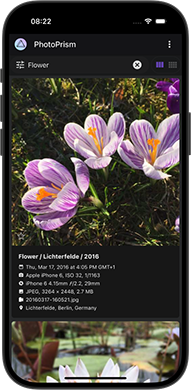 This release includes some major usability enhancements, [PDF file format support](https://github.com/photoprism/photoprism/issues/4600), the latest [translations contributed by our community](https://docs.photoprism.app/developer-guide/translations-weblate/), and fixes for recently discovered issues.
What's new?
- UX: [Search toolbars and tabs remain visible while scrolling](https://github.com/photoprism/photoprism/issues/4830)
- UX: [Users can choose their Start Page and Time Zone in Settings](https://github.com/photoprism/photoprism/issues/577)
- UX: [Disk usage can be limited and displayed in sidebar navigation](https://github.com/photoprism/photoprism/issues/4266)
- UX: [Metadata displayed in the Cards View can be configured](https://github.com/photoprism/photoprism/issues/1164)
- UX: [Improved List View layout for easier selection](https://github.com/photoprism/photoprism/issues/4727)
- Index: [Added file format support for Adobe PDF documents](https://github.com/photoprism/photoprism/issues/4600)
- Albums: [Added file name and file type settings for zip downloads](https://github.com/photoprism/photoprism/issues/4344)
- Albums: [Added default sort order settings for each album type](https://github.com/photoprism/photoprism/issues/405)
- Videos: [Added codec search filter and Nvidia GPU detection](https://github.com/photoprism/photoprism/issues/4848)
- Labels: [Fixed searching for labels that consist only of emojis](https://github.com/photoprism/photoprism/issues/4761)
- Upload: [Fixed an issue that could cause the same album to be created multiple times](https://github.com/photoprism/photoprism/discussions/4849)
- WebDAV: [File downloads are flagged as failed when retry limit is reached](https://github.com/photoprism/photoprism/issues/4827)
- MariaDB: [Added version check to determine zero-configuration SSL support](https://github.com/photoprism/photoprism/issues/4837)
- Translations: [Updated Chinese (Simplified), French, German, Turkish, and Ukrainian](https://docs.photoprism.app/developer-guide/translations-weblate/)
- Security: Go has been updated to v1.24.1, which includes fixes and improvements
### Build 1.2502.28 (February 28, 2025)
With [this update](https://github.com/photoprism/photoprism/releases/tag/250228-43447fa38), you will get additional usability and performance improvements, as well as a new thumbnail size for [Retina 5K displays](https://github.com/photoprism/photoprism/issues/4810) that bridges the gap [between 4K and 8K](https://docs.photoprism.app/user-guide/settings/advanced/#which-thumbnails-will-be-generated).
What's new?
- UX: [Added menu action button for archiving pictures from albums](https://github.com/photoprism/photoprism/issues/3442)
- UX: [Upload to WebDAV menu action only appears if sharing is enabled](https://github.com/photoprism/photoprism/commit/cb9826de96497d8ef052dcfd905cf3a5e34b84f1)
- Viewer: [Content preloading is less eager to reduce server load](https://github.com/photoprism/photoprism/commit/69290b1ab17471d6dbed1ad5cb382cd212ad9799)
- Viewer: [Fullscreen toggle is always visible in experimental mode](https://github.com/photoprism/photoprism/commit/bc9c1205ee379b95751c4791e63b2850b96c42b5)
- Viewer: [Added a new thumbnail size suitable for Retina 5K displays](https://github.com/photoprism/photoprism/issues/4810)
- Videos: [M4V container files are assumed to be MP4 compatible](https://github.com/photoprism/photoprism/issues/4820)
- Places: [Browser scrollbar stays hidden when cluster view is open](https://github.com/photoprism/photoprism/commit/1b0c3c804ef51ed42bed9cbd52df61f1f1265102)
### Build 1.2502.24 (February 24, 2025)
This [major new release](https://github.com/photoprism/photoprism/releases/tag/250223-b79d21907) features an [updated user interface](https://github.com/photoprism/photoprism/issues/3168#screenshots) with many usability enhancements and new features, such as a [hybrid photo and video viewer](https://github.com/photoprism/photoprism/issues/1307) that replaces the [dedicated video player](https://github.com/photoprism/photoprism/issues/3372), a [redesigned edit dialog](https://github.com/photoprism/photoprism/issues/4763) that is more responsive and easier to use, and an immersive [3D Earth](https://github.com/photoprism/photoprism/issues/4762) view in [Places](https://demo.photoprism.app/library/places). It also includes dozens of layout optimizations for right-to-left languages.
Breaking Changes
- It is recommended that you [perform a complete rescan of your library](https://docs.photoprism.app/user-guide/library/originals/#indexing-your-originals) after upgrading, as otherwise videos that do not require transcoding may be [transcoded during playback](https://docs.photoprism.app/user-guide/organize/video/#transcoding) due to missing metadata, resulting in high CPU and disk usage. [Learn more ›](https://docs.photoprism.app/user-guide/library/originals/#indexing-your-originals)
- If you are using a [custom user interface theme](/pro/kb/customization/), the color names and variables required for it have changed and must be updated to be compatible with this and future releases. You are welcome to contact our support team if you have questions regarding theme customization. [Learn more ›](/pro/kb/customization/)
What's new?
- UX: [Updated user interface with many new features and enhancements](https://github.com/photoprism/photoprism/issues/3168#screenshots)
- UX: [Edit dialog has been redesigned to be more mobile and user-friendly](https://github.com/photoprism/photoprism/issues/4763)
- UX: [New hybrid photo and video viewer replaces dedicated video player](https://github.com/photoprism/photoprism/issues/1307)
- Viewer: [Higher resolution thumbnails are used when zooming into an image](https://github.com/photoprism/photoprism/issues/4704)
- Viewer: [Videos are played automatically when a slideshow is running](https://github.com/photoprism/photoprism/issues/4698)
- Search: [Cards view and mosaic view show the video duration on thumbnails](https://github.com/photoprism/photoprism/issues/3168#screenshots)
- Search: [Cards view always shows the filename and camera details for videos](https://github.com/photoprism/photoprism/issues/3168#screenshots)
- Places: [Added a 3D Earth view mode that can be enabled for any map](https://github.com/photoprism/photoprism/issues/4762)
- Places: [Upgraded MapLibre GL JS library from v3.6 to v5.1](https://github.com/photoprism/photoprism/issues/4058) by [@QyuBee](https://github.com/QyuBee)
- Places: [Locations are no longer estimated for non-photographic pictures](https://github.com/photoprism/photoprism/issues/4589)
- Places: [Updated reverse geocoding data to include corrections from OSM](https://github.com/photoprism/photoprism/issues/4688)
- Metadata: [Labels are set based on matching keywords in title, subject](https://github.com/photoprism/photoprism/issues/4602) and [caption](https://github.com/photoprism/photoprism/issues/4603)
- Metadata: [Improved recognition of images created by digital film scanners](https://github.com/photoprism/photoprism/issues/4581)
- Metadata: [Numerals are preserved in titles generated from file and folder names](https://github.com/photoprism/photoprism/issues/3447)
- Import: [Advanced users can configure a custom destination file path pattern](https://docs.photoprism.app/user-guide/library/import/#changing-the-import-file-path)
- Settings: [Fixed Windows resource string in WebDAV dialog when using HTTPS](https://github.com/photoprism/photoprism/issues/4798)
- API: [`Description` field has been renamed to `Caption` in `/photos` endpoints](https://github.com/photoprism/photoprism/issues/4603#issuecomment-2631743288)
- CLI: [Added a `users` command flag to find and restore deleted user accounts](https://github.com/photoprism/photoprism/issues/4570)
- Setup: [Renamed `docker-compose.yml` config examples to `compose.yaml`](https://github.com/photoprism/photoprism/issues/4591)
- Config: [Added options to recreate Unix server socket and set permissions](https://github.com/photoprism/photoprism/issues/4765)
- Docker: [Replaced entrypoint script for graceful server shutdown and restart](https://github.com/photoprism/photoprism/issues/4767)
- Docker: [Base image has been upgraded from Ubuntu 24.04 to 24.10 (Oracular Oriole)](https://github.com/photoprism/photoprism/issues/4631)
- Docker: [NAS devices running a very old Linux kernel can use the `:legacy` image](https://github.com/photoprism/photoprism/issues/4339#issuecomment-2673765576)
- Security: [Added `X-Robots-Tag` header and `robots.txt` file to control crawlers](https://github.com/photoprism/photoprism/issues/4574)
- Security: Go has been upgraded to v1.24, which includes fixes and improvements
### Build 1.2409.15 (September 15, 2024)
This update includes [improved HEIC file support for iOS 18 compatibility](https://github.com/photoprism/photoprism/issues/4439), updated dependencies and [translations](https://docs.photoprism.app/developer-guide/translations-weblate/), UX enhancements, and fixes for recently discovered issues. Please note that a [complete re-scan of your library](https://docs.photoprism.app/user-guide/library/originals/) is required to increase the [GPS location accuracy](https://github.com/photoprism/photoprism/issues/3953#issuecomment-2351563642) of pictures, e.g. under [Places](https://docs.photoprism.app/user-guide/organize/places/).
What's new?
- HEIC: [Improved `.heic` image file support for compatibility with iOS 18](https://github.com/photoprism/photoprism/issues/4439)
- Search: [Sidecar files are no longer shown in the results when sorting by file size](https://github.com/photoprism/photoprism/issues/4519)
- Archive: [Recently archived pictures are displayed first by default](https://github.com/photoprism/photoprism/issues/3975)
- Places: [Fixed an issue where no pictures were found when clicking on clusters](https://github.com/photoprism/photoprism/issues/3953)
- Library: [Removed the archive button from the action menu under](https://github.com/photoprism/photoprism/issues/4255) [*Library > Hidden*](https://demo.photoprism.app/library/hidden)
- API: [Fixed an issue where update requests could fail silently in case of database errors](https://github.com/photoprism/photoprism/issues/4504)
- API: [Added interactive Swagger developer documentation with examples](https://docs.photoprism.app/developer-guide/api/docs/)
- Security: Go has been updated to v1.22.7, which includes security and bug fixes
- Translations: [Added Irish (Gaeilge) and updated Basque, French and German](https://docs.photoprism.app/developer-guide/translations-weblate/)
### Build 1.2407.11 (July 11, 2024)
This release adds support for [single sign-on via OpenID Connect (OIDC)](https://www.photoprism.app/pro/kb/openid-connect/) and includes the [latest translations](https://docs.photoprism.app/developer-guide/translations-weblate/) as well as fixes for recently discovered issues.
What's new?
- Auth: [Added support for single sign-on via OpenID Connect (OIDC)](/pro/kb/openid-connect/)
- Index: [Slashes and null bytes are trimmed from `.ppignore` patterns](https://github.com/photoprism/photoprism/discussions/4349#discussioncomment-9848756)
- Videos: [Added support for MPEG-5 Essential Video Coding (EVC)](https://github.com/photoprism/photoprism/issues/4314)
- Videos: [Added filter to transcode 10bit videos with Intel QSV](https://github.com/photoprism/photoprism/issues/4380)
- CLI: [Local passwords can be removed with `photoprism passwd --rm`](/pro/kb/roles/)
- Security: Go has been updated to the latest stable release v1.22.5
- Translations: [Updated French and Japanese](https://docs.photoprism.app/developer-guide/translations-weblate/)
### Build 1.2405.31 (May 31, 2024)
With this update, you can choose to install FFmpeg 7 for faster [software video transcoding](https://docs.photoprism.app/getting-started/advanced/transcoding/#software-transcoding). You also get the latest translations [contributed by our community](https://docs.photoprism.app/developer-guide/translations-weblate/) as well as improved [backup commands](https://docs.photoprism.app/user-guide/backups/) and [configuration defaults](https://docs.photoprism.app/getting-started/config-options/).
What's new?
- Videos: [You can choose to install FFmpeg 7.0 for faster transcoding](https://docs.photoprism.app/getting-started/advanced/transcoding/#software-transcoding)
- MariaDB: [Backup and restore commands support socket connections](https://github.com/photoprism/photoprism/issues/4306)
- Config: [Increased auto-index delay and disabled auto-import by default](https://github.com/photoprism/photoprism/issues/4310)
- Translations: [Updated Japanese](https://docs.photoprism.app/developer-guide/translations-weblate/)
### Build 1.2405.28 (May 28, 2024)
This service release reduces the server load when [downloading many files](https://github.com/photoprism/photoprism/issues/4298), expands the list of [available config options](https://docs.photoprism.app/getting-started/config-options/), and gets you the latest translations [contributed by our community](https://docs.photoprism.app/developer-guide/translations-weblate/).
What's new?
- Download: [Zip archives are not compressed to reduce server load](https://github.com/photoprism/photoprism/issues/4298)
- Search: [Added `added`, `updated` and `edited` search filters for app developers](https://github.com/photoprism/photoprism/issues/4300)
- Config: [Replaced the terms whitelist and blacklist with alternatives](https://github.com/photoprism/photoprism/issues/3981)
- Config: [New feature flag `PHOTOPRISM_DISABLE_BACKUPS` disables all backups](https://github.com/photoprism/photoprism/issues/4294)
- Config: [New feature flag `PHOTOPRISM_DISABLE_VIPS` disables the use of libvips](https://github.com/photoprism/photoprism/issues/4296)
- Translations: [Updated French and German](https://docs.photoprism.app/developer-guide/translations-weblate/)
### Build 1.2405.23 (May 23, 2024)
This update adds a scheduler so you can [easily create database backups](/pro/kb/config-options/#backup) and [re-index your library](/pro/kb/config-options/#indexing) at regular intervals. It also includes [many updated dependencies](https://github.com/photoprism/photoprism/issues/4084#issuecomment-2112733848) and [support for ICC color profiles](/pro/kb/config-options/#preview-images), which especially benefits Apple iPhone and professional users working with color spaces other than sRGB. 🎨
Breaking Changes
- Starting with this release, an [activation of your license](/pro/kb/activation/#step-3) under *Settings > Upgrade* is required. This is necessary in order for us to publicly distribute the Docker image, making it easier to install. Our [Knowledge Base](/pro/kb/activation/#step-3) explains how you can [activate your instances](/pro/kb/activation/#step-3) if you have not already done so.
- If you keep the [default settings](/pro/kb/config-options/#backup), daily database backups will be automatically created, with up to 3 backup files being retained. This is to prevent the available storage space from filling up. We recommend [setting the corresponding config options](/pro/kb/config-options/#backup) before installing the update if you want to disable scheduled backups, keep more backup files, or prefer a specific time for creating backups. The previously available `--disable-backups` flag has been deprecated in favor of [these finer-grained options](/pro/kb/config-options/#backup).
- In order to preserve ICC color profiles and reduce memory usage, new thumbnails will be [generated with the `libvips` image processing library](https://github.com/photoprism/photoprism/issues/1474). You can run the `photoprism thumbs -f` [command in a terminal](/pro/kb/cli/) to regenerate your existing thumbs as needed, or delete the `storage/cache/thumbnails` folder and then re-index your library. To continue using the native image processing library, set `PHOTOPRISM_THUMB_LIBRARY` to `"imaging"` in your `compose.yaml` or `docker-compose.yml` [configuration file](/pro/kb/config-options/#preview-images). Note that if you [build from source](https://docs.photoprism.app/getting-started/faq/#building-from-source), the system on which you build and/or run PhotoPrism Pro must have `libvips` >= 8.10 installed.
What's new?
- Colors: [Added libvips support to preserve ICC profiles in thumbnails](https://github.com/photoprism/photoprism/issues/1474)
- Search: [Clicking on a timestamp finds pictures taken on the same day](https://github.com/photoprism/photoprism/issues/4273)
- Search: [Added a sort option to order search results by picture title](https://github.com/photoprism/photoprism/pull/4218)
- Review: [Photos are automatically approved when adding them to an album](https://github.com/photoprism/photoprism/issues/4229)
- People: [Faces tagged on private or archived pictures will be ignored](https://github.com/photoprism/photoprism/issues/4238)
- Index: [`*.thm` thumbnail files are not used as primary image anymore](https://github.com/photoprism/photoprism/issues/3900)
- Index: [Added a config option for scheduling automatic library rescans](https://github.com/photoprism/photoprism/issues/4251)
- Index: [Improved recovery of metadata from sidecar YAML files](https://github.com/photoprism/photoprism/issues/4286)
- Upload: [Improved ETA display when using the web upload dialog](https://github.com/photoprism/photoprism/issues/4285)
- Backups: [Added config options for creating backups at regular intervals](https://github.com/photoprism/photoprism/issues/4243)
- Moments: [Background worker no longer creates backups to avoid disk activity](https://github.com/photoprism/photoprism/issues/4237)
- Docker: [Upgraded base image from Ubuntu 23.10 to Ubuntu 24.04 LTS](https://github.com/photoprism/photoprism/issues/4084)
- Security: Go has been updated to the latest stable release v1.22.3
- Translations: [Updated Chinese (traditional), Danish, French, and German](https://docs.photoprism.app/developer-guide/translations-weblate/)
### Build 1.2404.20 (April 20, 2024)
Our new stable release comes with a long list of indexing and security-related improvements. Most notably, we've added support for [2-Factor Authentication (2FA)](https://docs.photoprism.app/user-guide/users/2fa/) to protect your account in case someone gains access to your password.
What's new?
- Account: [Added support for 2-Factor Authentication (2FA)](https://github.com/photoprism/photoprism/issues/808)
- Account: [Added dialog to manage App Passwords from the UI](https://github.com/photoprism/photoprism/issues/4114)
- Places: [Updated reverse geocoding data and standard map tiles](https://github.com/photoprism/photoprism/issues/3849)
- Albums: [Fixed links to albums in the settings tab of the edit dialog](https://github.com/photoprism/photoprism/issues/4060)
- Photos: [Non-JPEG files like HEIC are no longer flagged as stacks in the UI](https://github.com/photoprism/photoprism/issues/3993)
- Videos: [Improved Intel QSV hardware transcoding support and performance](https://github.com/photoprism/photoprism/issues/4030)
- UI/UX: [Improved visibility of buttons and toggles in search results](https://github.com/photoprism/photoprism/issues/4174)
- Index: [A warning is shown for files with an invalid filename extension](https://github.com/photoprism/photoprism/issues/3518)
- Index: [Nested storage folders within the originals path are ignored](https://github.com/photoprism/photoprism/issues/1642)
- Import: [Modification times are preserved when moving or copying files](https://github.com/photoprism/photoprism/issues/4139)
- Metadata: [Media files with a matching `ContentIdentifier` can be stacked](https://github.com/photoprism/photoprism/issues/3960)
- Metadata: [File mod time instead of birth time is used as creation time fallback](https://github.com/photoprism/photoprism/issues/4157)
- Metadata: [Improved validation for focal length, f-number, and exposure values](https://github.com/photoprism/photoprism/issues/4170)
- Metadata: [Stop words are no longer ignored when generating titles from filenames](https://github.com/photoprism/photoprism/issues/4192)
- WebDAV: [File modification date is preserved if client submits an `X-OC-MTime` header](https://github.com/photoprism/photoprism/issues/3959)
- API: [Added support for OAuth2 Client Credentials and Access Tokens](https://github.com/photoprism/photoprism/issues/3943)
- API: [Added Prometheus-compatible metrics and monitoring endpoint](https://github.com/photoprism/photoprism/issues/213)
- CDN: [Improved Cross-Origin Resource Sharing (CORS) and cache headers](https://github.com/photoprism/photoprism/issues/3931)
- MariaDB: [Info log is shown when waiting for the database to become available](https://github.com/photoprism/photoprism/issues/4059)
- MariaDB: [Changed image name in Docker Compose config example for ARMv7](https://github.com/photoprism/photoprism/pull/4199)
- Docker: [Missing user accounts are automatically created by the entrypoint script](https://github.com/photoprism/photoprism/issues/4000)
- Setup: [Added ARMv7 `tar.gz` packages for installation without Docker](https://github.com/photoprism/photoprism/issues/4082)
- Performance: [Added index for `files.file_error` to reduce query time](https://github.com/photoprism/photoprism/issues/4149)
- Security: Go has been updated to the latest stable release v1.22.2
### Build 1.2312.19 (December 19, 2023)
This update provides you with the latest dependencies and adds support for the Material Exchange Format (MXF).
What's new?
- Videos: [Added support for Material Exchange Format (MXF) files](https://github.com/photoprism/photoprism/issues/3935)
- Security: Go has been updated to the latest stable release v1.21.5
### Build 1.2311.28 (November 28, 2023)
This service release includes updated dependencies and fixes for recently discovered issues.
What's new?
- Search: [Improved camera and lens information in the cards view details](https://github.com/photoprism/photoprism/issues/3816)
- Search: [Fixed cards view rendering when a lens has no model description](https://github.com/photoprism/photoprism/issues/3918)
- Search: [Added filter to find pictures by resolution range in Megapixels (MP)](https://github.com/photoprism/photoprism/issues/3896)
- PWA: [Fixed list of available icon sizes in the app manifest file](https://github.com/photoprism/photoprism/pull/3838)
- JPEG: [Fixed regression when handling image files with EOF error](https://github.com/photoprism/photoprism/issues/3855)
- JPEG: [Fixed indexing of image files with invalid color metadata](https://github.com/photoprism/photoprism/issues/3843)
- JPEG/PNG: [Added panic handler for unexpected thumbnail save errors](https://github.com/photoprism/photoprism/issues/3858)
- HEIC: [Libheif has been upgraded from version 1.13.0 to 1.17.1](https://github.com/photoprism/photoprism/issues/3852)
- RAW: [Darktable has been upgraded from version 4.2.1 to 4.4.2](https://github.com/photoprism/photoprism/issues/3741)
- Videos: [Improved performance when extracting still images for creating thumbnails](https://github.com/photoprism/photoprism/pull/3893)
- Vectors: [Improved SVG conversion using RSVG instead of ImageMagick](https://github.com/photoprism/photoprism/issues/3885)
- Docker: [Base image has been upgraded from Ubuntu 23.04 to 23.10 (Mantic Minotaur)](https://github.com/photoprism/photoprism/blob/develop/docker/develop/mantic/Dockerfile)
- Security: Go has been updated to the latest stable release v1.21.4
### Build 1.2310.21 (October 21, 2023)
This update adds search filters for finding pictures by ISO number, focal length, aperture, and altitude. It also includes a number of user interface improvements, updated translations, as well as fixes for recently discovered issues.
What's new?
- Search: [Added filters for ISO number, focal length, and aperture range](https://github.com/photoprism/photoprism/issues/3818)
- Search: [Added `alt:...` filter to find pictures by altitude range](https://github.com/photoprism/photoprism/pull/3800)
- Search: [Cards view shows ISO number, focal length, aperture, and exposure](https://github.com/photoprism/photoprism/issues/3816)
- Live Photos: [Fixed Google HEVC motion photo playback and transcoding](https://github.com/photoprism/photoprism/issues/3814)
- Live Photos: [Improved indexing of related files with vendor-specific naming schemes](https://github.com/photoprism/photoprism/issues/2983)
- Metadata: [Updated offline map data for more accurate timezone lookups](https://github.com/photoprism/go-tz)
- Metadata: [Creation time is calculated with UTC offset if timezone is unknown](https://github.com/photoprism/photoprism/discussions/3780)
- Config: [Creation of default certificate is skipped if HTTPS/TLS is disabled](https://github.com/photoprism/photoprism/issues/3823)
- Translations: [Updated German, Greek, and Romanian](https://docs.photoprism.app/developer-guide/translations-weblate/)
### Build 1.2310.11 (October 11, 2023)
This service release includes a number of usability improvements requested by our users as well as fixes for recently discovered issues.
What's new?
- PWA: [Fixed automatic screen orientation in Google Chrome on Android](https://github.com/photoprism/photoprism/issues/3413)
- Upload: [Current album is preselected when using the mobile nav menu](https://github.com/photoprism/photoprism/issues/3784)
- Videos: [Creation of thumbnails can only be disabled in experimental mode](https://github.com/photoprism/photoprism/issues/3793)
- Settings: [Ability to permanently delete files is now enabled by default](https://github.com/photoprism/photoprism/issues/3801)
- RAW/HEIC: [Original media information is shown in the cards view details](https://github.com/photoprism/photoprism/issues/2040)
- Live Photos: [Embedded video files can be streamed and transcoded](https://github.com/photoprism/photoprism/issues/3764)
- Metadata: [Improved camera make and model name normalization](https://github.com/photoprism/photoprism/discussions/3077)
- Security: Go has been updated to the latest stable release v1.21.3
### Build 1.2309.23 (September 23, 2023)
This major update includes a [redesigned Places view](https://user-images.githubusercontent.com/301686/269433540-cd48e79f-b2a8-4fb5-bc54-52467b15b743.jpg), with the search box moved to the top and a preview for selected clusters at the bottom. We've also added support for [Samsung](https://github.com/photoprism/photoprism/issues/439)/[Google Motion Photos](https://github.com/photoprism/photoprism/issues/1739), so you can view them like Apple Live Photos after [re-indexing your library](https://docs.photoprism.app/user-guide/library/originals/). Beyond those highlights, you'll get many usability improvements, new search filters, and fixes for recently discovered issues.
What's new?
- UX: [Added a preview image to the Labels tab in the photo edit dialog](https://github.com/photoprism/photoprism/pull/3532)
- UX: [Reduced padding in mosaic view in favor of larger thumbnails](https://github.com/photoprism/photoprism/issues/3572)
- UX: [Edit dialog allows pasting latitude and longitude in a single operation](https://github.com/photoprism/photoprism/pull/3568)
- UX: [Reduced the number of info notifications in the user interface](https://github.com/photoprism/photoprism/issues/3608)
- UX: [Improved user interface styles, added new "Chrome" and "Mint" themes](https://github.com/photoprism/photoprism/commit/20df14e9d16b456a5edbc456544f875ee9da16a4)
- Search: [Added `scan:false` filter to find photos that are not scans](https://github.com/photoprism/photoprism/commit/be0fdc1774266bd4ec09e01ab93496fb07a4cbed)
- Search: [Added `favorite:false` filter to find pictures not marked as favorites](https://github.com/photoprism/photoprism/commit/20d20c7fa923baa9b5041631b3bcf6873bc2c874)
- Albums: [New share preview shows album contents as a stack of Polaroids](https://github.com/photoprism/photoprism/issues/3658#issuecomment-1711870557)
- Albums: [Fixed preview image URL when sharing album links](https://github.com/photoprism/photoprism/issues/3658)
- Albums: [Current album is preselected when opening the upload dialog](https://github.com/photoprism/photoprism/issues/3644)
- Albums: [Last edited timestamp is updated when pictures are added](https://github.com/photoprism/photoprism/issues/3080)
- People: [Fixed an error when reusing the name of a previously deleted person](https://github.com/photoprism/photoprism/issues/3414)
- Places: [Added cluster view to browse pictures close to each other in an overlay](https://github.com/photoprism/photoprism/issues/1187)
- Places: [Added support sub-km distances when searching for locations](https://github.com/photoprism/photoprism/issues/3558)
- Places: [Added support for the `label` and `category` search filters](https://github.com/photoprism/photoprism/commit/a865300666bfa26f8de47ac3fb19a31617f97056)
- Places: [Added map style selector and a scale for comparing distances](https://github.com/photoprism/photoprism/issues/2106)
- Archive: [Added "Delete All" button to permanently delete all archived files](https://github.com/photoprism/photoprism/issues/3701)
- Library: [Added option for admins to perform index and cache cleanup from the UI](https://github.com/photoprism/photoprism/issues/3699)
- Library: [Fixed escaping of hash characters in folder names](https://github.com/photoprism/photoprism/issues/3695)
- Live Photos: [Added support for Samsung Motion Photos](https://github.com/photoprism/photoprism/issues/439)
- Live Photos: [Added support for Google Camera Motion Photos](https://github.com/photoprism/photoprism/issues/1739)
- Live Photos: [Fixed indexing of sidecar video file properties](https://github.com/photoprism/photoprism/issues/3559)
- Videos: [Added support for AMD GPUs in `install-gpu.sh` script](https://github.com/photoprism/photoprism/pull/3710)
- Videos: [Removed deprecated FFmpeg `-vsync vfr` command flag](https://github.com/photoprism/photoprism/issues/3659#issuecomment-1707529050)
- Metadata: [Changed order of field names from which the title is extracted](https://github.com/photoprism/photoprism/commit/82dac4b7db65f1e490d3cd26a17b122832b0445f)
- Metadata: [Added support for reading fstop favorite flag from XMP sidecar files](https://github.com/photoprism/photoprism/pull/1873)
- Metadata: [Samsung/Google Motion Photos are flagged as Live Photos](https://github.com/photoprism/photoprism/issues/2788)
- Config: [Added support for serving HTTP requests over Unix sockets](https://github.com/photoprism/photoprism/issues/2337)
- Config: [A lower cache duration can be set for video content](https://github.com/photoprism/photoprism/issues/3631)
- SQLite: [Updates are performed in batches to limit the number of variables](https://github.com/photoprism/photoprism/issues/3742)
- Docker: [Added support for user ID ranges 1201-1250 and 2000-2100](https://github.com/photoprism/photoprism/issues/3719)
- Security: [Reduced bcrypt cost for faster login on small devices](https://github.com/photoprism/photoprism/issues/3718)
- Security: Go has been updated to the latest stable release v1.21.1
- Translations: [Updated Chinese (Simplified and Traditional)](https://docs.photoprism.app/developer-guide/translations-weblate/)
### Build 1.2307.21 (July 21, 2023)
With this update, you get the latest features and enhancements contributed by our community, a number of security improvements, as well as fixes for recently discovered issues.
What's new?
- UX: [A preview image has been added to the Labels tab in the photo edit dialog](https://github.com/photoprism/photoprism/pull/3532)
- Themes: [Added "Mint" and improved the default theme styles](https://github.com/photoprism/photoprism/commit/20df14e9d16b456a5edbc456544f875ee9da16a4)
- Search: [Added `geo:false` filter to find pictures without GPS coordinates](https://github.com/photoprism/photoprism/issues/3493)
- Photos: [JPEG files with missing EOI marker are automatically repaired](https://github.com/photoprism/photoprism/pull/2721)
- Photos: [Fixed an error when opening panoramas taken with a Samsung S21](https://github.com/photoprism/photoprism/issues/3363)
- Videos: [Added a config option to limit the resolution of transcoded videos](https://github.com/photoprism/photoprism/issues/3466)
- Videos: [Fixed container and codec checks in `photoprism convert` command](https://github.com/photoprism/photoprism/issues/3525)
- Metadata: [Dates in WhatsApp generated file names can be parsed](https://github.com/photoprism/photoprism/issues/1102)
- Metadata: [Year 0000 is mapped to 0001 when parsing dates from Exiftool](https://github.com/photoprism/photoprism/pull/2508)
- Security: [Clipboard contents are cleared on logout and when user privileges change](https://github.com/photoprism/photoprism/issues/3512)
- Security: Go has been updated to v1.20.6, which includes bug fixes and enhancements
- Translations: [Updated Japanese](https://docs.photoprism.app/developer-guide/translations-weblate/)
### Build 1.2306.25 (June 25, 2023)
This service release includes the [latest translations contributed by our community](https://docs.photoprism.app/developer-guide/translations-weblate/), as well as fixes for recently discovered issues.
What's new?
- Albums: [Invalid entries are automatically hidden and flagged as missing](https://github.com/photoprism/photoprism/issues/3481)
- CLI: [Fixed an issue where entering a very long password could disable the login](https://github.com/photoprism/photoprism/issues/3482)
- Security: [Updated third-party dependencies in backend](https://github.com/photoprism/photoprism/commit/96e0981c3179a428ea4c5614ee3ffec417232d52) [and frontend](https://github.com/photoprism/photoprism/commit/ee6e6c66e388ddb901e212dc6736f5dbfa28c459)
- Translations: [Updated Chinese (Simplified), Italian, and Japanese](https://docs.photoprism.app/developer-guide/translations-weblate/)
### Build 1.2306.15 (June 15, 2023)
This update includes new features and enhancements contributed [by our community](https://docs.photoprism.app/developer-guide/pull-requests/), as well as fixes for recently discovered issues.
What's new?
- Photos: [Related albums are displayed in the Info tab of the edit dialog](https://github.com/photoprism/photoprism/pull/3095)
- Photos: [Added a link from the Files tab to the related folder in the file browser](https://github.com/photoprism/photoprism/pull/2926)
- Moments: [Added labels to match *Holidays* as well as additional *Pets*](https://github.com/photoprism/photoprism/pull/3081)
- CLI: [Added `photoprism find` command to search the index for specific files](https://github.com/photoprism/photoprism/pull/3222)
- CLI: [Fixed the `photoprism import` command destination parameter type](https://github.com/photoprism/photoprism/issues/3473)
- Security: [Updated third-party dependencies in backend](https://github.com/photoprism/photoprism/commit/b91723e90caf3012cf55a4d2b2f68dda81c9f702) [and frontend](https://github.com/photoprism/photoprism/commit/9a5af3176e937a494d69f96e99d9191e0f1b5ee2)
### Build 1.2306.09 (June 9, 2023)
With this update, you get a new high-resolution vector world map as well as a special terrain mode for Places that allows you to view the "Satellite", "Outdoor" and "Topography" maps in 3D. It also includes fixes for recently discovered issues and improves compatibility with the upcoming [MariaDB v11.0](https://mariadb.com/kb/en/release-notes-mariadb-11-0-series/).
If you are upgrading from MariaDB 10.x to 11.0, please [make sure that you replace](https://github.com/photoprism/photoprism/commit/bff649469d084498a1e75492c0bd99bda3f5a340#diff-03a31d6e73f48b7bba98b65352ce67a7d153fe2461f9c7b5e76be49a97ebf0cb) `command: mysqld` with `command: ` (followed by the command flags) in your `compose.yaml` or `docker-compose.yml` file, otherwise the database server might fail to start.
What's new?
- Places: [Improved the level of detail of the freely available default world map](https://github.com/photoprism/photoprism/issues/2998#issuecomment-1575607476)
- Places: [Added terrain mode to display the satellite, outdoor and topography maps in 3D](https://github.com/photoprism/photoprism/issues/3455)
- Folders: [Searching for substrings now returns all matching albums](https://github.com/photoprism/photoprism/issues/3441)
- Search: [Fixed an issue where the "Unknown country" filter has been ignored](https://github.com/photoprism/photoprism/issues/3412)
- Navigation: [Fixed account feature check when clicking on the profile picture](https://github.com/photoprism/photoprism/pull/3365)
- MariaDB: [Improved compatibility with the upcoming release 11.0](https://github.com/photoprism/photoprism/issues/3443)
- Config: [CSP header is updated automatically when a CDN is configured](https://github.com/photoprism/photoprism/issues/3454)
- Security: [Malicious client requests can be automatically detected and blocked](https://docs.photoprism.app/getting-started/config-options/#web-server)
- Security: [Updated third-party dependencies in backend and frontend](https://github.com/photoprism/photoprism/commit/0ff2fee91d791f203a3c64bc0409746cd8a62a47)
- Security: Go has been updated to v1.20.5, which includes bug fixes and enhancements
- Translations: [Updated Chinese (Traditional), Chinese (Simplified), Dutch, German, French, Italian, and Slovak](https://docs.photoprism.app/developer-guide/translations-weblate/)
### Build 1.2305.06 (May 6, 2023)
This update resolves two recently reported issues and includes updated translations.
What's new?
- Sharing: [Upload checks if files have been deleted](https://github.com/photoprism/photoprism/issues/3379)
- CLI: [Logging output is reduced in production mode](https://github.com/photoprism/photoprism/issues/3370)
- Translations: [Updated French](https://github.com/photoprism/photoprism/pull/3373)
### Build 1.2305.04 (May 4, 2023)
- RAW: [Upgraded RawTherapee from v5.8 to v.5.9 to fix ProRAW support](https://github.com/photoprism/photoprism/issues/2291)
- Metadata: [Notes can be extracted from the Comment and UserComment fields](https://github.com/photoprism/photoprism/issues/3352)
- Settings: [Changed the order in theme dropdown so that Community Edition themes come first](https://github.com/photoprism/photoprism/issues/3368)
- Docker: [Ubuntu base image has been upgraded from v22.04 to v23.04](https://github.com/photoprism/photoprism/issues/3305)
### Build 1.2304.17 (April 17, 2023)
- Albums: [Improved error handling and validation of query parameters](https://github.com/photoprism/photoprism/issues/3320)
- Albums: ["Download as zip" button is displayed on mobile screens](https://github.com/photoprism/photoprism/issues/3340)
- Videos: [Improved detection of HEVC support for Google Chrome](https://github.com/photoprism/photoprism/issues/3275)
- Metadata: [Added TakenAtLocal to YAML backups to prevent incorrectly restored times](https://github.com/photoprism/photoprism/issues/3338)
- WebDAV: [Enabled access to the originals and import folders in read-only mode](https://github.com/photoprism/photoprism/issues/3183)
- WebDAV: [Replaced client library to prevent incomplete uploads to other servers](https://github.com/photoprism/photoprism/issues/3310)
- WebDAV: [Download sync is prevented when read-only mode is enabled](https://github.com/photoprism/photoprism/commit/d48db6cae4b25e8ff3daf867db42e106ea4c2297)
- Backups: [Improved backup and restore commands to better handle large index dumps](https://github.com/photoprism/photoprism/issues/3140)
- Config: [Added advanced HTTP cache control options](https://github.com/photoprism/photoprism/issues/3297)
- Config: [Added option to stream videos over a Content Delivery Network (CDN)](https://github.com/photoprism/photoprism/issues/2875)
- Docker: [MariaDB image and binaries have been upgraded from v10.9 to v10.11](https://github.com/photoprism/photoprism/issues/3332)
- Security: [Improved bcrypt password support with explicit 72-character limit](https://github.com/photoprism/photoprism/issues/1987#issuecomment-1507190623)
- Security: Go has been upgraded to v1.20.3, which includes bug fixes and improvements
- Translations: [Added Basque](https://github.com/photoprism/photoprism/pull/3323/files) (Euskara)
### Build 1.2303.15 (March 15, 2023)
- Auth: [Admins can manage user accounts and active sessions through the web UI](https://www.photoprism.app/pro/kb/roles/)
- Auth: [Uploader user role has been renamed to Contributor](https://www.photoprism.app/pro/kb/roles/)
- People: [Entering names is faster with many faces tagged](https://github.com/photoprism/photoprism/issues/3151)
- Videos: [Specific video and audio streams can be selected for transcoding](https://github.com/photoprism/photoprism/issues/3284)
- Moments: [Changed default sort order in the overview to "newest"](https://github.com/photoprism/photoprism/issues/3280)
- Download: [Added settings to choose which files to download by default](https://github.com/photoprism/photoprism/issues/449)
- Security: Go has been upgraded to v1.20.2, which includes bug fixes and improvements
### Build 1.2302.24 (February 24, 2023)
- Metadata: [Date defaults caused by software or camera bugs are ignored](https://github.com/photoprism/photoprism/issues/3229)
- Metadata: [Scanned images are automatically recognized by device name](https://github.com/photoprism/photoprism/issues/3221)
- Videos: [Added .dv to the list of known video file types](https://github.com/photoprism/photoprism/issues/3226)
- Videos: [Playback durations of less than one second can be indexed and displayed](https://github.com/photoprism/photoprism/issues/3224)
- Index: [Improved performance by skipping updates when there are no changes](https://github.com/photoprism/photoprism/issues/3227)
- WebDAV: [Updated studio-b12/gowebdav client library](https://github.com/photoprism/photoprism/issues/2267)
### Build 1.2302.21 (February 21, 2023)
- UX: [Improved theme styles and search field contrast in Places](https://github.com/photoprism/photoprism/commit/0d2a25eb0cd12e114dff87570e4015b6eba8c73c)
- People: [Ambiguous faces are skipped when matching to improve performance](https://github.com/photoprism/photoprism/issues/3124)
- Search: [Sepia colored pictures are excluded when using the `mono` filter](https://github.com/photoprism/photoprism/issues/2657)
- Metadata: [Software name is displayed on the Files tab, if available](https://github.com/photoprism/photoprism/commit/3c1b7acf1191c48620e3bdc8256694b7513856c9)
- Metadata: [Valid year range in Exif data and filenames has been extended from 1990 to 1970](https://github.com/photoprism/photoprism/issues/3220)
- Index: [Corrupted JPEG images are automatically repaired if necessary](https://github.com/photoprism/photoprism/issues/2463)
- Index: [TIFF images with unsupported file format features can be converted](https://github.com/photoprism/photoprism/issues/1612)
- Config: [Migrations are skipped if the same version has already been initialized](https://github.com/photoprism/photoprism/issues/3215)
### Build 1.2302.20 (February 20, 2023)
- LDAP: [Enabled ManageDsaIT Control for directory searches according to RFC 3296](https://www.rfc-editor.org/rfc/rfc3296)
### Build 1.2302.19 (February 19, 2023)
- LDAP: [Custom server certificates are cached for improved query performance](/pro/kb/ldap/#config-options)
- Config: [Advanced settings include additional options for PNGs and vector graphics](https://github.com/photoprism/photoprism/issues/2207#issuecomment-1436041896)
### Build 1.2302.18 (February 18, 2023)
- LDAP: [Added option to automatically chase referrals when there are multiple servers](/pro/kb/ldap/#config-options)
### Build 1.2302.16 (February 16, 2023)
- LDAP: [Updated config option defaults and documentation](/pro/kb/ldap/#custom-attributes)
### Build 1.2302.15 (February 15, 2023)
- Security: Go has been upgraded to v1.20.1, which includes many fixes and improvements
### Build 1.2302.14 (February 14, 2023)
- LDAP: [Specify a role for LDAP/AD users by providing a group DN with a placeholder for the role name](/pro/kb/ldap/#specifying-user-roles)
- Index: [Added file format support for Adobe Photoshop PSD and vector graphics](https://github.com/photoprism/photoprism/issues/2207)
- Index: [Added support for decoding JPEG XL and playing PNG animations](https://github.com/photoprism/photoprism/issues/3197)
### Build 1.2301.24 (January 24, 2023)
- LDAP: [Added support for using the UserPrincipalName as username for authentication](/pro/kb/ldap/#user-bind-dn)
### Build 1.2301.19 (January 19, 2023)
- UX: [Improved user interface layout for right-to-left languages](https://github.com/photoprism/photoprism/commit/3a1293d5d42ba8d0cf6f4efa1540a9db7f3681d9)
- UX: [Improved highlight and background colors in the cards view](https://github.com/photoprism/photoprism/commit/c243d45c118a6691c626397a9f81f08385ee6a60)
- PWA: [Increased allowed length of app name on home screen](https://github.com/photoprism/photoprism/commit/5dc71ff1ff69c157568c11d08b941b1d1875dc38) [and changed start URL](https://github.com/photoprism/photoprism/commit/4c81d8b7e18e2113bba6ef8e20158fecec89dc15)
- Themes: [Added "Carbon", "Neon", and "Nordic" based on colors from nordtheme.com](https://github.com/photoprism/photoprism/commit/93251d77a02a7de1ced8e28caf3deb2220a442c4)
- Themes: [Setting a custom favicon is now possible by adding it to the theme folder](/pro/kb/customization/#adding-a-favicon)
- Search: [Added `id:...` filter to find pictures by Exif UID, XMP Document ID or Instance ID](https://github.com/photoprism/photoprism/issues/3035)
- Search: [Increased batch size for better performance when loading results](https://github.com/photoprism/photoprism/issues/3009)
- Search: [Deleted albums are ignored when using the "unsorted" filter](https://github.com/photoprism/photoprism/issues/3051)
- Videos: [Improved player compatibility with browser plugins](https://github.com/photoprism/photoprism/issues/1439)
- Videos: [Improved preview image generation depending on duration](https://github.com/photoprism/photoprism/issues/1241#issuecomment-1363473310)
- Albums: [Added extended search form with sorting options](https://github.com/photoprism/photoprism/issues/353)
- Albums: [Fixed form field styles in the share dialog](https://github.com/photoprism/photoprism/commit/7c671e0dfc52936b1a3af426db1e0f5e165a12f7)
- Albums: [Double quotes in album names are replaced by Unicode characters](https://github.com/photoprism/photoprism/issues/2891)
- Folders: [Search is case-insensitive and uses wildcards for improved usability](https://github.com/photoprism/photoprism/issues/2050)
- Index: [Improved performance when flagging hidden files](https://github.com/photoprism/photoprism/issues/2928)
- Upload: [Estimated time remaining is displayed in minutes and seconds](https://github.com/photoprism/photoprism/issues/3049)
- Metadata: [GPS coordinates are normalized to be within a common range](https://github.com/photoprism/photoprism/issues/2109)
- CLI: [Added file extension flag to the `photoprism convert` command](https://github.com/photoprism/photoprism/issues/3038)
- Config: [Added the "audit-level" config option to change the threshold for recording events](/pro/kb/audit-logs/#config-options)
- Config: [Custom template path is not searched for files if not specified](https://github.com/photoprism/photoprism/issues/2946)
- Docker: [MariaDB image and binaries have been upgraded from v10.9 to v10.10](/pro/kb/quickstart/#step-1)
- Podman: [Added config examples for users of Red Hat-based Linux distributions](/pro/kb/quickstart/#step-1)
- Security: Go has been upgraded to v1.19.5, which includes security and stability fixes
- Translations: [Added Afrikaans (South Africa)](https://github.com/photoprism/photoprism/pull/3031/files)
- Translations: Updated Bulgarian, Chinese, Czech, Dutch, Estonian, French, German, Italian, Malay, Russian, and Ukrainian
## Personal Editions
- [PhotoPrism® Release Notes](https://docs.photoprism.app/release-notes/)
## Other Documentation
For more information on specific features, services and related resources, please refer to the other documentation available in our Knowledge Base and User Guide:
- [PhotoPrism® User Guide](https://docs.photoprism.app/user-guide/)
- [PhotoPrism® Knowledge Base](/kb/)
- [PhotoPrism® Pro Knowledge Base](/pro/kb/)
---
# Remote Setup
URL: https://www.photoprism.app/pro/kb/remote-setup/
> Get an overview of the process and requirements in case you would like us to perform a remote installation for you.
## Server Configuration
Depending on the size of your library and your performance expectations, a root or virtual server with at least 8 GB of RAM and a standard Linux distribution like Ubuntu 26.04 LTS is a good choice to run PhotoPrism® Pro.
More detailed [system requirements](/pro/kb/requirements/) and further information can be found in our [knowledge base](/pro/kb/).
### User Account & Permissions
It is recommended that you run the PhotoPrism and MariaDB services as non-root users. We therefore configure them to run under user ID 1000, unless you have asked us to use a different account. Currently, user IDs 0, 33, 50-99, 500-600, and 900-1200 are supported.
### Selecting Storage Folders
By default, we install PhotoPrism in `/opt/photoprism` so that:
- `/opt/photoprism/originals` is used as the *originals* folder for photo and video files,
- `/opt/photoprism/storage` is used as *storage* folder for config, cache, thumbnail and sidecar files,
- `/opt/photoprism/import` is used as *import* folder for transferring files to *originals*,
- and `/opt/photoprism/database` is used by MariaDB
> [!NOTE]
> If you want to use [other paths or volumes](/pro/kb/volumes/) on the server instead of the default folders, it is best to let us know in advance so that we can answer any questions you may have and prepare the configuration.
## Additional Considerations and Requirements
(1) **Server Access.** In order to perform the remote setup, we need (a) SSH access to the server and (b) must be able to use the sudo command (or have root privileges) so that we can install additional packages such as Docker if they are not already installed. We can provide you with a public key for SSH authentication upon request, otherwise we need (c) the password and of course (d) the hostname or IP address of the server. If a VPN is required to access your server, we ask that you use a standard solution that does not require the installation of proprietary or untrusted software on our computers. It is at our sole discretion to use the applications and tools you suggest or require.
(2) **Security Software.** If your server or virtual server host has additional security software installed, for example, endpoint security tools, centralized security management, or a virus scanner, it is your responsibility to ensure that it does not interfere with our software or its runtime dependencies, such as Docker, Docker Compose, Docker Desktop, Podman, or the operating system.
(3) **Firewall, DNS & Proxy Servers.** If you are using a firewall, you must (a) allow incoming requests to port 22 (SSH), 80 (HTTP), 443 (HTTPS), and/or 2342 (for unprivileged HTTP or HTTPS), and (b) outgoing connections, e.g. to our servers and Docker Hub, as described in the [corresponding Knowledge Base article](/pro/kb/firewall/) to successfully complete the installation. It is also your responsibility to ensure that any domain name servers (DNS) and proxy servers you may have in place do not block the domains or access to the domains required to run or install our software, and that their use is properly configured on the server.
(4) **Server Port, Domain & HTTPS.** In order for us to prepare the configuration, we should know in advance (a) which domain you want to use for the instance and (b) if you already have [HTTPS certificates](/pro/kb/https/) or if you want us to set up free Let's Encrypt certificates for you. Also let us know (c) if you want to use a non-standard port to access your instance, for example to avoid conflicts with other software. By default, PhotoPrism will listen on port 443 if HTTPS is enabled, and on port 2342 if you don't want us to enable HTTPS (not recommended). Any domains or subdomains you want to use must be configured to point to the server IP.
(5) **Config Options.** Please let us know how you want us to [configure your instance](/pro/kb/config-options/) based on the options available. Of course, you can change all the configuration values later, but we can help you more easily before the installation and answer any questions you may have.
(6) **Customer Account.** Before we start the installation, we ask that you [register on our website](https://my.photoprism.app/register) so that we can [assign the license](/pro/kb/activation/) to your personal account or your organization's customer account.
(7) **Media Library.** Although this is not strictly necessary, for example if you don't have any files yet or have privacy concerns, we recommend having at least a few media files on the server to test the installation.
## Scheduling the Installation Date
Once the server is ready and we have all the necessary information, we will be happy to [schedule an appointment](/contact/) for the remote setup.
Don't hesitate to [contact us](/contact/) if you have any questions.
## Problems During the Installation
We will be happy to schedule another appointment if we cannot access the server remotely on the day of installation, the user account provided to us does not have sufficient permissions, the server hardware does not meet the minimum requirements, or the server is running a non-standard or outdated operating system that we cannot easily work with.
> [!NOTE]
> Kindly note that scheduling another appointment is possible only once and that payments cannot be conditioned on prior installation if your offer includes remote setup as a complimentary service. Once we have started the installation, the subscription start date can also not be changed to a later date, even if you decide not to use our software in production immediately.
## PhotoPrism® Documentation
For more information on specific features, services and related resources, please refer to the other documentation available in our Knowledge Base and User Guide:
- [PhotoPrism® User Guide](https://docs.photoprism.app/user-guide/)
- [PhotoPrism® Knowledge Base](/kb/)
- [PhotoPrism® Pro Knowledge Base](/pro/kb/)
---
# Search Filter Reference
URL: https://www.photoprism.app/pro/kb/search-filters/
> Get an overview of the supported search filters and learn how to use them.
| Filter | Type | Examples | Notes |
|:------------|:----------|:--------------------------------------|:---------------------------------------------------------------------------------------------------------------------------------------------------------------------------------------------------------------------------------------------------------|
| dist | decimal | dist:50 | Maximum distance to position in km |
| lat | decimal | lat:41.894043 | Position latitude (-90.0 to 90.0 deg) |
| lng | decimal | lng:-87.62448 | Position longitude (-180.0 to 180.0 deg) |
| chroma | number | chroma:70 | Chroma (0-100) |
| diff | number | diff:-1 diff:2 | Differential Perceptual Hash (000000-FFFFFF) |
| quality | number | quality:0 quality:3 | Minimum quality score (1-7) |
| album | string | album:berlin | Album UID or name, supports * wildcards |
| albums | string | albums:"South Africa & Birds" | Album names, combinable with & or \| |
| alt | string | alt:300-500 | Altitude (m) |
| camera | string | camera:canon | Camera make or model |
| caption | string | caption:"Lake*" | Searches text in captions separated by \|, or specify false to find content without a caption |
| category | string | category:airport | Location category type |
| city | string | city:"Berlin" | City names, separated by \| |
| codec | string | codec:avc1 | Media codec types separated by \|, e.g. jpeg, avc1, or hvc1 |
| color | string | color:"red\|blue" | Color name separated by \|, e.g. purple, magenta, pink, red, orange, gold, yellow, lime, green, teal, cyan, blue, brown, white, grey, or black |
| country | string | country:"de\|us" | Country codes, separated by \| |
| day | string | day:3\|13 | Days 1-31, separated by \| |
| description | string | description:"Lake*" | Searches text in titles or captions separated by \|, or specify false to find content without a title or caption |
| f | string | f:2.8-4.5 | Aperture (F-Number) |
| face | string | face:PN6QO5INYTUSAATOFL43LL2ABAV5ACZG | Find pictures with a specific face ID, you can also specify yes, no, new, or a face type |
| faces | string | faces:yes faces:3 | Minimum number of detected faces (yes means 1) |
| favorite | string | favorite:true favorite:false | Finds favorite content |
| filename | string | filename:"2021/07/12345.jpg" | File names including path and extension, separated by \| |
| folder | string | folder:"*/2020" | Alias for the path filter |
| geo | string | geo:yes | Finds content with or without latitude and longitude |
| hash | string | hash:2fd4e1c67a2d | SHA1 file hashes, separated by \| |
| id | string | id:123e4567-e89b-... | Finds content with the specified Image, Document or Instance IDs, separated by \| |
| iso | string | iso:200-400 | ISO number (light sensitivity) |
| keywords | string | keywords:"sand&water" | Keywords, combinable with & and \| |
| label | string | label:"cat\|dog&!blurry" | Label names: \| is OR within a group, & is AND between groups (every positive group must match), leading ! negates a group (e.g. !rejected). Category expansion applies to both positive and negative terms. Escape a literal &, \|, or leading ! with \ |
| latlng | string | latlng:49.4,13.41,46.5,2.331 | Position bounding box (Lat N, Lng E, Lat S, Lng W) |
| lens | string | lens:ef24 | Lens make or model |
| mm | string | mm:28-35 | Focal length (35mm equivalent) |
| month | string | month:7\|10 | Months from 1-12, separated by \| |
| mp | string | mp:3-6 | Resolution in Megapixels (MP) |
| name | string | name:"IMG_9831-112*" | File names without path and extension, separated by \| |
| near | string | near:pqbcf5j446s0futy | Finds nearby pictures (UID) |
| olc | string | olc:8FWCHX7W+ | Open Location Code (OLC) |
| original | string | original:"IMG_9831-112*" | Original file names of imported files, separated by \| |
| path | string | path:2020/Holiday | Path names separated by \|, supports * wildcards |
| people | string | people:"Jane & John" | Subject names, combinable with & or \| |
| person | string | person:"Jane Doe & John Doe" | Subject names, will be matched exactly and can be combined using & or \| |
| s2 | string | s2:4799e370ca54c8b9 | Position, specified as S2 Cell ID |
| scan | string | scan:true scan:false | Finds scanned photos and documents |
| state | string | state:"Baden-Württemberg" | State or province names, separated by \| |
| subject | string | subject:"Jane Doe & John Doe" | Alias for person |
| subjects | string | subjects:"Jane & John" | Alias for people |
| title | string | title:"Lake*" | Searches text in titles separated by \|, or specify false to find content without a title |
| type | string | type:image\|raw\|live | Finds specific media types, such as image, raw, live, video, animated, audio, vector, or document, separated by \| |
| uid | string | uid:pqbcf5j446s0futy | Finds content with the specified internal UIDs, separated by \| |
| year | string | year:1990\|2003 | Years, separated by \| |
| animated | switch | animated:yes | Finds animated images only |
| archived | switch | archived:yes | Finds archived content |
| audio | switch | audio:yes | Finds audio content only |
| document | switch | document:yes | Finds PDF documents only |
| error | switch | error:yes | Finds content with errors |
| fisheye | switch | fisheye:yes | Finds fisheye 360° originals (e.g. Insta360 .insv/.insp) |
| hidden | switch | hidden:yes | Finds hidden content (broken or unsupported) |
| image | switch | image:yes | Finds regular photos and images only |
| landscape | switch | landscape:yes | Finds landscape pictures only |
| live | switch | live:yes | Finds Motion and Live Photos only |
| media | switch | media:yes | Finds live, video, audio, and animated content only |
| mono | switch | mono:yes | Pictures with few or no colors |
| panorama | switch | panorama:yes | Finds panorama pictures only (aspect ratio 1.9:1 or more) |
| photo | switch | photo:yes | Finds regular photos and images, as well as RAW and Live Photos |
| portrait | switch | portrait:yes | Finds portrait pictures only |
| primary | switch | primary:yes | Finds primary JPEG or PNG files only |
| private | switch | private:yes | Finds private content only (except when public:true) |
| public | switch | public:yes | Excludes private content |
| raw | switch | raw:yes | Finds RAW images only |
| review | switch | review:yes | Finds content in review |
| square | switch | square:yes | Finds square pictures only (aspect ratio 1:1) |
| stack | switch | stack:yes | Finds content with more than one media file |
| stackable | switch | stackable:yes | Finds content that can be stacked with additional files |
| unsorted | switch | unsorted:yes | Finds content that is not in an album |
| unstacked | switch | unstacked:yes | Finds content with a file that has been removed |
| vector | switch | vector:yes | Finds vector graphics only |
| video | switch | video:yes | Finds video content only |
| added | timestamp | added:"2006-01-02T15:04:05Z" | Finds content added at or after this time |
| after | timestamp | after:"2022-01-30" | Finds content created on or after this date |
| before | timestamp | before:"2022-01-30" | Finds content created before this date |
| edited | timestamp | edited:"2006-01-02T15:04:05Z" | Finds content edited at or after this time |
| taken | timestamp | taken:"2022-01-30" | Finds content created on the specified date |
| updated | timestamp | updated:"2006-01-02T15:04:05Z" | Finds content updated at or after this time |
---
# Security Options
URL: https://www.photoprism.app/pro/kb/security/
> Get an overview of the additional security features and config options available to our business customers.
PhotoPrism® Pro includes the following additional config options, as well as more secure default settings to protect your instance by blocking vulnerability scanners and preventing the exploitation of newly discovered issues:
| Environment | CLI Flag | Default | Description |
|---------------------------------|------------------------|-------------|--------------------------------------------------------------------------------------------------|
| PHOTOPRISM_DISABLE_STS | --disable-sts | false | disables HTTP Strict-Transport-Security (STS) header |
| PHOTOPRISM_STS_SECONDS | --sts-seconds | 31536000 | `TIME` for the browser to remember that the site is to be accessed only via HTTPS (0 to disable) |
| PHOTOPRISM_STS_SUBDOMAINS | --sts-subdomains | false | applies rule to all subdomains |
| PHOTOPRISM_STS_PRELOAD | --sts-preload | false | allows submission to Google's HSTS preload service |
| PHOTOPRISM_REQUEST_LIMIT | --request-limit | 500 | maximum number of concurrent HTTP `REQUESTS` allowed from a single IP |
| PHOTOPRISM_REQUEST_INTERVAL | --request-interval | 5ms | average `DURATION` between HTTP requests from a single IP (0-1000ms) |
| PHOTOPRISM_LOGIN_LIMIT | --login-limit | 10 | maximum number of consecutive failed `LOGINS` from a single IP |
| PHOTOPRISM_LOGIN_INTERVAL | --login-interval | 1m0s | average `DURATION` between failed logins from a single IP (0-86400s) |
| PHOTOPRISM_IPS_LIMIT | --ips-limit | 3 | maximum number of malicious request `ATTEMPTS` before a client IP is blocked (-1 to disable) |
| PHOTOPRISM_IPS_INTERVAL | --ips-interval | 1h0m0s | average `DURATION` between malicious request attempts from a single IP (0-86400s) |
| PHOTOPRISM_HTTP_CSP | --http-csp | | HTTP Content-Security-Policy (CSP) `HEADER` |
| PHOTOPRISM_HTTP_CTO | --http-cto | nosniff | HTTP X-Content-Type-Options `HEADER` |
| PHOTOPRISM_HTTP_COOP | --http-coop | same-origin | HTTP Cross-Origin-Opener-Policy (COOP) `HEADER` |
| PHOTOPRISM_HTTP_REFERRER_POLICY | --http-referrer-policy | same-origin | HTTP Referrer-Policy `HEADER` |
| PHOTOPRISM_HTTP_FRAME_OPTIONS | --http-frame-options | DENY | HTTP X-Frame-Options `HEADER` |
| PHOTOPRISM_HTTP_HOSTNAME | --http-hostname | | serve requests for this `HOSTNAME` only |
## Using a Reverse Proxy
Advanced users can alternatively set the security headers listed above in combination with [a reverse proxy running in front of their instances](https://docs.photoprism.app/getting-started/proxies/traefik/) if they have special requirements. Please note, however, that our team can only provide you with limited technical support in this case and we only recommend this if you have the experience required.
## PhotoPrism® Documentation
For more information on specific features, services and related resources, please refer to the other documentation available in our Knowledge Base and User Guide:
- [PhotoPrism® User Guide](https://docs.photoprism.app/user-guide/)
- [PhotoPrism® Knowledge Base](/kb/)
- [PhotoPrism® Pro Knowledge Base](/pro/kb/)
---
# Session Monitoring
URL: https://www.photoprism.app/pro/kb/monitoring/
> PhotoPrism® Pro's built-in session monitoring helps you find, examine, and, if necessary, remove user sessions.
## Admin Web UI
PhotoPrism® Pro includes a web user interface for account and session management. It allows you to conveniently manage user accounts and sessions when you log in as Admin and then navigate to *Settings > Users*.
## CLI Commands
You can use the following terminal commands to create, inspect and, if necessary, delete access tokens for the authentication of browsers and other clients (including [app passwords](https://docs.photoprism.app/user-guide/settings/account/#apps-and-devices)):
| CLI Command | Description |
|-------------------------------------|----------------------------------------------------------|
| `photoprism auth ls [search]` | Lists currently authenticated users and clients |
| `photoprism auth add [username]` | Adds a new authentication secret for client applications |
| `photoprism auth show [identifier]` | Shows detailed information about a session |
| `photoprism auth rm [identifier]` | Deletes a session by id or access token |
| `photoprism auth reset --yes` | Resets the authentication of all users and clients |
In addition, login attempts can be viewed in the application service logs as well as with this command:
```
docker compose exec photoprism photoprism audit logins [search]
```
### Command Options
You can combine the `sess ls` and `audit logins` commands with these flags to change the output format and the maximum number of search results:
| Command Flag | Description |
|--------------|----------------------------------------|
| `--md, -m ` | format as machine-readable Markdown |
| `--csv, -c` | export as semicolon separated values |
| `--tsv, -t` | export as tab separated values |
| `-n LIMIT` | LIMIT number of results (default: 100) |
## PhotoPrism® Documentation
For more information on specific features, services and related resources, please refer to the other documentation available in our Knowledge Base and User Guide:
- [PhotoPrism® User Guide](https://docs.photoprism.app/user-guide/)
- [PhotoPrism® Knowledge Base](/kb/)
- [PhotoPrism® Pro Knowledge Base](/pro/kb/)
---
# Single Sign-On via OpenID Connect
URL: https://www.photoprism.app/pro/kb/openid-connect/
> OpenID Connect (OIDC) allows users to log in and optionally register through an external identity provider instead of manually entering a username and password.
## Config Options
| Environment | CLI Flag | Default | Description |
|-----------------------------|--------------------|------------------------------|-----------------------------------------------------------------------------------------------------|
| PHOTOPRISM_OIDC_URI | --oidc-uri | | issuer `URI` for single sign-on via OpenID Connect, e.g. https://accounts.google.com |
| PHOTOPRISM_OIDC_CLIENT | --oidc-client | | client `ID` for single sign-on via OpenID Connect |
| PHOTOPRISM_OIDC_SECRET | --oidc-secret | | client `SECRET` for single sign-on via OpenID Connect |
| PHOTOPRISM_OIDC_SCOPES | --oidc-scopes | openid email profile address | client authorization `SCOPES` for single sign-on via OpenID Connect |
| PHOTOPRISM_OIDC_PROMPT | --oidc-prompt | | authorization `PROMPT` for single sign-on via OpenID Connect (login, select_account, consent) |
| PHOTOPRISM_OIDC_PROVIDER | --oidc-provider | | custom identity provider `NAME`, e.g. Google |
| PHOTOPRISM_OIDC_ICON | --oidc-icon | | custom identity provider icon `URI` |
| PHOTOPRISM_OIDC_REDIRECT | --oidc-redirect | false | automatically redirects unauthenticated users to the configured identity provider |
| PHOTOPRISM_OIDC_REGISTER | --oidc-register | false | allows new users to create an account when they sign in with OpenID Connect |
| PHOTOPRISM_OIDC_LOGOUT | --oidc-logout | false | ends the provider session on sign-out via OpenID Connect RP-initiated logout |
| PHOTOPRISM_OIDC_USERNAME | --oidc-username | preferred_username | preferred username `CLAIM` for new OpenID Connect users (preferred_username, name, nickname, email) |
| PHOTOPRISM_OIDC_DOMAIN | --oidc-domain | | verified email domain `NAME` for single sign-on via OpenID Connect *pro* |
| PHOTOPRISM_OIDC_ROLE | --oidc-role | guest | default user `ROLE` for new OpenID Connect users *pro* |
| PHOTOPRISM_OIDC_GROUP_CLAIM | --oidc-group-claim | | group claim `NAME` to read from OIDC tokens (default groups) |
| PHOTOPRISM_OIDC_GROUP | --oidc-group | | require membership in at least one group `ID` (repeat flag to add multiple) |
| PHOTOPRISM_OIDC_GROUP_ROLE | --oidc-group-role | | map `GROUP=ROLE`; repeat to add more (roles: admin, manager, user, contributor, viewer, or guest) |
| PHOTOPRISM_OIDC_WEBDAV | --oidc-webdav | false | allows new OpenID Connect users to use WebDAV when they have a role that allows it |
| PHOTOPRISM_DISABLE_OIDC | --disable-oidc | false | disables single sign-on via OpenID Connect, even if an identity provider has been configured |
> [!NOTE]
> Your PhotoPrism instance and the [OpenID Connect Identity Provider (IdP)](#identity-providers) must be accessible **via HTTPS** and have valid TLS certificates configured for it. Please also make sure that the hostname in the [Redirect URL](#redirect-url) configured on the IdP matches the [Site URL](https://docs.photoprism.app/getting-started/config-options/#site-information) used by PhotoPrism. Single sign-on via OIDC can otherwise not be enabled.
## Identity Providers
To allow users to log in via OIDC, you can either set up and use a self-hosted identity provider such as [ZITADEL](https://zitadel.com/docs/self-hosting/deploy/compose) or [Keycloak](https://www.keycloak.org/), or choose a public authentication service such as those provided by [Google](https://developers.google.com/identity/openid-connect/openid-connect), [Microsoft](https://entra.microsoft.com/), [GitHub](https://docs.github.com/en/apps/oauth-apps/building-oauth-apps/creating-an-oauth-app), or [Amazon](https://developer.amazon.com/apps-and-games/login-with-amazon).
Single sign-on can then be configured automatically through your identity provider's `/.well-known/openid-configuration` [service discovery endpoint](https://developer.okta.com/docs/concepts/auth-servers/#discovery-endpoints-org-authorization-servers), for example:
- [https://accounts.google.com/.well-known/openid-configuration](https://accounts.google.com/.well-known/openid-configuration)
### Issuer URI
The [Issuer URI](#config-options) in your configuration must match the `issuer` value returned by the [`/.well-known/openid-configuration`](https://accounts.google.com/.well-known/openid-configuration) endpoint of your [OpenID Connect Identity Provider (IdP)](#identity-providers), for example `https://accounts.google.com` if you use Google for authentication.
> [!NOTE]
> You may not modify the URI in any way, e.g. by adding or omitting slashes at the end. If the values do not match, the validation will fail and users cannot be redirected to your provider's login page. For security reasons, only a generic error message is displayed in this case.
### Redirect URL
The Redirect URL that must be [specified when registering a new client](https://docs.photoprism.app/developer-guide/api/img/redirect-url-example.jpg) with an [Identity Provider](#identity-providers) is as follows, where `{hostname}` must be replaced by the hostname in the [Site URL](https://docs.photoprism.app/getting-started/config-options/#site-information), e.g. configured via `PHOTOPRISM_SITE_URL`:
```
https://{hostname}/api/v1/oidc/redirect
```
> [!NOTE]
> Note that both the [Site URL](https://docs.photoprism.app/getting-started/config-options/#site-information) configured for your instance and the Redirect URL must start with `https://` and that their hostnames must match, as the [use of secure connections](https://docs.photoprism.app/getting-started/using-https/) is a strict requirement for OpenID Connect.
## Authorization Prompt
By default, PhotoPrism does not ask your [identity provider](#identity-providers) for anything in particular when a user clicks the sign-in button. This keeps single sign-on seamless: a user who still has a session with the provider is signed in silently as the same account.
That is usually what you want, with one exception. When an account is not permitted to use the instance — because it has not been registered, or is not a member of a [required security group](#security-groups) — clicking the sign-in button again returns the same identity, and the user cannot choose a different account without signing out of the provider first.
Setting `PHOTOPRISM_OIDC_PROMPT` changes this by sending the OpenID Connect `prompt` parameter with the authorization request:
| Value | Effect |
|------------------|-----------------------------------------------------------------------------|
| `login` | The provider asks for credentials again, even if a session already exists |
| `select_account` | The provider shows its account chooser so a different account can be picked |
| `consent` | The provider shows its consent screen again |
You can combine values by separating them with a space, for example `PHOTOPRISM_OIDC_PROMPT="login consent"`. The value `none` is not accepted, as it would suppress the provider's own sign-in screen and break interactive logins; any value that is not recognized is ignored and sign-in continues as if no prompt had been configured.
> [!NOTE]
> In a [Portal-managed cluster](#cluster-authentication), set the prompt on the **Portal only** — it is the party that talks to your upstream provider. Instances authenticate against the Portal itself. [Learn more ›](/portal/kb/config-options/#authorization-prompt)
The effect depends on the provider honoring the parameter. Most support `login`, while support for the account chooser (`select_account`) varies.
## Single Sign-Out
Signing out of PhotoPrism ends the PhotoPrism session. It does **not** end the session a user has with your [identity provider](#identity-providers), so clicking the sign-in button again signs them straight back in.
Set `PHOTOPRISM_OIDC_LOGOUT` to `"true"` to also end the provider session on sign-out, using [RP-initiated logout](https://openid.net/specs/openid-connect-rpinitiated-1_0.html). The next sign-in then asks for credentials again. Users who sign in with a local password are not affected.
Two things are required on the provider side:
1. Your provider must advertise an `end_session_endpoint` in its [`/.well-known/openid-configuration`](#identity-providers) document. PhotoPrism reads it from there — there is no logout URL to configure. If the provider advertises none, sign-out stays local.
2. The provider's client must have the **post-logout redirect URI** registered. PhotoPrism returns users to its own login page, where `{hostname}` must be replaced by the hostname in the [Site URL](https://docs.photoprism.app/getting-started/config-options/#site-information):
```
https://{hostname}/library/login
```
Depending on the provider, you can register that URL, or a wildcard for the same host such as `https://{hostname}/*`.
> [!NOTE]
> **Register the URI before enabling this option.** If the post-logout redirect URI has not been registered, the provider rejects the request with an error such as *"Invalid redirect uri"*, the provider session is **not** ended, and the user is left on an error page of the provider instead of the PhotoPrism login page.
> [!NOTE]
> In a [Portal-managed cluster](#cluster-authentication), sign-out cascades instance → Portal → upstream provider, so enable `PHOTOPRISM_OIDC_LOGOUT` on the instances **and** on the Portal for the chain to reach your provider. Register each instance login page, or a shared-domain wildcard, on the provider client. [Learn more ›](/portal/kb/config-options/#single-sign-out)
Sign-out is initiated by PhotoPrism. The provider-initiated back-channel and front-channel logout profiles are not part of this feature.
## Preferred Username
When a new user signs in with OpenID Connect[^1], their preferred username may already be registered. In this case, a random 6-digit number is appended to resolve the conflict.
The config option `PHOTOPRISM_OIDC_USERNAME` allows you to change the [preferred username](#config-options) claim for new accounts from `preferred_username` to `name`, `nickname` or verified[^2] `email`. The other claims are used as fallback if no value is returned for the configured claim. Names are changed to lowercase so that, for example, "John Doe" becomes "john.doe".
[Learn more ›](#can-i-configure-a-custom-claim-for-the-preferred-username)
## Existing Accounts
[Super admins](/pro/kb/roles/#admin) can manually connect existing user accounts[^3] under [*Settings > Users*](https://docs.photoprism.app/user-guide/users/) by changing the authentication to *OIDC* and then setting the *Subject ID* to match the account identifier from the configured [Identity Provider](#identity-providers):

The *Edit Account* dialog may additionally contain a text field for the *Issuer* URL. It does not need to be entered manually as it is set automatically after the first login.
Alternatively, you can [run the following command](https://docs.photoprism.app/user-guide/users/cli/#command-options) in [a terminal](https://docs.photoprism.app/getting-started/docker-compose/#opening-a-terminal) to allow authentication via *OIDC* and set a *Subject ID* to connect existing accounts:
```bash
photoprism users mod --auth=oidc --auth-id=[sub] [username]
```
[Learn more ›](https://docs.photoprism.app/user-guide/users/cli/#command-options)
### Passwords
Changing the authentication of an account to *OIDC* does not remove a previously set password, so that it can still be used to log in (optionally also in combination with [2FA](https://docs.photoprism.app/user-guide/users/2fa/)).
If a [local password](https://docs.photoprism.app/user-guide/users/cli/#changing-a-password) has been set for an account, you can remove it by running the following command [in a terminal](https://docs.photoprism.app/user-guide/users/cli/#removing-a-password):
```bash
photoprism passwd --rm [username]
```
[Super admins](/pro/kb/roles/#admin) can alternatively set the account password to a long random value through the [Admin Web UI](https://docs.photoprism.app/user-guide/users/#changing-passwords) or [CLI](https://docs.photoprism.app/user-guide/users/cli/#changing-a-password) to effectively prevent local authentication.
[Learn more ›](https://docs.photoprism.app/user-guide/users/cli/#removing-a-password)
### Deleting Accounts
Deleted accounts remain linked to the *Subject ID*, so logging in via *OIDC* is no longer possible and no new account can be registered for the same *Subject ID* either.
If you wish to change the connected user account or create a new account instead, you must therefore [change the authentication](https://docs.photoprism.app/user-guide/users/#editing-user-details) of the old account e.g. to *None* before [deleting it](https://docs.photoprism.app/user-guide/users/#deleting-a-user):
```bash
photoprism users mod --auth=none [username]
```
To restore a previously deleted account, admins can follow the same steps as for [creating a new account](https://docs.photoprism.app/user-guide/users/cli/#creating-a-new-account) with the same *username* through the [Admin Web UI](https://docs.photoprism.app/user-guide/users/#adding-a-new-user) or the [`photoprism users add`](https://docs.photoprism.app/user-guide/users/cli/#creating-a-new-account) command. You will then be asked if you want to restore the account.
[Learn more ›](https://docs.photoprism.app/user-guide/users/cli/#creating-a-new-account)
## Using Security Groups from Microsoft Entra ID
The following features are supported:
- Security groups are read from the `groups` claim in ID or access tokens. Both GUIDs and group names are accepted and are normalized before they are compared, so the case you use in your configuration does not matter.
- Membership can be made a requirement: `--oidc-group` (or `PHOTOPRISM_OIDC_GROUP`) lists one or more groups that must be present, and sign-in is rejected when none of them match. When a token indicates that the group list was too large to be included (Microsoft's *group overage*, signaled through `_claim_names.groups`) and carries no groups, sign-in is likewise rejected and the reason is recorded in the audit log.
- Groups are mapped to roles with `--oidc-group-role` (`GROUP=ROLE`, repeatable); the first match wins, and `--oidc-role` (default `guest`) applies when no mapping matches.
- Application and directory roles (`roles`, `wids`) are kept separate from security groups, so a directory role cannot raise a user's privileges by accident.
- The claim to read is configurable with `--oidc-group-claim` (default `groups`).
You can use the following config options to map security groups and roles in PhotoPrism® Pro:
- `--oidc-group-claim` / `PHOTOPRISM_OIDC_GROUP_CLAIM`: claim to read (default `groups`).
- `--oidc-group` / `PHOTOPRISM_OIDC_GROUP`: comma- or multi-flag list of groups required for login (IDs or names accepted, normalized to lowercase alphanumerics/hyphen/underscore).
- `--oidc-group-role` / `PHOTOPRISM_OIDC_GROUP_ROLE`: mapping `GROUP=ROLE` (roles: `admin|manager|user|contributor|viewer|guest|none`). First match wins.
- `--oidc-role` / `PHOTOPRISM_OIDC_ROLE`: fallback role if no group mapping matches (defaults to `guest`).
> [!NOTE]
> Support for Entra ID Security Groups is only available with our [team plans](/teams/#compare), not the [personal editions](/editions/#compare).
### Integration Guide for Entra ID Groups
1. Register an app in Microsoft Entra ID (v2) or reuse your existing PhotoPrism registration. Note the tenant ID and the application (client) ID.
2. Redirect URI: add [`https://{hostname}/api/v1/oidc/redirect`](https://docs.photoprism.app/getting-started/advanced/openid-connect/#redirect-url).
3. Token configuration → **Add optional claim** → **Token type** = ID (and Access if you prefer) → **Groups** → choose **Security groups**.
4. Under “Emit groups as”, pick **Group name** (cloud-only) or **sAMAccountName** / **DNSDomainName\sAMAccountName** for synced AD; this makes tokens carry human-friendly names instead of GUIDs.
5. If you keep **Group ID**, leave PhotoPrism config in GUID mode; if you emit names, set `PHOTOPRISM_OIDC_GROUP` / `PHOTOPRISM_OIDC_GROUP_ROLE` to those names (lowercase in config for consistency). When Microsoft signals group **overage** (too many groups to fit in the token), it sets `_claim_names.groups` and may omit groups entirely; PhotoPrism will currently block login if required groups are configured and no groups are present.
6. Grant admin consent for the chosen scopes (at minimum `openid profile email`, plus `offline_access` if you need refresh tokens).
7. Configure PhotoPrism (example `.env-oidc` with placeholder secrets):
```
PHOTOPRISM_OIDC_URI="https://login.microsoftonline.com/f8b10857-a7f2-49ba-b73c-6f619715f574/v2.0"
PHOTOPRISM_OIDC_CLIENT="11111111-2222-3333-4444-555555555555"
PHOTOPRISM_OIDC_SECRET="asecure-random-oidc-client-secret"
PHOTOPRISM_OIDC_GROUP_CLAIM="groups"
PHOTOPRISM_OIDC_GROUP="photoprism-admins, photoprism-users" # names or GUIDs
PHOTOPRISM_OIDC_GROUP_ROLE="photoprism-admins=admin, photoprism-users=user"
```
8. Restart PhotoPrism; on login the service will:
- Read groups from ID token, then fall back to userinfo if absent.
- Deny login if required groups are configured but none are present (and overage is signaled).
- Apply the first matching group→role mapping; otherwise assign the fallback role.
Usage Tips
- If tokens still contain GUIDs, revisit Token configuration → Groups and change “Emit groups as” to a name format; reissue tokens by signing out/in. Names must be unique in your tenant for deterministic mapping.
- Overage: when the `_claim_names.groups` marker is present and no groups are in the token, PhotoPrism cannot validate membership and blocks sign-in if `oidc-group` is set. Resolving the full group list through Microsoft Graph is not supported, so reduce the number of groups emitted into the token — for example by restricting the group claim to groups assigned to the application — if you run into this.
- For mixed environments, you can supply both names and GUIDs in `oidc-group` / `oidc-group-role`; all entries are normalized and deduplicated.
### Documentation & References
- Microsoft Entra ID:
We recommend testing the performance with our freely available [Community Edition](/editions/#compare) before purchasing a commercial license.
## Firewall
In order to successfully set up your installation and view location details in PhotoPrism® Pro, you must **allow requests to Docker Hub and our geocoding API** if you have a firewall installed, and make sure your internet connection is working.
## PhotoPrism® Documentation
For more information on specific features, services and related resources, please refer to the other documentation available in our Knowledge Base and User Guide:
- [PhotoPrism® User Guide](https://docs.photoprism.app/user-guide/)
- [PhotoPrism® Knowledge Base](/kb/)
- [PhotoPrism® Pro Knowledge Base](/pro/kb/)
---
# UI Customization
URL: https://www.photoprism.app/pro/kb/customization/
> In this guide, we show you how to customize the look of PhotoPrism® Pro to match your branding or corporate identity.
## Specifying a Custom Theme
The easiest way to change the look of the user interface is to add a custom theme. To do this, create the file `config/theme/app.js` in the *storage* folder and insert the following with a text editor:
```js
window.__THEMES__ = [
{
"dark": true,
"force": true,
"title": "Custom",
"name": "custom",
"colors": {
"background": "#2c2d2f",
"surface": "#161718",
"on-surface": "#ffffff",
"surface-bright": "#333333",
"surface-variant": "#7E4FE3",
"on-surface-variant": "#f6f7e8",
"card": "#171718",
"table": "#1F2022",
"button": "#1D1E1F",
"switch": "#101112",
"primary": "#9E7BEA",
"highlight": "#5F1DB7",
"selected": "#4d4d4e",
"secondary": "#191A1C",
"secondary-light": "#1E2022",
"accent": "#2D2E2E",
"error": "#e57373",
"info": "#00acc1",
"success": "#4db6ac",
"warning": "#ffd740",
"favorite": "#FFD600",
"remove": "#da4e4c",
"restore": "#00d48a",
"album": "#ed9e00",
"download": "#00bfa5",
"private": "#00b8d4",
"edit": "#2196F3",
"share": "#3F51B5",
"love": "#ef5350",
"terminal": "#4A464F",
"navigation": "#141417",
"navigation-home": "#0e0f10"
},
variables: {
"btn-height": "34px",
"table-row-height": "44px",
"table-header-height": "44px",
"border-color": "#FFFFFF",
"border-opacity": 0.05,
"high-emphasis-opacity": 0.96,
"medium-emphasis-opacity": 0.88,
"label-opacity": 0.67,
"disabled-opacity": 0.75,
"idle-opacity": 0.1,
"fill-opacity": 0.04,
"hover-opacity": 0.019,
"focus-opacity": 0.022,
"selected-opacity": 0.08,
"activated-opacity": 0,
"pressed-opacity": 0.16,
"dragged-opacity": 0.08,
"overlay-color": "#131313",
"overlay-opacity": 0.54,
"theme-kbd": "#212529",
"theme-on-kbd": "#FFFFFF",
"theme-code": "#343434",
"theme-on-code": "#CCCCCC",
"icon": "logo.svg"
}
}
];
```
This allows you to change the title and colors of the theme according to your preferences. For light theme colors, set the “dark” property to false. You can also set “force” to false to let the user decide whether to use the custom theme or one of the built-in themes. The login screen theme can be overridden by additionally specifying a theme named “login” in the `__THEMES__` array.
The `icon` field sets the logo shown in the app and on the login screen. Specify the file name of an image placed in your theme folder, for example `logo.svg` for `config/theme/logo.svg`; PhotoPrism resolves it relative to the theme directory and automatically prefixes it with the site's base URL, so the logo also loads when the app is served under a sub-path, such as in a multi-instance cluster. A root-relative `/_theme/...` path or an absolute URL, for example a link to an external CDN, can be used as well.
> [!NOTE]
> When testing how the changes look, make sure to clear the browser cache and try the UI with different window sizes, as our UI styles are responsive. If you add custom styles, you should also ensure that they work with different resolutions and screen aspect ratios.
## Adding a Favicon
To set a custom favicon, you can simply add a suitable PNG image with the filename `config/theme/favicon.png` to your theme in the *storage* folder. It will be automatically detected and included in the generated page headers and web application manifest.
## Changing UI Styles
In addition to customizing the basic theme colors and setting a favicon image, you can further customize the look of the user interface by setting custom CSS styles in a `config/theme/app.css` file located in the *storage* folder. Examples can be found in our [public project repository](https://github.com/photoprism/photoprism/blob/develop/frontend/src/css/themes.css).
This allows you to customize almost every detail of the app's appearance. We just ask that you do not remove, obscure, or alter any copyright notices or PhotoPrism's names, trademarks, hyperlinks, or other designations displayed in the Software as set forth in the [license agreement](/pro/license/).
Any additional assets you need for your styles can also be placed in the *theme* folder. Since `app.css` is served from this folder, reference them with a relative URL, for example `url(logo.svg)` or `url(./background.jpg)`, so that they resolve correctly whether PhotoPrism is hosted at the site root or under a sub-path, as in a multi-instance cluster.
## Customizing the Login Screen
The login screen theme can be overridden by specifying a theme named "login" in the `__THEMES__` array shown above. Its colors style the login page, and its `icon` field sets the logo shown there independently of the in-app logo. To change the login screen background, set the `PHOTOPRISM_WALLPAPER_URI` config option to the file name of an image in your theme folder or to an external image URL.
## Using Custom Fonts
By default, the PhotoPrism UI is optimized for rendering performance and thus uses the operating system font, so the browser does [not need to wait for fonts to download](https://web.dev/font-best-practices/#use-fewer-web-fonts). This approach also provides the best integration with native apps that typically use the default Windows, Android, iOS, or macOS font.
If you want to set a custom font for all users, we recommend testing the application for side effects, as we have observed alignment issues with some fonts in the past.
> [!NOTE]
> We generally do not take responsibility for performance or layout issues resulting from the use of custom fonts and styles.
## Getting a Branded Theme
Our team will be happy to [create a branded theme for you](/teams/#compare) based on the colors of a style guide or an existing website. In order for us to create the theme, we ask that you provide us with all assets and materials to be used. If you would like additional changes, such as a custom font or layout changes, please contact us for a [custom quote](/contact/).
## Config Options
The following is a list of [config options](/pro/kb/config-options/) that can affect the user interface, for example by changing background images, icons, and links:
| Environment | CLI Flag | Default | Description |
|-------------------------------|----------------------|-------------------------------------|-------------------------------------------------------------------------|
| PHOTOPRISM_PASSWORD_RESET_URI | --password-reset-uri | | custom password reset page `URI` *pro* |
| PHOTOPRISM_REGISTER_URI | --register-uri | | custom registration page `URI` *pro* |
| PHOTOPRISM_LOGIN_INFO | --login-info | | custom login footer info `TEXT` *pro* |
| PHOTOPRISM_DEFAULT_LOCALE | --default-locale | en | default user interface language `CODE` |
| PHOTOPRISM_DEFAULT_TIMEZONE | --default-timezone | Local | default time zone `NAME`, e.g. for scheduling backups |
| PHOTOPRISM_DEFAULT_THEME | --default-theme | | default user interface theme `NAME` |
| PHOTOPRISM_APP_NAME | --app-name | | app `NAME` when installed as a Progressive Web App (PWA) |
| PHOTOPRISM_APP_MODE | --app-mode | standalone | app display `MODE` (fullscreen, standalone, minimal-ui, browser) |
| PHOTOPRISM_APP_ICON | --app-icon | | home screen app `ICON` (logo, app, crisp, mint, bold, square) |
| PHOTOPRISM_APP_COLOR | --app-color | #19191a | app background and splash screen `COLOR` |
| PHOTOPRISM_LEGAL_INFO | --legal-info | | legal information `TEXT`, displayed in the page footer |
| PHOTOPRISM_LEGAL_URL | --legal-url | | legal information `URL` |
| PHOTOPRISM_WALLPAPER_URI | --wallpaper-uri | | login screen background image `URI` |
| PHOTOPRISM_SITE_URL | --site-url | | canonical site `URL` used in generated links and to determine HTTPS/TLS |
| PHOTOPRISM_SITE_AUTHOR | --site-author | | site `OWNER` shown in the author meta tag |
| PHOTOPRISM_SITE_NAME | --site-name | | short `NAME` for identifying this instance within a cluster *optional* |
| PHOTOPRISM_SITE_TITLE | --site-title | | main `TITLE` shown in the web interface and meta tags |
| PHOTOPRISM_SITE_CAPTION | --site-caption | AI-Powered Digital Asset Management | site `CAPTION` *pro* |
| PHOTOPRISM_SITE_DESCRIPTION | --site-description | | longer `DESCRIPTION` shown in SEO and social meta tags *optional* |
| PHOTOPRISM_SITE_FAVICON | --site-favicon | | custom favicon `FILENAME` for web browsers *optional* |
| PHOTOPRISM_SITE_PREVIEW | --site-preview | | sharing preview image `URL` |
> [!NOTE]
> If you change global configuration values in your `compose.yaml` or `docker-compose.yml` file or in the Advanced Settings UI, a restart is required for these changes to take effect.
## PhotoPrism® Documentation
For more information on specific features, services and related resources, please refer to the other documentation available in our Knowledge Base and User Guide:
- [PhotoPrism® User Guide](https://docs.photoprism.app/user-guide/)
- [PhotoPrism® Knowledge Base](/kb/)
- [PhotoPrism® Pro Knowledge Base](/pro/kb/)
---
# Upgrade Guide
URL: https://www.photoprism.app/pro/kb/upgrade/
> Learn how to upgrade to PhotoPrism® Pro if you already have PhotoPrism installed.
## Step 1: Create a Customer Account ##
Before you proceed, please make sure you have a customer account with us. You can register using the link you have [received from us by email](mailto:support@photoprism.app). If you already have an account, we will be happy to [assign your licenses](mailto:support@photoprism.app) to that account or give you [a free trial](mailto:sales@photoprism.app).
> [!NOTE]
> Our [Privacy Policy](/privacy/) explains what information we collect and how we use it. Don't hesitate to [contact us](/contact/) if you have any questions about this policy, other privacy-related topics, or the registration process.
## Step 2: Upgrade to PhotoPrism® Pro ##
If you already have our [Community Edition](https://docs.photoprism.app/getting-started/) installed or are upgrading from [PhotoPrism® Plus](/plus/), you can keep your existing configuration and only need to change the Docker image.
(1) Change the Docker image in your `compose.yaml` from `photoprism/photoprism:latest` to `photoprism/pro:latest` and save your changes:
```yaml
services:
photoprism:
image: photoprism/pro:latest
```
> [!NOTE]
> When **[using Portainer](/pro/kb/portainer/)** you can change the image by navigating to "Stacks", selecting your existing PhotoPrism stack, clicking "Editor" and changing the photoprism image to `photoprism/pro:latest` as shown above. When you are done, scroll down, click "Update the stack", enable the "re-pull and redeploy" option, click "Update" and skip the next steps.
(2) Restart your instance as follows to complete the upgrade:
```
docker compose pull
docker compose up -d
```
PhotoPrism® Pro should be ready to use after waiting a few moments, so you can connect to the same URL you have been using before and log in with one of the existing accounts.
> [!NOTE]
> Note that the examples in our documentation use the new `docker compose` command by default. If your server does not yet support it, the old `docker-compose` command will continue to work.
> [!NOTE]
> To verify that all services are running properly, you can view the server logs at any time by running `docker compose logs -f`.
## Step 3: Get Started ##
Our [First Steps 👣](https://docs.photoprism.app/user-guide/first-steps/) tutorial guides you through the user interface and library settings to ensure your library is indexed according to your individual preferences.
In the following section, we'll give you an overview of the available user roles in PhotoPrism® Pro and show you how to manage accounts.
### User Management ###
In addition to the command-line interface available in all editions, PhotoPrism® Pro includes a web user interface for managing user accounts as well as additional account roles to restrict permissions as needed.
### Authenticating Users Against a Directory Server ###
With the built-in LDAP support, you can authenticate users against a central [Lightweight Directory Access Protocol](https://ubuntu.com/server/docs/service-ldap) or [Active Directory (AD)](https://learn.microsoft.com/en-us/azure/active-directory/fundamentals/auth-ldap) server so that users on the corporate network can sign in with their existing usernames and passwords.
### Using Audit Logs ###
Audit logs help your security, auditing, and compliance entities monitor PhotoPrism® Pro for potential vulnerabilities, misuse, and other critical incidents.
### Hardened Web Security ###
PhotoPrism® Pro additionally includes advanced security features such as session monitoring (run `photoprism auth --help` to see the available commands), which allows you to create, inspect and delete access tokens for authenticating browsers and other clients (including [app passwords](https://docs.photoprism.app/user-guide/settings/account/#apps-and-devices)). You can also set a general request rate limit for the built-in web server and a threshold for failed login attempts.
For more information on the available security options, see the *Authentication* and *Web Server* sections in our [configuration options](/pro/kb/config-options/) overview.
### Using HTTPS ###
For **HTTPS** to work with your own domains, you can either [use an HTTPS reverse proxy like Traefik](https://docs.photoprism.app/getting-started/proxies/traefik/) (that you might already have to run other services) or specify a TLS certificate and private key file via `PHOTOPRISM_TLS_CERT` and `PHOTOPRISM_TLS_KEY` in your *compose.yaml* file.
## PhotoPrism® Documentation ##
For more information on specific features, services and related resources, please refer to the other documentation available in our Knowledge Base and User Guide:
- [PhotoPrism® User Guide](https://docs.photoprism.app/user-guide/)
- [PhotoPrism® Knowledge Base](/kb/)
- [PhotoPrism® Pro Knowledge Base](/pro/kb/)
---
# Using a Content Delivery Network
URL: https://www.photoprism.app/pro/kb/using-a-cdn/
> Configuring a CDN can effectively reduce server load and improve user experience.
A *Content Delivery Network* is a distributed network of servers that can deliver static content to users around the world.
## When to use a CDN?
**Large Media Files:** PhotoPrism stores photos and videos that can be very large. A CDN can help speed up the delivery of these files to users.
**Global Audience:** If your PhotoPrism instance is accessed from different locations around the world, a CDN can help reduce latency and improve the overall user experience by delivering content from servers that are closer to your users.
**Many Users:** If your PhotoPrism instance is getting a lot of traffic, a CDN can improve application performance by reducing the load on your server.
## Config Options
You can use the following config options to specify the URL of an external CDN and change the cache expiration time for thumbnails and other static content:
| Environment | CLI Flag | Default | Description |
|------------------------------|---------------------|---------|-------------------------------------------------------------|
| PHOTOPRISM_CDN_URL | --cdn-url | | content delivery network `URL` |
| PHOTOPRISM_CDN_VIDEO | --cdn-video | false | stream videos over the specified CDN |
| PHOTOPRISM_HTTP_CSP | --http-csp | | HTTP Content-Security-Policy (CSP) `HEADER` |
| PHOTOPRISM_HTTP_CACHE_PUBLIC | --http-cache-public | true | allow static content to be cached by a CDN or caching proxy |
| PHOTOPRISM_HTTP_CACHE_MAXAGE | --http-cache-maxage | 2592000 | time in `SECONDS` until cached content expires |
| PHOTOPRISM_HTTP_VIDEO_MAXAGE | --http-video-maxage | 21600 | time in `SECONDS` until cached videos expire |
> [!NOTE]
> `PHOTOPRISM_HTTP_CACHE_PUBLIC` is enabled automatically as soon as a `PHOTOPRISM_CDN_URL` is
> configured, which is why it defaults to `true` here; without a CDN it defaults to `false`, as
> shown in the [config reference](/pro/kb/config-options/#web-server). Publicly cacheable content can be
> served by a CDN or caching proxy without accessing your instance if it is already cached.
## CDN Providers
### bunny.net
If you don't have a CDN provider yet, we can recommend [bunny.net](https://link.photoprism.app/bunny-cdn). This EU-based company has a cute name, but is a reputable provider with [excellent performance](https://www.cdnperf.com/), a wide range of features, and more than 20,000 customers including big names like Hyundai. We also chose bunny.net for our website and public demo as they are fully compliant with the GDPR.[^1]
Pricing starts at $0.005/GB and there is no minimum usage or monthly fee, so you only pay for what you actually need.
[Learn more ›](https://link.photoprism.app/bunny-cdn)
### Cloudflare
[Cloudflare](https://www.cloudflare.com/) works similar to a [reverse proxy](https://docs.photoprism.app/getting-started/proxies/traefik/), allowing you to make a private server publicly accessible over the Internet. This means that users accessing your instance through their service will only see a single URL, as if they were connecting directly.
You must therefore not configure an external CDN URL, since this could prevent PhotoPrism from loading. Also note that their free version [does not include video streaming](https://www.cloudflare.com/plans/), so there may be problems with video playback if you are not a paying customer.
## PhotoPrism® Documentation
For more information on specific features, services and related resources, please refer to the other documentation available in our Knowledge Base and User Guide:
- [PhotoPrism® User Guide](https://docs.photoprism.app/user-guide/)
- [PhotoPrism® Knowledge Base](/kb/)
- [PhotoPrism® Pro Knowledge Base](/pro/kb/)
[^1]: We receive a $20 credit when you sign up through our link, which helps us fund the project infrastructure.
---
# Using Audit Logs
URL: https://www.photoprism.app/pro/kb/audit-logs/
> Audit logs help your security, auditing, and compliance entities monitor PhotoPrism® Pro for potential vulnerabilities, misuse, and other critical incidents.
Recorded information includes the time of the incident, the severity, the responsible IP and user or session, and the action, such as a failed authorization check. For security reasons, audit logs are not visible on the regular web user interface and can only be viewed in the application service logs or searched in a terminal using the CLI commands documented below.
### Severity Levels
| Severity | Log Level | Description |
|----------|-----------|---------------------------------------------------------|
| alert | panic | security alert, e.g. an attack has been detected |
| critical | fatal | critical security incidents and application errors |
| error | error | failed authorization checks, application errors |
| warning | warning | file deletions, failed logins, and invalid api requests |
| info | info | expected and uncritical actions e.g. file uploads |
| debug | debug | informational messages, e.g. successful logouts |
### Config Options
The general verbosity level of log messages can be set with `PHOTOPRISM_LOG_LEVEL`. In addition, incidents with a level equal to or higher than `PHOTOPRISM_AUDIT_LEVEL` are recorded in the database in a structured way so that they can be searched.
| Environment Variable | CLI Flag | Default | Description |
|------------------------|---------------|---------|----------------------------------------------------------------------------------|
| PHOTOPRISM_LOG_LEVEL | --log-level | info | log message verbosity `LEVEL` (trace, debug, info, warning, error, fatal, panic) |
| PHOTOPRISM_AUDIT_LEVEL | --audit-level | warning | audit log recording `LEVEL` (debug, info, warning, error, fatal, panic) |
### Audit Commands
Use the following terminal commands to search the database for login attempts, user actions and incidents, or application errors:
| Command | Description |
|-------------------------------------|-------------------------|
| `photoprism audit logins [search]` | Displays login attempts |
| `photoprism audit logs [search]` | Displays audit logs |
| `photoprism audit errors [search]` | Displays error logs |
You can combine them with these flags to change the output format and the maximum number of search results:
| Command Flag | Description |
|--------------|----------------------------------------|
| `--md, -m ` | format as machine-readable Markdown |
| `--csv, -c` | export as semicolon separated values |
| `--tsv, -t` | export as tab separated values |
| `-n LIMIT` | LIMIT number of results (default: 100) |
> [!NOTE]
> Run `photoprism audit clear` to clear all recorded incidents and reset the database to a clean state.
## PhotoPrism® Documentation
For more information on specific features, services and related resources, please refer to the other documentation available in our Knowledge Base and User Guide:
- [PhotoPrism® User Guide](https://docs.photoprism.app/user-guide/)
- [PhotoPrism® Knowledge Base](/kb/)
- [PhotoPrism® Pro Knowledge Base](/pro/kb/)
---
# Using HTTPS
URL: https://www.photoprism.app/pro/kb/https/
> In this guide, we show you how to enable transport encryption, add server certificates, and create new certificates.
## Why Use Encryption?
If you install PhotoPrism on a shared server so that it is not only accessible to the local host, always **secure the connection using HTTPS**. Your files and passwords will otherwise be transmitted in clear text and can be intercepted by anyone, including your provider, hackers, and governments. Backup tools and file synchronization apps may also refuse to connect.
> [!NOTE]
> HTTPS connections use Transport Layer Security (TLS) for encryption. TLS is a network protocol that establishes an encrypted connection to an authenticated peer over an untrusted network.
## How To Enable HTTPS
You have the following options to enable HTTPS/TLS when using our [latest stable release](/pro/kb/release-notes/).
Note that after adding or updating certificates, it is required to restart PhotoPrism for the changes to take effect.
### 1. HTTPS Reverse Proxy
To run your instance behind an [HTTPS reverse proxy like Traefik](https://docs.photoprism.app/getting-started/proxies/traefik/), we recommend that you explicitly disable TLS in PhotoPrism by setting `PHOTOPRISM_DISABLE_TLS` to `"true"` in your `compose.yaml` configuration:
```yaml
services:
photoprism:
# ...
environment:
PHOTOPRISM_SITE_URL: "https://www.example.com/"
PHOTOPRISM_DISABLE_TLS: "true"
```
> [!NOTE]
> Especially if your server also has other web applications installed and/or a proxy with working HTTPS is already in place, this may be the best option.
### 2. Self-Signed Certificate
```yaml
services:
photoprism:
# ...
environment:
PHOTOPRISM_SITE_URL: "https://www.example.com/"
PHOTOPRISM_DISABLE_TLS: "false"
PHOTOPRISM_DEFAULT_TLS: "true"
PHOTOPRISM_INIT: "https"
```
### 3. Custom Certificate
To use your own certificates, you can add a custom TLS certificate and private key to the `storage/config/certificates` folder with the filenames `www.example.com.crt` and `www.example.com.key`, replacing `www.example.com` with the actual server domain. For this, you can set the same config options as when using a self-signed certificate (see above).
Alternatively, you can specify a custom TLS certificate (`*.crt`) and private key (`*.key`) filename within the `storage/config/certificates` folder using the `PHOTOPRISM_TLS_CERT` and `PHOTOPRISM_TLS_KEY` [environment variables](https://docs.photoprism.app/getting-started/config-options/) in your `compose.yaml`, or use the corresponding [command flags](https://docs.photoprism.app/getting-started/config-options/):
```yaml
services:
photoprism:
# ...
environment:
PHOTOPRISM_SITE_URL: "https://www.example.com/"
PHOTOPRISM_TLS_CERT: "site.crt"
PHOTOPRISM_TLS_KEY: "site.key"
PHOTOPRISM_DISABLE_TLS: "false"
PHOTOPRISM_DEFAULT_TLS: "true"
PHOTOPRISM_INIT: "https"
```
> [!NOTE]
> We recommend that you keep the `PHOTOPRISM_DEFAULT_TLS` option enabled so that you can always connect securely over HTTPS even if there is a problem with your custom certificates.
## Obtaining Certificates
Valid server certificates can be obtained either from a commercial [Certificate Authority](https://en.wikipedia.org/wiki/Certificate_authority) (CA) like [ZeroSSL](#zerossl) or free of charge from [Let's Encrypt](#lets-encrypt):
### Let’s Encrypt
[Let's Encrypt](https://letsencrypt.org/) is an automatic certificate authority that provides you with free HTTPS/TLS certificates. Many web servers and reverse proxies such as [Traefik](https://docs.photoprism.app/getting-started/proxies/traefik/) and [Caddy](https://docs.photoprism.app/getting-started/proxies/caddy-2/) have integrated support for obtaining single-domain certificates if your server is accessible on port 80 over the public Internet.
The creation of certificates for servers that are not publicly reachable or that are valid for all subdomains (wildcard) is alternatively possible with the [LEGO Let's Encrypt client](https://go-acme.github.io/lego/usage/cli/obtain-a-certificate/). If you use Docker and [DigitalOcean's free DNS service](https://m.do.co/c/f9725a28bb6b), the [command to run](https://go-acme.github.io/lego/usage/cli/obtain-a-certificate/) will look as follows (replace the certificate path, access token, domain names, and email address with the appropriate values):
```bash
docker run --rm -v "/path/to/certificates:/data/" \
-e DO_AUTH_TOKEN=Your_Access_Token goacme/lego -a \
-d "example.com" -d "*.example.com" --email="you@example.com" \
--dns=digitalocean --dns-timeout=180 --path=/data run
```
Note that this verification method only works if you use a [supported DNS provider](https://go-acme.github.io/lego/dns/) that LEGO can access through an API. Please refer to [its documentation](https://go-acme.github.io/lego/dns/) for details, as each provider requires different authentication credentials. If you are [using DigitalOcean](https://m.do.co/c/f9725a28bb6b), you can create the required access token in [your customer dashboard](https://cloud.digitalocean.com/account/api/tokens) and replace `Your_Access_Token` with it.
### ZeroSSL
[ZeroSSL](https://link.photoprism.app/zerossl) is a widely trusted commercial certificate authority with more than 500,000 customers worldwide. Its headquarters are located in [Vienna, Austria](https://link.photoprism.app/zerossl-contact).
Compared to Let's Encrypt, you can also create and revoke certificates through a user-friendly web interface, obtain certificates with a validity of more than 90 days, and choose between additional domain verification methods.[^1]
[Learn more ›](https://link.photoprism.app/zerossl)
## Troubleshooting
### Enabling Trace Log Mode
A good way to troubleshoot configuration issues is to increase the log level. To enable [trace log mode](https://docs.photoprism.app/getting-started/config-options/), set `PHOTOPRISM_LOG_LEVEL` to `"trace"` in the `environment:` section of the `photoprism` service (or use the `--trace` flag when running the `photoprism` command directly):
```yaml
services:
photoprism:
environment:
PHOTOPRISM_LOG_LEVEL: "trace"
...
```
Then [restart all services](https://docs.photoprism.app/getting-started/docker-compose/#step-2-start-the-server) for your changes to take effect:
```bash
docker compose stop
docker compose up -d
```
### Viewing Docker Service Logs
You can run this command to check the server logs for warnings and errors, including the last 100 messages (omit `--tail=100` to see them all, and `-f` to output only the last logs without watching them):
```bash
docker compose logs -f --tail=100
```
[Learn more ›](https://docs.photoprism.app/getting-started/troubleshooting/docker/#viewing-logs)
### Failed to Find Any PEM Data in Key Input
This error can indicate that your key file starts with an unexpected Byte Order Mark (BOM):
- https://www.google.com/search?q=failed+to+find+any+pem+data+tls+golang
- https://stackoverflow.com/questions/57596920/failed-to-find-any-pem-data-in-key
While BOMs are not strictly forbidden, there is only one way to encode UTF-8, and so they are not needed and extremely rare. As a result, a lot of software has problems with them.
You should be able to fix this by opening the file with a regular text or code editor (not Notepad) and then saving it again. Finally, restart all services for the changes to take effect:
```bash
docker compose stop
docker compose up -d
```
> [!NOTE]
> Our examples use the new `docker compose` command by default. If your server does not yet support it, you can still use `docker-compose` or alternatively `podman-compose` on Red Hat-compatible Linux distributions.
## PhotoPrism® Documentation
For more information on specific features, services and related resources, please refer to the other documentation available in our Knowledge Base and User Guide:
- [PhotoPrism® User Guide](https://docs.photoprism.app/user-guide/)
- [PhotoPrism® Knowledge Base](/kb/)
- [PhotoPrism® Pro Knowledge Base](/pro/kb/)
[^1]: We may receive a credit when you sign up through our link, which helps us fund the project infrastructure.
---
# Volume Mounts
URL: https://www.photoprism.app/pro/kb/volumes/
> Get an overview of the folders used by PhotoPrism® Pro and learn how to mount network storage.
**When using Docker, all application services run in isolated containers, so you must explicitly [mount the host folders](https://docs.docker.com/reference/compose-file/services/#volumes) you want to use. Please note that PhotoPrism and MariaDB cannot see folders that have not been mounted. This is an important security feature.**
The following paths are used on the host if you are running Linux and follow our recommendation to install PhotoPrism in `/opt/photoprism`. In the Docker container, the `/opt` prefix is omitted so that, for example, `/opt/photoprism/originals` is mounted to `/photoprism/originals`:
## Originals Folder
The *originals* folder contains your original photo and video files. By default, it is located at `/opt/photoprism/originals` on the host server and at `/photoprism/originals` in the app container. If you are using Docker Compose, you can use `~` as a shortcut for the home directory.
```yaml
volumes:
- "./originals:/photoprism/originals" # original media files (photos and videos)
```
You can mount [any folder accessible from the host](https://docs.docker.com/reference/compose-file/services/#volumes), including network shares. Additional directories can also be mounted as subfolders of `/photoprism/originals` (depending on overlay file system support):
```yaml
volumes:
- "./originals:/photoprism/originals"
- "/mnt/photos:/photoprism/originals/media"
```
On Windows, prefix the host path with the drive letter and use `/` instead of `\` as separator:
```yaml
volumes:
- "D:/Originals:/photoprism/originals"
```
> [!NOTE]
> If *read-only mode* is enabled, all features that require write permission to the *originals* folder are disabled, e.g. [WebDAV](https://docs.photoprism.app/user-guide/sync/webdav/), uploading and deleting files. Set `PHOTOPRISM_READONLY` to `"true"` in `compose.yaml` for this. You can [mount a folder with the `:ro` flag](https://docs.docker.com/reference/compose-file/services/#volumes) to make Docker block write operations as well.
## Storage Folder
SQLite, config, cache, thumbnail, and sidecar files are saved in the *storage* folder, which by default is located at `/opt/photoprism/storage` on the host server and at `/photoprism/storage` in the app container.
- a *storage* folder mount must always be configured in your `compose.yaml` or `docker-compose.yml` file so that you do not lose these files after a restart or upgrade
- never configure the *storage* folder to be inside the *originals* folder unless the name starts with a `.` to indicate that it is hidden
- we recommend placing the *storage* folder on a [local SSD drive](/pro/kb/requirements/) for best performance
- mounting [symbolic links](https://en.wikipedia.org/wiki/Symbolic_link) or using them inside the *storage* folder is currently not supported
> [!NOTE]
> Should you later want to move your instance to another host, the easiest and most time-saving way is to copy the entire *storage* folder along with your originals and database.
## Import Folder
You can optionally mount an *import* folder from which files can be transferred to the *originals* folder in a structured way that avoids duplicates:
- by default, it is located at `/opt/photoprism/import` on the host server and at `/photoprism/import` in the app container
- [imported files](https://docs.photoprism.app/user-guide/library/import/) receive a canonical filename and will be organized by year and month
- never configure the *import* folder to be inside the *originals* folder, as this will cause a loop by importing already indexed files
> [!NOTE]
> You can safely skip this. Adding files via [Web Upload](https://docs.photoprism.app/user-guide/library/upload/) and [WebDAV](https://docs.photoprism.app/user-guide/sync/webdav/) remains possible, unless [read-only mode](/pro/kb/config-options/) is enabled or the [features have been disabled](https://docs.photoprism.app/user-guide/settings/general/).
## MariaDB Database
Our example includes a pre-configured [MariaDB](https://mariadb.com/) database server that uses `/opt/photoprism/database` as storage folder. If you remove it and provide no other database server credentials, SQLite database files will be created in `/opt/photoprism/storage`.
> [!NOTE]
> Never [store database files](https://docs.photoprism.app/getting-started/troubleshooting/mariadb/#corrupted-files) on an unreliable device such as a USB flash drive, SD card, or shared network folder. These may also have [unexpected file size limitations](https://thegeekpage.com/fix-the-file-size-exceeds-the-limit-allowed-and-cannot-be-saved/), which is especially problematic for databases that do not split data into smaller files. We strongly recommend using SSD storage for databases only, see [System Requirements](/pro/kb/requirements/)
## Network Storage
Shared folders that have already been mounted on your host can be mounted like any local drive or directory.
Alternatively, you can mount network storage with [Docker Compose](https://docs.docker.com/reference/compose-file/volumes/#driver_opts).
Please never store database files on an unreliable device such as a USB stick, SD card, or network drive.
### Unix / NFS
Follow this `compose.yaml` example to mount Network File System (NFS) shares e.g. from Unix servers or NAS devices:
```yaml
services:
photoprism:
# ...
volumes:
# Map named volume "originals"
# to "/photoprism/originals":
- "originals:/photoprism/originals"
mariadb:
# ...
# Specify named volumes:
volumes:
originals:
driver_opts:
type: nfs
# Authentication and other mounting options:
o: "addr=1.2.3.4,username=user,password=secret,soft,rw,nfsvers=4"
# Mount this path:
device: ":/mnt/example"
```
`device` should contain the path to the share on the NFS server, note the `:` at the beginning. In the above example, the share can be mounted as the named volume `originals`. You can also choose another name as long as it is consistent.
Driver-specific options can be set after the server address in `o`, see the [nfs manual page](https://man7.org/linux/man-pages/man5/nfs.5.html). Here are some examples of commonly used options:
- `nfsvers=3` or `nfsvers=4` to specify the NFS version
- `nolock` (optional): Remote applications on the NFS server are not affected by lock files inside the Docker container (only other processes inside the container are affected by locks)
- `timeo=n` (optional, default 600): The NFS client waits `n` tenths of a second before retrying an NFS request
- `soft` (optional): The NFS client aborts an NFS request after `retrans=n` unsuccessful retries, otherwise it retries indefinitely
- `retrans=n` (optional, default 2): Sets the number of retries for NFS requests, only relevant when using `soft`
### SMB / CIFS
Follow this `compose.yaml` example to mount [CIFS network shares](https://en.wikipedia.org/wiki/Server_Message_Block), e.g. **from Windows**, NAS devices or Linux servers with [Samba](https://www.samba.org/):
```yaml
services:
photoprism:
# ...
volumes:
# Map named volume "originals"
# to "/photoprism/originals":
- "originals:/photoprism/originals"
mariadb:
# ...
# Specify named volumes:
volumes:
originals:
driver_opts:
type: cifs
o: "username=user,password=secret,rw"
device: "//host/folder"
```
Then restart all services for the changes to take effect. Note that related values must start at the same indentation level [in YAML](https://docs.photoprism.app/developer-guide/technologies/yaml/) and that **tabs are not allowed for indentation**. We recommend using 2 spaces, but any number will do as long as it is consistent.
## PhotoPrism® Documentation
For more information on specific features, services and related resources, please refer to the other documentation available in our Knowledge Base and User Guide:
- [PhotoPrism® User Guide](https://docs.photoprism.app/user-guide/)
- [PhotoPrism® Knowledge Base](/kb/)
- [PhotoPrism® Pro Knowledge Base](/pro/kb/)
---
# Web Overlay
URL: https://www.photoprism.app/pro/kb/web-overlay/
> Learn how to publish a static landing page or branded entrypoint from the storage folder in PhotoPrism® Pro.
Starting with PhotoPrism® Pro Build `1.2603.05`, you can place static web content in the `storage/web` folder and serve it directly from the same public URL as your server or tenant path. This is useful for branded landing pages, welcome screens, help links, lightweight status pages, and other static assets that should live next to your deployment.
## How It Works
When a `storage/web` directory exists, PhotoPrism automatically checks it for matching files before returning the default login redirect or a `404` response:
- `/` serves `storage/web/index.html`
- `/about/` serves `storage/web/about/index.html`
- `/img/logo.svg` serves `storage/web/img/logo.svg`
This means you can structure your files like a small static website:
```text
storage/
web/
index.html
about/
index.html
css/
site.css
img/
logo.svg
```
If no `index.html` exists at the overlay root, requests to the server root continue to open the usual sign-in page instead.
## Typical Use Cases
- Show a branded landing page before users sign in
- Provide links to support, legal notices, or onboarding resources
- Publish a tenant-specific start page on a shared Portal domain
- Serve static assets for an external login or registration flow
The overlay is intended for static files only. Dynamic requests, uploads, and API calls continue to be handled by the normal PhotoPrism application routes.
## Shared Domains and Portal Routing
The overlay also works when instances are published below a path such as `https://portal.example.com/i/acme/`. In that case, your instance must use the same public base URL in its site configuration so that generated links, redirects, and browser storage remain isolated to the correct tenant path.
Examples:
- Root landing page: `https://portal.example.com/`
- Tenant landing page: `https://portal.example.com/i/acme/`
When a tenant path is used, the canonical public URL should include the trailing slash. Requests to `/i/acme` are redirected to `/i/acme/`, while deeper paths are forwarded as-is so that file access and WebDAV clients keep working correctly.
## Important Behavior
- Static files are served only for `GET` and `HEAD` requests
- Paths without a filename extension are resolved to `index.html` inside the requested folder
- Missing root content falls back to the normal login redirect
- Missing files below other paths return the standard `404` response
- Hidden files, unsafe paths, and common secret or configuration files are never served
In practice, this means you should keep only public web assets in `storage/web` and continue storing keys, certificates, backups, and configuration files elsewhere under `storage`.
## Recommendations
We recommend the following when using the web overlay in production:
- Keep your public server URL configured correctly, especially when using a reverse proxy or Portal tenant path
- Use [HTTPS](/pro/kb/https/) so landing pages, sign-in flows, and linked assets are delivered securely
- Keep the overlay small and focused on static content
- Use folder-based routes such as `/about/` and `/help/` if you want clean URLs
- Review [release notes](/pro/kb/release-notes/) before upgrading shared-domain deployments
## Related Resources
- [Quick Start](/pro/kb/quickstart/)
- [Config Options](/pro/kb/config-options/)
- [OpenID Connect](/pro/kb/openid-connect/)
- [Release Notes](/pro/kb/release-notes/)
---
# Access & Authentication
URL: https://www.photoprism.app/portal/kb/access-and-authentication/
> Manage instances and users, and choose how the cluster authenticates and authorizes them.
A PhotoPrism® Portal is the cluster's central identity and access-control point. Users sign in once at the Portal, which then logs them in to the instances they are allowed to use. This page explains the authentication and authorization options the Portal provides and helps you decide which to use.
Three rules hold across every cluster, regardless of how you configure it:
- **Closed by default.** Authenticating at the Portal does not grant access to any instance — access must be granted explicitly, per instance, and is re-evaluated on every login.
- **Per-instance isolation.** Each instance has its own database and sessions; a session issued for one instance is never valid on another.
- **Cluster admin ≠ content access.** The Portal-only `cluster_admin` role manages the cluster but, by itself, opens no instance.
## Authentication Methods ##
Each Portal account has an authentication provider that decides how it signs in. The Portal supports three operator-facing methods, which can be combined across accounts:
| Method | How users sign in | Local password | Group mapping source |
|------------------------------|------------------------------------------------------------------------|---------------------------|------------------------|
| **Local accounts** | Username and password managed on the Portal | Required | — |
| **Upstream identity (OIDC)** | Federated single sign-on against your provider (Entra ID, Keycloak, …) | Optional fallback | Provider groups |
| **LDAP / Active Directory** | Directory username and password | Replaced by the directory | Account role only (DN) |
- **Local accounts** need no external dependency — create users on the Portal and they sign in with a password (and optional two-factor). Best for small or single-organization clusters.
- **Upstream identity (OIDC)** adds a "Continue with `
This release includes some major usability enhancements, [PDF file format support](https://github.com/photoprism/photoprism/issues/4600), the latest [translations contributed by our community](https://docs.photoprism.app/developer-guide/translations-weblate/), and fixes for recently discovered issues.
What's new?
- UX: [Search toolbars and tabs remain visible while scrolling](https://github.com/photoprism/photoprism/issues/4830)
- UX: [Users can choose their Start Page and Time Zone in Settings](https://github.com/photoprism/photoprism/issues/577)
- UX: [Disk usage can be limited and displayed in sidebar navigation](https://github.com/photoprism/photoprism/issues/4266)
- UX: [Metadata displayed in the Cards View can be configured](https://github.com/photoprism/photoprism/issues/1164)
- UX: [Improved List View layout for easier selection](https://github.com/photoprism/photoprism/issues/4727)
- Index: [Added file format support for Adobe PDF documents](https://github.com/photoprism/photoprism/issues/4600)
- Albums: [Added file name and file type settings for zip downloads](https://github.com/photoprism/photoprism/issues/4344)
- Albums: [Added default sort order settings for each album type](https://github.com/photoprism/photoprism/issues/405)
- Videos: [Added codec search filter and Nvidia GPU detection](https://github.com/photoprism/photoprism/issues/4848)
- Labels: [Fixed searching for labels that consist only of emojis](https://github.com/photoprism/photoprism/issues/4761)
- Upload: [Fixed an issue that could cause the same album to be created multiple times](https://github.com/photoprism/photoprism/discussions/4849)
- WebDAV: [File downloads are flagged as failed when retry limit is reached](https://github.com/photoprism/photoprism/issues/4827)
- MariaDB: [Added version check to determine zero-configuration SSL support](https://github.com/photoprism/photoprism/issues/4837)
- Translations: [Updated Chinese (Simplified), French, German, Turkish, and Ukrainian](https://docs.photoprism.app/developer-guide/translations-weblate/)
- Security: Go has been updated to v1.24.1, which includes fixes and improvements
### Build 1.2502.28 (February 28, 2025)
With [this update](https://github.com/photoprism/photoprism/releases/tag/250228-43447fa38), you will get additional usability and performance improvements, as well as a new thumbnail size for [Retina 5K displays](https://github.com/photoprism/photoprism/issues/4810) that bridges the gap [between 4K and 8K](https://docs.photoprism.app/user-guide/settings/advanced/#which-thumbnails-will-be-generated).
What's new?
- UX: [Added menu action button for archiving pictures from albums](https://github.com/photoprism/photoprism/issues/3442)
- UX: [Upload to WebDAV menu action only appears if sharing is enabled](https://github.com/photoprism/photoprism/commit/cb9826de96497d8ef052dcfd905cf3a5e34b84f1)
- Viewer: [Content preloading is less eager to reduce server load](https://github.com/photoprism/photoprism/commit/69290b1ab17471d6dbed1ad5cb382cd212ad9799)
- Viewer: [Fullscreen toggle is always visible in experimental mode](https://github.com/photoprism/photoprism/commit/bc9c1205ee379b95751c4791e63b2850b96c42b5)
- Viewer: [Added a new thumbnail size suitable for Retina 5K displays](https://github.com/photoprism/photoprism/issues/4810)
- Videos: [M4V container files are assumed to be MP4 compatible](https://github.com/photoprism/photoprism/issues/4820)
- Places: [Browser scrollbar stays hidden when cluster view is open](https://github.com/photoprism/photoprism/commit/1b0c3c804ef51ed42bed9cbd52df61f1f1265102)
### Build 1.2502.24 (February 24, 2025)
This [major new release](https://github.com/photoprism/photoprism/releases/tag/250223-b79d21907) features an [updated user interface](https://github.com/photoprism/photoprism/issues/3168#screenshots) with many usability enhancements and new features, such as a [hybrid photo and video viewer](https://github.com/photoprism/photoprism/issues/1307) that replaces the [dedicated video player](https://github.com/photoprism/photoprism/issues/3372), a [redesigned edit dialog](https://github.com/photoprism/photoprism/issues/4763) that is more responsive and easier to use, and an immersive [3D Earth](https://github.com/photoprism/photoprism/issues/4762) view in [Places](https://demo.photoprism.app/library/places). It also includes dozens of layout optimizations for right-to-left languages.
Breaking Changes
- It is recommended that you [perform a complete rescan of your library](https://docs.photoprism.app/user-guide/library/originals/#indexing-your-originals) after upgrading, as otherwise videos that do not require transcoding may be [transcoded during playback](https://docs.photoprism.app/user-guide/organize/video/#transcoding) due to missing metadata, resulting in high CPU and disk usage. [Learn more ›](https://docs.photoprism.app/user-guide/library/originals/#indexing-your-originals)
- If you are using a [custom user interface theme](/pro/kb/customization/), the color names and variables required for it have changed and must be updated to be compatible with this and future releases. You are welcome to contact our support team if you have questions regarding theme customization. [Learn more ›](/pro/kb/customization/)
What's new?
- UX: [Updated user interface with many new features and enhancements](https://github.com/photoprism/photoprism/issues/3168#screenshots)
- UX: [Edit dialog has been redesigned to be more mobile and user-friendly](https://github.com/photoprism/photoprism/issues/4763)
- UX: [New hybrid photo and video viewer replaces dedicated video player](https://github.com/photoprism/photoprism/issues/1307)
- Viewer: [Higher resolution thumbnails are used when zooming into an image](https://github.com/photoprism/photoprism/issues/4704)
- Viewer: [Videos are played automatically when a slideshow is running](https://github.com/photoprism/photoprism/issues/4698)
- Search: [Cards view and mosaic view show the video duration on thumbnails](https://github.com/photoprism/photoprism/issues/3168#screenshots)
- Search: [Cards view always shows the filename and camera details for videos](https://github.com/photoprism/photoprism/issues/3168#screenshots)
- Places: [Added a 3D Earth view mode that can be enabled for any map](https://github.com/photoprism/photoprism/issues/4762)
- Places: [Upgraded MapLibre GL JS library from v3.6 to v5.1](https://github.com/photoprism/photoprism/issues/4058) by [@QyuBee](https://github.com/QyuBee)
- Places: [Locations are no longer estimated for non-photographic pictures](https://github.com/photoprism/photoprism/issues/4589)
- Places: [Updated reverse geocoding data to include corrections from OSM](https://github.com/photoprism/photoprism/issues/4688)
- Metadata: [Labels are set based on matching keywords in title, subject](https://github.com/photoprism/photoprism/issues/4602) and [caption](https://github.com/photoprism/photoprism/issues/4603)
- Metadata: [Improved recognition of images created by digital film scanners](https://github.com/photoprism/photoprism/issues/4581)
- Metadata: [Numerals are preserved in titles generated from file and folder names](https://github.com/photoprism/photoprism/issues/3447)
- Import: [Advanced users can configure a custom destination file path pattern](https://docs.photoprism.app/user-guide/library/import/#changing-the-import-file-path)
- Settings: [Fixed Windows resource string in WebDAV dialog when using HTTPS](https://github.com/photoprism/photoprism/issues/4798)
- API: [`Description` field has been renamed to `Caption` in `/photos` endpoints](https://github.com/photoprism/photoprism/issues/4603#issuecomment-2631743288)
- CLI: [Added a `users` command flag to find and restore deleted user accounts](https://github.com/photoprism/photoprism/issues/4570)
- Setup: [Renamed `docker-compose.yml` config examples to `compose.yaml`](https://github.com/photoprism/photoprism/issues/4591)
- Config: [Added options to recreate Unix server socket and set permissions](https://github.com/photoprism/photoprism/issues/4765)
- Docker: [Replaced entrypoint script for graceful server shutdown and restart](https://github.com/photoprism/photoprism/issues/4767)
- Docker: [Base image has been upgraded from Ubuntu 24.04 to 24.10 (Oracular Oriole)](https://github.com/photoprism/photoprism/issues/4631)
- Docker: [NAS devices running a very old Linux kernel can use the `:legacy` image](https://github.com/photoprism/photoprism/issues/4339#issuecomment-2673765576)
- Security: [Added `X-Robots-Tag` header and `robots.txt` file to control crawlers](https://github.com/photoprism/photoprism/issues/4574)
- Security: Go has been upgraded to v1.24, which includes fixes and improvements
### Build 1.2409.15 (September 15, 2024)
This update includes [improved HEIC file support for iOS 18 compatibility](https://github.com/photoprism/photoprism/issues/4439), updated dependencies and [translations](https://docs.photoprism.app/developer-guide/translations-weblate/), UX enhancements, and fixes for recently discovered issues. Please note that a [complete re-scan of your library](https://docs.photoprism.app/user-guide/library/originals/) is required to increase the [GPS location accuracy](https://github.com/photoprism/photoprism/issues/3953#issuecomment-2351563642) of pictures, e.g. under [Places](https://docs.photoprism.app/user-guide/organize/places/).
What's new?
- HEIC: [Improved `.heic` image file support for compatibility with iOS 18](https://github.com/photoprism/photoprism/issues/4439)
- Search: [Sidecar files are no longer shown in the results when sorting by file size](https://github.com/photoprism/photoprism/issues/4519)
- Archive: [Recently archived pictures are displayed first by default](https://github.com/photoprism/photoprism/issues/3975)
- Places: [Fixed an issue where no pictures were found when clicking on clusters](https://github.com/photoprism/photoprism/issues/3953)
- Library: [Removed the archive button from the action menu under](https://github.com/photoprism/photoprism/issues/4255) [*Library > Hidden*](https://demo.photoprism.app/library/hidden)
- API: [Fixed an issue where update requests could fail silently in case of database errors](https://github.com/photoprism/photoprism/issues/4504)
- API: [Added interactive Swagger developer documentation with examples](https://docs.photoprism.app/developer-guide/api/docs/)
- Security: Go has been updated to v1.22.7, which includes security and bug fixes
- Translations: [Added Irish (Gaeilge) and updated Basque, French and German](https://docs.photoprism.app/developer-guide/translations-weblate/)
### Build 1.2407.11 (July 11, 2024)
This release adds support for [single sign-on via OpenID Connect (OIDC)](https://www.photoprism.app/pro/kb/openid-connect/) and includes the [latest translations](https://docs.photoprism.app/developer-guide/translations-weblate/) as well as fixes for recently discovered issues.
What's new?
- Auth: [Added support for single sign-on via OpenID Connect (OIDC)](/pro/kb/openid-connect/)
- Index: [Slashes and null bytes are trimmed from `.ppignore` patterns](https://github.com/photoprism/photoprism/discussions/4349#discussioncomment-9848756)
- Videos: [Added support for MPEG-5 Essential Video Coding (EVC)](https://github.com/photoprism/photoprism/issues/4314)
- Videos: [Added filter to transcode 10bit videos with Intel QSV](https://github.com/photoprism/photoprism/issues/4380)
- CLI: [Local passwords can be removed with `photoprism passwd --rm`](/pro/kb/roles/)
- Security: Go has been updated to the latest stable release v1.22.5
- Translations: [Updated French and Japanese](https://docs.photoprism.app/developer-guide/translations-weblate/)
### Build 1.2405.31 (May 31, 2024)
With this update, you can choose to install FFmpeg 7 for faster [software video transcoding](https://docs.photoprism.app/getting-started/advanced/transcoding/#software-transcoding). You also get the latest translations [contributed by our community](https://docs.photoprism.app/developer-guide/translations-weblate/) as well as improved [backup commands](https://docs.photoprism.app/user-guide/backups/) and [configuration defaults](https://docs.photoprism.app/getting-started/config-options/).
What's new?
- Videos: [You can choose to install FFmpeg 7.0 for faster transcoding](https://docs.photoprism.app/getting-started/advanced/transcoding/#software-transcoding)
- MariaDB: [Backup and restore commands support socket connections](https://github.com/photoprism/photoprism/issues/4306)
- Config: [Increased auto-index delay and disabled auto-import by default](https://github.com/photoprism/photoprism/issues/4310)
- Translations: [Updated Japanese](https://docs.photoprism.app/developer-guide/translations-weblate/)
### Build 1.2405.28 (May 28, 2024)
This service release reduces the server load when [downloading many files](https://github.com/photoprism/photoprism/issues/4298), expands the list of [available config options](https://docs.photoprism.app/getting-started/config-options/), and gets you the latest translations [contributed by our community](https://docs.photoprism.app/developer-guide/translations-weblate/).
What's new?
- Download: [Zip archives are not compressed to reduce server load](https://github.com/photoprism/photoprism/issues/4298)
- Search: [Added `added`, `updated` and `edited` search filters for app developers](https://github.com/photoprism/photoprism/issues/4300)
- Config: [Replaced the terms whitelist and blacklist with alternatives](https://github.com/photoprism/photoprism/issues/3981)
- Config: [New feature flag `PHOTOPRISM_DISABLE_BACKUPS` disables all backups](https://github.com/photoprism/photoprism/issues/4294)
- Config: [New feature flag `PHOTOPRISM_DISABLE_VIPS` disables the use of libvips](https://github.com/photoprism/photoprism/issues/4296)
- Translations: [Updated French and German](https://docs.photoprism.app/developer-guide/translations-weblate/)
### Build 1.2405.23 (May 23, 2024)
This update adds a scheduler so you can [easily create database backups](/pro/kb/config-options/#backup) and [re-index your library](/pro/kb/config-options/#indexing) at regular intervals. It also includes [many updated dependencies](https://github.com/photoprism/photoprism/issues/4084#issuecomment-2112733848) and [support for ICC color profiles](/pro/kb/config-options/#preview-images), which especially benefits Apple iPhone and professional users working with color spaces other than sRGB. 🎨
Breaking Changes
- Starting with this release, an [activation of your license](/pro/kb/activation/#step-3) under *Settings > Upgrade* is required. This is necessary in order for us to publicly distribute the Docker image, making it easier to install. Our [Knowledge Base](/pro/kb/activation/#step-3) explains how you can [activate your instances](/pro/kb/activation/#step-3) if you have not already done so.
- If you keep the [default settings](/pro/kb/config-options/#backup), daily database backups will be automatically created, with up to 3 backup files being retained. This is to prevent the available storage space from filling up. We recommend [setting the corresponding config options](/pro/kb/config-options/#backup) before installing the update if you want to disable scheduled backups, keep more backup files, or prefer a specific time for creating backups. The previously available `--disable-backups` flag has been deprecated in favor of [these finer-grained options](/pro/kb/config-options/#backup).
- In order to preserve ICC color profiles and reduce memory usage, new thumbnails will be [generated with the `libvips` image processing library](https://github.com/photoprism/photoprism/issues/1474). You can run the `photoprism thumbs -f` [command in a terminal](/pro/kb/cli/) to regenerate your existing thumbs as needed, or delete the `storage/cache/thumbnails` folder and then re-index your library. To continue using the native image processing library, set `PHOTOPRISM_THUMB_LIBRARY` to `"imaging"` in your `compose.yaml` or `docker-compose.yml` [configuration file](/pro/kb/config-options/#preview-images). Note that if you [build from source](https://docs.photoprism.app/getting-started/faq/#building-from-source), the system on which you build and/or run PhotoPrism Pro must have `libvips` >= 8.10 installed.
What's new?
- Colors: [Added libvips support to preserve ICC profiles in thumbnails](https://github.com/photoprism/photoprism/issues/1474)
- Search: [Clicking on a timestamp finds pictures taken on the same day](https://github.com/photoprism/photoprism/issues/4273)
- Search: [Added a sort option to order search results by picture title](https://github.com/photoprism/photoprism/pull/4218)
- Review: [Photos are automatically approved when adding them to an album](https://github.com/photoprism/photoprism/issues/4229)
- People: [Faces tagged on private or archived pictures will be ignored](https://github.com/photoprism/photoprism/issues/4238)
- Index: [`*.thm` thumbnail files are not used as primary image anymore](https://github.com/photoprism/photoprism/issues/3900)
- Index: [Added a config option for scheduling automatic library rescans](https://github.com/photoprism/photoprism/issues/4251)
- Index: [Improved recovery of metadata from sidecar YAML files](https://github.com/photoprism/photoprism/issues/4286)
- Upload: [Improved ETA display when using the web upload dialog](https://github.com/photoprism/photoprism/issues/4285)
- Backups: [Added config options for creating backups at regular intervals](https://github.com/photoprism/photoprism/issues/4243)
- Moments: [Background worker no longer creates backups to avoid disk activity](https://github.com/photoprism/photoprism/issues/4237)
- Docker: [Upgraded base image from Ubuntu 23.10 to Ubuntu 24.04 LTS](https://github.com/photoprism/photoprism/issues/4084)
- Security: Go has been updated to the latest stable release v1.22.3
- Translations: [Updated Chinese (traditional), Danish, French, and German](https://docs.photoprism.app/developer-guide/translations-weblate/)
### Build 1.2404.20 (April 20, 2024)
Our new stable release comes with a long list of indexing and security-related improvements. Most notably, we've added support for [2-Factor Authentication (2FA)](https://docs.photoprism.app/user-guide/users/2fa/) to protect your account in case someone gains access to your password.
What's new?
- Account: [Added support for 2-Factor Authentication (2FA)](https://github.com/photoprism/photoprism/issues/808)
- Account: [Added dialog to manage App Passwords from the UI](https://github.com/photoprism/photoprism/issues/4114)
- Places: [Updated reverse geocoding data and standard map tiles](https://github.com/photoprism/photoprism/issues/3849)
- Albums: [Fixed links to albums in the settings tab of the edit dialog](https://github.com/photoprism/photoprism/issues/4060)
- Photos: [Non-JPEG files like HEIC are no longer flagged as stacks in the UI](https://github.com/photoprism/photoprism/issues/3993)
- Videos: [Improved Intel QSV hardware transcoding support and performance](https://github.com/photoprism/photoprism/issues/4030)
- UI/UX: [Improved visibility of buttons and toggles in search results](https://github.com/photoprism/photoprism/issues/4174)
- Index: [A warning is shown for files with an invalid filename extension](https://github.com/photoprism/photoprism/issues/3518)
- Index: [Nested storage folders within the originals path are ignored](https://github.com/photoprism/photoprism/issues/1642)
- Import: [Modification times are preserved when moving or copying files](https://github.com/photoprism/photoprism/issues/4139)
- Metadata: [Media files with a matching `ContentIdentifier` can be stacked](https://github.com/photoprism/photoprism/issues/3960)
- Metadata: [File mod time instead of birth time is used as creation time fallback](https://github.com/photoprism/photoprism/issues/4157)
- Metadata: [Improved validation for focal length, f-number, and exposure values](https://github.com/photoprism/photoprism/issues/4170)
- Metadata: [Stop words are no longer ignored when generating titles from filenames](https://github.com/photoprism/photoprism/issues/4192)
- WebDAV: [File modification date is preserved if client submits an `X-OC-MTime` header](https://github.com/photoprism/photoprism/issues/3959)
- API: [Added support for OAuth2 Client Credentials and Access Tokens](https://github.com/photoprism/photoprism/issues/3943)
- API: [Added Prometheus-compatible metrics and monitoring endpoint](https://github.com/photoprism/photoprism/issues/213)
- CDN: [Improved Cross-Origin Resource Sharing (CORS) and cache headers](https://github.com/photoprism/photoprism/issues/3931)
- MariaDB: [Info log is shown when waiting for the database to become available](https://github.com/photoprism/photoprism/issues/4059)
- MariaDB: [Changed image name in Docker Compose config example for ARMv7](https://github.com/photoprism/photoprism/pull/4199)
- Docker: [Missing user accounts are automatically created by the entrypoint script](https://github.com/photoprism/photoprism/issues/4000)
- Setup: [Added ARMv7 `tar.gz` packages for installation without Docker](https://github.com/photoprism/photoprism/issues/4082)
- Performance: [Added index for `files.file_error` to reduce query time](https://github.com/photoprism/photoprism/issues/4149)
- Security: Go has been updated to the latest stable release v1.22.2
### Build 1.2312.19 (December 19, 2023)
This update provides you with the latest dependencies and adds support for the Material Exchange Format (MXF).
What's new?
- Videos: [Added support for Material Exchange Format (MXF) files](https://github.com/photoprism/photoprism/issues/3935)
- Security: Go has been updated to the latest stable release v1.21.5
### Build 1.2311.28 (November 28, 2023)
This service release includes updated dependencies and fixes for recently discovered issues.
What's new?
- Search: [Improved camera and lens information in the cards view details](https://github.com/photoprism/photoprism/issues/3816)
- Search: [Fixed cards view rendering when a lens has no model description](https://github.com/photoprism/photoprism/issues/3918)
- Search: [Added filter to find pictures by resolution range in Megapixels (MP)](https://github.com/photoprism/photoprism/issues/3896)
- PWA: [Fixed list of available icon sizes in the app manifest file](https://github.com/photoprism/photoprism/pull/3838)
- JPEG: [Fixed regression when handling image files with EOF error](https://github.com/photoprism/photoprism/issues/3855)
- JPEG: [Fixed indexing of image files with invalid color metadata](https://github.com/photoprism/photoprism/issues/3843)
- JPEG/PNG: [Added panic handler for unexpected thumbnail save errors](https://github.com/photoprism/photoprism/issues/3858)
- HEIC: [Libheif has been upgraded from version 1.13.0 to 1.17.1](https://github.com/photoprism/photoprism/issues/3852)
- RAW: [Darktable has been upgraded from version 4.2.1 to 4.4.2](https://github.com/photoprism/photoprism/issues/3741)
- Videos: [Improved performance when extracting still images for creating thumbnails](https://github.com/photoprism/photoprism/pull/3893)
- Vectors: [Improved SVG conversion using RSVG instead of ImageMagick](https://github.com/photoprism/photoprism/issues/3885)
- Docker: [Base image has been upgraded from Ubuntu 23.04 to 23.10 (Mantic Minotaur)](https://github.com/photoprism/photoprism/blob/develop/docker/develop/mantic/Dockerfile)
- Security: Go has been updated to the latest stable release v1.21.4
### Build 1.2310.21 (October 21, 2023)
This update adds search filters for finding pictures by ISO number, focal length, aperture, and altitude. It also includes a number of user interface improvements, updated translations, as well as fixes for recently discovered issues.
What's new?
- Search: [Added filters for ISO number, focal length, and aperture range](https://github.com/photoprism/photoprism/issues/3818)
- Search: [Added `alt:...` filter to find pictures by altitude range](https://github.com/photoprism/photoprism/pull/3800)
- Search: [Cards view shows ISO number, focal length, aperture, and exposure](https://github.com/photoprism/photoprism/issues/3816)
- Live Photos: [Fixed Google HEVC motion photo playback and transcoding](https://github.com/photoprism/photoprism/issues/3814)
- Live Photos: [Improved indexing of related files with vendor-specific naming schemes](https://github.com/photoprism/photoprism/issues/2983)
- Metadata: [Updated offline map data for more accurate timezone lookups](https://github.com/photoprism/go-tz)
- Metadata: [Creation time is calculated with UTC offset if timezone is unknown](https://github.com/photoprism/photoprism/discussions/3780)
- Config: [Creation of default certificate is skipped if HTTPS/TLS is disabled](https://github.com/photoprism/photoprism/issues/3823)
- Translations: [Updated German, Greek, and Romanian](https://docs.photoprism.app/developer-guide/translations-weblate/)
### Build 1.2310.11 (October 11, 2023)
This service release includes a number of usability improvements requested by our users as well as fixes for recently discovered issues.
What's new?
- PWA: [Fixed automatic screen orientation in Google Chrome on Android](https://github.com/photoprism/photoprism/issues/3413)
- Upload: [Current album is preselected when using the mobile nav menu](https://github.com/photoprism/photoprism/issues/3784)
- Videos: [Creation of thumbnails can only be disabled in experimental mode](https://github.com/photoprism/photoprism/issues/3793)
- Settings: [Ability to permanently delete files is now enabled by default](https://github.com/photoprism/photoprism/issues/3801)
- RAW/HEIC: [Original media information is shown in the cards view details](https://github.com/photoprism/photoprism/issues/2040)
- Live Photos: [Embedded video files can be streamed and transcoded](https://github.com/photoprism/photoprism/issues/3764)
- Metadata: [Improved camera make and model name normalization](https://github.com/photoprism/photoprism/discussions/3077)
- Security: Go has been updated to the latest stable release v1.21.3
### Build 1.2309.23 (September 23, 2023)
This major update includes a [redesigned Places view](https://user-images.githubusercontent.com/301686/269433540-cd48e79f-b2a8-4fb5-bc54-52467b15b743.jpg), with the search box moved to the top and a preview for selected clusters at the bottom. We've also added support for [Samsung](https://github.com/photoprism/photoprism/issues/439)/[Google Motion Photos](https://github.com/photoprism/photoprism/issues/1739), so you can view them like Apple Live Photos after [re-indexing your library](https://docs.photoprism.app/user-guide/library/originals/). Beyond those highlights, you'll get many usability improvements, new search filters, and fixes for recently discovered issues.
What's new?
- UX: [Added a preview image to the Labels tab in the photo edit dialog](https://github.com/photoprism/photoprism/pull/3532)
- UX: [Reduced padding in mosaic view in favor of larger thumbnails](https://github.com/photoprism/photoprism/issues/3572)
- UX: [Edit dialog allows pasting latitude and longitude in a single operation](https://github.com/photoprism/photoprism/pull/3568)
- UX: [Reduced the number of info notifications in the user interface](https://github.com/photoprism/photoprism/issues/3608)
- UX: [Improved user interface styles, added new "Chrome" and "Mint" themes](https://github.com/photoprism/photoprism/commit/20df14e9d16b456a5edbc456544f875ee9da16a4)
- Search: [Added `scan:false` filter to find photos that are not scans](https://github.com/photoprism/photoprism/commit/be0fdc1774266bd4ec09e01ab93496fb07a4cbed)
- Search: [Added `favorite:false` filter to find pictures not marked as favorites](https://github.com/photoprism/photoprism/commit/20d20c7fa923baa9b5041631b3bcf6873bc2c874)
- Albums: [New share preview shows album contents as a stack of Polaroids](https://github.com/photoprism/photoprism/issues/3658#issuecomment-1711870557)
- Albums: [Fixed preview image URL when sharing album links](https://github.com/photoprism/photoprism/issues/3658)
- Albums: [Current album is preselected when opening the upload dialog](https://github.com/photoprism/photoprism/issues/3644)
- Albums: [Last edited timestamp is updated when pictures are added](https://github.com/photoprism/photoprism/issues/3080)
- People: [Fixed an error when reusing the name of a previously deleted person](https://github.com/photoprism/photoprism/issues/3414)
- Places: [Added cluster view to browse pictures close to each other in an overlay](https://github.com/photoprism/photoprism/issues/1187)
- Places: [Added support sub-km distances when searching for locations](https://github.com/photoprism/photoprism/issues/3558)
- Places: [Added support for the `label` and `category` search filters](https://github.com/photoprism/photoprism/commit/a865300666bfa26f8de47ac3fb19a31617f97056)
- Places: [Added map style selector and a scale for comparing distances](https://github.com/photoprism/photoprism/issues/2106)
- Archive: [Added "Delete All" button to permanently delete all archived files](https://github.com/photoprism/photoprism/issues/3701)
- Library: [Added option for admins to perform index and cache cleanup from the UI](https://github.com/photoprism/photoprism/issues/3699)
- Library: [Fixed escaping of hash characters in folder names](https://github.com/photoprism/photoprism/issues/3695)
- Live Photos: [Added support for Samsung Motion Photos](https://github.com/photoprism/photoprism/issues/439)
- Live Photos: [Added support for Google Camera Motion Photos](https://github.com/photoprism/photoprism/issues/1739)
- Live Photos: [Fixed indexing of sidecar video file properties](https://github.com/photoprism/photoprism/issues/3559)
- Videos: [Added support for AMD GPUs in `install-gpu.sh` script](https://github.com/photoprism/photoprism/pull/3710)
- Videos: [Removed deprecated FFmpeg `-vsync vfr` command flag](https://github.com/photoprism/photoprism/issues/3659#issuecomment-1707529050)
- Metadata: [Changed order of field names from which the title is extracted](https://github.com/photoprism/photoprism/commit/82dac4b7db65f1e490d3cd26a17b122832b0445f)
- Metadata: [Added support for reading fstop favorite flag from XMP sidecar files](https://github.com/photoprism/photoprism/pull/1873)
- Metadata: [Samsung/Google Motion Photos are flagged as Live Photos](https://github.com/photoprism/photoprism/issues/2788)
- Config: [Added support for serving HTTP requests over Unix sockets](https://github.com/photoprism/photoprism/issues/2337)
- Config: [A lower cache duration can be set for video content](https://github.com/photoprism/photoprism/issues/3631)
- SQLite: [Updates are performed in batches to limit the number of variables](https://github.com/photoprism/photoprism/issues/3742)
- Docker: [Added support for user ID ranges 1201-1250 and 2000-2100](https://github.com/photoprism/photoprism/issues/3719)
- Security: [Reduced bcrypt cost for faster login on small devices](https://github.com/photoprism/photoprism/issues/3718)
- Security: Go has been updated to the latest stable release v1.21.1
- Translations: [Updated Chinese (Simplified and Traditional)](https://docs.photoprism.app/developer-guide/translations-weblate/)
### Build 1.2307.21 (July 21, 2023)
With this update, you get the latest features and enhancements contributed by our community, a number of security improvements, as well as fixes for recently discovered issues.
What's new?
- UX: [A preview image has been added to the Labels tab in the photo edit dialog](https://github.com/photoprism/photoprism/pull/3532)
- Themes: [Added "Mint" and improved the default theme styles](https://github.com/photoprism/photoprism/commit/20df14e9d16b456a5edbc456544f875ee9da16a4)
- Search: [Added `geo:false` filter to find pictures without GPS coordinates](https://github.com/photoprism/photoprism/issues/3493)
- Photos: [JPEG files with missing EOI marker are automatically repaired](https://github.com/photoprism/photoprism/pull/2721)
- Photos: [Fixed an error when opening panoramas taken with a Samsung S21](https://github.com/photoprism/photoprism/issues/3363)
- Videos: [Added a config option to limit the resolution of transcoded videos](https://github.com/photoprism/photoprism/issues/3466)
- Videos: [Fixed container and codec checks in `photoprism convert` command](https://github.com/photoprism/photoprism/issues/3525)
- Metadata: [Dates in WhatsApp generated file names can be parsed](https://github.com/photoprism/photoprism/issues/1102)
- Metadata: [Year 0000 is mapped to 0001 when parsing dates from Exiftool](https://github.com/photoprism/photoprism/pull/2508)
- Security: [Clipboard contents are cleared on logout and when user privileges change](https://github.com/photoprism/photoprism/issues/3512)
- Security: Go has been updated to v1.20.6, which includes bug fixes and enhancements
- Translations: [Updated Japanese](https://docs.photoprism.app/developer-guide/translations-weblate/)
### Build 1.2306.25 (June 25, 2023)
This service release includes the [latest translations contributed by our community](https://docs.photoprism.app/developer-guide/translations-weblate/), as well as fixes for recently discovered issues.
What's new?
- Albums: [Invalid entries are automatically hidden and flagged as missing](https://github.com/photoprism/photoprism/issues/3481)
- CLI: [Fixed an issue where entering a very long password could disable the login](https://github.com/photoprism/photoprism/issues/3482)
- Security: [Updated third-party dependencies in backend](https://github.com/photoprism/photoprism/commit/96e0981c3179a428ea4c5614ee3ffec417232d52) [and frontend](https://github.com/photoprism/photoprism/commit/ee6e6c66e388ddb901e212dc6736f5dbfa28c459)
- Translations: [Updated Chinese (Simplified), Italian, and Japanese](https://docs.photoprism.app/developer-guide/translations-weblate/)
### Build 1.2306.15 (June 15, 2023)
This update includes new features and enhancements contributed [by our community](https://docs.photoprism.app/developer-guide/pull-requests/), as well as fixes for recently discovered issues.
What's new?
- Photos: [Related albums are displayed in the Info tab of the edit dialog](https://github.com/photoprism/photoprism/pull/3095)
- Photos: [Added a link from the Files tab to the related folder in the file browser](https://github.com/photoprism/photoprism/pull/2926)
- Moments: [Added labels to match *Holidays* as well as additional *Pets*](https://github.com/photoprism/photoprism/pull/3081)
- CLI: [Added `photoprism find` command to search the index for specific files](https://github.com/photoprism/photoprism/pull/3222)
- CLI: [Fixed the `photoprism import` command destination parameter type](https://github.com/photoprism/photoprism/issues/3473)
- Security: [Updated third-party dependencies in backend](https://github.com/photoprism/photoprism/commit/b91723e90caf3012cf55a4d2b2f68dda81c9f702) [and frontend](https://github.com/photoprism/photoprism/commit/9a5af3176e937a494d69f96e99d9191e0f1b5ee2)
### Build 1.2306.09 (June 9, 2023)
With this update, you get a new high-resolution vector world map as well as a special terrain mode for Places that allows you to view the "Satellite", "Outdoor" and "Topography" maps in 3D. It also includes fixes for recently discovered issues and improves compatibility with the upcoming [MariaDB v11.0](https://mariadb.com/kb/en/release-notes-mariadb-11-0-series/).
If you are upgrading from MariaDB 10.x to 11.0, please [make sure that you replace](https://github.com/photoprism/photoprism/commit/bff649469d084498a1e75492c0bd99bda3f5a340#diff-03a31d6e73f48b7bba98b65352ce67a7d153fe2461f9c7b5e76be49a97ebf0cb) `command: mysqld` with `command: ` (followed by the command flags) in your `compose.yaml` or `docker-compose.yml` file, otherwise the database server might fail to start.
What's new?
- Places: [Improved the level of detail of the freely available default world map](https://github.com/photoprism/photoprism/issues/2998#issuecomment-1575607476)
- Places: [Added terrain mode to display the satellite, outdoor and topography maps in 3D](https://github.com/photoprism/photoprism/issues/3455)
- Folders: [Searching for substrings now returns all matching albums](https://github.com/photoprism/photoprism/issues/3441)
- Search: [Fixed an issue where the "Unknown country" filter has been ignored](https://github.com/photoprism/photoprism/issues/3412)
- Navigation: [Fixed account feature check when clicking on the profile picture](https://github.com/photoprism/photoprism/pull/3365)
- MariaDB: [Improved compatibility with the upcoming release 11.0](https://github.com/photoprism/photoprism/issues/3443)
- Config: [CSP header is updated automatically when a CDN is configured](https://github.com/photoprism/photoprism/issues/3454)
- Security: [Malicious client requests can be automatically detected and blocked](https://docs.photoprism.app/getting-started/config-options/#web-server)
- Security: [Updated third-party dependencies in backend and frontend](https://github.com/photoprism/photoprism/commit/0ff2fee91d791f203a3c64bc0409746cd8a62a47)
- Security: Go has been updated to v1.20.5, which includes bug fixes and enhancements
- Translations: [Updated Chinese (Traditional), Chinese (Simplified), Dutch, German, French, Italian, and Slovak](https://docs.photoprism.app/developer-guide/translations-weblate/)
### Build 1.2305.06 (May 6, 2023)
This update resolves two recently reported issues and includes updated translations.
What's new?
- Sharing: [Upload checks if files have been deleted](https://github.com/photoprism/photoprism/issues/3379)
- CLI: [Logging output is reduced in production mode](https://github.com/photoprism/photoprism/issues/3370)
- Translations: [Updated French](https://github.com/photoprism/photoprism/pull/3373)
### Build 1.2305.04 (May 4, 2023)
- RAW: [Upgraded RawTherapee from v5.8 to v.5.9 to fix ProRAW support](https://github.com/photoprism/photoprism/issues/2291)
- Metadata: [Notes can be extracted from the Comment and UserComment fields](https://github.com/photoprism/photoprism/issues/3352)
- Settings: [Changed the order in theme dropdown so that Community Edition themes come first](https://github.com/photoprism/photoprism/issues/3368)
- Docker: [Ubuntu base image has been upgraded from v22.04 to v23.04](https://github.com/photoprism/photoprism/issues/3305)
### Build 1.2304.17 (April 17, 2023)
- Albums: [Improved error handling and validation of query parameters](https://github.com/photoprism/photoprism/issues/3320)
- Albums: ["Download as zip" button is displayed on mobile screens](https://github.com/photoprism/photoprism/issues/3340)
- Videos: [Improved detection of HEVC support for Google Chrome](https://github.com/photoprism/photoprism/issues/3275)
- Metadata: [Added TakenAtLocal to YAML backups to prevent incorrectly restored times](https://github.com/photoprism/photoprism/issues/3338)
- WebDAV: [Enabled access to the originals and import folders in read-only mode](https://github.com/photoprism/photoprism/issues/3183)
- WebDAV: [Replaced client library to prevent incomplete uploads to other servers](https://github.com/photoprism/photoprism/issues/3310)
- WebDAV: [Download sync is prevented when read-only mode is enabled](https://github.com/photoprism/photoprism/commit/d48db6cae4b25e8ff3daf867db42e106ea4c2297)
- Backups: [Improved backup and restore commands to better handle large index dumps](https://github.com/photoprism/photoprism/issues/3140)
- Config: [Added advanced HTTP cache control options](https://github.com/photoprism/photoprism/issues/3297)
- Config: [Added option to stream videos over a Content Delivery Network (CDN)](https://github.com/photoprism/photoprism/issues/2875)
- Docker: [MariaDB image and binaries have been upgraded from v10.9 to v10.11](https://github.com/photoprism/photoprism/issues/3332)
- Security: [Improved bcrypt password support with explicit 72-character limit](https://github.com/photoprism/photoprism/issues/1987#issuecomment-1507190623)
- Security: Go has been upgraded to v1.20.3, which includes bug fixes and improvements
- Translations: [Added Basque](https://github.com/photoprism/photoprism/pull/3323/files) (Euskara)
### Build 1.2303.15 (March 15, 2023)
- Auth: [Admins can manage user accounts and active sessions through the web UI](https://www.photoprism.app/pro/kb/roles/)
- Auth: [Uploader user role has been renamed to Contributor](https://www.photoprism.app/pro/kb/roles/)
- People: [Entering names is faster with many faces tagged](https://github.com/photoprism/photoprism/issues/3151)
- Videos: [Specific video and audio streams can be selected for transcoding](https://github.com/photoprism/photoprism/issues/3284)
- Moments: [Changed default sort order in the overview to "newest"](https://github.com/photoprism/photoprism/issues/3280)
- Download: [Added settings to choose which files to download by default](https://github.com/photoprism/photoprism/issues/449)
- Security: Go has been upgraded to v1.20.2, which includes bug fixes and improvements
### Build 1.2302.24 (February 24, 2023)
- Metadata: [Date defaults caused by software or camera bugs are ignored](https://github.com/photoprism/photoprism/issues/3229)
- Metadata: [Scanned images are automatically recognized by device name](https://github.com/photoprism/photoprism/issues/3221)
- Videos: [Added .dv to the list of known video file types](https://github.com/photoprism/photoprism/issues/3226)
- Videos: [Playback durations of less than one second can be indexed and displayed](https://github.com/photoprism/photoprism/issues/3224)
- Index: [Improved performance by skipping updates when there are no changes](https://github.com/photoprism/photoprism/issues/3227)
- WebDAV: [Updated studio-b12/gowebdav client library](https://github.com/photoprism/photoprism/issues/2267)
### Build 1.2302.21 (February 21, 2023)
- UX: [Improved theme styles and search field contrast in Places](https://github.com/photoprism/photoprism/commit/0d2a25eb0cd12e114dff87570e4015b6eba8c73c)
- People: [Ambiguous faces are skipped when matching to improve performance](https://github.com/photoprism/photoprism/issues/3124)
- Search: [Sepia colored pictures are excluded when using the `mono` filter](https://github.com/photoprism/photoprism/issues/2657)
- Metadata: [Software name is displayed on the Files tab, if available](https://github.com/photoprism/photoprism/commit/3c1b7acf1191c48620e3bdc8256694b7513856c9)
- Metadata: [Valid year range in Exif data and filenames has been extended from 1990 to 1970](https://github.com/photoprism/photoprism/issues/3220)
- Index: [Corrupted JPEG images are automatically repaired if necessary](https://github.com/photoprism/photoprism/issues/2463)
- Index: [TIFF images with unsupported file format features can be converted](https://github.com/photoprism/photoprism/issues/1612)
- Config: [Migrations are skipped if the same version has already been initialized](https://github.com/photoprism/photoprism/issues/3215)
### Build 1.2302.20 (February 20, 2023)
- LDAP: [Enabled ManageDsaIT Control for directory searches according to RFC 3296](https://www.rfc-editor.org/rfc/rfc3296)
### Build 1.2302.19 (February 19, 2023)
- LDAP: [Custom server certificates are cached for improved query performance](/pro/kb/ldap/#config-options)
- Config: [Advanced settings include additional options for PNGs and vector graphics](https://github.com/photoprism/photoprism/issues/2207#issuecomment-1436041896)
### Build 1.2302.18 (February 18, 2023)
- LDAP: [Added option to automatically chase referrals when there are multiple servers](/pro/kb/ldap/#config-options)
### Build 1.2302.16 (February 16, 2023)
- LDAP: [Updated config option defaults and documentation](/pro/kb/ldap/#custom-attributes)
### Build 1.2302.15 (February 15, 2023)
- Security: Go has been upgraded to v1.20.1, which includes many fixes and improvements
### Build 1.2302.14 (February 14, 2023)
- LDAP: [Specify a role for LDAP/AD users by providing a group DN with a placeholder for the role name](/pro/kb/ldap/#specifying-user-roles)
- Index: [Added file format support for Adobe Photoshop PSD and vector graphics](https://github.com/photoprism/photoprism/issues/2207)
- Index: [Added support for decoding JPEG XL and playing PNG animations](https://github.com/photoprism/photoprism/issues/3197)
### Build 1.2301.24 (January 24, 2023)
- LDAP: [Added support for using the UserPrincipalName as username for authentication](/pro/kb/ldap/#user-bind-dn)
### Build 1.2301.19 (January 19, 2023)
- UX: [Improved user interface layout for right-to-left languages](https://github.com/photoprism/photoprism/commit/3a1293d5d42ba8d0cf6f4efa1540a9db7f3681d9)
- UX: [Improved highlight and background colors in the cards view](https://github.com/photoprism/photoprism/commit/c243d45c118a6691c626397a9f81f08385ee6a60)
- PWA: [Increased allowed length of app name on home screen](https://github.com/photoprism/photoprism/commit/5dc71ff1ff69c157568c11d08b941b1d1875dc38) [and changed start URL](https://github.com/photoprism/photoprism/commit/4c81d8b7e18e2113bba6ef8e20158fecec89dc15)
- Themes: [Added "Carbon", "Neon", and "Nordic" based on colors from nordtheme.com](https://github.com/photoprism/photoprism/commit/93251d77a02a7de1ced8e28caf3deb2220a442c4)
- Themes: [Setting a custom favicon is now possible by adding it to the theme folder](/pro/kb/customization/#adding-a-favicon)
- Search: [Added `id:...` filter to find pictures by Exif UID, XMP Document ID or Instance ID](https://github.com/photoprism/photoprism/issues/3035)
- Search: [Increased batch size for better performance when loading results](https://github.com/photoprism/photoprism/issues/3009)
- Search: [Deleted albums are ignored when using the "unsorted" filter](https://github.com/photoprism/photoprism/issues/3051)
- Videos: [Improved player compatibility with browser plugins](https://github.com/photoprism/photoprism/issues/1439)
- Videos: [Improved preview image generation depending on duration](https://github.com/photoprism/photoprism/issues/1241#issuecomment-1363473310)
- Albums: [Added extended search form with sorting options](https://github.com/photoprism/photoprism/issues/353)
- Albums: [Fixed form field styles in the share dialog](https://github.com/photoprism/photoprism/commit/7c671e0dfc52936b1a3af426db1e0f5e165a12f7)
- Albums: [Double quotes in album names are replaced by Unicode characters](https://github.com/photoprism/photoprism/issues/2891)
- Folders: [Search is case-insensitive and uses wildcards for improved usability](https://github.com/photoprism/photoprism/issues/2050)
- Index: [Improved performance when flagging hidden files](https://github.com/photoprism/photoprism/issues/2928)
- Upload: [Estimated time remaining is displayed in minutes and seconds](https://github.com/photoprism/photoprism/issues/3049)
- Metadata: [GPS coordinates are normalized to be within a common range](https://github.com/photoprism/photoprism/issues/2109)
- CLI: [Added file extension flag to the `photoprism convert` command](https://github.com/photoprism/photoprism/issues/3038)
- Config: [Added the "audit-level" config option to change the threshold for recording events](/pro/kb/audit-logs/#config-options)
- Config: [Custom template path is not searched for files if not specified](https://github.com/photoprism/photoprism/issues/2946)
- Docker: [MariaDB image and binaries have been upgraded from v10.9 to v10.10](/pro/kb/quickstart/#step-1)
- Podman: [Added config examples for users of Red Hat-based Linux distributions](/pro/kb/quickstart/#step-1)
- Security: Go has been upgraded to v1.19.5, which includes security and stability fixes
- Translations: [Added Afrikaans (South Africa)](https://github.com/photoprism/photoprism/pull/3031/files)
- Translations: Updated Bulgarian, Chinese, Czech, Dutch, Estonian, French, German, Italian, Malay, Russian, and Ukrainian
## Personal Editions
- [PhotoPrism® Release Notes](https://docs.photoprism.app/release-notes/)
## Other Documentation
For more information on specific features, services and related resources, please refer to the other documentation available in our Knowledge Base and User Guide:
- [PhotoPrism® User Guide](https://docs.photoprism.app/user-guide/)
- [PhotoPrism® Knowledge Base](/kb/)
- [PhotoPrism® Pro Knowledge Base](/pro/kb/)
---
# Remote Setup
URL: https://www.photoprism.app/pro/kb/remote-setup/
> Get an overview of the process and requirements in case you would like us to perform a remote installation for you.
## Server Configuration
Depending on the size of your library and your performance expectations, a root or virtual server with at least 8 GB of RAM and a standard Linux distribution like Ubuntu 26.04 LTS is a good choice to run PhotoPrism® Pro.
More detailed [system requirements](/pro/kb/requirements/) and further information can be found in our [knowledge base](/pro/kb/).
### User Account & Permissions
It is recommended that you run the PhotoPrism and MariaDB services as non-root users. We therefore configure them to run under user ID 1000, unless you have asked us to use a different account. Currently, user IDs 0, 33, 50-99, 500-600, and 900-1200 are supported.
### Selecting Storage Folders
By default, we install PhotoPrism in `/opt/photoprism` so that:
- `/opt/photoprism/originals` is used as the *originals* folder for photo and video files,
- `/opt/photoprism/storage` is used as *storage* folder for config, cache, thumbnail and sidecar files,
- `/opt/photoprism/import` is used as *import* folder for transferring files to *originals*,
- and `/opt/photoprism/database` is used by MariaDB
> [!NOTE]
> If you want to use [other paths or volumes](/pro/kb/volumes/) on the server instead of the default folders, it is best to let us know in advance so that we can answer any questions you may have and prepare the configuration.
## Additional Considerations and Requirements
(1) **Server Access.** In order to perform the remote setup, we need (a) SSH access to the server and (b) must be able to use the sudo command (or have root privileges) so that we can install additional packages such as Docker if they are not already installed. We can provide you with a public key for SSH authentication upon request, otherwise we need (c) the password and of course (d) the hostname or IP address of the server. If a VPN is required to access your server, we ask that you use a standard solution that does not require the installation of proprietary or untrusted software on our computers. It is at our sole discretion to use the applications and tools you suggest or require.
(2) **Security Software.** If your server or virtual server host has additional security software installed, for example, endpoint security tools, centralized security management, or a virus scanner, it is your responsibility to ensure that it does not interfere with our software or its runtime dependencies, such as Docker, Docker Compose, Docker Desktop, Podman, or the operating system.
(3) **Firewall, DNS & Proxy Servers.** If you are using a firewall, you must (a) allow incoming requests to port 22 (SSH), 80 (HTTP), 443 (HTTPS), and/or 2342 (for unprivileged HTTP or HTTPS), and (b) outgoing connections, e.g. to our servers and Docker Hub, as described in the [corresponding Knowledge Base article](/pro/kb/firewall/) to successfully complete the installation. It is also your responsibility to ensure that any domain name servers (DNS) and proxy servers you may have in place do not block the domains or access to the domains required to run or install our software, and that their use is properly configured on the server.
(4) **Server Port, Domain & HTTPS.** In order for us to prepare the configuration, we should know in advance (a) which domain you want to use for the instance and (b) if you already have [HTTPS certificates](/pro/kb/https/) or if you want us to set up free Let's Encrypt certificates for you. Also let us know (c) if you want to use a non-standard port to access your instance, for example to avoid conflicts with other software. By default, PhotoPrism will listen on port 443 if HTTPS is enabled, and on port 2342 if you don't want us to enable HTTPS (not recommended). Any domains or subdomains you want to use must be configured to point to the server IP.
(5) **Config Options.** Please let us know how you want us to [configure your instance](/pro/kb/config-options/) based on the options available. Of course, you can change all the configuration values later, but we can help you more easily before the installation and answer any questions you may have.
(6) **Customer Account.** Before we start the installation, we ask that you [register on our website](https://my.photoprism.app/register) so that we can [assign the license](/pro/kb/activation/) to your personal account or your organization's customer account.
(7) **Media Library.** Although this is not strictly necessary, for example if you don't have any files yet or have privacy concerns, we recommend having at least a few media files on the server to test the installation.
## Scheduling the Installation Date
Once the server is ready and we have all the necessary information, we will be happy to [schedule an appointment](/contact/) for the remote setup.
Don't hesitate to [contact us](/contact/) if you have any questions.
## Problems During the Installation
We will be happy to schedule another appointment if we cannot access the server remotely on the day of installation, the user account provided to us does not have sufficient permissions, the server hardware does not meet the minimum requirements, or the server is running a non-standard or outdated operating system that we cannot easily work with.
> [!NOTE]
> Kindly note that scheduling another appointment is possible only once and that payments cannot be conditioned on prior installation if your offer includes remote setup as a complimentary service. Once we have started the installation, the subscription start date can also not be changed to a later date, even if you decide not to use our software in production immediately.
## PhotoPrism® Documentation
For more information on specific features, services and related resources, please refer to the other documentation available in our Knowledge Base and User Guide:
- [PhotoPrism® User Guide](https://docs.photoprism.app/user-guide/)
- [PhotoPrism® Knowledge Base](/kb/)
- [PhotoPrism® Pro Knowledge Base](/pro/kb/)
---
# Search Filter Reference
URL: https://www.photoprism.app/pro/kb/search-filters/
> Get an overview of the supported search filters and learn how to use them.
| Filter | Type | Examples | Notes |
|:------------|:----------|:--------------------------------------|:---------------------------------------------------------------------------------------------------------------------------------------------------------------------------------------------------------------------------------------------------------|
| dist | decimal | dist:50 | Maximum distance to position in km |
| lat | decimal | lat:41.894043 | Position latitude (-90.0 to 90.0 deg) |
| lng | decimal | lng:-87.62448 | Position longitude (-180.0 to 180.0 deg) |
| chroma | number | chroma:70 | Chroma (0-100) |
| diff | number | diff:-1 diff:2 | Differential Perceptual Hash (000000-FFFFFF) |
| quality | number | quality:0 quality:3 | Minimum quality score (1-7) |
| album | string | album:berlin | Album UID or name, supports * wildcards |
| albums | string | albums:"South Africa & Birds" | Album names, combinable with & or \| |
| alt | string | alt:300-500 | Altitude (m) |
| camera | string | camera:canon | Camera make or model |
| caption | string | caption:"Lake*" | Searches text in captions separated by \|, or specify false to find content without a caption |
| category | string | category:airport | Location category type |
| city | string | city:"Berlin" | City names, separated by \| |
| codec | string | codec:avc1 | Media codec types separated by \|, e.g. jpeg, avc1, or hvc1 |
| color | string | color:"red\|blue" | Color name separated by \|, e.g. purple, magenta, pink, red, orange, gold, yellow, lime, green, teal, cyan, blue, brown, white, grey, or black |
| country | string | country:"de\|us" | Country codes, separated by \| |
| day | string | day:3\|13 | Days 1-31, separated by \| |
| description | string | description:"Lake*" | Searches text in titles or captions separated by \|, or specify false to find content without a title or caption |
| f | string | f:2.8-4.5 | Aperture (F-Number) |
| face | string | face:PN6QO5INYTUSAATOFL43LL2ABAV5ACZG | Find pictures with a specific face ID, you can also specify yes, no, new, or a face type |
| faces | string | faces:yes faces:3 | Minimum number of detected faces (yes means 1) |
| favorite | string | favorite:true favorite:false | Finds favorite content |
| filename | string | filename:"2021/07/12345.jpg" | File names including path and extension, separated by \| |
| folder | string | folder:"*/2020" | Alias for the path filter |
| geo | string | geo:yes | Finds content with or without latitude and longitude |
| hash | string | hash:2fd4e1c67a2d | SHA1 file hashes, separated by \| |
| id | string | id:123e4567-e89b-... | Finds content with the specified Image, Document or Instance IDs, separated by \| |
| iso | string | iso:200-400 | ISO number (light sensitivity) |
| keywords | string | keywords:"sand&water" | Keywords, combinable with & and \| |
| label | string | label:"cat\|dog&!blurry" | Label names: \| is OR within a group, & is AND between groups (every positive group must match), leading ! negates a group (e.g. !rejected). Category expansion applies to both positive and negative terms. Escape a literal &, \|, or leading ! with \ |
| latlng | string | latlng:49.4,13.41,46.5,2.331 | Position bounding box (Lat N, Lng E, Lat S, Lng W) |
| lens | string | lens:ef24 | Lens make or model |
| mm | string | mm:28-35 | Focal length (35mm equivalent) |
| month | string | month:7\|10 | Months from 1-12, separated by \| |
| mp | string | mp:3-6 | Resolution in Megapixels (MP) |
| name | string | name:"IMG_9831-112*" | File names without path and extension, separated by \| |
| near | string | near:pqbcf5j446s0futy | Finds nearby pictures (UID) |
| olc | string | olc:8FWCHX7W+ | Open Location Code (OLC) |
| original | string | original:"IMG_9831-112*" | Original file names of imported files, separated by \| |
| path | string | path:2020/Holiday | Path names separated by \|, supports * wildcards |
| people | string | people:"Jane & John" | Subject names, combinable with & or \| |
| person | string | person:"Jane Doe & John Doe" | Subject names, will be matched exactly and can be combined using & or \| |
| s2 | string | s2:4799e370ca54c8b9 | Position, specified as S2 Cell ID |
| scan | string | scan:true scan:false | Finds scanned photos and documents |
| state | string | state:"Baden-Württemberg" | State or province names, separated by \| |
| subject | string | subject:"Jane Doe & John Doe" | Alias for person |
| subjects | string | subjects:"Jane & John" | Alias for people |
| title | string | title:"Lake*" | Searches text in titles separated by \|, or specify false to find content without a title |
| type | string | type:image\|raw\|live | Finds specific media types, such as image, raw, live, video, animated, audio, vector, or document, separated by \| |
| uid | string | uid:pqbcf5j446s0futy | Finds content with the specified internal UIDs, separated by \| |
| year | string | year:1990\|2003 | Years, separated by \| |
| animated | switch | animated:yes | Finds animated images only |
| archived | switch | archived:yes | Finds archived content |
| audio | switch | audio:yes | Finds audio content only |
| document | switch | document:yes | Finds PDF documents only |
| error | switch | error:yes | Finds content with errors |
| fisheye | switch | fisheye:yes | Finds fisheye 360° originals (e.g. Insta360 .insv/.insp) |
| hidden | switch | hidden:yes | Finds hidden content (broken or unsupported) |
| image | switch | image:yes | Finds regular photos and images only |
| landscape | switch | landscape:yes | Finds landscape pictures only |
| live | switch | live:yes | Finds Motion and Live Photos only |
| media | switch | media:yes | Finds live, video, audio, and animated content only |
| mono | switch | mono:yes | Pictures with few or no colors |
| panorama | switch | panorama:yes | Finds panorama pictures only (aspect ratio 1.9:1 or more) |
| photo | switch | photo:yes | Finds regular photos and images, as well as RAW and Live Photos |
| portrait | switch | portrait:yes | Finds portrait pictures only |
| primary | switch | primary:yes | Finds primary JPEG or PNG files only |
| private | switch | private:yes | Finds private content only (except when public:true) |
| public | switch | public:yes | Excludes private content |
| raw | switch | raw:yes | Finds RAW images only |
| review | switch | review:yes | Finds content in review |
| square | switch | square:yes | Finds square pictures only (aspect ratio 1:1) |
| stack | switch | stack:yes | Finds content with more than one media file |
| stackable | switch | stackable:yes | Finds content that can be stacked with additional files |
| unsorted | switch | unsorted:yes | Finds content that is not in an album |
| unstacked | switch | unstacked:yes | Finds content with a file that has been removed |
| vector | switch | vector:yes | Finds vector graphics only |
| video | switch | video:yes | Finds video content only |
| added | timestamp | added:"2006-01-02T15:04:05Z" | Finds content added at or after this time |
| after | timestamp | after:"2022-01-30" | Finds content created on or after this date |
| before | timestamp | before:"2022-01-30" | Finds content created before this date |
| edited | timestamp | edited:"2006-01-02T15:04:05Z" | Finds content edited at or after this time |
| taken | timestamp | taken:"2022-01-30" | Finds content created on the specified date |
| updated | timestamp | updated:"2006-01-02T15:04:05Z" | Finds content updated at or after this time |
---
# Security Options
URL: https://www.photoprism.app/pro/kb/security/
> Get an overview of the additional security features and config options available to our business customers.
PhotoPrism® Pro includes the following additional config options, as well as more secure default settings to protect your instance by blocking vulnerability scanners and preventing the exploitation of newly discovered issues:
| Environment | CLI Flag | Default | Description |
|---------------------------------|------------------------|-------------|--------------------------------------------------------------------------------------------------|
| PHOTOPRISM_DISABLE_STS | --disable-sts | false | disables HTTP Strict-Transport-Security (STS) header |
| PHOTOPRISM_STS_SECONDS | --sts-seconds | 31536000 | `TIME` for the browser to remember that the site is to be accessed only via HTTPS (0 to disable) |
| PHOTOPRISM_STS_SUBDOMAINS | --sts-subdomains | false | applies rule to all subdomains |
| PHOTOPRISM_STS_PRELOAD | --sts-preload | false | allows submission to Google's HSTS preload service |
| PHOTOPRISM_REQUEST_LIMIT | --request-limit | 500 | maximum number of concurrent HTTP `REQUESTS` allowed from a single IP |
| PHOTOPRISM_REQUEST_INTERVAL | --request-interval | 5ms | average `DURATION` between HTTP requests from a single IP (0-1000ms) |
| PHOTOPRISM_LOGIN_LIMIT | --login-limit | 10 | maximum number of consecutive failed `LOGINS` from a single IP |
| PHOTOPRISM_LOGIN_INTERVAL | --login-interval | 1m0s | average `DURATION` between failed logins from a single IP (0-86400s) |
| PHOTOPRISM_IPS_LIMIT | --ips-limit | 3 | maximum number of malicious request `ATTEMPTS` before a client IP is blocked (-1 to disable) |
| PHOTOPRISM_IPS_INTERVAL | --ips-interval | 1h0m0s | average `DURATION` between malicious request attempts from a single IP (0-86400s) |
| PHOTOPRISM_HTTP_CSP | --http-csp | | HTTP Content-Security-Policy (CSP) `HEADER` |
| PHOTOPRISM_HTTP_CTO | --http-cto | nosniff | HTTP X-Content-Type-Options `HEADER` |
| PHOTOPRISM_HTTP_COOP | --http-coop | same-origin | HTTP Cross-Origin-Opener-Policy (COOP) `HEADER` |
| PHOTOPRISM_HTTP_REFERRER_POLICY | --http-referrer-policy | same-origin | HTTP Referrer-Policy `HEADER` |
| PHOTOPRISM_HTTP_FRAME_OPTIONS | --http-frame-options | DENY | HTTP X-Frame-Options `HEADER` |
| PHOTOPRISM_HTTP_HOSTNAME | --http-hostname | | serve requests for this `HOSTNAME` only |
## Using a Reverse Proxy
Advanced users can alternatively set the security headers listed above in combination with [a reverse proxy running in front of their instances](https://docs.photoprism.app/getting-started/proxies/traefik/) if they have special requirements. Please note, however, that our team can only provide you with limited technical support in this case and we only recommend this if you have the experience required.
## PhotoPrism® Documentation
For more information on specific features, services and related resources, please refer to the other documentation available in our Knowledge Base and User Guide:
- [PhotoPrism® User Guide](https://docs.photoprism.app/user-guide/)
- [PhotoPrism® Knowledge Base](/kb/)
- [PhotoPrism® Pro Knowledge Base](/pro/kb/)
---
# Session Monitoring
URL: https://www.photoprism.app/pro/kb/monitoring/
> PhotoPrism® Pro's built-in session monitoring helps you find, examine, and, if necessary, remove user sessions.
## Admin Web UI
PhotoPrism® Pro includes a web user interface for account and session management. It allows you to conveniently manage user accounts and sessions when you log in as Admin and then navigate to *Settings > Users*.
## CLI Commands
You can use the following terminal commands to create, inspect and, if necessary, delete access tokens for the authentication of browsers and other clients (including [app passwords](https://docs.photoprism.app/user-guide/settings/account/#apps-and-devices)):
| CLI Command | Description |
|-------------------------------------|----------------------------------------------------------|
| `photoprism auth ls [search]` | Lists currently authenticated users and clients |
| `photoprism auth add [username]` | Adds a new authentication secret for client applications |
| `photoprism auth show [identifier]` | Shows detailed information about a session |
| `photoprism auth rm [identifier]` | Deletes a session by id or access token |
| `photoprism auth reset --yes` | Resets the authentication of all users and clients |
In addition, login attempts can be viewed in the application service logs as well as with this command:
```
docker compose exec photoprism photoprism audit logins [search]
```
### Command Options
You can combine the `sess ls` and `audit logins` commands with these flags to change the output format and the maximum number of search results:
| Command Flag | Description |
|--------------|----------------------------------------|
| `--md, -m ` | format as machine-readable Markdown |
| `--csv, -c` | export as semicolon separated values |
| `--tsv, -t` | export as tab separated values |
| `-n LIMIT` | LIMIT number of results (default: 100) |
## PhotoPrism® Documentation
For more information on specific features, services and related resources, please refer to the other documentation available in our Knowledge Base and User Guide:
- [PhotoPrism® User Guide](https://docs.photoprism.app/user-guide/)
- [PhotoPrism® Knowledge Base](/kb/)
- [PhotoPrism® Pro Knowledge Base](/pro/kb/)
---
# Single Sign-On via OpenID Connect
URL: https://www.photoprism.app/pro/kb/openid-connect/
> OpenID Connect (OIDC) allows users to log in and optionally register through an external identity provider instead of manually entering a username and password.
## Config Options
| Environment | CLI Flag | Default | Description |
|-----------------------------|--------------------|------------------------------|-----------------------------------------------------------------------------------------------------|
| PHOTOPRISM_OIDC_URI | --oidc-uri | | issuer `URI` for single sign-on via OpenID Connect, e.g. https://accounts.google.com |
| PHOTOPRISM_OIDC_CLIENT | --oidc-client | | client `ID` for single sign-on via OpenID Connect |
| PHOTOPRISM_OIDC_SECRET | --oidc-secret | | client `SECRET` for single sign-on via OpenID Connect |
| PHOTOPRISM_OIDC_SCOPES | --oidc-scopes | openid email profile address | client authorization `SCOPES` for single sign-on via OpenID Connect |
| PHOTOPRISM_OIDC_PROMPT | --oidc-prompt | | authorization `PROMPT` for single sign-on via OpenID Connect (login, select_account, consent) |
| PHOTOPRISM_OIDC_PROVIDER | --oidc-provider | | custom identity provider `NAME`, e.g. Google |
| PHOTOPRISM_OIDC_ICON | --oidc-icon | | custom identity provider icon `URI` |
| PHOTOPRISM_OIDC_REDIRECT | --oidc-redirect | false | automatically redirects unauthenticated users to the configured identity provider |
| PHOTOPRISM_OIDC_REGISTER | --oidc-register | false | allows new users to create an account when they sign in with OpenID Connect |
| PHOTOPRISM_OIDC_LOGOUT | --oidc-logout | false | ends the provider session on sign-out via OpenID Connect RP-initiated logout |
| PHOTOPRISM_OIDC_USERNAME | --oidc-username | preferred_username | preferred username `CLAIM` for new OpenID Connect users (preferred_username, name, nickname, email) |
| PHOTOPRISM_OIDC_DOMAIN | --oidc-domain | | verified email domain `NAME` for single sign-on via OpenID Connect *pro* |
| PHOTOPRISM_OIDC_ROLE | --oidc-role | guest | default user `ROLE` for new OpenID Connect users *pro* |
| PHOTOPRISM_OIDC_GROUP_CLAIM | --oidc-group-claim | | group claim `NAME` to read from OIDC tokens (default groups) |
| PHOTOPRISM_OIDC_GROUP | --oidc-group | | require membership in at least one group `ID` (repeat flag to add multiple) |
| PHOTOPRISM_OIDC_GROUP_ROLE | --oidc-group-role | | map `GROUP=ROLE`; repeat to add more (roles: admin, manager, user, contributor, viewer, or guest) |
| PHOTOPRISM_OIDC_WEBDAV | --oidc-webdav | false | allows new OpenID Connect users to use WebDAV when they have a role that allows it |
| PHOTOPRISM_DISABLE_OIDC | --disable-oidc | false | disables single sign-on via OpenID Connect, even if an identity provider has been configured |
> [!NOTE]
> Your PhotoPrism instance and the [OpenID Connect Identity Provider (IdP)](#identity-providers) must be accessible **via HTTPS** and have valid TLS certificates configured for it. Please also make sure that the hostname in the [Redirect URL](#redirect-url) configured on the IdP matches the [Site URL](https://docs.photoprism.app/getting-started/config-options/#site-information) used by PhotoPrism. Single sign-on via OIDC can otherwise not be enabled.
## Identity Providers
To allow users to log in via OIDC, you can either set up and use a self-hosted identity provider such as [ZITADEL](https://zitadel.com/docs/self-hosting/deploy/compose) or [Keycloak](https://www.keycloak.org/), or choose a public authentication service such as those provided by [Google](https://developers.google.com/identity/openid-connect/openid-connect), [Microsoft](https://entra.microsoft.com/), [GitHub](https://docs.github.com/en/apps/oauth-apps/building-oauth-apps/creating-an-oauth-app), or [Amazon](https://developer.amazon.com/apps-and-games/login-with-amazon).
Single sign-on can then be configured automatically through your identity provider's `/.well-known/openid-configuration` [service discovery endpoint](https://developer.okta.com/docs/concepts/auth-servers/#discovery-endpoints-org-authorization-servers), for example:
- [https://accounts.google.com/.well-known/openid-configuration](https://accounts.google.com/.well-known/openid-configuration)
### Issuer URI
The [Issuer URI](#config-options) in your configuration must match the `issuer` value returned by the [`/.well-known/openid-configuration`](https://accounts.google.com/.well-known/openid-configuration) endpoint of your [OpenID Connect Identity Provider (IdP)](#identity-providers), for example `https://accounts.google.com` if you use Google for authentication.
> [!NOTE]
> You may not modify the URI in any way, e.g. by adding or omitting slashes at the end. If the values do not match, the validation will fail and users cannot be redirected to your provider's login page. For security reasons, only a generic error message is displayed in this case.
### Redirect URL
The Redirect URL that must be [specified when registering a new client](https://docs.photoprism.app/developer-guide/api/img/redirect-url-example.jpg) with an [Identity Provider](#identity-providers) is as follows, where `{hostname}` must be replaced by the hostname in the [Site URL](https://docs.photoprism.app/getting-started/config-options/#site-information), e.g. configured via `PHOTOPRISM_SITE_URL`:
```
https://{hostname}/api/v1/oidc/redirect
```
> [!NOTE]
> Note that both the [Site URL](https://docs.photoprism.app/getting-started/config-options/#site-information) configured for your instance and the Redirect URL must start with `https://` and that their hostnames must match, as the [use of secure connections](https://docs.photoprism.app/getting-started/using-https/) is a strict requirement for OpenID Connect.
## Authorization Prompt
By default, PhotoPrism does not ask your [identity provider](#identity-providers) for anything in particular when a user clicks the sign-in button. This keeps single sign-on seamless: a user who still has a session with the provider is signed in silently as the same account.
That is usually what you want, with one exception. When an account is not permitted to use the instance — because it has not been registered, or is not a member of a [required security group](#security-groups) — clicking the sign-in button again returns the same identity, and the user cannot choose a different account without signing out of the provider first.
Setting `PHOTOPRISM_OIDC_PROMPT` changes this by sending the OpenID Connect `prompt` parameter with the authorization request:
| Value | Effect |
|------------------|-----------------------------------------------------------------------------|
| `login` | The provider asks for credentials again, even if a session already exists |
| `select_account` | The provider shows its account chooser so a different account can be picked |
| `consent` | The provider shows its consent screen again |
You can combine values by separating them with a space, for example `PHOTOPRISM_OIDC_PROMPT="login consent"`. The value `none` is not accepted, as it would suppress the provider's own sign-in screen and break interactive logins; any value that is not recognized is ignored and sign-in continues as if no prompt had been configured.
> [!NOTE]
> In a [Portal-managed cluster](#cluster-authentication), set the prompt on the **Portal only** — it is the party that talks to your upstream provider. Instances authenticate against the Portal itself. [Learn more ›](/portal/kb/config-options/#authorization-prompt)
The effect depends on the provider honoring the parameter. Most support `login`, while support for the account chooser (`select_account`) varies.
## Single Sign-Out
Signing out of PhotoPrism ends the PhotoPrism session. It does **not** end the session a user has with your [identity provider](#identity-providers), so clicking the sign-in button again signs them straight back in.
Set `PHOTOPRISM_OIDC_LOGOUT` to `"true"` to also end the provider session on sign-out, using [RP-initiated logout](https://openid.net/specs/openid-connect-rpinitiated-1_0.html). The next sign-in then asks for credentials again. Users who sign in with a local password are not affected.
Two things are required on the provider side:
1. Your provider must advertise an `end_session_endpoint` in its [`/.well-known/openid-configuration`](#identity-providers) document. PhotoPrism reads it from there — there is no logout URL to configure. If the provider advertises none, sign-out stays local.
2. The provider's client must have the **post-logout redirect URI** registered. PhotoPrism returns users to its own login page, where `{hostname}` must be replaced by the hostname in the [Site URL](https://docs.photoprism.app/getting-started/config-options/#site-information):
```
https://{hostname}/library/login
```
Depending on the provider, you can register that URL, or a wildcard for the same host such as `https://{hostname}/*`.
> [!NOTE]
> **Register the URI before enabling this option.** If the post-logout redirect URI has not been registered, the provider rejects the request with an error such as *"Invalid redirect uri"*, the provider session is **not** ended, and the user is left on an error page of the provider instead of the PhotoPrism login page.
> [!NOTE]
> In a [Portal-managed cluster](#cluster-authentication), sign-out cascades instance → Portal → upstream provider, so enable `PHOTOPRISM_OIDC_LOGOUT` on the instances **and** on the Portal for the chain to reach your provider. Register each instance login page, or a shared-domain wildcard, on the provider client. [Learn more ›](/portal/kb/config-options/#single-sign-out)
Sign-out is initiated by PhotoPrism. The provider-initiated back-channel and front-channel logout profiles are not part of this feature.
## Preferred Username
When a new user signs in with OpenID Connect[^1], their preferred username may already be registered. In this case, a random 6-digit number is appended to resolve the conflict.
The config option `PHOTOPRISM_OIDC_USERNAME` allows you to change the [preferred username](#config-options) claim for new accounts from `preferred_username` to `name`, `nickname` or verified[^2] `email`. The other claims are used as fallback if no value is returned for the configured claim. Names are changed to lowercase so that, for example, "John Doe" becomes "john.doe".
[Learn more ›](#can-i-configure-a-custom-claim-for-the-preferred-username)
## Existing Accounts
[Super admins](/pro/kb/roles/#admin) can manually connect existing user accounts[^3] under [*Settings > Users*](https://docs.photoprism.app/user-guide/users/) by changing the authentication to *OIDC* and then setting the *Subject ID* to match the account identifier from the configured [Identity Provider](#identity-providers):

The *Edit Account* dialog may additionally contain a text field for the *Issuer* URL. It does not need to be entered manually as it is set automatically after the first login.
Alternatively, you can [run the following command](https://docs.photoprism.app/user-guide/users/cli/#command-options) in [a terminal](https://docs.photoprism.app/getting-started/docker-compose/#opening-a-terminal) to allow authentication via *OIDC* and set a *Subject ID* to connect existing accounts:
```bash
photoprism users mod --auth=oidc --auth-id=[sub] [username]
```
[Learn more ›](https://docs.photoprism.app/user-guide/users/cli/#command-options)
### Passwords
Changing the authentication of an account to *OIDC* does not remove a previously set password, so that it can still be used to log in (optionally also in combination with [2FA](https://docs.photoprism.app/user-guide/users/2fa/)).
If a [local password](https://docs.photoprism.app/user-guide/users/cli/#changing-a-password) has been set for an account, you can remove it by running the following command [in a terminal](https://docs.photoprism.app/user-guide/users/cli/#removing-a-password):
```bash
photoprism passwd --rm [username]
```
[Super admins](/pro/kb/roles/#admin) can alternatively set the account password to a long random value through the [Admin Web UI](https://docs.photoprism.app/user-guide/users/#changing-passwords) or [CLI](https://docs.photoprism.app/user-guide/users/cli/#changing-a-password) to effectively prevent local authentication.
[Learn more ›](https://docs.photoprism.app/user-guide/users/cli/#removing-a-password)
### Deleting Accounts
Deleted accounts remain linked to the *Subject ID*, so logging in via *OIDC* is no longer possible and no new account can be registered for the same *Subject ID* either.
If you wish to change the connected user account or create a new account instead, you must therefore [change the authentication](https://docs.photoprism.app/user-guide/users/#editing-user-details) of the old account e.g. to *None* before [deleting it](https://docs.photoprism.app/user-guide/users/#deleting-a-user):
```bash
photoprism users mod --auth=none [username]
```
To restore a previously deleted account, admins can follow the same steps as for [creating a new account](https://docs.photoprism.app/user-guide/users/cli/#creating-a-new-account) with the same *username* through the [Admin Web UI](https://docs.photoprism.app/user-guide/users/#adding-a-new-user) or the [`photoprism users add`](https://docs.photoprism.app/user-guide/users/cli/#creating-a-new-account) command. You will then be asked if you want to restore the account.
[Learn more ›](https://docs.photoprism.app/user-guide/users/cli/#creating-a-new-account)
## Using Security Groups from Microsoft Entra ID
The following features are supported:
- Security groups are read from the `groups` claim in ID or access tokens. Both GUIDs and group names are accepted and are normalized before they are compared, so the case you use in your configuration does not matter.
- Membership can be made a requirement: `--oidc-group` (or `PHOTOPRISM_OIDC_GROUP`) lists one or more groups that must be present, and sign-in is rejected when none of them match. When a token indicates that the group list was too large to be included (Microsoft's *group overage*, signaled through `_claim_names.groups`) and carries no groups, sign-in is likewise rejected and the reason is recorded in the audit log.
- Groups are mapped to roles with `--oidc-group-role` (`GROUP=ROLE`, repeatable); the first match wins, and `--oidc-role` (default `guest`) applies when no mapping matches.
- Application and directory roles (`roles`, `wids`) are kept separate from security groups, so a directory role cannot raise a user's privileges by accident.
- The claim to read is configurable with `--oidc-group-claim` (default `groups`).
You can use the following config options to map security groups and roles in PhotoPrism® Pro:
- `--oidc-group-claim` / `PHOTOPRISM_OIDC_GROUP_CLAIM`: claim to read (default `groups`).
- `--oidc-group` / `PHOTOPRISM_OIDC_GROUP`: comma- or multi-flag list of groups required for login (IDs or names accepted, normalized to lowercase alphanumerics/hyphen/underscore).
- `--oidc-group-role` / `PHOTOPRISM_OIDC_GROUP_ROLE`: mapping `GROUP=ROLE` (roles: `admin|manager|user|contributor|viewer|guest|none`). First match wins.
- `--oidc-role` / `PHOTOPRISM_OIDC_ROLE`: fallback role if no group mapping matches (defaults to `guest`).
> [!NOTE]
> Support for Entra ID Security Groups is only available with our [team plans](/teams/#compare), not the [personal editions](/editions/#compare).
### Integration Guide for Entra ID Groups
1. Register an app in Microsoft Entra ID (v2) or reuse your existing PhotoPrism registration. Note the tenant ID and the application (client) ID.
2. Redirect URI: add [`https://{hostname}/api/v1/oidc/redirect`](https://docs.photoprism.app/getting-started/advanced/openid-connect/#redirect-url).
3. Token configuration → **Add optional claim** → **Token type** = ID (and Access if you prefer) → **Groups** → choose **Security groups**.
4. Under “Emit groups as”, pick **Group name** (cloud-only) or **sAMAccountName** / **DNSDomainName\sAMAccountName** for synced AD; this makes tokens carry human-friendly names instead of GUIDs.
5. If you keep **Group ID**, leave PhotoPrism config in GUID mode; if you emit names, set `PHOTOPRISM_OIDC_GROUP` / `PHOTOPRISM_OIDC_GROUP_ROLE` to those names (lowercase in config for consistency). When Microsoft signals group **overage** (too many groups to fit in the token), it sets `_claim_names.groups` and may omit groups entirely; PhotoPrism will currently block login if required groups are configured and no groups are present.
6. Grant admin consent for the chosen scopes (at minimum `openid profile email`, plus `offline_access` if you need refresh tokens).
7. Configure PhotoPrism (example `.env-oidc` with placeholder secrets):
```
PHOTOPRISM_OIDC_URI="https://login.microsoftonline.com/f8b10857-a7f2-49ba-b73c-6f619715f574/v2.0"
PHOTOPRISM_OIDC_CLIENT="11111111-2222-3333-4444-555555555555"
PHOTOPRISM_OIDC_SECRET="asecure-random-oidc-client-secret"
PHOTOPRISM_OIDC_GROUP_CLAIM="groups"
PHOTOPRISM_OIDC_GROUP="photoprism-admins, photoprism-users" # names or GUIDs
PHOTOPRISM_OIDC_GROUP_ROLE="photoprism-admins=admin, photoprism-users=user"
```
8. Restart PhotoPrism; on login the service will:
- Read groups from ID token, then fall back to userinfo if absent.
- Deny login if required groups are configured but none are present (and overage is signaled).
- Apply the first matching group→role mapping; otherwise assign the fallback role.
Usage Tips
- If tokens still contain GUIDs, revisit Token configuration → Groups and change “Emit groups as” to a name format; reissue tokens by signing out/in. Names must be unique in your tenant for deterministic mapping.
- Overage: when the `_claim_names.groups` marker is present and no groups are in the token, PhotoPrism cannot validate membership and blocks sign-in if `oidc-group` is set. Resolving the full group list through Microsoft Graph is not supported, so reduce the number of groups emitted into the token — for example by restricting the group claim to groups assigned to the application — if you run into this.
- For mixed environments, you can supply both names and GUIDs in `oidc-group` / `oidc-group-role`; all entries are normalized and deduplicated.
### Documentation & References
- Microsoft Entra ID:
We recommend testing the performance with our freely available [Community Edition](/editions/#compare) before purchasing a commercial license.
## Firewall
In order to successfully set up your installation and view location details in PhotoPrism® Pro, you must **allow requests to Docker Hub and our geocoding API** if you have a firewall installed, and make sure your internet connection is working.
## PhotoPrism® Documentation
For more information on specific features, services and related resources, please refer to the other documentation available in our Knowledge Base and User Guide:
- [PhotoPrism® User Guide](https://docs.photoprism.app/user-guide/)
- [PhotoPrism® Knowledge Base](/kb/)
- [PhotoPrism® Pro Knowledge Base](/pro/kb/)
---
# UI Customization
URL: https://www.photoprism.app/pro/kb/customization/
> In this guide, we show you how to customize the look of PhotoPrism® Pro to match your branding or corporate identity.
## Specifying a Custom Theme
The easiest way to change the look of the user interface is to add a custom theme. To do this, create the file `config/theme/app.js` in the *storage* folder and insert the following with a text editor:
```js
window.__THEMES__ = [
{
"dark": true,
"force": true,
"title": "Custom",
"name": "custom",
"colors": {
"background": "#2c2d2f",
"surface": "#161718",
"on-surface": "#ffffff",
"surface-bright": "#333333",
"surface-variant": "#7E4FE3",
"on-surface-variant": "#f6f7e8",
"card": "#171718",
"table": "#1F2022",
"button": "#1D1E1F",
"switch": "#101112",
"primary": "#9E7BEA",
"highlight": "#5F1DB7",
"selected": "#4d4d4e",
"secondary": "#191A1C",
"secondary-light": "#1E2022",
"accent": "#2D2E2E",
"error": "#e57373",
"info": "#00acc1",
"success": "#4db6ac",
"warning": "#ffd740",
"favorite": "#FFD600",
"remove": "#da4e4c",
"restore": "#00d48a",
"album": "#ed9e00",
"download": "#00bfa5",
"private": "#00b8d4",
"edit": "#2196F3",
"share": "#3F51B5",
"love": "#ef5350",
"terminal": "#4A464F",
"navigation": "#141417",
"navigation-home": "#0e0f10"
},
variables: {
"btn-height": "34px",
"table-row-height": "44px",
"table-header-height": "44px",
"border-color": "#FFFFFF",
"border-opacity": 0.05,
"high-emphasis-opacity": 0.96,
"medium-emphasis-opacity": 0.88,
"label-opacity": 0.67,
"disabled-opacity": 0.75,
"idle-opacity": 0.1,
"fill-opacity": 0.04,
"hover-opacity": 0.019,
"focus-opacity": 0.022,
"selected-opacity": 0.08,
"activated-opacity": 0,
"pressed-opacity": 0.16,
"dragged-opacity": 0.08,
"overlay-color": "#131313",
"overlay-opacity": 0.54,
"theme-kbd": "#212529",
"theme-on-kbd": "#FFFFFF",
"theme-code": "#343434",
"theme-on-code": "#CCCCCC",
"icon": "logo.svg"
}
}
];
```
This allows you to change the title and colors of the theme according to your preferences. For light theme colors, set the “dark” property to false. You can also set “force” to false to let the user decide whether to use the custom theme or one of the built-in themes. The login screen theme can be overridden by additionally specifying a theme named “login” in the `__THEMES__` array.
The `icon` field sets the logo shown in the app and on the login screen. Specify the file name of an image placed in your theme folder, for example `logo.svg` for `config/theme/logo.svg`; PhotoPrism resolves it relative to the theme directory and automatically prefixes it with the site's base URL, so the logo also loads when the app is served under a sub-path, such as in a multi-instance cluster. A root-relative `/_theme/...` path or an absolute URL, for example a link to an external CDN, can be used as well.
> [!NOTE]
> When testing how the changes look, make sure to clear the browser cache and try the UI with different window sizes, as our UI styles are responsive. If you add custom styles, you should also ensure that they work with different resolutions and screen aspect ratios.
## Adding a Favicon
To set a custom favicon, you can simply add a suitable PNG image with the filename `config/theme/favicon.png` to your theme in the *storage* folder. It will be automatically detected and included in the generated page headers and web application manifest.
## Changing UI Styles
In addition to customizing the basic theme colors and setting a favicon image, you can further customize the look of the user interface by setting custom CSS styles in a `config/theme/app.css` file located in the *storage* folder. Examples can be found in our [public project repository](https://github.com/photoprism/photoprism/blob/develop/frontend/src/css/themes.css).
This allows you to customize almost every detail of the app's appearance. We just ask that you do not remove, obscure, or alter any copyright notices or PhotoPrism's names, trademarks, hyperlinks, or other designations displayed in the Software as set forth in the [license agreement](/pro/license/).
Any additional assets you need for your styles can also be placed in the *theme* folder. Since `app.css` is served from this folder, reference them with a relative URL, for example `url(logo.svg)` or `url(./background.jpg)`, so that they resolve correctly whether PhotoPrism is hosted at the site root or under a sub-path, as in a multi-instance cluster.
## Customizing the Login Screen
The login screen theme can be overridden by specifying a theme named "login" in the `__THEMES__` array shown above. Its colors style the login page, and its `icon` field sets the logo shown there independently of the in-app logo. To change the login screen background, set the `PHOTOPRISM_WALLPAPER_URI` config option to the file name of an image in your theme folder or to an external image URL.
## Using Custom Fonts
By default, the PhotoPrism UI is optimized for rendering performance and thus uses the operating system font, so the browser does [not need to wait for fonts to download](https://web.dev/font-best-practices/#use-fewer-web-fonts). This approach also provides the best integration with native apps that typically use the default Windows, Android, iOS, or macOS font.
If you want to set a custom font for all users, we recommend testing the application for side effects, as we have observed alignment issues with some fonts in the past.
> [!NOTE]
> We generally do not take responsibility for performance or layout issues resulting from the use of custom fonts and styles.
## Getting a Branded Theme
Our team will be happy to [create a branded theme for you](/teams/#compare) based on the colors of a style guide or an existing website. In order for us to create the theme, we ask that you provide us with all assets and materials to be used. If you would like additional changes, such as a custom font or layout changes, please contact us for a [custom quote](/contact/).
## Config Options
The following is a list of [config options](/pro/kb/config-options/) that can affect the user interface, for example by changing background images, icons, and links:
| Environment | CLI Flag | Default | Description |
|-------------------------------|----------------------|-------------------------------------|-------------------------------------------------------------------------|
| PHOTOPRISM_PASSWORD_RESET_URI | --password-reset-uri | | custom password reset page `URI` *pro* |
| PHOTOPRISM_REGISTER_URI | --register-uri | | custom registration page `URI` *pro* |
| PHOTOPRISM_LOGIN_INFO | --login-info | | custom login footer info `TEXT` *pro* |
| PHOTOPRISM_DEFAULT_LOCALE | --default-locale | en | default user interface language `CODE` |
| PHOTOPRISM_DEFAULT_TIMEZONE | --default-timezone | Local | default time zone `NAME`, e.g. for scheduling backups |
| PHOTOPRISM_DEFAULT_THEME | --default-theme | | default user interface theme `NAME` |
| PHOTOPRISM_APP_NAME | --app-name | | app `NAME` when installed as a Progressive Web App (PWA) |
| PHOTOPRISM_APP_MODE | --app-mode | standalone | app display `MODE` (fullscreen, standalone, minimal-ui, browser) |
| PHOTOPRISM_APP_ICON | --app-icon | | home screen app `ICON` (logo, app, crisp, mint, bold, square) |
| PHOTOPRISM_APP_COLOR | --app-color | #19191a | app background and splash screen `COLOR` |
| PHOTOPRISM_LEGAL_INFO | --legal-info | | legal information `TEXT`, displayed in the page footer |
| PHOTOPRISM_LEGAL_URL | --legal-url | | legal information `URL` |
| PHOTOPRISM_WALLPAPER_URI | --wallpaper-uri | | login screen background image `URI` |
| PHOTOPRISM_SITE_URL | --site-url | | canonical site `URL` used in generated links and to determine HTTPS/TLS |
| PHOTOPRISM_SITE_AUTHOR | --site-author | | site `OWNER` shown in the author meta tag |
| PHOTOPRISM_SITE_NAME | --site-name | | short `NAME` for identifying this instance within a cluster *optional* |
| PHOTOPRISM_SITE_TITLE | --site-title | | main `TITLE` shown in the web interface and meta tags |
| PHOTOPRISM_SITE_CAPTION | --site-caption | AI-Powered Digital Asset Management | site `CAPTION` *pro* |
| PHOTOPRISM_SITE_DESCRIPTION | --site-description | | longer `DESCRIPTION` shown in SEO and social meta tags *optional* |
| PHOTOPRISM_SITE_FAVICON | --site-favicon | | custom favicon `FILENAME` for web browsers *optional* |
| PHOTOPRISM_SITE_PREVIEW | --site-preview | | sharing preview image `URL` |
> [!NOTE]
> If you change global configuration values in your `compose.yaml` or `docker-compose.yml` file or in the Advanced Settings UI, a restart is required for these changes to take effect.
## PhotoPrism® Documentation
For more information on specific features, services and related resources, please refer to the other documentation available in our Knowledge Base and User Guide:
- [PhotoPrism® User Guide](https://docs.photoprism.app/user-guide/)
- [PhotoPrism® Knowledge Base](/kb/)
- [PhotoPrism® Pro Knowledge Base](/pro/kb/)
---
# Upgrade Guide
URL: https://www.photoprism.app/pro/kb/upgrade/
> Learn how to upgrade to PhotoPrism® Pro if you already have PhotoPrism installed.
## Step 1: Create a Customer Account ##
Before you proceed, please make sure you have a customer account with us. You can register using the link you have [received from us by email](mailto:support@photoprism.app). If you already have an account, we will be happy to [assign your licenses](mailto:support@photoprism.app) to that account or give you [a free trial](mailto:sales@photoprism.app).
> [!NOTE]
> Our [Privacy Policy](/privacy/) explains what information we collect and how we use it. Don't hesitate to [contact us](/contact/) if you have any questions about this policy, other privacy-related topics, or the registration process.
## Step 2: Upgrade to PhotoPrism® Pro ##
If you already have our [Community Edition](https://docs.photoprism.app/getting-started/) installed or are upgrading from [PhotoPrism® Plus](/plus/), you can keep your existing configuration and only need to change the Docker image.
(1) Change the Docker image in your `compose.yaml` from `photoprism/photoprism:latest` to `photoprism/pro:latest` and save your changes:
```yaml
services:
photoprism:
image: photoprism/pro:latest
```
> [!NOTE]
> When **[using Portainer](/pro/kb/portainer/)** you can change the image by navigating to "Stacks", selecting your existing PhotoPrism stack, clicking "Editor" and changing the photoprism image to `photoprism/pro:latest` as shown above. When you are done, scroll down, click "Update the stack", enable the "re-pull and redeploy" option, click "Update" and skip the next steps.
(2) Restart your instance as follows to complete the upgrade:
```
docker compose pull
docker compose up -d
```
PhotoPrism® Pro should be ready to use after waiting a few moments, so you can connect to the same URL you have been using before and log in with one of the existing accounts.
> [!NOTE]
> Note that the examples in our documentation use the new `docker compose` command by default. If your server does not yet support it, the old `docker-compose` command will continue to work.
> [!NOTE]
> To verify that all services are running properly, you can view the server logs at any time by running `docker compose logs -f`.
## Step 3: Get Started ##
Our [First Steps 👣](https://docs.photoprism.app/user-guide/first-steps/) tutorial guides you through the user interface and library settings to ensure your library is indexed according to your individual preferences.
In the following section, we'll give you an overview of the available user roles in PhotoPrism® Pro and show you how to manage accounts.
### User Management ###
In addition to the command-line interface available in all editions, PhotoPrism® Pro includes a web user interface for managing user accounts as well as additional account roles to restrict permissions as needed.
### Authenticating Users Against a Directory Server ###
With the built-in LDAP support, you can authenticate users against a central [Lightweight Directory Access Protocol](https://ubuntu.com/server/docs/service-ldap) or [Active Directory (AD)](https://learn.microsoft.com/en-us/azure/active-directory/fundamentals/auth-ldap) server so that users on the corporate network can sign in with their existing usernames and passwords.
### Using Audit Logs ###
Audit logs help your security, auditing, and compliance entities monitor PhotoPrism® Pro for potential vulnerabilities, misuse, and other critical incidents.
### Hardened Web Security ###
PhotoPrism® Pro additionally includes advanced security features such as session monitoring (run `photoprism auth --help` to see the available commands), which allows you to create, inspect and delete access tokens for authenticating browsers and other clients (including [app passwords](https://docs.photoprism.app/user-guide/settings/account/#apps-and-devices)). You can also set a general request rate limit for the built-in web server and a threshold for failed login attempts.
For more information on the available security options, see the *Authentication* and *Web Server* sections in our [configuration options](/pro/kb/config-options/) overview.
### Using HTTPS ###
For **HTTPS** to work with your own domains, you can either [use an HTTPS reverse proxy like Traefik](https://docs.photoprism.app/getting-started/proxies/traefik/) (that you might already have to run other services) or specify a TLS certificate and private key file via `PHOTOPRISM_TLS_CERT` and `PHOTOPRISM_TLS_KEY` in your *compose.yaml* file.
## PhotoPrism® Documentation ##
For more information on specific features, services and related resources, please refer to the other documentation available in our Knowledge Base and User Guide:
- [PhotoPrism® User Guide](https://docs.photoprism.app/user-guide/)
- [PhotoPrism® Knowledge Base](/kb/)
- [PhotoPrism® Pro Knowledge Base](/pro/kb/)
---
# Using a Content Delivery Network
URL: https://www.photoprism.app/pro/kb/using-a-cdn/
> Configuring a CDN can effectively reduce server load and improve user experience.
A *Content Delivery Network* is a distributed network of servers that can deliver static content to users around the world.
## When to use a CDN?
**Large Media Files:** PhotoPrism stores photos and videos that can be very large. A CDN can help speed up the delivery of these files to users.
**Global Audience:** If your PhotoPrism instance is accessed from different locations around the world, a CDN can help reduce latency and improve the overall user experience by delivering content from servers that are closer to your users.
**Many Users:** If your PhotoPrism instance is getting a lot of traffic, a CDN can improve application performance by reducing the load on your server.
## Config Options
You can use the following config options to specify the URL of an external CDN and change the cache expiration time for thumbnails and other static content:
| Environment | CLI Flag | Default | Description |
|------------------------------|---------------------|---------|-------------------------------------------------------------|
| PHOTOPRISM_CDN_URL | --cdn-url | | content delivery network `URL` |
| PHOTOPRISM_CDN_VIDEO | --cdn-video | false | stream videos over the specified CDN |
| PHOTOPRISM_HTTP_CSP | --http-csp | | HTTP Content-Security-Policy (CSP) `HEADER` |
| PHOTOPRISM_HTTP_CACHE_PUBLIC | --http-cache-public | true | allow static content to be cached by a CDN or caching proxy |
| PHOTOPRISM_HTTP_CACHE_MAXAGE | --http-cache-maxage | 2592000 | time in `SECONDS` until cached content expires |
| PHOTOPRISM_HTTP_VIDEO_MAXAGE | --http-video-maxage | 21600 | time in `SECONDS` until cached videos expire |
> [!NOTE]
> `PHOTOPRISM_HTTP_CACHE_PUBLIC` is enabled automatically as soon as a `PHOTOPRISM_CDN_URL` is
> configured, which is why it defaults to `true` here; without a CDN it defaults to `false`, as
> shown in the [config reference](/pro/kb/config-options/#web-server). Publicly cacheable content can be
> served by a CDN or caching proxy without accessing your instance if it is already cached.
## CDN Providers
### bunny.net
If you don't have a CDN provider yet, we can recommend [bunny.net](https://link.photoprism.app/bunny-cdn). This EU-based company has a cute name, but is a reputable provider with [excellent performance](https://www.cdnperf.com/), a wide range of features, and more than 20,000 customers including big names like Hyundai. We also chose bunny.net for our website and public demo as they are fully compliant with the GDPR.[^1]
Pricing starts at $0.005/GB and there is no minimum usage or monthly fee, so you only pay for what you actually need.
[Learn more ›](https://link.photoprism.app/bunny-cdn)
### Cloudflare
[Cloudflare](https://www.cloudflare.com/) works similar to a [reverse proxy](https://docs.photoprism.app/getting-started/proxies/traefik/), allowing you to make a private server publicly accessible over the Internet. This means that users accessing your instance through their service will only see a single URL, as if they were connecting directly.
You must therefore not configure an external CDN URL, since this could prevent PhotoPrism from loading. Also note that their free version [does not include video streaming](https://www.cloudflare.com/plans/), so there may be problems with video playback if you are not a paying customer.
## PhotoPrism® Documentation
For more information on specific features, services and related resources, please refer to the other documentation available in our Knowledge Base and User Guide:
- [PhotoPrism® User Guide](https://docs.photoprism.app/user-guide/)
- [PhotoPrism® Knowledge Base](/kb/)
- [PhotoPrism® Pro Knowledge Base](/pro/kb/)
[^1]: We receive a $20 credit when you sign up through our link, which helps us fund the project infrastructure.
---
# Using Audit Logs
URL: https://www.photoprism.app/pro/kb/audit-logs/
> Audit logs help your security, auditing, and compliance entities monitor PhotoPrism® Pro for potential vulnerabilities, misuse, and other critical incidents.
Recorded information includes the time of the incident, the severity, the responsible IP and user or session, and the action, such as a failed authorization check. For security reasons, audit logs are not visible on the regular web user interface and can only be viewed in the application service logs or searched in a terminal using the CLI commands documented below.
### Severity Levels
| Severity | Log Level | Description |
|----------|-----------|---------------------------------------------------------|
| alert | panic | security alert, e.g. an attack has been detected |
| critical | fatal | critical security incidents and application errors |
| error | error | failed authorization checks, application errors |
| warning | warning | file deletions, failed logins, and invalid api requests |
| info | info | expected and uncritical actions e.g. file uploads |
| debug | debug | informational messages, e.g. successful logouts |
### Config Options
The general verbosity level of log messages can be set with `PHOTOPRISM_LOG_LEVEL`. In addition, incidents with a level equal to or higher than `PHOTOPRISM_AUDIT_LEVEL` are recorded in the database in a structured way so that they can be searched.
| Environment Variable | CLI Flag | Default | Description |
|------------------------|---------------|---------|----------------------------------------------------------------------------------|
| PHOTOPRISM_LOG_LEVEL | --log-level | info | log message verbosity `LEVEL` (trace, debug, info, warning, error, fatal, panic) |
| PHOTOPRISM_AUDIT_LEVEL | --audit-level | warning | audit log recording `LEVEL` (debug, info, warning, error, fatal, panic) |
### Audit Commands
Use the following terminal commands to search the database for login attempts, user actions and incidents, or application errors:
| Command | Description |
|-------------------------------------|-------------------------|
| `photoprism audit logins [search]` | Displays login attempts |
| `photoprism audit logs [search]` | Displays audit logs |
| `photoprism audit errors [search]` | Displays error logs |
You can combine them with these flags to change the output format and the maximum number of search results:
| Command Flag | Description |
|--------------|----------------------------------------|
| `--md, -m ` | format as machine-readable Markdown |
| `--csv, -c` | export as semicolon separated values |
| `--tsv, -t` | export as tab separated values |
| `-n LIMIT` | LIMIT number of results (default: 100) |
> [!NOTE]
> Run `photoprism audit clear` to clear all recorded incidents and reset the database to a clean state.
## PhotoPrism® Documentation
For more information on specific features, services and related resources, please refer to the other documentation available in our Knowledge Base and User Guide:
- [PhotoPrism® User Guide](https://docs.photoprism.app/user-guide/)
- [PhotoPrism® Knowledge Base](/kb/)
- [PhotoPrism® Pro Knowledge Base](/pro/kb/)
---
# Using HTTPS
URL: https://www.photoprism.app/pro/kb/https/
> In this guide, we show you how to enable transport encryption, add server certificates, and create new certificates.
## Why Use Encryption?
If you install PhotoPrism on a shared server so that it is not only accessible to the local host, always **secure the connection using HTTPS**. Your files and passwords will otherwise be transmitted in clear text and can be intercepted by anyone, including your provider, hackers, and governments. Backup tools and file synchronization apps may also refuse to connect.
> [!NOTE]
> HTTPS connections use Transport Layer Security (TLS) for encryption. TLS is a network protocol that establishes an encrypted connection to an authenticated peer over an untrusted network.
## How To Enable HTTPS
You have the following options to enable HTTPS/TLS when using our [latest stable release](/pro/kb/release-notes/).
Note that after adding or updating certificates, it is required to restart PhotoPrism for the changes to take effect.
### 1. HTTPS Reverse Proxy
To run your instance behind an [HTTPS reverse proxy like Traefik](https://docs.photoprism.app/getting-started/proxies/traefik/), we recommend that you explicitly disable TLS in PhotoPrism by setting `PHOTOPRISM_DISABLE_TLS` to `"true"` in your `compose.yaml` configuration:
```yaml
services:
photoprism:
# ...
environment:
PHOTOPRISM_SITE_URL: "https://www.example.com/"
PHOTOPRISM_DISABLE_TLS: "true"
```
> [!NOTE]
> Especially if your server also has other web applications installed and/or a proxy with working HTTPS is already in place, this may be the best option.
### 2. Self-Signed Certificate
```yaml
services:
photoprism:
# ...
environment:
PHOTOPRISM_SITE_URL: "https://www.example.com/"
PHOTOPRISM_DISABLE_TLS: "false"
PHOTOPRISM_DEFAULT_TLS: "true"
PHOTOPRISM_INIT: "https"
```
### 3. Custom Certificate
To use your own certificates, you can add a custom TLS certificate and private key to the `storage/config/certificates` folder with the filenames `www.example.com.crt` and `www.example.com.key`, replacing `www.example.com` with the actual server domain. For this, you can set the same config options as when using a self-signed certificate (see above).
Alternatively, you can specify a custom TLS certificate (`*.crt`) and private key (`*.key`) filename within the `storage/config/certificates` folder using the `PHOTOPRISM_TLS_CERT` and `PHOTOPRISM_TLS_KEY` [environment variables](https://docs.photoprism.app/getting-started/config-options/) in your `compose.yaml`, or use the corresponding [command flags](https://docs.photoprism.app/getting-started/config-options/):
```yaml
services:
photoprism:
# ...
environment:
PHOTOPRISM_SITE_URL: "https://www.example.com/"
PHOTOPRISM_TLS_CERT: "site.crt"
PHOTOPRISM_TLS_KEY: "site.key"
PHOTOPRISM_DISABLE_TLS: "false"
PHOTOPRISM_DEFAULT_TLS: "true"
PHOTOPRISM_INIT: "https"
```
> [!NOTE]
> We recommend that you keep the `PHOTOPRISM_DEFAULT_TLS` option enabled so that you can always connect securely over HTTPS even if there is a problem with your custom certificates.
## Obtaining Certificates
Valid server certificates can be obtained either from a commercial [Certificate Authority](https://en.wikipedia.org/wiki/Certificate_authority) (CA) like [ZeroSSL](#zerossl) or free of charge from [Let's Encrypt](#lets-encrypt):
### Let’s Encrypt
[Let's Encrypt](https://letsencrypt.org/) is an automatic certificate authority that provides you with free HTTPS/TLS certificates. Many web servers and reverse proxies such as [Traefik](https://docs.photoprism.app/getting-started/proxies/traefik/) and [Caddy](https://docs.photoprism.app/getting-started/proxies/caddy-2/) have integrated support for obtaining single-domain certificates if your server is accessible on port 80 over the public Internet.
The creation of certificates for servers that are not publicly reachable or that are valid for all subdomains (wildcard) is alternatively possible with the [LEGO Let's Encrypt client](https://go-acme.github.io/lego/usage/cli/obtain-a-certificate/). If you use Docker and [DigitalOcean's free DNS service](https://m.do.co/c/f9725a28bb6b), the [command to run](https://go-acme.github.io/lego/usage/cli/obtain-a-certificate/) will look as follows (replace the certificate path, access token, domain names, and email address with the appropriate values):
```bash
docker run --rm -v "/path/to/certificates:/data/" \
-e DO_AUTH_TOKEN=Your_Access_Token goacme/lego -a \
-d "example.com" -d "*.example.com" --email="you@example.com" \
--dns=digitalocean --dns-timeout=180 --path=/data run
```
Note that this verification method only works if you use a [supported DNS provider](https://go-acme.github.io/lego/dns/) that LEGO can access through an API. Please refer to [its documentation](https://go-acme.github.io/lego/dns/) for details, as each provider requires different authentication credentials. If you are [using DigitalOcean](https://m.do.co/c/f9725a28bb6b), you can create the required access token in [your customer dashboard](https://cloud.digitalocean.com/account/api/tokens) and replace `Your_Access_Token` with it.
### ZeroSSL
[ZeroSSL](https://link.photoprism.app/zerossl) is a widely trusted commercial certificate authority with more than 500,000 customers worldwide. Its headquarters are located in [Vienna, Austria](https://link.photoprism.app/zerossl-contact).
Compared to Let's Encrypt, you can also create and revoke certificates through a user-friendly web interface, obtain certificates with a validity of more than 90 days, and choose between additional domain verification methods.[^1]
[Learn more ›](https://link.photoprism.app/zerossl)
## Troubleshooting
### Enabling Trace Log Mode
A good way to troubleshoot configuration issues is to increase the log level. To enable [trace log mode](https://docs.photoprism.app/getting-started/config-options/), set `PHOTOPRISM_LOG_LEVEL` to `"trace"` in the `environment:` section of the `photoprism` service (or use the `--trace` flag when running the `photoprism` command directly):
```yaml
services:
photoprism:
environment:
PHOTOPRISM_LOG_LEVEL: "trace"
...
```
Then [restart all services](https://docs.photoprism.app/getting-started/docker-compose/#step-2-start-the-server) for your changes to take effect:
```bash
docker compose stop
docker compose up -d
```
### Viewing Docker Service Logs
You can run this command to check the server logs for warnings and errors, including the last 100 messages (omit `--tail=100` to see them all, and `-f` to output only the last logs without watching them):
```bash
docker compose logs -f --tail=100
```
[Learn more ›](https://docs.photoprism.app/getting-started/troubleshooting/docker/#viewing-logs)
### Failed to Find Any PEM Data in Key Input
This error can indicate that your key file starts with an unexpected Byte Order Mark (BOM):
- https://www.google.com/search?q=failed+to+find+any+pem+data+tls+golang
- https://stackoverflow.com/questions/57596920/failed-to-find-any-pem-data-in-key
While BOMs are not strictly forbidden, there is only one way to encode UTF-8, and so they are not needed and extremely rare. As a result, a lot of software has problems with them.
You should be able to fix this by opening the file with a regular text or code editor (not Notepad) and then saving it again. Finally, restart all services for the changes to take effect:
```bash
docker compose stop
docker compose up -d
```
> [!NOTE]
> Our examples use the new `docker compose` command by default. If your server does not yet support it, you can still use `docker-compose` or alternatively `podman-compose` on Red Hat-compatible Linux distributions.
## PhotoPrism® Documentation
For more information on specific features, services and related resources, please refer to the other documentation available in our Knowledge Base and User Guide:
- [PhotoPrism® User Guide](https://docs.photoprism.app/user-guide/)
- [PhotoPrism® Knowledge Base](/kb/)
- [PhotoPrism® Pro Knowledge Base](/pro/kb/)
[^1]: We may receive a credit when you sign up through our link, which helps us fund the project infrastructure.
---
# Volume Mounts
URL: https://www.photoprism.app/pro/kb/volumes/
> Get an overview of the folders used by PhotoPrism® Pro and learn how to mount network storage.
**When using Docker, all application services run in isolated containers, so you must explicitly [mount the host folders](https://docs.docker.com/reference/compose-file/services/#volumes) you want to use. Please note that PhotoPrism and MariaDB cannot see folders that have not been mounted. This is an important security feature.**
The following paths are used on the host if you are running Linux and follow our recommendation to install PhotoPrism in `/opt/photoprism`. In the Docker container, the `/opt` prefix is omitted so that, for example, `/opt/photoprism/originals` is mounted to `/photoprism/originals`:
## Originals Folder
The *originals* folder contains your original photo and video files. By default, it is located at `/opt/photoprism/originals` on the host server and at `/photoprism/originals` in the app container. If you are using Docker Compose, you can use `~` as a shortcut for the home directory.
```yaml
volumes:
- "./originals:/photoprism/originals" # original media files (photos and videos)
```
You can mount [any folder accessible from the host](https://docs.docker.com/reference/compose-file/services/#volumes), including network shares. Additional directories can also be mounted as subfolders of `/photoprism/originals` (depending on overlay file system support):
```yaml
volumes:
- "./originals:/photoprism/originals"
- "/mnt/photos:/photoprism/originals/media"
```
On Windows, prefix the host path with the drive letter and use `/` instead of `\` as separator:
```yaml
volumes:
- "D:/Originals:/photoprism/originals"
```
> [!NOTE]
> If *read-only mode* is enabled, all features that require write permission to the *originals* folder are disabled, e.g. [WebDAV](https://docs.photoprism.app/user-guide/sync/webdav/), uploading and deleting files. Set `PHOTOPRISM_READONLY` to `"true"` in `compose.yaml` for this. You can [mount a folder with the `:ro` flag](https://docs.docker.com/reference/compose-file/services/#volumes) to make Docker block write operations as well.
## Storage Folder
SQLite, config, cache, thumbnail, and sidecar files are saved in the *storage* folder, which by default is located at `/opt/photoprism/storage` on the host server and at `/photoprism/storage` in the app container.
- a *storage* folder mount must always be configured in your `compose.yaml` or `docker-compose.yml` file so that you do not lose these files after a restart or upgrade
- never configure the *storage* folder to be inside the *originals* folder unless the name starts with a `.` to indicate that it is hidden
- we recommend placing the *storage* folder on a [local SSD drive](/pro/kb/requirements/) for best performance
- mounting [symbolic links](https://en.wikipedia.org/wiki/Symbolic_link) or using them inside the *storage* folder is currently not supported
> [!NOTE]
> Should you later want to move your instance to another host, the easiest and most time-saving way is to copy the entire *storage* folder along with your originals and database.
## Import Folder
You can optionally mount an *import* folder from which files can be transferred to the *originals* folder in a structured way that avoids duplicates:
- by default, it is located at `/opt/photoprism/import` on the host server and at `/photoprism/import` in the app container
- [imported files](https://docs.photoprism.app/user-guide/library/import/) receive a canonical filename and will be organized by year and month
- never configure the *import* folder to be inside the *originals* folder, as this will cause a loop by importing already indexed files
> [!NOTE]
> You can safely skip this. Adding files via [Web Upload](https://docs.photoprism.app/user-guide/library/upload/) and [WebDAV](https://docs.photoprism.app/user-guide/sync/webdav/) remains possible, unless [read-only mode](/pro/kb/config-options/) is enabled or the [features have been disabled](https://docs.photoprism.app/user-guide/settings/general/).
## MariaDB Database
Our example includes a pre-configured [MariaDB](https://mariadb.com/) database server that uses `/opt/photoprism/database` as storage folder. If you remove it and provide no other database server credentials, SQLite database files will be created in `/opt/photoprism/storage`.
> [!NOTE]
> Never [store database files](https://docs.photoprism.app/getting-started/troubleshooting/mariadb/#corrupted-files) on an unreliable device such as a USB flash drive, SD card, or shared network folder. These may also have [unexpected file size limitations](https://thegeekpage.com/fix-the-file-size-exceeds-the-limit-allowed-and-cannot-be-saved/), which is especially problematic for databases that do not split data into smaller files. We strongly recommend using SSD storage for databases only, see [System Requirements](/pro/kb/requirements/)
## Network Storage
Shared folders that have already been mounted on your host can be mounted like any local drive or directory.
Alternatively, you can mount network storage with [Docker Compose](https://docs.docker.com/reference/compose-file/volumes/#driver_opts).
Please never store database files on an unreliable device such as a USB stick, SD card, or network drive.
### Unix / NFS
Follow this `compose.yaml` example to mount Network File System (NFS) shares e.g. from Unix servers or NAS devices:
```yaml
services:
photoprism:
# ...
volumes:
# Map named volume "originals"
# to "/photoprism/originals":
- "originals:/photoprism/originals"
mariadb:
# ...
# Specify named volumes:
volumes:
originals:
driver_opts:
type: nfs
# Authentication and other mounting options:
o: "addr=1.2.3.4,username=user,password=secret,soft,rw,nfsvers=4"
# Mount this path:
device: ":/mnt/example"
```
`device` should contain the path to the share on the NFS server, note the `:` at the beginning. In the above example, the share can be mounted as the named volume `originals`. You can also choose another name as long as it is consistent.
Driver-specific options can be set after the server address in `o`, see the [nfs manual page](https://man7.org/linux/man-pages/man5/nfs.5.html). Here are some examples of commonly used options:
- `nfsvers=3` or `nfsvers=4` to specify the NFS version
- `nolock` (optional): Remote applications on the NFS server are not affected by lock files inside the Docker container (only other processes inside the container are affected by locks)
- `timeo=n` (optional, default 600): The NFS client waits `n` tenths of a second before retrying an NFS request
- `soft` (optional): The NFS client aborts an NFS request after `retrans=n` unsuccessful retries, otherwise it retries indefinitely
- `retrans=n` (optional, default 2): Sets the number of retries for NFS requests, only relevant when using `soft`
### SMB / CIFS
Follow this `compose.yaml` example to mount [CIFS network shares](https://en.wikipedia.org/wiki/Server_Message_Block), e.g. **from Windows**, NAS devices or Linux servers with [Samba](https://www.samba.org/):
```yaml
services:
photoprism:
# ...
volumes:
# Map named volume "originals"
# to "/photoprism/originals":
- "originals:/photoprism/originals"
mariadb:
# ...
# Specify named volumes:
volumes:
originals:
driver_opts:
type: cifs
o: "username=user,password=secret,rw"
device: "//host/folder"
```
Then restart all services for the changes to take effect. Note that related values must start at the same indentation level [in YAML](https://docs.photoprism.app/developer-guide/technologies/yaml/) and that **tabs are not allowed for indentation**. We recommend using 2 spaces, but any number will do as long as it is consistent.
## PhotoPrism® Documentation
For more information on specific features, services and related resources, please refer to the other documentation available in our Knowledge Base and User Guide:
- [PhotoPrism® User Guide](https://docs.photoprism.app/user-guide/)
- [PhotoPrism® Knowledge Base](/kb/)
- [PhotoPrism® Pro Knowledge Base](/pro/kb/)
---
# Web Overlay
URL: https://www.photoprism.app/pro/kb/web-overlay/
> Learn how to publish a static landing page or branded entrypoint from the storage folder in PhotoPrism® Pro.
Starting with PhotoPrism® Pro Build `1.2603.05`, you can place static web content in the `storage/web` folder and serve it directly from the same public URL as your server or tenant path. This is useful for branded landing pages, welcome screens, help links, lightweight status pages, and other static assets that should live next to your deployment.
## How It Works
When a `storage/web` directory exists, PhotoPrism automatically checks it for matching files before returning the default login redirect or a `404` response:
- `/` serves `storage/web/index.html`
- `/about/` serves `storage/web/about/index.html`
- `/img/logo.svg` serves `storage/web/img/logo.svg`
This means you can structure your files like a small static website:
```text
storage/
web/
index.html
about/
index.html
css/
site.css
img/
logo.svg
```
If no `index.html` exists at the overlay root, requests to the server root continue to open the usual sign-in page instead.
## Typical Use Cases
- Show a branded landing page before users sign in
- Provide links to support, legal notices, or onboarding resources
- Publish a tenant-specific start page on a shared Portal domain
- Serve static assets for an external login or registration flow
The overlay is intended for static files only. Dynamic requests, uploads, and API calls continue to be handled by the normal PhotoPrism application routes.
## Shared Domains and Portal Routing
The overlay also works when instances are published below a path such as `https://portal.example.com/i/acme/`. In that case, your instance must use the same public base URL in its site configuration so that generated links, redirects, and browser storage remain isolated to the correct tenant path.
Examples:
- Root landing page: `https://portal.example.com/`
- Tenant landing page: `https://portal.example.com/i/acme/`
When a tenant path is used, the canonical public URL should include the trailing slash. Requests to `/i/acme` are redirected to `/i/acme/`, while deeper paths are forwarded as-is so that file access and WebDAV clients keep working correctly.
## Important Behavior
- Static files are served only for `GET` and `HEAD` requests
- Paths without a filename extension are resolved to `index.html` inside the requested folder
- Missing root content falls back to the normal login redirect
- Missing files below other paths return the standard `404` response
- Hidden files, unsafe paths, and common secret or configuration files are never served
In practice, this means you should keep only public web assets in `storage/web` and continue storing keys, certificates, backups, and configuration files elsewhere under `storage`.
## Recommendations
We recommend the following when using the web overlay in production:
- Keep your public server URL configured correctly, especially when using a reverse proxy or Portal tenant path
- Use [HTTPS](/pro/kb/https/) so landing pages, sign-in flows, and linked assets are delivered securely
- Keep the overlay small and focused on static content
- Use folder-based routes such as `/about/` and `/help/` if you want clean URLs
- Review [release notes](/pro/kb/release-notes/) before upgrading shared-domain deployments
## Related Resources
- [Quick Start](/pro/kb/quickstart/)
- [Config Options](/pro/kb/config-options/)
- [OpenID Connect](/pro/kb/openid-connect/)
- [Release Notes](/pro/kb/release-notes/)
---
# Access & Authentication
URL: https://www.photoprism.app/portal/kb/access-and-authentication/
> Manage instances and users, and choose how the cluster authenticates and authorizes them.
A PhotoPrism® Portal is the cluster's central identity and access-control point. Users sign in once at the Portal, which then logs them in to the instances they are allowed to use. This page explains the authentication and authorization options the Portal provides and helps you decide which to use.
Three rules hold across every cluster, regardless of how you configure it:
- **Closed by default.** Authenticating at the Portal does not grant access to any instance — access must be granted explicitly, per instance, and is re-evaluated on every login.
- **Per-instance isolation.** Each instance has its own database and sessions; a session issued for one instance is never valid on another.
- **Cluster admin ≠ content access.** The Portal-only `cluster_admin` role manages the cluster but, by itself, opens no instance.
## Authentication Methods ##
Each Portal account has an authentication provider that decides how it signs in. The Portal supports three operator-facing methods, which can be combined across accounts:
| Method | How users sign in | Local password | Group mapping source |
|------------------------------|------------------------------------------------------------------------|---------------------------|------------------------|
| **Local accounts** | Username and password managed on the Portal | Required | — |
| **Upstream identity (OIDC)** | Federated single sign-on against your provider (Entra ID, Keycloak, …) | Optional fallback | Provider groups |
| **LDAP / Active Directory** | Directory username and password | Replaced by the directory | Account role only (DN) |
- **Local accounts** need no external dependency — create users on the Portal and they sign in with a password (and optional two-factor). Best for small or single-organization clusters.
- **Upstream identity (OIDC)** adds a "Continue with `Our mission is to provide the most user- and privacy-friendly solution to keep your pictures organized and accessible.
Simple, affordable pricing. Upgrade or downgrade at any time.
## PricingCommunity
Essentials
Plus
By using the software and services we provide, you agree to our Terms of Service, Privacy Policy, and Code of Conduct. Essentials and Plus Memberships are billed annually. When you sign up, you will be charged automatically at the beginning of each billing period until you cancel your membership. You may cancel at any time. No refund or credit for partial billing periods. If you are a consumer in the EEA, you have a statutory right of withdrawal.
1 For more information, see our detailed feature comparison chart and Membership FAQ. We recommend that new users install our free Community Edition before signing up for a membership.
2 PhotoPrism® Plus includes a web user interface for account and session management, in addition to the command-line interface available in all editions.
--- # Cloud Hosting URL: https://www.photoprism.app/cloud/ > PikaPods has partnered with us to offer you an officially supported, cloud-hosted solution. Your personal instance is ready to use in just a few steps and includes member features like premium themes and high-resolution world maps - at no additional cost! New customers also receive a $5 welcome credit. ## HeaderSimple, affordable pricing. Upgrade or downgrade at any time.
## PikaPods App Hosting PikaPods has partnered with us to offer you an officially supported, cloud-hosted solution. Your personal instance is ready to use in just a few steps and includes member features like premium themes and high-resolution world maps - at no additional cost! New customers also receive a $5 welcome credit. ## PikaPods VideoSimple, affordable pricing. Upgrade or downgrade at any time.
## PricingStarter
Business
Enterprise
A key difference between the Public License and our Pro License Agreement is that you get access to additional support and configuration options, as well as the right to customize functionality to your needs without having to publicly disclose your changes. Our Compliance FAQ gives answers to the most frequently asked questions about product scalability, support and security.
1 Billed annually. Educational institutions and non-profit organizations are welcome to contact us for a discount.
--- # Enterprise URL: https://www.photoprism.app/enterprise/ > Enterprise-grade PhotoPrism® with SLA-backed support, single sign-on, hardened security, and on-premises multi-tenant deployment. ## Header #### PhotoPrism® Enterprise ####A scalable and secure Digital Asset Management system for teams.
PhotoPrism® Enterprise combines powerful AI features, search filters, and metadata handling with multi-tenant capabilities, enterprise-grade reliability, and SLA-backed support, self-hosted on your own infrastructure.
Enterprise is the top tier of our Team Editions, adding an Enterprise SLA, identity management, and on-premises cluster deployment on top of the Starter and Business plans. Compare the editions to find the right fit, or get in touch for a tailored quote.
## FootnotesThe Pro License Agreement grants access to additional support and configuration options, as well as the right to customize functionality to your needs without having to publicly disclose your changes. Our Compliance FAQ answers the most frequently asked questions about product scalability, support, and security.
--- # iOS & Android Apps URL: https://www.photoprism.app/partners/ > Discover compatible apps from trusted partners that help you to get the most out of PhotoPrism. ## HeaderDiscover compatible apps and devices that help you to get the most out of PhotoPrism®
## PhotoSync Transfer photos & videos directly from your mobile phone! Securely backup your pictures in the background or manually select files to be uploaded to specific folders. PhotoSync works flawlessly with PhotoPrism.


 Because we want our Code of Conduct to be easy to understand and implement, we have only three basic rules, numbered in order of importance:
(1) Be respectful, be responsible, be kind.
(2) Don’t panic.
(3) Don’t feed the trolls.
## Guidelines
Not everyone has experience with Open Source communities and intuitively knows what is acceptable. In that case, the following guidelines and examples are meant to provide a quick overview and help you avoid the most common pitfalls:
(a) Do not [feel entitled](https://www.reddit.com/r/photoprism/comments/13emwf0/did_you_guys_really_nerf_hardware_transcoding/) to free software, support, or advice, especially if you are not a [contributor](https://docs.photoprism.app/developer-guide/), [member](https://link.photoprism.app/membership), or [business customer](https://link.photoprism.app/team-editions). Don't expect others to [give you status reports](https://docs.photoprism.app/developer-guide/code-quality/#go-slow-before-you-go-fast) as if they work for you or owe you something, even if you've made a donation. We also ask that you do not use GitHub Issues or other development tools to start [general discussions](https://link.photoprism.app/discussions), get [technical support](https://link.photoprism.app/support), or express personal opinions.
(b) Honor **Rule #2**, [read our documentation](https://docs.photoprism.app/) and use the [troubleshooting checklists](https://docs.photoprism.app/getting-started/troubleshooting/) we provide to find the root cause of a problem before opening invalid bug reports, starting a public "shitstorm", or insulting other community members in our chat rooms. Apart from being annoying for everyone, it also keeps our team from working on features and improvements that users like you are waiting for.
(c) Reckless, [surprisingly harsh](https://github.com/photoprism/photoprism/issues/281#issuecomment-1207233135) or ignorant communication that disregards **Rule #1** is unacceptable, whether public or private. If you are having a bad day and want to offend someone, please go somewhere else.
We have found that many of the issues that new users get upset about when they read about them in community forums or old issue comments have been resolved in the meantime. If not, you can be sure that we are working to improve our software and services to the best of our ability.
> [!NOTE]
> Thanks to our amazing community, problems are rare in practice. Common sense and staying away from the computer when you are tired or hungry should usually be enough to get along with others.
## Reporting
We encourage all community members to resolve problems on their own whenever possible. Serious and persistent violations, such as disrespectful, abusive, harassing, or otherwise unacceptable behavior, [may be reported](/contact/) to us.
## Enforcement
Our community standards will be enforced as necessary to protect everyone's well-being and ensure our discussion forums, chat rooms, and other infrastructure, such as GitHub, can be used as intended.
In cases where violations may be unintentional and improvement seems possible, we aim to issue warnings before taking further action.
In serious cases, we may use technical measures to restrict your access to our infrastructure, including GitHub, forums, and chats, either temporarily or permanently. We also reserve the right to delete rants, personal attacks, spam, and unsolicited advertisements. If you believe we made a mistake, you may [email us](https://www.photoprism.app/contact/) to request an appeal.
---
# Contact Us
URL: https://www.photoprism.app/contact/
Because we want our Code of Conduct to be easy to understand and implement, we have only three basic rules, numbered in order of importance:
(1) Be respectful, be responsible, be kind.
(2) Don’t panic.
(3) Don’t feed the trolls.
## Guidelines
Not everyone has experience with Open Source communities and intuitively knows what is acceptable. In that case, the following guidelines and examples are meant to provide a quick overview and help you avoid the most common pitfalls:
(a) Do not [feel entitled](https://www.reddit.com/r/photoprism/comments/13emwf0/did_you_guys_really_nerf_hardware_transcoding/) to free software, support, or advice, especially if you are not a [contributor](https://docs.photoprism.app/developer-guide/), [member](https://link.photoprism.app/membership), or [business customer](https://link.photoprism.app/team-editions). Don't expect others to [give you status reports](https://docs.photoprism.app/developer-guide/code-quality/#go-slow-before-you-go-fast) as if they work for you or owe you something, even if you've made a donation. We also ask that you do not use GitHub Issues or other development tools to start [general discussions](https://link.photoprism.app/discussions), get [technical support](https://link.photoprism.app/support), or express personal opinions.
(b) Honor **Rule #2**, [read our documentation](https://docs.photoprism.app/) and use the [troubleshooting checklists](https://docs.photoprism.app/getting-started/troubleshooting/) we provide to find the root cause of a problem before opening invalid bug reports, starting a public "shitstorm", or insulting other community members in our chat rooms. Apart from being annoying for everyone, it also keeps our team from working on features and improvements that users like you are waiting for.
(c) Reckless, [surprisingly harsh](https://github.com/photoprism/photoprism/issues/281#issuecomment-1207233135) or ignorant communication that disregards **Rule #1** is unacceptable, whether public or private. If you are having a bad day and want to offend someone, please go somewhere else.
We have found that many of the issues that new users get upset about when they read about them in community forums or old issue comments have been resolved in the meantime. If not, you can be sure that we are working to improve our software and services to the best of our ability.
> [!NOTE]
> Thanks to our amazing community, problems are rare in practice. Common sense and staying away from the computer when you are tired or hungry should usually be enough to get along with others.
## Reporting
We encourage all community members to resolve problems on their own whenever possible. Serious and persistent violations, such as disrespectful, abusive, harassing, or otherwise unacceptable behavior, [may be reported](/contact/) to us.
## Enforcement
Our community standards will be enforced as necessary to protect everyone's well-being and ensure our discussion forums, chat rooms, and other infrastructure, such as GitHub, can be used as intended.
In cases where violations may be unintentional and improvement seems possible, we aim to issue warnings before taking further action.
In serious cases, we may use technical measures to restrict your access to our infrastructure, including GitHub, forums, and chats, either temporarily or permanently. We also reserve the right to delete rants, personal attacks, spam, and unsolicited advertisements. If you believe we made a mistake, you may [email us](https://www.photoprism.app/contact/) to request an appeal.
---
# Contact Us
URL: https://www.photoprism.app/contact/





Zimmermannstr. 37
12163 Berlin
Germany EU VAT-ID: DE352840145 Commercial Register: Berlin (Charlottenburg), HRB 240600 B
Managing Directors: Theresa Gresch, Michael Mayer
Phone: +49 30 7543 9729 Our business hours are Monday through Friday from 9 am to 5 pm CET, excluding holidays. ## Terms & Privacy ## By using the software and services we provide, you agree to our [Terms of Service](/terms/), including our [Code of Conduct](/code-of-conduct/) and [Privacy Policy](/privacy/). Email us at [privacy@photoprism.app](mailto:privacy@photoprism.app) if you have questions about our policies or [GDPR Compliance Statement](/privacy/gdpr/). ## PhotoPrism® Trademark and Brand Guidelines ## When referring to PhotoPrism, please make sure that it is spelled correctly: * the name has two capital letters, so Photoprism is not a correct spelling * PhotoPrism is one word and must not be separated into two words Our [trademark and brand guidelines](/trademark/), which may be updated from time to time, describe how our Brand Assets may be used. It is important to us that any permitted use of our Brand Assets is fair and meets the highest standards. ## Our Commitment to Protect the Environment ##
 Sustainability has been a core value for us from the beginning. That's why we ensure our office and hosting infrastructure are powered by 100% climate-neutral, renewable energy.
More information can be found on the website of Polarstern Energie, the electricity provider for our Berlin office, as well as in the statements of our infrastructure partners Hetzner Online and DigitalOcean.
We do not engage in crypto mining at this time and will fully assess the environmental impact before permanently adopting any distributed ledger technologies.
---
# GDPR Compliance Statement
URL: https://www.photoprism.app/privacy/gdpr/
> Information about your rights as a user in the European Economic Area (EEA), the implementation of the General Data Protection Regulation (GDPR) and our ongoing commitment to protecting your data.
## What is the General Data Protection Regulation (GDPR)?
Sustainability has been a core value for us from the beginning. That's why we ensure our office and hosting infrastructure are powered by 100% climate-neutral, renewable energy.
More information can be found on the website of Polarstern Energie, the electricity provider for our Berlin office, as well as in the statements of our infrastructure partners Hetzner Online and DigitalOcean.
We do not engage in crypto mining at this time and will fully assess the environmental impact before permanently adopting any distributed ledger technologies.
---
# GDPR Compliance Statement
URL: https://www.photoprism.app/privacy/gdpr/
> Information about your rights as a user in the European Economic Area (EEA), the implementation of the General Data Protection Regulation (GDPR) and our ongoing commitment to protecting your data.
## What is the General Data Protection Regulation (GDPR)?
 The [General Data Protection Regulation](https://dl.photoprism.app/pdf/regulations/20160427-EU-GDPR.pdf) is a privacy legislation that replaced the [95/46/EC Directive on Data Protection](https://dl.photoprism.app/pdf/regulations/19951024-EU-Processing_of_Personal_Data.pdf) of 24 October 1995 on May 25, 2018. GDPR lays out specific requirements for businesses and organizations who are established in Europe or who serve users in Europe. The GDPR:
- Regulates how businesses can collect, use, and store personal data
- Builds upon current documentation and reporting requirements to increase accountability
- Authorizes fines on businesses who fail to meet its requirements
## Our Commitment to the GDPR
Our team at **PhotoPrism UG** ("PhotoPrism", "we" or "us") supports initiatives that prioritize and improve the security and privacy of our customers' personal data. We want you to feel secure as a customer when using our services in light of GDPR requirements. When you partner with us, we support your GDPR compliance efforts by:
- Committing in our contracts to comply with the GDPR with respect to the processing of customer personal data in all of our apps and services
- Offering additional security features that can help you better protect the most sensitive personal data
- Provide [documentation and resources](/kb/docs/) to help you evaluate our services in terms of data privacy
- Continually evolve our capabilities as the regulatory environment changes
We have created this GDPR Compliance Statement to explain our approach to implementing our GDPR compliance program. It describes how we implement our data protection tasks, policies, procedures, controls and measures to ensure ongoing compliance with the GDPR.
## Guidelines for the Processing of Personal Data
PhotoPrism takes the privacy and security of individuals and their personal information very seriously. Our principles for processing personal information are:
- We will process all personal information fairly and lawfully
- We will only process personal information for specified and lawful purposes
- Where practical, we will keep personal information up to date
- We will not keep personal information for longer than is necessary
Your personal data may only be used and disclosed when necessary to:
- Respond to your requests, validate and verify service requests, and provide the requested services
- Let you know about upcoming changes or improvements to our services
- Notify you of suspicious activity, quota limits, or other issues related to your account
- Protect our rights, property or safety, our users and the public
- Comply with applicable laws, regulations, legal process, or governmental requests
- Enforce our [Privacy Policy](/privacy/) and [Terms of Service](/terms/), including investigating potential violations
- Detect, prevent, or otherwise address fraud, security, or technical issues, including prevention of spam/malware
When we [share your information with external service providers](/privacy/#section-2) or other business partners, we will ensure that they agree to obligations consistent with these guidelines and other appropriate confidentiality and security measures.
[Learn more ›](/privacy/)
## Data Subjects Rights under GDPR
If you are a resident of the European Economic Area (includes the EU, Iceland, Liechtenstein, and Norway), you have the following data protection rights:
(a) If you wish to access, correct, update or request deletion of your personal information, you may do so at any time by sending an email to [privacy@photoprism.app](mailto:privacy@photoprism.app) with the necessary information to identify your personal records, such as the email address you registered with.
(b) You may also contact us by email to object to the processing of your personal data, to request the restriction of the processing of your personal data or to request the portability of your personal data.
(c) If you have signed up to receive newsletters and/or general product notifications, you can unsubscribe at any time. To do so, click the "unsubscribe" or "opt-out" link in the emails you receive. Even if you opt out, we may continue to contact you if there are problems with your customer account, such as failed transactions, and to provide the services you have requested, help you resolve problems, answer questions, comply with applicable laws and regulations, and for similar purposes.
(d) Even if we have collected and processed your personal data with your consent, you may withdraw your consent at any time. Withdrawal of your consent will not affect the lawfulness of the processing carried out by us prior to your withdrawal, nor will it affect the processing of your personal data carried out on the basis of lawful grounds for processing other than consent. Data required for billing, tax or other legal purposes will be retained for as long as required by law.
(e) When personal data is deleted from our systems, the data may still be present in backup copies. This is to better serve our customers in case someone has accidentally deleted their account, or for disaster recovery purposes. The backup copies are kept secure and isolated from any further processing. They are completely deleted when the retention period has expired.
(f) You have the right to complain to a data protection authority about our collection and use of your personal data. For more information, please contact your local data protection authority.
Requests for a copy, update and/or deletion of data will be honored within 14 days after we have received the information necessary to identify your personal data, with the exceptions noted above.
## GDPR Compliance Plan
Here's an overview of our steps that we are taking to ensure compliance with GDPR at PhotoPrism:
- We conducted a data mapping inventory and analysis of collected personal information in our systems and records
- We have established procedures and policies to restrict processing of personal information
- We have updated our procedures for data breaches and incident responses
- We have updated our company’s [Privacy Policy](/privacy/), [Terms of Service](/terms/), and [Security Policy](/security-policy/)
- We have reviewed all processing activities to identify the legal basis for processing personal information and to ensure that each basis is appropriate for the activity it relates to
## Questions?
You may contact us at [privacy@photoprism.app](mailto:privacy@photoprism.app) if you have any questions about this GDPR Compliance Statement, our [Privacy Policy](/privacy/), our practices, or other privacy-related topics. Visit [photoprism.app/contact](/contact/) to view our full contact information as required by law. We do our best to respond within five business days or less.
---
# License Agreement
URL: https://www.photoprism.app/pro/license/
> This Agreement is effective as of the Subscription Start Date of the first Order Form referencing this Agreement.
**This PhotoPrism® Pro License Agreement (this "Agreement") is between you (the "Customer") and PhotoPrism UG ("PhotoPrism", "we" or "us"), collectively the "Parties".**
Visit [photoprism.app/contact](/contact/) to view our full contact information as required by law. We may modify this Agreement from time to time (1) to reflect changes to our products, services, or business operations, (2) for legal or regulatory reasons, or (3) to improve readability and make clarifications that our Customers request. Changes will take effect at the next renewal of the Subscription Term and will apply automatically from the renewal date.
*Last Updated: June 23, 2025*
**By submitting your order, you agree to be bound by this Agreement. If you do not agree to this Agreement, you may use or access the Software only in accordance with our [Public License](https://docs.photoprism.app/license/agpl/), if available. Not all features may be available under the Public License.**
If you agree not as an individual, but on behalf of your company, government, or other entity for which you are acting (e.g., as an employee or government official), then "you" or "Customer" means your entity, and you bind your entity to this Agreement. You warrant that you have the legal authority to enter into this Agreement.
## 0. Definitions
**Order Form** means the order document or order page for the Software.
**Initial Subscription Term** means the term for the applicable Software commencing on the Subscription Start Date specified on Customer's initial Order Form and continuing for the Subscription Term specified on the Order Form.
**Subscription Start Date** means the Subscription Start Date specified in the applicable Order Form.
**Subscription Term** means the term of the Initial Subscription Term or any renewal term for the Software.
**Software** means the most recent version of the Software specified in the Order Form that is generally available as of the Subscription Start Date in the applicable Order Form or becomes generally available during the Term, as well as all versions (if any) expressly specified in the Order Form and all Updates of the foregoing.
**Evaluation Software** means versions of the Software that are not released and labeled as production-ready, such as our development previews, test builds, and any Software that is expressly provided for evaluation and not for production.
**Open Source Software** is any software component or software application, including third-party software, distributed under a Public License.
**Update(s)** means any version of the Software that PhotoPrism makes available to Customer during the term of this Agreement, including, but not limited to, modifications, patches, workarounds, bug fixes, error corrections, minor modifications or enhancements, and other major or minor releases, updates or upgrades, new versions or successor products.
**Services** means any backend services, world maps, hosted documentation, remote access, cloud storage, software as a service, support forums, member benefits and/or other services offered by PhotoPrism that are based on or complementary to the Software.
**Professional Services** are consulting, support, development, and/or other related services provided to Customer, and may also be referred to as "Consulting Services," "Customization," or "Remote Assistance."
**Documentation** means all instructions, diagrams, screenshots, manuals, guides, references and/or other written documents related to the Software and the Services.
**Affiliate(s)** means any entity that controls, is controlled by, or is under common control with a party, where "control" means the ability to direct the management and policies of an entity.
**Intellectual Property Rights** means all intellectual property rights, including but not limited to patents, copyrights, trademarks, goodwill, moral rights, trade secrets and all other intellectual and industrial property rights and proprietary rights, including registrations, applications, renewals and extensions of such rights worldwide.
**Public License** means any license that conforms to the Open Source Definition (as promulgated by the Open Source Initiative) or the Free Software Definition (as promulgated by the Free Software Foundation) or a substantially similar license, including any license approved by the Open Source Initiative or a Creative Commons license. "Open Source Licenses" include copyleft licenses.
## 1. License Grants and Restrictions
(a) **License Grant.** Subject to the terms and conditions of this Agreement and during the Subscription Term, PhotoPrism hereby grants to Customer and its Affiliates a non-exclusive, non-transferable (except as specified in Section 10b "Successors and Assigns"), non-sublicensable, worldwide license to (1) use and modify the Software and Documentation solely for Customer's internal business operations and (2) copy the Software and Documentation and any derivative works thereof as necessary to install and operate the Software copies licensed solely for Customer's internal business operations. Customer may permit contractors and Affiliates to use or operate the Software solely on Customer's behalf, provided that Customer shall bear full responsibility for any acts or omissions of its contractors or Affiliates which, if done by Customer, would constitute a breach of this Agreement. PhotoPrism will deliver the Software and Documentation by making it available via electronic download on the Subscription Start Date. PhotoPrism will keep the Software free of malicious code, such as computer worms and viruses.
(b) **License Keys and Usage Restrictions.** PhotoPrism will provide Customer with all necessary instructions and license keys required to access the Software and Documentation, and Customer will keep such information strictly confidential in perpetuity. Use of the Software is subject to the use restrictions set forth in the Order Form, if any. The Software may (1) report license key validation and usage restriction compliance data back to PhotoPrism ("Data"); and (2) restrict or disable features if license keys are not validated or Customer exceeds usage restrictions. Customer agrees that PhotoPrism may process Data to monitor Customer's compliance with this Agreement and improve the Software. Each party shall at all times comply with its obligations under applicable Data Protection Laws.
(c) **Modifications and Evaluation Software.** Notwithstanding anything to the contrary in this Agreement, PhotoPrism does not warrant, indemnify or otherwise assume any obligation or liability with respect to (1) any modifications made by Customer or on Customer's behalf to the Software or Documentation, other than Updates provided by PhotoPrism ("Customer Modifications"); or (2) Evaluation Software.
(d) **License Restrictions.** Except as expressly permitted in this Agreement, Customer agrees not to (and will not permit any third party to): (1) reverse engineer or otherwise attempt to discover the source code of the Software or any trade secrets contained in the Software if these have not been provided by PhotoPrism; (2) exceed the use restrictions set forth in the Order Form; (3) interfere with any license key mechanism in the Software or mechanisms in the Software intended to restrict use; (4) distribute, transfer, sublicense or otherwise make available the Software or any portion thereof to any third party, including, without limitation, making the Software available (i) through resellers or other distributors or (ii) as an application service provider, service bureau or rental source; (5) embed or integrate the Software into services or products in any manner; (6) use or transfer the Software in violation of any applicable laws, rules or regulations, including export/import laws; (7) access, use or copy any portion of the Software (including its logic and/or architecture and any trade secrets contained therein) in any way to directly or indirectly develop, promote, distribute, sell or endorse any product or service that competes with the Software; or (8) remove, obscure or alter any copyright notices or PhotoPrism's names, trademarks, hyperlinks or other designations displayed in the Software.
(e) **Future Functionality.** Customer agrees that payments are not conditioned on the delivery of future features, functionality, or on any oral or written public statements by PhotoPrism about future features or functionality. Customer may request that new features, improvements, or other changes be implemented in the Software. Our team will consider your requests, but is not obligated to implement such features, improvements, or other changes requested by you.
(f) **Complimentary Services.** Customer agrees that payments are not conditioned on the prior delivery of complimentary services, such as [remote setup](/pro/kb/remote-setup/), onboarding, or customization. Once we have started delivering any of the complimentary services, the Subscription Start Date cannot be changed to a later date, even if Customer decides not to use the Software in production immediately.
(g) **Dual Licensing.** During the Term, Customer shall comply with this Agreement with respect to the Software, even if the Software is provided to the public or anyone receiving a copy under a separate license ("Public License"). Upon termination or expiration of this Agreement, any further use of the Software will be subject to the Public License, if available. Not all features may be available under the Public License.
## 2. Disclaimer of Warranty
THE EXPRESS WARRANTIES IN THIS AGREEMENT ARE THE EXCLUSIVE WARRANTIES OFFERED BY PHOTOPRISM, AND ALL OTHER CONDITIONS AND WARRANTIES, INCLUDING BUT NOT LIMITED TO THE CONDITIONS OR WARRANTIES OF FITNESS FOR A PARTICULAR PURPOSE, NON-INFRINGEMENT, ACCURACY, QUIET ENJOYMENT, TITLE, MERCHANTABILITY, AND THOSE THAT ARISE FROM STATUTE, OPERATION OF LAW, USAGE OF TRADE, COURSE OF DEALING, OR COURSE OF PERFORMANCE ARE HEREBY EXCLUDED. PHOTOPRISM DOES NOT WARRANT THAT THE SOFTWARE, SERVICES OR DOCUMENTATION WILL OPERATE UNINTERRUPTED OR ERROR-FREE OR THAT ALL ERRORS WILL BE CORRECTED. CUSTOMER ACKNOWLEDGES THAT IN ENTERING INTO THIS AGREEMENT, CUSTOMER HAS NOT RELIED ON ANY PROMISE, WARRANTY OR REPRESENTATION NOT EXPRESSLY SET FORTH HEREIN.
WE DISCLAIM ALL LIABILITY AND RESPONSIBILITY FOR ANY THIRD-PARTY PRODUCTS OR SERVICES OR FOR ANY ACTS OR OMISSIONS OF ANY THIRD-PARTY SUPPLIERS, VENDORS OR SERVICE PROVIDERS.
## 3. Indemnification
(a) **Indemnification by PhotoPrism.** PhotoPrism will indemnify, defend and hold Customer and its Affiliates, and their directors, officers, employees and agents, harmless from any loss, damage, cost, liability or expense (including reasonable attorneys' fees) (collectively, "Claims") to the extent arising from a third party's allegation that the Software or Documentation: (i) infringes any copyright, trademark or patent, or misappropriates any trade secret; or (ii) violates any law; and PhotoPrism shall bear the costs and damages finally awarded against Customer in any such proceeding that are specifically attributable to such claim, or the costs and damages agreed to in any monetary settlement of any such proceeding.
(b) **Exclusion of Indemnification.** Notwithstanding the foregoing, PhotoPrism shall have no obligation under this Section or otherwise with respect to any claim based on: (1) third party components (including in combination with the Software) not provided by PhotoPrism or open source components included in the Software disclosed to Customer by PhotoPrism; (2) modifications to the Software made in accordance with Customer's specifications or otherwise by a person other than PhotoPrism or a person acting at PhotoPrism's direction; (3) unauthorized use, use in violation of applicable law, or use of the Software other than in accordance with the Documentation; (4) Customer's use of the Software after termination or expiration of this Agreement; (5) Customer's use or distribution of an older update of the Software when use or distribution of a newer update would have avoided the breach and Customer has been advised of the foregoing; (6) any intellectual property rights owned or licensed by Customer; or (7) if Customer settles any claim or makes any admission with respect to any claim without PhotoPrism's prior written consent.
(c) **Mitigation.** If the Software becomes, or in PhotoPrism's opinion is likely to become, the subject of a Claim, PhotoPrism may, in its sole discretion and at its own expense, either (1) procure for Customer the right to continue to exercise the rights licensed to Customer in this Agreement, or (2) replace or modify the Software so that it is no longer infringing and/or lawful and remains substantially functionally equivalent. If none of the foregoing options is, in PhotoPrism's opinion, commercially reasonable, PhotoPrism may terminate this Agreement and refund to Customer a pro rata amount of the fees paid in advance.
(d) **Customer Indemnity.** Customer shall indemnify and hold PhotoPrism and its affiliates and their officers, directors, employees and agents harmless from any and all claims arising out of: (1) Customer's use of the Software in violation of this Agreement or any applicable law or regulation; (2) Customer's Modifications, if such claim would not have arisen but for Customer's creation or use of the Modifications; and (3) Customer's use of any third party products or services.
(e) **Process.** The foregoing indemnification obligations for both Parties require that the Indemnified Party: (1) promptly notifies the Indemnifying Party in writing of any Indemnified Claim; provided, however, that any delay in providing such written notice shall not limit the Indemnifying Party's obligations unless such delay results in prejudice to the Indemnifying Party; (2) cooperates fully with the Indemnifying Party, at the Indemnifying Party's expense, in the defense or settlement of any Indemnified Claim; (3) give the Indemnifying Party sole and complete control of the defense or settlement of any Indemnified Claim; provided, however, that any settlement must include a full release of the Indemnified Party, with no obligation on the Indemnified Party to take any action other than to cease use of the property that is the subject of the Claim. THIS SECTION CONSTITUTES THE ENTIRE LIABILITY OF PhotoPrism AND THE SOLE AND EXCLUSIVE REMEDY OF CUSTOMER FOR CLAIMS (AS PROVIDED ABOVE).
## 4. Limitation of Liability
TO THE FULLEST EXTENT PERMITTED BY LAW, NEITHER PARTY (INCLUDING ITS AFFILIATES) SHALL BE LIABLE TO ANY PARTY IN CONNECTION WITH THIS AGREEMENT, INCLUDING THE SOFTWARE, SERVICES, DOCUMENTATION AND INTELLECTUAL PROPERTY RIGHTS PROVIDED HEREUNDER, WHETHER IN CONTRACT, TORT OR OTHERWISE, FOR (A) ANY INDIRECT, INCIDENTAL, PUNITIVE, CONSEQUENTIAL OR SPECIAL DAMAGES (INCLUDING DAMAGE TO THE COMPANY'S REPUTATION, LOSS OF GOODWILL, LOSS OF OPPORTUNITY, LOSS OF INCOME, LOSS OF PROFITS OR LOSS OF DATA), WHETHER OR NOT FORESEEABLE AND WHETHER OR NOT EITHER PARTY HAS BEEN ADVISED OF THE POSSIBILITY OF SUCH DAMAGES; OR (B) ANY AMOUNTS IN EXCESS OF THE SUM OF THE FEES ACTUALLY PAID AND THE FEES PAYABLE BY CUSTOMER TO PHOTOPRISM UNDER THIS AGREEMENT DURING THE ONE YEAR PERIOD PRIOR TO THE DATE ON WHICH SUCH LIABILITY FIRST ARISES.
IN NO EVENT WILL PHOTOPRISM BE LIABLE TO ANY THIRD PARTY VENDOR, SUPPLIER OR SERVICE PROVIDER. NOTWITHSTANDING ANY OTHER PROVISION IN THIS AGREEMENT, OUR MAXIMUM AGGREGATE LIABILITY FOR EVALUATION SOFTWARE IS 100 EUR.
## 5. Term and Termination
(a) **Term.** The term of this Agreement shall commence on the Subscription Start Date and continue until the earlier of (1) the expiration of the last Subscription Term or (2) the termination of this Agreement ("Term"). Unless otherwise specified in an Order Form, Subscriptions will automatically renew for the duration of the initial Subscription Term unless either party notifies the other at least 30 days prior to the expiration of the Subscription Term that it will not renew.
(b) **Termination.** This Agreement may be terminated by either party if (1) the other party materially breaches this Agreement and fails to cure the breach within 30 days after receipt of written notice from the non-breaching party; or (2) if at any time the other party: (i) ceases to operate without a successor; or (ii) seeks protection under any bankruptcy, receivership, trust, arrangement or similar proceeding, or if any such proceeding is commenced against such party (and is not discontinued within 60 days thereafter).
(c) **Effect of Termination.** Upon termination of this Agreement, and without prejudice to any other rights or remedies available to the parties, (1) all Licensed Rights and obligations under this Agreement shall immediately terminate, provided that the confidentiality obligations and any other provisions of this Agreement that must survive termination in order to fulfill their essential purpose shall survive termination; (2) Customer will promptly delete or destroy all License Keys and, upon PhotoPrism's request, confirm such destruction in writing; (3) if Customer has terminated pursuant to (b), PhotoPrism will refund to Customer all prepaid fees for use of the Software for the terminated portion of the applicable Subscription Term; and (4) if Customer has not terminated pursuant to (b), all outstanding fees for the Subscription Term will become immediately due and payable if Customer has not already paid all applicable fees.
## 6. Fees and Payment
(a) **Fees.** Customer will pay PhotoPrism the fees for the Software set forth in the Order Form, invoice or PhotoPrism's billing website, as applicable. If flexible pricing for increased usage limits is specified in the Order Form, Customer may increase its usage limits within those prices at any time. Changes to usage limits will take effect once Customer has paid the additional fees. Customer is responsible for providing PhotoPrism with complete and accurate billing and contact information and for notifying PhotoPrism of any changes. Unless otherwise expressly stated in this Agreement, all Fees are non-refundable, non-cancellable, and non-creditable.
(b) **Payment.** Unless otherwise specified on the Order Form, invoice or PhotoPrism's billing website, all Fees will be invoiced in advance and are due and payable in accordance with the payment terms on the Order Form, if specified, or within 30 days from the date the invoice is sent. If Customer provides PhotoPrism or one of its Payment Processors with credit card information for payment, Customer acknowledges that an invoice may not be mailed and Customer authorizes PhotoPrism to charge the credit card for the Software listed on the Order Form or on the PhotoPrism billing website for the subscription period.
If you are a consumer, final prices are inclusive of VAT or GST where required by law. Prices for commercial users and products expressly exclude (and Customer is responsible for) all applicable sales, use, excise, customs, tariffs and other taxes that may be payable by Customer.
All amounts payable are non-refundable and payable in the official currency of Germany (EUR). PhotoPrism may agree to accept US Dollar (USD) if Customer is based outside the EU and Switzerland.
(c) **Purchase Orders.** If Customer requires a purchase order or purchase order number, Customer must (1) provide the purchase order number at the time of purchase and (2) agree that all terms and conditions of any Customer purchase order are void and do not apply to or supersede this Agreement or our [Terms of Service](https://www.photoprism.app/terms/). This also applies if Customer's terms and conditions state otherwise.
(d) **Past Due Amounts.** A finance charge of 1.5% per month (or the highest rate permitted by law) will be assessed on past due amounts from the due date until paid in full. Customer is responsible for all reasonable costs (including attorneys' fees) incurred by PhotoPrism in collecting past due amounts.
## 7. Price Changes
Prices are subject to change and may be adjusted to account for currency fluctuations, inflation, new features and enhancements. Changes will take effect at the next renewal of the Subscription Term. We intend to avoid unexpected changes and announce price adjustments in a timely manner.
## 8. Proprietary Rights and Feedback
(a) **Proprietary Rights.** As between the Parties, PhotoPrism will retain all ownership rights in and to its Software, Services, Documentation, and all derivative works thereof, however made, and all Intellectual Property Rights incorporated into or related to the foregoing. All rights not expressly licensed by PhotoPrism under the License Agreement are reserved.
(b) **Customer Feedback.** PhotoPrism welcomes suggestions, enhancement requests or other feedback (collectively, "Feedback") from Customer. Customer may, in its sole discretion, provide Feedback relating to the Software, Services or Documentation.
(c) **Use of Feedback.** Customer hereby grants PhotoPrism a royalty-free, worldwide, transferable, sublicensable, irrevocable, perpetual license to use or incorporate any Feedback relating to the Software, Services or Documentation that is provided by Customer or its contractors or Affiliates.
## 9. Third-Party Products
Customer may choose to use or procure other third-party products, services, and/or professional services, including plug-ins, customization, hosting, and training, in connection with PhotoPrism's Software. PhotoPrism is not responsible for any acts or omissions of third parties, including third party access to or use of your data or performance of the Software in combination with any such third-party product or service.
## 10. Final Provisions
(a) **Independent Contractors.** The parties are independent contractors in relation to each other, and nothing in this Agreement shall be construed to create an employer-employee relationship, partnership, agency relationship or joint venture between the parties.
(b) **Successors and Assigns.** Neither party may assign its rights or obligations under this Agreement, whether by operation of law or otherwise, without the prior written consent of the other party, which consent shall not be unreasonably withheld; except that either party may assign this Agreement in its entirety without the consent of the other party to its Affiliate or in connection with a merger, acquisition, corporate reorganization or sale of all or substantially all of its assets. Subject to the limitations in this Section, this Agreement shall be binding upon and inure to the benefit of the Parties and their respective successors and assigns. Any other attempted transfer or assignment shall be null and void.
(c) **Force Majeure.** Each Party shall be excused from any delay or failure to perform under this Agreement, other than monetary payments, due to events or circumstances beyond its control, including, but not limited to, acts of God, earthquakes, labor disputes and strikes, civil disturbances, war, and governmental impositions. The obligations and rights of the Party so excused shall be extended on a daily basis for a period equal to the cause of the delay.
(d) **Entire Agreement.** This Agreement includes all applicable attachments, order forms and documentation. Taken as a whole, the foregoing constitutes the entire agreement between the parties with respect to the subject matter hereof and supersedes all prior and contemporaneous agreements or communications, including but not limited to PhotoPrism's purchase orders, quotations or proposals. In the event of any conflict between the body of this Agreement and any Order Form, the Order Form shall prevail. This Agreement may be executed in multiple copies, each of which shall be deemed an original. The parties hereto have executed this Agreement in equal shares; therefore, no rule of contract interpretation which would cause this Agreement or any part thereof to be strictly construed against the drafter shall apply in any proceeding relating thereto. In this Agreement, "including" (and its variants) means "including without limitation" (and its variants).
(e) **Records.** Customer will keep and maintain complete and accurate records to verify that the Software is being used in accordance with the scope of the license in this Agreement, including any restrictions on use ("Compliance"), during the Term and for a period of one year after the year in which the Software was used by Customer. PhotoPrism may from time to time, but not more frequently than once every six months during the term of this Agreement and once within six months after termination or expiration of this Agreement, request Customer to provide any relevant records necessary to determine compliance, and Customer shall provide such records within five business days or as agreed to by the parties in writing. If PhotoPrism determines that noncompliance has occurred, PhotoPrism may invoice Customer and Customer shall promptly reimburse PhotoPrism for any underpayment.
(f) **Waiver.** In the event that you breach this Agreement and we do not take any action, we will still be entitled to use our rights and remedies in any other situation where you breach this Agreement.
(g) **Applicable Law and Jurisdiction.** This Agreement and any action related thereto shall be governed by the laws of Germany to the exclusion of IPR (International Law) and the United Nations Convention on Contracts for the International Sale of Goods (CISG). All claims, legal proceedings or litigation arising in connection with our Software, Services, or Documentation will be brought solely in the courts located in Berlin (Germany), and you consent to the jurisdiction of and venue in such courts and waive any objection as to inconvenient forum. This also applies if Customer's terms and conditions state otherwise.
If you are a consumer, we agree to submit to the non-exclusive jurisdiction of the courts in Berlin (Germany), which means that you may bring an action to enforce your consumer protection rights in connection with this Agreement in Germany or in the EU country in which you live. The European Commission provides an online dispute resolution platform that you can access at
The [General Data Protection Regulation](https://dl.photoprism.app/pdf/regulations/20160427-EU-GDPR.pdf) is a privacy legislation that replaced the [95/46/EC Directive on Data Protection](https://dl.photoprism.app/pdf/regulations/19951024-EU-Processing_of_Personal_Data.pdf) of 24 October 1995 on May 25, 2018. GDPR lays out specific requirements for businesses and organizations who are established in Europe or who serve users in Europe. The GDPR:
- Regulates how businesses can collect, use, and store personal data
- Builds upon current documentation and reporting requirements to increase accountability
- Authorizes fines on businesses who fail to meet its requirements
## Our Commitment to the GDPR
Our team at **PhotoPrism UG** ("PhotoPrism", "we" or "us") supports initiatives that prioritize and improve the security and privacy of our customers' personal data. We want you to feel secure as a customer when using our services in light of GDPR requirements. When you partner with us, we support your GDPR compliance efforts by:
- Committing in our contracts to comply with the GDPR with respect to the processing of customer personal data in all of our apps and services
- Offering additional security features that can help you better protect the most sensitive personal data
- Provide [documentation and resources](/kb/docs/) to help you evaluate our services in terms of data privacy
- Continually evolve our capabilities as the regulatory environment changes
We have created this GDPR Compliance Statement to explain our approach to implementing our GDPR compliance program. It describes how we implement our data protection tasks, policies, procedures, controls and measures to ensure ongoing compliance with the GDPR.
## Guidelines for the Processing of Personal Data
PhotoPrism takes the privacy and security of individuals and their personal information very seriously. Our principles for processing personal information are:
- We will process all personal information fairly and lawfully
- We will only process personal information for specified and lawful purposes
- Where practical, we will keep personal information up to date
- We will not keep personal information for longer than is necessary
Your personal data may only be used and disclosed when necessary to:
- Respond to your requests, validate and verify service requests, and provide the requested services
- Let you know about upcoming changes or improvements to our services
- Notify you of suspicious activity, quota limits, or other issues related to your account
- Protect our rights, property or safety, our users and the public
- Comply with applicable laws, regulations, legal process, or governmental requests
- Enforce our [Privacy Policy](/privacy/) and [Terms of Service](/terms/), including investigating potential violations
- Detect, prevent, or otherwise address fraud, security, or technical issues, including prevention of spam/malware
When we [share your information with external service providers](/privacy/#section-2) or other business partners, we will ensure that they agree to obligations consistent with these guidelines and other appropriate confidentiality and security measures.
[Learn more ›](/privacy/)
## Data Subjects Rights under GDPR
If you are a resident of the European Economic Area (includes the EU, Iceland, Liechtenstein, and Norway), you have the following data protection rights:
(a) If you wish to access, correct, update or request deletion of your personal information, you may do so at any time by sending an email to [privacy@photoprism.app](mailto:privacy@photoprism.app) with the necessary information to identify your personal records, such as the email address you registered with.
(b) You may also contact us by email to object to the processing of your personal data, to request the restriction of the processing of your personal data or to request the portability of your personal data.
(c) If you have signed up to receive newsletters and/or general product notifications, you can unsubscribe at any time. To do so, click the "unsubscribe" or "opt-out" link in the emails you receive. Even if you opt out, we may continue to contact you if there are problems with your customer account, such as failed transactions, and to provide the services you have requested, help you resolve problems, answer questions, comply with applicable laws and regulations, and for similar purposes.
(d) Even if we have collected and processed your personal data with your consent, you may withdraw your consent at any time. Withdrawal of your consent will not affect the lawfulness of the processing carried out by us prior to your withdrawal, nor will it affect the processing of your personal data carried out on the basis of lawful grounds for processing other than consent. Data required for billing, tax or other legal purposes will be retained for as long as required by law.
(e) When personal data is deleted from our systems, the data may still be present in backup copies. This is to better serve our customers in case someone has accidentally deleted their account, or for disaster recovery purposes. The backup copies are kept secure and isolated from any further processing. They are completely deleted when the retention period has expired.
(f) You have the right to complain to a data protection authority about our collection and use of your personal data. For more information, please contact your local data protection authority.
Requests for a copy, update and/or deletion of data will be honored within 14 days after we have received the information necessary to identify your personal data, with the exceptions noted above.
## GDPR Compliance Plan
Here's an overview of our steps that we are taking to ensure compliance with GDPR at PhotoPrism:
- We conducted a data mapping inventory and analysis of collected personal information in our systems and records
- We have established procedures and policies to restrict processing of personal information
- We have updated our procedures for data breaches and incident responses
- We have updated our company’s [Privacy Policy](/privacy/), [Terms of Service](/terms/), and [Security Policy](/security-policy/)
- We have reviewed all processing activities to identify the legal basis for processing personal information and to ensure that each basis is appropriate for the activity it relates to
## Questions?
You may contact us at [privacy@photoprism.app](mailto:privacy@photoprism.app) if you have any questions about this GDPR Compliance Statement, our [Privacy Policy](/privacy/), our practices, or other privacy-related topics. Visit [photoprism.app/contact](/contact/) to view our full contact information as required by law. We do our best to respond within five business days or less.
---
# License Agreement
URL: https://www.photoprism.app/pro/license/
> This Agreement is effective as of the Subscription Start Date of the first Order Form referencing this Agreement.
**This PhotoPrism® Pro License Agreement (this "Agreement") is between you (the "Customer") and PhotoPrism UG ("PhotoPrism", "we" or "us"), collectively the "Parties".**
Visit [photoprism.app/contact](/contact/) to view our full contact information as required by law. We may modify this Agreement from time to time (1) to reflect changes to our products, services, or business operations, (2) for legal or regulatory reasons, or (3) to improve readability and make clarifications that our Customers request. Changes will take effect at the next renewal of the Subscription Term and will apply automatically from the renewal date.
*Last Updated: June 23, 2025*
**By submitting your order, you agree to be bound by this Agreement. If you do not agree to this Agreement, you may use or access the Software only in accordance with our [Public License](https://docs.photoprism.app/license/agpl/), if available. Not all features may be available under the Public License.**
If you agree not as an individual, but on behalf of your company, government, or other entity for which you are acting (e.g., as an employee or government official), then "you" or "Customer" means your entity, and you bind your entity to this Agreement. You warrant that you have the legal authority to enter into this Agreement.
## 0. Definitions
**Order Form** means the order document or order page for the Software.
**Initial Subscription Term** means the term for the applicable Software commencing on the Subscription Start Date specified on Customer's initial Order Form and continuing for the Subscription Term specified on the Order Form.
**Subscription Start Date** means the Subscription Start Date specified in the applicable Order Form.
**Subscription Term** means the term of the Initial Subscription Term or any renewal term for the Software.
**Software** means the most recent version of the Software specified in the Order Form that is generally available as of the Subscription Start Date in the applicable Order Form or becomes generally available during the Term, as well as all versions (if any) expressly specified in the Order Form and all Updates of the foregoing.
**Evaluation Software** means versions of the Software that are not released and labeled as production-ready, such as our development previews, test builds, and any Software that is expressly provided for evaluation and not for production.
**Open Source Software** is any software component or software application, including third-party software, distributed under a Public License.
**Update(s)** means any version of the Software that PhotoPrism makes available to Customer during the term of this Agreement, including, but not limited to, modifications, patches, workarounds, bug fixes, error corrections, minor modifications or enhancements, and other major or minor releases, updates or upgrades, new versions or successor products.
**Services** means any backend services, world maps, hosted documentation, remote access, cloud storage, software as a service, support forums, member benefits and/or other services offered by PhotoPrism that are based on or complementary to the Software.
**Professional Services** are consulting, support, development, and/or other related services provided to Customer, and may also be referred to as "Consulting Services," "Customization," or "Remote Assistance."
**Documentation** means all instructions, diagrams, screenshots, manuals, guides, references and/or other written documents related to the Software and the Services.
**Affiliate(s)** means any entity that controls, is controlled by, or is under common control with a party, where "control" means the ability to direct the management and policies of an entity.
**Intellectual Property Rights** means all intellectual property rights, including but not limited to patents, copyrights, trademarks, goodwill, moral rights, trade secrets and all other intellectual and industrial property rights and proprietary rights, including registrations, applications, renewals and extensions of such rights worldwide.
**Public License** means any license that conforms to the Open Source Definition (as promulgated by the Open Source Initiative) or the Free Software Definition (as promulgated by the Free Software Foundation) or a substantially similar license, including any license approved by the Open Source Initiative or a Creative Commons license. "Open Source Licenses" include copyleft licenses.
## 1. License Grants and Restrictions
(a) **License Grant.** Subject to the terms and conditions of this Agreement and during the Subscription Term, PhotoPrism hereby grants to Customer and its Affiliates a non-exclusive, non-transferable (except as specified in Section 10b "Successors and Assigns"), non-sublicensable, worldwide license to (1) use and modify the Software and Documentation solely for Customer's internal business operations and (2) copy the Software and Documentation and any derivative works thereof as necessary to install and operate the Software copies licensed solely for Customer's internal business operations. Customer may permit contractors and Affiliates to use or operate the Software solely on Customer's behalf, provided that Customer shall bear full responsibility for any acts or omissions of its contractors or Affiliates which, if done by Customer, would constitute a breach of this Agreement. PhotoPrism will deliver the Software and Documentation by making it available via electronic download on the Subscription Start Date. PhotoPrism will keep the Software free of malicious code, such as computer worms and viruses.
(b) **License Keys and Usage Restrictions.** PhotoPrism will provide Customer with all necessary instructions and license keys required to access the Software and Documentation, and Customer will keep such information strictly confidential in perpetuity. Use of the Software is subject to the use restrictions set forth in the Order Form, if any. The Software may (1) report license key validation and usage restriction compliance data back to PhotoPrism ("Data"); and (2) restrict or disable features if license keys are not validated or Customer exceeds usage restrictions. Customer agrees that PhotoPrism may process Data to monitor Customer's compliance with this Agreement and improve the Software. Each party shall at all times comply with its obligations under applicable Data Protection Laws.
(c) **Modifications and Evaluation Software.** Notwithstanding anything to the contrary in this Agreement, PhotoPrism does not warrant, indemnify or otherwise assume any obligation or liability with respect to (1) any modifications made by Customer or on Customer's behalf to the Software or Documentation, other than Updates provided by PhotoPrism ("Customer Modifications"); or (2) Evaluation Software.
(d) **License Restrictions.** Except as expressly permitted in this Agreement, Customer agrees not to (and will not permit any third party to): (1) reverse engineer or otherwise attempt to discover the source code of the Software or any trade secrets contained in the Software if these have not been provided by PhotoPrism; (2) exceed the use restrictions set forth in the Order Form; (3) interfere with any license key mechanism in the Software or mechanisms in the Software intended to restrict use; (4) distribute, transfer, sublicense or otherwise make available the Software or any portion thereof to any third party, including, without limitation, making the Software available (i) through resellers or other distributors or (ii) as an application service provider, service bureau or rental source; (5) embed or integrate the Software into services or products in any manner; (6) use or transfer the Software in violation of any applicable laws, rules or regulations, including export/import laws; (7) access, use or copy any portion of the Software (including its logic and/or architecture and any trade secrets contained therein) in any way to directly or indirectly develop, promote, distribute, sell or endorse any product or service that competes with the Software; or (8) remove, obscure or alter any copyright notices or PhotoPrism's names, trademarks, hyperlinks or other designations displayed in the Software.
(e) **Future Functionality.** Customer agrees that payments are not conditioned on the delivery of future features, functionality, or on any oral or written public statements by PhotoPrism about future features or functionality. Customer may request that new features, improvements, or other changes be implemented in the Software. Our team will consider your requests, but is not obligated to implement such features, improvements, or other changes requested by you.
(f) **Complimentary Services.** Customer agrees that payments are not conditioned on the prior delivery of complimentary services, such as [remote setup](/pro/kb/remote-setup/), onboarding, or customization. Once we have started delivering any of the complimentary services, the Subscription Start Date cannot be changed to a later date, even if Customer decides not to use the Software in production immediately.
(g) **Dual Licensing.** During the Term, Customer shall comply with this Agreement with respect to the Software, even if the Software is provided to the public or anyone receiving a copy under a separate license ("Public License"). Upon termination or expiration of this Agreement, any further use of the Software will be subject to the Public License, if available. Not all features may be available under the Public License.
## 2. Disclaimer of Warranty
THE EXPRESS WARRANTIES IN THIS AGREEMENT ARE THE EXCLUSIVE WARRANTIES OFFERED BY PHOTOPRISM, AND ALL OTHER CONDITIONS AND WARRANTIES, INCLUDING BUT NOT LIMITED TO THE CONDITIONS OR WARRANTIES OF FITNESS FOR A PARTICULAR PURPOSE, NON-INFRINGEMENT, ACCURACY, QUIET ENJOYMENT, TITLE, MERCHANTABILITY, AND THOSE THAT ARISE FROM STATUTE, OPERATION OF LAW, USAGE OF TRADE, COURSE OF DEALING, OR COURSE OF PERFORMANCE ARE HEREBY EXCLUDED. PHOTOPRISM DOES NOT WARRANT THAT THE SOFTWARE, SERVICES OR DOCUMENTATION WILL OPERATE UNINTERRUPTED OR ERROR-FREE OR THAT ALL ERRORS WILL BE CORRECTED. CUSTOMER ACKNOWLEDGES THAT IN ENTERING INTO THIS AGREEMENT, CUSTOMER HAS NOT RELIED ON ANY PROMISE, WARRANTY OR REPRESENTATION NOT EXPRESSLY SET FORTH HEREIN.
WE DISCLAIM ALL LIABILITY AND RESPONSIBILITY FOR ANY THIRD-PARTY PRODUCTS OR SERVICES OR FOR ANY ACTS OR OMISSIONS OF ANY THIRD-PARTY SUPPLIERS, VENDORS OR SERVICE PROVIDERS.
## 3. Indemnification
(a) **Indemnification by PhotoPrism.** PhotoPrism will indemnify, defend and hold Customer and its Affiliates, and their directors, officers, employees and agents, harmless from any loss, damage, cost, liability or expense (including reasonable attorneys' fees) (collectively, "Claims") to the extent arising from a third party's allegation that the Software or Documentation: (i) infringes any copyright, trademark or patent, or misappropriates any trade secret; or (ii) violates any law; and PhotoPrism shall bear the costs and damages finally awarded against Customer in any such proceeding that are specifically attributable to such claim, or the costs and damages agreed to in any monetary settlement of any such proceeding.
(b) **Exclusion of Indemnification.** Notwithstanding the foregoing, PhotoPrism shall have no obligation under this Section or otherwise with respect to any claim based on: (1) third party components (including in combination with the Software) not provided by PhotoPrism or open source components included in the Software disclosed to Customer by PhotoPrism; (2) modifications to the Software made in accordance with Customer's specifications or otherwise by a person other than PhotoPrism or a person acting at PhotoPrism's direction; (3) unauthorized use, use in violation of applicable law, or use of the Software other than in accordance with the Documentation; (4) Customer's use of the Software after termination or expiration of this Agreement; (5) Customer's use or distribution of an older update of the Software when use or distribution of a newer update would have avoided the breach and Customer has been advised of the foregoing; (6) any intellectual property rights owned or licensed by Customer; or (7) if Customer settles any claim or makes any admission with respect to any claim without PhotoPrism's prior written consent.
(c) **Mitigation.** If the Software becomes, or in PhotoPrism's opinion is likely to become, the subject of a Claim, PhotoPrism may, in its sole discretion and at its own expense, either (1) procure for Customer the right to continue to exercise the rights licensed to Customer in this Agreement, or (2) replace or modify the Software so that it is no longer infringing and/or lawful and remains substantially functionally equivalent. If none of the foregoing options is, in PhotoPrism's opinion, commercially reasonable, PhotoPrism may terminate this Agreement and refund to Customer a pro rata amount of the fees paid in advance.
(d) **Customer Indemnity.** Customer shall indemnify and hold PhotoPrism and its affiliates and their officers, directors, employees and agents harmless from any and all claims arising out of: (1) Customer's use of the Software in violation of this Agreement or any applicable law or regulation; (2) Customer's Modifications, if such claim would not have arisen but for Customer's creation or use of the Modifications; and (3) Customer's use of any third party products or services.
(e) **Process.** The foregoing indemnification obligations for both Parties require that the Indemnified Party: (1) promptly notifies the Indemnifying Party in writing of any Indemnified Claim; provided, however, that any delay in providing such written notice shall not limit the Indemnifying Party's obligations unless such delay results in prejudice to the Indemnifying Party; (2) cooperates fully with the Indemnifying Party, at the Indemnifying Party's expense, in the defense or settlement of any Indemnified Claim; (3) give the Indemnifying Party sole and complete control of the defense or settlement of any Indemnified Claim; provided, however, that any settlement must include a full release of the Indemnified Party, with no obligation on the Indemnified Party to take any action other than to cease use of the property that is the subject of the Claim. THIS SECTION CONSTITUTES THE ENTIRE LIABILITY OF PhotoPrism AND THE SOLE AND EXCLUSIVE REMEDY OF CUSTOMER FOR CLAIMS (AS PROVIDED ABOVE).
## 4. Limitation of Liability
TO THE FULLEST EXTENT PERMITTED BY LAW, NEITHER PARTY (INCLUDING ITS AFFILIATES) SHALL BE LIABLE TO ANY PARTY IN CONNECTION WITH THIS AGREEMENT, INCLUDING THE SOFTWARE, SERVICES, DOCUMENTATION AND INTELLECTUAL PROPERTY RIGHTS PROVIDED HEREUNDER, WHETHER IN CONTRACT, TORT OR OTHERWISE, FOR (A) ANY INDIRECT, INCIDENTAL, PUNITIVE, CONSEQUENTIAL OR SPECIAL DAMAGES (INCLUDING DAMAGE TO THE COMPANY'S REPUTATION, LOSS OF GOODWILL, LOSS OF OPPORTUNITY, LOSS OF INCOME, LOSS OF PROFITS OR LOSS OF DATA), WHETHER OR NOT FORESEEABLE AND WHETHER OR NOT EITHER PARTY HAS BEEN ADVISED OF THE POSSIBILITY OF SUCH DAMAGES; OR (B) ANY AMOUNTS IN EXCESS OF THE SUM OF THE FEES ACTUALLY PAID AND THE FEES PAYABLE BY CUSTOMER TO PHOTOPRISM UNDER THIS AGREEMENT DURING THE ONE YEAR PERIOD PRIOR TO THE DATE ON WHICH SUCH LIABILITY FIRST ARISES.
IN NO EVENT WILL PHOTOPRISM BE LIABLE TO ANY THIRD PARTY VENDOR, SUPPLIER OR SERVICE PROVIDER. NOTWITHSTANDING ANY OTHER PROVISION IN THIS AGREEMENT, OUR MAXIMUM AGGREGATE LIABILITY FOR EVALUATION SOFTWARE IS 100 EUR.
## 5. Term and Termination
(a) **Term.** The term of this Agreement shall commence on the Subscription Start Date and continue until the earlier of (1) the expiration of the last Subscription Term or (2) the termination of this Agreement ("Term"). Unless otherwise specified in an Order Form, Subscriptions will automatically renew for the duration of the initial Subscription Term unless either party notifies the other at least 30 days prior to the expiration of the Subscription Term that it will not renew.
(b) **Termination.** This Agreement may be terminated by either party if (1) the other party materially breaches this Agreement and fails to cure the breach within 30 days after receipt of written notice from the non-breaching party; or (2) if at any time the other party: (i) ceases to operate without a successor; or (ii) seeks protection under any bankruptcy, receivership, trust, arrangement or similar proceeding, or if any such proceeding is commenced against such party (and is not discontinued within 60 days thereafter).
(c) **Effect of Termination.** Upon termination of this Agreement, and without prejudice to any other rights or remedies available to the parties, (1) all Licensed Rights and obligations under this Agreement shall immediately terminate, provided that the confidentiality obligations and any other provisions of this Agreement that must survive termination in order to fulfill their essential purpose shall survive termination; (2) Customer will promptly delete or destroy all License Keys and, upon PhotoPrism's request, confirm such destruction in writing; (3) if Customer has terminated pursuant to (b), PhotoPrism will refund to Customer all prepaid fees for use of the Software for the terminated portion of the applicable Subscription Term; and (4) if Customer has not terminated pursuant to (b), all outstanding fees for the Subscription Term will become immediately due and payable if Customer has not already paid all applicable fees.
## 6. Fees and Payment
(a) **Fees.** Customer will pay PhotoPrism the fees for the Software set forth in the Order Form, invoice or PhotoPrism's billing website, as applicable. If flexible pricing for increased usage limits is specified in the Order Form, Customer may increase its usage limits within those prices at any time. Changes to usage limits will take effect once Customer has paid the additional fees. Customer is responsible for providing PhotoPrism with complete and accurate billing and contact information and for notifying PhotoPrism of any changes. Unless otherwise expressly stated in this Agreement, all Fees are non-refundable, non-cancellable, and non-creditable.
(b) **Payment.** Unless otherwise specified on the Order Form, invoice or PhotoPrism's billing website, all Fees will be invoiced in advance and are due and payable in accordance with the payment terms on the Order Form, if specified, or within 30 days from the date the invoice is sent. If Customer provides PhotoPrism or one of its Payment Processors with credit card information for payment, Customer acknowledges that an invoice may not be mailed and Customer authorizes PhotoPrism to charge the credit card for the Software listed on the Order Form or on the PhotoPrism billing website for the subscription period.
If you are a consumer, final prices are inclusive of VAT or GST where required by law. Prices for commercial users and products expressly exclude (and Customer is responsible for) all applicable sales, use, excise, customs, tariffs and other taxes that may be payable by Customer.
All amounts payable are non-refundable and payable in the official currency of Germany (EUR). PhotoPrism may agree to accept US Dollar (USD) if Customer is based outside the EU and Switzerland.
(c) **Purchase Orders.** If Customer requires a purchase order or purchase order number, Customer must (1) provide the purchase order number at the time of purchase and (2) agree that all terms and conditions of any Customer purchase order are void and do not apply to or supersede this Agreement or our [Terms of Service](https://www.photoprism.app/terms/). This also applies if Customer's terms and conditions state otherwise.
(d) **Past Due Amounts.** A finance charge of 1.5% per month (or the highest rate permitted by law) will be assessed on past due amounts from the due date until paid in full. Customer is responsible for all reasonable costs (including attorneys' fees) incurred by PhotoPrism in collecting past due amounts.
## 7. Price Changes
Prices are subject to change and may be adjusted to account for currency fluctuations, inflation, new features and enhancements. Changes will take effect at the next renewal of the Subscription Term. We intend to avoid unexpected changes and announce price adjustments in a timely manner.
## 8. Proprietary Rights and Feedback
(a) **Proprietary Rights.** As between the Parties, PhotoPrism will retain all ownership rights in and to its Software, Services, Documentation, and all derivative works thereof, however made, and all Intellectual Property Rights incorporated into or related to the foregoing. All rights not expressly licensed by PhotoPrism under the License Agreement are reserved.
(b) **Customer Feedback.** PhotoPrism welcomes suggestions, enhancement requests or other feedback (collectively, "Feedback") from Customer. Customer may, in its sole discretion, provide Feedback relating to the Software, Services or Documentation.
(c) **Use of Feedback.** Customer hereby grants PhotoPrism a royalty-free, worldwide, transferable, sublicensable, irrevocable, perpetual license to use or incorporate any Feedback relating to the Software, Services or Documentation that is provided by Customer or its contractors or Affiliates.
## 9. Third-Party Products
Customer may choose to use or procure other third-party products, services, and/or professional services, including plug-ins, customization, hosting, and training, in connection with PhotoPrism's Software. PhotoPrism is not responsible for any acts or omissions of third parties, including third party access to or use of your data or performance of the Software in combination with any such third-party product or service.
## 10. Final Provisions
(a) **Independent Contractors.** The parties are independent contractors in relation to each other, and nothing in this Agreement shall be construed to create an employer-employee relationship, partnership, agency relationship or joint venture between the parties.
(b) **Successors and Assigns.** Neither party may assign its rights or obligations under this Agreement, whether by operation of law or otherwise, without the prior written consent of the other party, which consent shall not be unreasonably withheld; except that either party may assign this Agreement in its entirety without the consent of the other party to its Affiliate or in connection with a merger, acquisition, corporate reorganization or sale of all or substantially all of its assets. Subject to the limitations in this Section, this Agreement shall be binding upon and inure to the benefit of the Parties and their respective successors and assigns. Any other attempted transfer or assignment shall be null and void.
(c) **Force Majeure.** Each Party shall be excused from any delay or failure to perform under this Agreement, other than monetary payments, due to events or circumstances beyond its control, including, but not limited to, acts of God, earthquakes, labor disputes and strikes, civil disturbances, war, and governmental impositions. The obligations and rights of the Party so excused shall be extended on a daily basis for a period equal to the cause of the delay.
(d) **Entire Agreement.** This Agreement includes all applicable attachments, order forms and documentation. Taken as a whole, the foregoing constitutes the entire agreement between the parties with respect to the subject matter hereof and supersedes all prior and contemporaneous agreements or communications, including but not limited to PhotoPrism's purchase orders, quotations or proposals. In the event of any conflict between the body of this Agreement and any Order Form, the Order Form shall prevail. This Agreement may be executed in multiple copies, each of which shall be deemed an original. The parties hereto have executed this Agreement in equal shares; therefore, no rule of contract interpretation which would cause this Agreement or any part thereof to be strictly construed against the drafter shall apply in any proceeding relating thereto. In this Agreement, "including" (and its variants) means "including without limitation" (and its variants).
(e) **Records.** Customer will keep and maintain complete and accurate records to verify that the Software is being used in accordance with the scope of the license in this Agreement, including any restrictions on use ("Compliance"), during the Term and for a period of one year after the year in which the Software was used by Customer. PhotoPrism may from time to time, but not more frequently than once every six months during the term of this Agreement and once within six months after termination or expiration of this Agreement, request Customer to provide any relevant records necessary to determine compliance, and Customer shall provide such records within five business days or as agreed to by the parties in writing. If PhotoPrism determines that noncompliance has occurred, PhotoPrism may invoice Customer and Customer shall promptly reimburse PhotoPrism for any underpayment.
(f) **Waiver.** In the event that you breach this Agreement and we do not take any action, we will still be entitled to use our rights and remedies in any other situation where you breach this Agreement.
(g) **Applicable Law and Jurisdiction.** This Agreement and any action related thereto shall be governed by the laws of Germany to the exclusion of IPR (International Law) and the United Nations Convention on Contracts for the International Sale of Goods (CISG). All claims, legal proceedings or litigation arising in connection with our Software, Services, or Documentation will be brought solely in the courts located in Berlin (Germany), and you consent to the jurisdiction of and venue in such courts and waive any objection as to inconvenient forum. This also applies if Customer's terms and conditions state otherwise.
If you are a consumer, we agree to submit to the non-exclusive jurisdiction of the courts in Berlin (Germany), which means that you may bring an action to enforce your consumer protection rights in connection with this Agreement in Germany or in the EU country in which you live. The European Commission provides an online dispute resolution platform that you can access at Discover compatible apps and devices that help you to get the most out of PhotoPrism®
## ASUSTOR ASUSTOR NAS devices support the largest capacity hard disks on the market, allowing you to easily customize and create your own cloud storage space. This gives you the ability to centrally aggregate the photos you have spread out over all your devices into a single space for easy management. Our [step-by-step guide](https://docs.photoprism.app/getting-started/nas/asustor/) explains how to set up a new PhotoPrism instance through App Central, the built-in app store. --- # Open Source FAQ URL: https://www.photoprism.app/oss/faq/ > Get answers to the most frequently asked questions about free and open source software, membership benefits, project funding and values. ### How can I support your work? If you enjoy using our software, you can sign up for an [Individual Membership](/editions/#compare) or [Team Plan](/teams/#compare) to help us [release regular updates](https://docs.photoprism.app/release-notes/) with additional features, fixes and enhancements. We also welcome contributions of any kind, including [adding or updating translations](https://docs.photoprism.app/developer-guide/translations-weblate/), [testing changes](https://github.com/orgs/photoprism/projects/5), [writing documentation](https://docs.photoprism.app/developer-guide/documentation/), and [submitting pull requests](https://docs.photoprism.app/developer-guide/pull-requests/) with new features or bug fixes. A big thank you to all current and past sponsors, whose generous support has been and continues to be essential to the success of the project! ### How do you support the free and open source software community? Maintainers of non-commercial open source projects and others who frequently volunteer in the community are welcome to [contact us with a link to their project](/contact/) or organization for free access to many of our paid products and services. In addition, when we use software that is freely available and maintained by volunteers or individuals, it is our policy to support them to the best of our ability. For example, by [signing up as a sponsor](https://github.com/orgs/photoprism/sponsoring) or [purchasing a license](https://poedit.net/pro), but also by [submitting pull requests with improvements](https://github.com/tensorflow/tensorflow/pull/30136), [spreading the word on social media](https://x.com/photoprism_app/status/1611072688218378242), and [sharing development resources](https://dl.photoprism.app/samples/). ### Why are some features only available to members? PhotoPrism is [**100% self-funded and independent**](/about/company/). Voluntary donations do not cover the cost of a team working full time to provide you with updates, documentation, and support. It is your decision whether you want to sign up to enjoy additional benefits. ### Shouldn't free software be free of costs? Think of “free software” as in “free speech,” not as in “free beer.” The [Free Software Foundation](https://www.gnu.org/philosophy/free-sw.en.html) sometimes calls it “libre software,” borrowing the French or Spanish word for “free” as in freedom, to show they do [not mean the software is gratis](https://www.gnu.org/philosophy/selling.html). ### Have you considered other funding options like venture capital? Yes, we thought about other options many times. Based on [feedback from our community](https://x.com/photoprism_app/status/1457281530301145088), we then decided to fund development with voluntary donations as well as paid memberships that provide additional features and services. Keep in mind that by accepting venture capital, we would lose our independence, which could ultimately [ruin our mission](https://x.com/Abbott/status/1457369715257581568). ### How can your software be open source if not all features are free? The term Open Source was invented as a [rebranding of the Free Software movement](https://en.wikipedia.org/wiki/History_of_free_and_open-source_software#The_launch_of_Open_Source) to emphasize the business potential of sharing source code. So it is not about user rights or offering free products to end users. Instead the focus is on technical aspects and [marketing of the software to businesses](https://www.speedinvest.com/blog/what-is-open-source-software-and-how-does-it-work). Today's usage, and meaning, is much broader though. For example, Open Source development can simply refer to releasing the code of a side project in order to learn, share with others, or get hired. Free Software, on the other hand, [respects the freedom of its users and the community](https://www.gnu.org/philosophy/open-source-misses-the-point.html). It is a [question of liberty, not price](https://www.gnu.org/philosophy/selling.html). Since PhotoPrism is not a side project and we believe in [Free Software](https://www.gnu.org/philosophy/free-sw.en.html), we use an [officially recognized copyleft license](https://docs.photoprism.app/license/agpl/), provide as much [source code](https://github.com/photoprism/photoprism) and [documentation](https://github.com/photoprism/photoprism-docs) as possible, and emphasize the importance of funding Free Software. Like anyone else, we also reserve the right to develop some features internally and make that code available to our members first before we may release it. This is because once code is released under a public license, it cannot be taken back, for example if it is [unfairly monetized by others](https://techcrunch.com/2018/11/29/the-crusade-against-open-source-abuse/). Also, we don't have unlimited capacity to maintain community projects, write documentation, and help users. That being said, asking for your support (and offering something in return) is necessary to protect the project as a whole and make it sustainable. Becoming a [PhotoPrism+ Member](/editions/#compare) is one way to contribute and [enjoy additional benefits](/editions/#compare), but [anything that reduces the workload of the core team](https://github.com/photoprism/photoprism/blob/develop/CONTRIBUTING.md) is much appreciated and will be honored to the best of our ability. ### Why does your Docker image use the Plus License instead of the AGPL? Our [Plus License](/plus/license/) is used for both the extensions [we provide to our members](/membership/faq/#how-can-i-install-photoprism-plus-without-the-docker-image) and the standard [Docker images](https://hub.docker.com/r/photoprism/photoprism/tags) available on Docker Hub. This allows us to bundle the extensions with the compiled application, while the [Community Edition](https://github.com/photoprism/photoprism) remains freely available under the terms of the [GNU Affero General Public License (AGPL)](https://docs.photoprism.app/license/agpl/). If you don't plan to use [any additional features](/editions/#compare), you can alternatively use the "ce" tag instead of "latest" to get a slightly smaller Docker image distributed under the AGPL. Note that system dependencies and other third-party components included in this image are still subject to additional terms and conditions. ### What are the tasks and priorities in your daily work? Our priorities are (1) providing bug fixes, security improvements, and support, (2) maintaining core functionality, e.g. ensuring compatibility and performance, providing documentation, (3) adding core functionality, e.g. file type support, search filters, config options, (4) working on other features such as multi-user, scalability, and hardware acceleration. ### When will new features be released? Our [Project Roadmap](https://link.photoprism.app/roadmap) shows what tasks are in progress and which features are likely to be implemented next. You are invited to give ideas you like a thumbs-up, so we know what's most popular. Be aware that we have a [zero-bug policy](https://docs.photoprism.app/known-issues/) and do our best to help users when they need support or [have other questions](https://github.com/photoprism/photoprism/discussions). This comes at a price, as we can't give exact release dates for new features. Our team receives many [more requests than can be implemented](https://github.com/photoprism/photoprism/issues), so we want to emphasize that we are in [no way obligated](/terms/#section-5) to implement the features, enhancements, or other changes you request. We do, however, appreciate your feedback and carefully consider all requests. > [!NOTE] > Since sustained funding is key to quickly releasing new features, we encourage all users to support our mission by [signing up as a member](/editions/#compare) or purchasing a [commercial license](/teams/). Ultimately, that's what's best for the product and the community. ### Why can't I buy and download a single version? Unlike traditional offline apps such as Microsoft Office or single-player games, software exposed to the Internet must be [updated regularly](https://docs.photoprism.app/release-notes/) to stay secure and compatible with the latest standards. Keep in mind that providing this software also involves answering support questions and reviewing bug reports, which is ongoing work. ### Can I get a discount if I don't need all the additional features? We encourage all users to support our mission to protect their freedom and privacy, even if they don't use any paid features, since developing and maintaining the core functionality requires just as much work, if not more. Those features are always available because it is a [matter of freedom, not cost](https://en.wikipedia.org/wiki/Gratis_versus_libre). As a result, we unfortunately cannot give you a discount if you don't need all the features of [our paid offerings](/editions/#compare) or see less value in them than you are willing to afford. ### Can you tell me what features will be released for free since I already have too many paid subscriptions? Offering much of our functionality for free is a [matter of freedom, not cost](https://en.wikipedia.org/wiki/Gratis_versus_libre). However, we can't [promise you additional free features](/terms/#section-5) because they have to be funded and implemented first. Whenever new features become available, you'll find them in our [release notes](https://docs.photoprism.app/release-notes/). Should you be unable to afford any of [our products or services](/editions/#compare) due to a personal hardship and need a discount, you are welcome to [contact us](/contact/). ### What was the original project funding strategy and communication? Our official funding page from early 2020 explains it this way (all versions can be found in our public [docs repo](https://github.com/photoprism/photoprism-docs)): This project is about freedom and privacy, but not necessarily about free beer. We believe that it would be a mistake to state that there will be no costs, because clearly we have huge expenses, your server hardware has a price tag, and then you might want some additional features that need to be developed. It seems fair to say that users with basic needs will have no monthly costs. We are also much more productive and effective per dollar (or euro) than commercial projects, and learn a lot on top of that. Nearly all established OSS companies make 90% of their revenue from enterprise customers, so home users and individual developers usually get everything for free. Of course, that doesn't work if you only have private users who refuse to share their data on top of that. Specific solutions for funding development and maintenance could be to... - sell a tested and supported version in the app store, while our contributors and other developers can continue to use Docker or build from source code - offer a geodata, public events, and maps subscription, since OpenStreetMap doesn't want us to use their development API for production, which is perfectly fine ### Isn't it bad practice to use a CLA as it helps to unfairly monetize the work of contributors? Having worked with and developed on open source projects for decades, [we understand](/about/team/) the concerns. Here is a summary of what our [Contributor License Agreement (CLA)](/cla/) does and why we believe it is important: (1) You confirm that it is your work and not a copy of someone else's copyrighted work. This reduces [the legal risk](https://en.wikipedia.org/wiki/SCO_Group,_Inc._v._International_Business_Machines_Corp.) for us to merge the contributed code into our own codebase. (2) You explicitly grant us the right to use the contributed code - and any patents attached to it - for the project in any way we want, i.e. not just for a specific purpose or under the current license, so that we could never change it again. This also ensures that you can't just give us the code and then charge us for the patents once we have merged it. (3) In addition, the CLA confirms that your contribution is “as is” and that you have no obligations, such as providing support for our users or assuming liability if there are security issues and, for example, our users' private pictures become public as a result. You certainly do not want to be liable for that when you give something “for free”, i.e. without any conditions, see (2). With regard to (3), note that we give a free membership to regular contributors and whatever else we can afford. So legally speaking, one could argue that you are being paid and therefore there might be liability, depending on the legal framework, which is why the CLA also defines which law applies. ### Why don't you communicate your practices and policies more prominently? We want to be as transparent as possible, but also need to spend a lot of time on product development. When specific questions come up in our community, we do our best to answer them as soon as possible and also add them to our FAQs for future reference. --- # Our Team URL: https://www.photoprism.app/about/team/ ## Our Team ###### At PhotoPrism, we believe that every moment captured through a photograph is precious, and our mission is to enable people to cherish those moments for generations to come. ## Michael Mayer *Co-Founder, Core Developer* Michael learned coding on an Atari 1040 ST, survived Usenet, and got involved with the Web and Open Source in the early 90s. Prior to founding PhotoPrism, he spent more than two decades advising startups and corporate clients such as Deutsche Telekom, Mercedes-Benz and many others. You can find him on [GitHub](https://github.com/lastzero) and [LinkedIn](https://www.linkedin.com/in/lastzero/). ## Theresa Gresch *Co-Founder, Product & Community* Theresa holds a Master's degree in Neurobiology and enjoys every opportunity to dive deeper into machine learning. Before starting to work on PhotoPrism, she used her organizational skills as a freelance product manager at startups and creative agencies. You can find her on [GitHub](https://github.com/graciousgrey) and [LinkedIn](https://www.linkedin.com/in/theresa-gresch-886924103/). ## Contributors ### Andrea Ceroni *Scientific Advisor* Andrea is a data scientist specialized in temporal information retrieval and machine learning. He holds a PhD in Computer Science from the Leibniz University of Hannover (L3S Research Center) and wrote numerous papers on topics such as [Personal Photo Management and Preservation](https://dl.photoprism.app/pdf/publications/20180201-Ceroni_Personal_Photo_Management_and_Preservation.pdf) and [Photo Selection Models for Personal Photo Collections](https://dl.photoprism.app/pdf/publications/20150701-Ceroni_Selection_Models_for_Personal_Photo_Collections.pdf). You can find him on Google Scholar and [LinkedIn](https://www.linkedin.com/in/andrea-ceroni/). ### Guy Sheffer *Raspberry Pi Specialist* Known as [GuySoft](https://github.com/guysoft) on the web. Active developer in the Free Software and Maker community. Creator of [OctoPi](https://github.com/guysoft/OctoPi) and [FullPageOS](https://github.com/guysoft/FullPageOS), which have hundreds of thousands of downloads. Raspberry Pi distro expert. Currently, VP R&D and Co-Founder at [ShapeDo](https://shapedo.com/). ## ...and many more ## About PhotoPrism® We are 100% self-funded and independent. The ongoing development and maintenance of our software is funded directly by its users through individual memberships, team plans, professional services, voluntary donations, and a share of the revenue from PikaPods, our official cloud hosting partner. [Learn more ›](/about/company/) ## Join Our Team Help us build something that matters! PhotoPrism is a truly distributed company, so you can work from where you feel most inspired and productive. [Learn more ›](/jobs/) --- # PhotoPrism® Portal URL: https://www.photoprism.app/portal/ > Central management for running and authenticating multiple instances as a cluster. PhotoPrism® Portal is a central management server for running and authenticating multiple PhotoPrism® instances as a cluster. It acts as the cluster's OpenID Provider, proxies tenant instances under a shared domain, provisions per-tenant databases, and distributes branding and themes. --- # Privacy Policy URL: https://www.photoprism.app/privacy/ > Our team promises to never sell your data and to protect your privacy at all times. **This Privacy Policy is designed to help you understand what information we collect, how we use it, and under what circumstances, if any, we share it.** - We may update this Privacy Policy and other service-specific policies (1) to reflect changes to our products, services or business operations, (2) to comply with relevant regulations and reflect new practices, or (3) to improve readability and make clarifications that our users request. - We may provide a more prominent notice (including email notifications) when we make material changes that all of our users should know about. *This information was last updated on August 19, 2026. A German translation is available at [photoprism.app/de/privacy](/de/privacy/).* ## General Data Protection Regulation (GDPR) View our [GDPR Compliance Statement](/privacy/gdpr/) to learn more about the rights you have as a resident of the European Economic Area ("EEA") and our ongoing commitment to user privacy and the General Data Protection Regulation ("GDPR").
[Learn more ›](/privacy/gdpr/)
## Scope and Audience
(a) We at [PhotoPrism UG](/contact/) ("PhotoPrism", "we" or "us") want this policy to be easy for everyone to understand. For this reason, the examples we provide are not exhaustive technical specifications, and we use general terms where possible.
(b) Much of our source code is publicly available on GitHub at [github.com/photoprism](https://github.com/photoprism), where it can be viewed at any time by anyone interested in implementation details and recent changes.
(c) Given the complexity of today's Internet infrastructure and the pace of technical innovation, it is impossible to provide a complete list of data types and field names for every conceivable use case. The data we can actually see (and theoretically store) largely depends on what external services and our users make available to us, as well as on the underlying protocols and libraries.
## Guidelines for the Processing of Personal Data
(a) Protecting our users' privacy is part of our mission.
(b) We will always process your personal data confidentially, fairly, and in accordance with the law.
(c) We will avoid keeping personal data longer than necessary.
(d) Your personal data may only be used and disclosed when necessary to:
- respond to your requests, validate and verify service requests, and provide the requested services
- let you know about upcoming changes or improvements to our services
- notify you of suspicious activity, quota limits, or other issues related to your account
- protect our rights, property or safety, our users and the public
- comply with applicable laws, regulations, legal process, or governmental requests
- enforce our Privacy Policy and [Terms of Service](/terms/), including investigating potential violations
- detect, prevent, or otherwise address fraud, security, or technical issues, including prevention of spam/malware
(e) When we [share your information with external service providers](#section-2) or other business partners, we will ensure that they agree to obligations consistent with these guidelines and other appropriate confidentiality and security measures.
## Your Rights and Choices
(a) You understand that by using the software and services we provide, you agree to the collection and use of this information, including the transfer of this information to Germany and/or other countries for storage, processing and use by us.
(b) If you agree not as an individual, but on behalf of your company, government, or other entity for which you are acting (e.g., as an employee or government official), then "you" or "Customer" means your entity and you bind your entity to this Privacy Policy and our [Terms of Service](/terms/). You warrant that you have the legal power and authority to do so.
(c) You can access much of our Website without authentication and also use basic features of our Software offline and/or without signing up, which limits the amount and type of information we collect.
(d) If you have signed up to receive newsletters and/or general product notifications, you can unsubscribe at any time. To do so, click the "unsubscribe" or "opt-out" link in the emails you receive. Even if you opt out, we may continue to contact you if there are problems with your customer account, such as failed transactions, and to provide the services you have requested, help you resolve problems, answer questions, comply with applicable laws and regulations, and for similar purposes.
## Third-Party Products
You may choose to use or procure third-party products or services in connection with PhotoPrism's Software. PhotoPrism is not responsible for any acts or omissions of third parties, including third party access to or use of your data.
## Information Not Collected
### Privately Hosted Data
(a) Self-hosting is the easiest way to stay in control and protect your privacy. Data that never leaves your private network cannot be collected by anyone, including us.
(b) If you install our software on a public server outside your home network or connect your private server to the public Internet, you must always run it behind a secure HTTPS reverse proxy like Traefik or Caddy. Your files and passwords will otherwise be transmitted in clear text and can be intercepted by anyone, including your provider, hackers, and governments.
(c) It is your personal responsibility to make backup copies of your private data and ensure that they are kept secure. Do not upload unencrypted backup copies of your private data to the cloud.
(d) Using certain features requires [communication with external services](#section-7) to retrieve the necessary data, such as location information and satellite images, which are not included in the downloadable app due to high maintenance and system requirements as well as licensing restrictions.
## Information Collected and Stored
### 1. Service Accounts
*This applies only to user and customer accounts stored on our servers, not to your private servers. It is your decision whether you want to sign up to enjoy additional benefits.*
(a) In order to provide the requested products and services, we may collect personal information, potentially personally identifying information, and other confidential information (stored as a hash that cannot be reversed, if possible). This data may be provided by you, our partners or automatically generated by our backend services. It can include your full name, email addresses, phone numbers, home and billing addresses, handles and social media links, usernames, language preferences, registration date, date of last authentication, date of last data change, hashed passwords, unique IDs, IP addresses, and cryptographic tokens.
(b) For paid products and services, we may ask you for a voucher code and/or billing information, which can additionally include your company name, contact details as well as your VAT ID or tax number.
Use case example:
(1) Personal, request, and authentication data, including browser type, language preference, IP address, time, country, email, username, the URL of your GitHub profile, and cryptographic tokens may be collected when you authenticate with your GitHub account to prove that you are an existing sponsor.
(2) If such authentication attempt with GitHub is successful, our servers will store some of the data provided, depending on what is needed to implement the fundamental business transactions, a user-friendly interface for you and us as well as what is required to comply with laws and regulations. For example, we will always need to know your country of residence to be able to pay the correct amount of taxes.
(3) When a new service account is created in our backend database, it will generate one or more unique IDs that can be used to identify such account and related data in the future. Your private instance may also generate a random ID for itself, so that it can be recognized across restarts and when its IP address changes.
(4) You may then obtain a valid API key for your private PhotoPrism instance in our Customer Center (when available) so that you can enjoy high-resolution world maps and enrich your photo metadata with location details retrieved from the backend services we maintain for you.
(5) After you assign such valid API key to your private PhotoPrism instance, it can start retrieving missing location details from our backend services. The same credentials also enable the [commercial world maps](#section-8) in our app. Such backend requests consist of a body part (the location for which you want the details) and a header part containing the public IP address of your private server instance (can be the same as your public home IP address if you host it at home). HTTP request header data is usually stored for at least a short period of time, unless the request fails and your server cannot reach our backend. This is common to protect our infrastructure from denial of service attacks, to implement load balancing, or to limit the request rate.
(6) Your private instance may also contact our backend from time to time to renew the API key described above and to keep the features included in your membership activated. Besides the randomly generated instance ID, such requests may contain basic technical information about the instance, such as the software version, operating system type, and CPU architecture. We use this data in order to (i) provide the requested services, (ii) perform load balancing or enforce rate limits, and (iii) detect, prevent, or respond to fraud, security, or technical issues.
See the following sections to learn more about related use cases involving the same, similar, and other data.
### 2. Third-Party Subprocessors
#### 2.1 Payment Processors
We have or have had business relationships with the following companies and service providers to process payments for [memberships](/editions/#compare), [donations](https://www.patreon.com/photoprism), [products and services](/teams/#compare) and/or to manage our funds:
- [Stripe](https://stripe.com/en-de/privacy)
- [GitHub Sponsors](https://docs.github.com/en/site-policy/privacy-policies/github-privacy-statement)
- [Payoneer](https://www.payoneer.com/legal/privacy-policy/)
- [Patreon](https://privacy.patreon.com/policies)
- [PayPal](https://www.paypal.com/en/webapps/mpp/ua/privacy-full)
- [OLINDA Zweigniederlassung Deutschland](https://legal.qonto.com/de#template-0nkd87err)
If you would like to learn more about the data they collect and how it is processed, you can click on the corresponding link to view their privacy policy.
In general, the following applies:
(a) When you visit their website, the [same basic information](#basic-information) as described in Section 9 may be collected, including your IP address for at least a limited time in order to (i) provide the requested services, (ii) perform load balancing or enforce rate limits, (iii) comply with applicable laws, and (iv) detect, prevent, or respond to fraud, security, or technical issues, including the prevention of spam/malware.
(b) When you sign up, you will be asked for your credit card and billing information, which may include your business name and contact information in addition to your personal name, address, birthday, email address, and phone number. Some of this information may be shared with us, specifically to set up your account, verify payment, and generate tax reports.
#### 2.2 Email Processors
The following providers may process emails that we send and/or receive:
- Google
- [Postmark](https://postmarkapp.com/eu-privacy)
- [Mailgun Technologies (Mailjet)](https://www.mailjet.com/legal/privacy-policy/)
If you would like to learn more about the data they collect and how it is processed, you can click on the corresponding link to view their privacy policy.
In general, email messages are not end-to-end encrypted and the following applies:
(a) Your provider, our providers, and any provider in between, in the case of forwarding, logs transactions for at least a short period of time.
(b) This data, which includes your email address and potentially personally identifiable information such as [Internet Protocol (IP) addresses](#ip), is used to provide the service and may also be used to comply with applicable laws and to detect, prevent or address fraud, security or technical issues, including the prevention of spam/malware.
#### 2.3 Hosting, Community Chat and Forums
We use the following providers to host our documentation, chats, demo instances, source code, installation packages, and Docker images:
- [Hetzner Online GmbH](https://www.hetzner.com/legal/privacy-policy)
- [DigitalOcean](https://www.digitalocean.com/legal/privacy-policy/)
- [New Vector Ltd / Gitter](https://element.io/privacy)
- [sipgate GmbH](https://www.sipgate.co.uk/privacy)
- [GitHub](https://docs.github.com/en/site-policy/privacy-policies/github-privacy-statement)
- [Docker Hub](https://www.docker.com/legal/privacy/)
- [Oracle Cloud](https://www.oracle.com/legal/privacy/)
If you would like to learn more about the data they collect and how it is processed, you can click on the corresponding link to view their privacy policy.
#### 2.4 Content Delivery Networks (CDN)
(1) Our primary CDN provider is [bunny.net](https://link.photoprism.app/bunny-cdn), which is based in the EU and fully complies with the [GDPR](https://bunny.net/gdpr/).
Visit [bunny.net/privacy](https://bunny.net/privacy/) to learn more about their privacy policy.
(2) In addition, our website may include content from external content delivery networks or content providers such as YouTube and Google, see [policies.google.com/privacy](https://policies.google.com/privacy).
#### 2.5 AI Service Providers
We may use the following services for AI-assisted development and maintenance of our software, including testing, operating demos, and providing support:
- [OpenAI](https://openai.com/policies/privacy-policy)
- [Anthropic](https://www.anthropic.com/legal/privacy)
- [Ollama](https://ollama.com/privacy)
If you would like to learn more about the data they collect and how it is processed, you can click on the corresponding link to view their privacy policy. We ensure that any data processed on our behalf is not used for model training.
*This section refers exclusively to our own internal use of these services. It does not describe the behavior of the PhotoPrism software, which does not send data to AI service providers unless you configure it to do so. Since the configuration of self-hosted instances is entirely under your control, any use of such services on your own instance, including those described in our [User Guide](https://docs.photoprism.app/user-guide/), is at your own discretion and risk.*
### 3. Communications and Feedback
When you contact us, we store your request to help you resolve issues, answer questions, or notify you when you request it:
(a) The information we collect includes personal information such as name, company name, country, language, telephone numbers and email addresses so that we can communicate directly with you even if you are not a customer.
(b) Depending on how you contact us, the data may include additional personal or potentially personally identifying information as described in Sections 2 and 9.
### 4. Newsletters and Product Notifications
(a) The registration for newsletters and product notifications takes place in a so-called double opt-in process. This means that after registration you will receive an email asking you to confirm your registration.
(b) This confirmation is necessary so that no one can register with foreign email addresses. The registration for the newsletter is logged in order to be able to prove the registration process according to the legal requirements. This includes the storage of the login and the confirmation time, as well as the IP address.
(c) You should expect all requests to our email server as well as those of our service partners to be logged for security reasons and to prevent abuse.
### 5. Uploads, Public Forums, Referrals and Testimonials
*This section ONLY APPLIES TO DATA THAT YOU INTENTIONALLY DISCLOSE in order to provide it to others, communicate with them, or make it available with your consent, for example to test our [PUBLIC DEMO](https://try.photoprism.app/). To avoid misunderstandings, please read these terms carefully.*
(a) **Content Uploads.** You are responsible for your use of our Services and for all content you provide, share, sync or upload, including compliance with applicable laws, rules and regulations. Please respect the rights and privacy of others as we respect them. By uploading your content to any of our Services, including our [PUBLIC DEMO](https://try.photoprism.app/), which can be accessed by anyone without a password, you grant us permission to use (e.g. host, display, or convert) that content in accordance with our [Terms of Service](/terms/).
(b) **Content Removal.** If you remove your content from our Services, our systems will no longer make that content publicly available within a reasonable period of time, unless you have already shared copies of your content with others before you removed it. If your content was publicly available, it is possible that search engines such as Google will continue to find your content and display it as part of their search results.
(c) **Public Forums.** We may link to discussion forums, blogs, social media sites, or chat rooms (collectively, "Forums") on our website, app and/or docs. Any personal information you provide in such Forums may be read, collected or used by other visitors to those forums and may be used to send you unsolicited messages. We are not responsible for the personal information you provide in these Forums.
(d) **Referral Program.** Users, including one-time visitors and customers, can choose to use our referral program to tell friends about our products and services. When you use the referral program, we ask for your friend's name and email address and automatically send them a one-time email inviting them to visit our site. We do not store this information permanently.
(e) **Testimonials.** We may publish a list of users and testimonials on our website, app and/or docs that include personal information such as names and titles. We will obtain each user's consent before publishing any information in such list or testimonials.
### 6. Developer Tools
PhotoPrism operates a number of web services that help us develop and maintain our software in collaboration with the open source community, such as [translate.photoprism.app](https://translate.photoprism.app/) to keep translations up to date.
(a) Because many of these apps and tools were originally developed for internal use without a high level of privacy in mind, we ask that you do not enter personal information such as your real name or personal email address if you want it to remain private.
(b) Be aware that such information may unexpectedly show up in logs, source code, translation files, commit messages, and pull request comments.
### 7. Reverse Geocoding API
If enabled, our privacy-preserving reverse geocoding service provides global location information to add details such as country, state, city, location type, and keywords to your photo and video metadata based on the GPS coordinates:
(a) Our services are designed not to compromise your privacy. For example, API requests are not logged other than as described in this Privacy Policy. All we could do is analyze the cache, which does not contain any personally identifiable information, to learn what countries or regions are popular among our users.
(b) The API approximates the coordinates and encodes them with a [fuzzy S2 cell ID](https://s2geometry.io/resources/s2cell_statistics.html) that does not include the house number or any other data identifying a specific residential address, except possibly in very sparsely populated areas of the world. Even then, we cannot trace the location back to a user, person, picture, or point in time.
(c) We may store your server's IP address and other HTTP request headers for a limited time, typically less than 20 minutes, to prevent abuse, implement rate limiting, and perform load balancing.
(d) Since [traffic to our API](https://docs.photoprism.app/getting-started/troubleshooting/firewall/) is encrypted over HTTPS, no one intercepting the server-to-server communication can see the exact request and response; only the fact that you exchanged data with our backend.
### 8. Interactive World Maps
(a) When you use the interactive world maps integrated in our apps and services (with the exception of the low-detail offline map), MapTiler AG, based in Zug, Switzerland, stores your IP address for a limited period of time as required to perform security checks; the documented maximum is 20 minutes. After that, it is automatically discarded.
(b) This is necessary to detect and block malicious activity on their infrastructure, as well as for accounting purposes. Visit [maptiler.com/privacy-policy](https://www.maptiler.com/privacy-policy/) to learn more.
### 9. Web Analytics, Request Logs and Statistics
*This section covers data that is submitted to us in the standardized HTTP request headers that Browsers and other HTTP clients automatically send as part of the protocol. You can use a VPN provider and host apps like ours outside your home network to avoid the request IP being personally identifiable.*
#### Plausible Analytics
When you browse any of our sites or use an app that communicates with any of our backend services, we may track your request on our self-hosted analytics service:
(a) [Plausible Analytics](https://plausible.io/) collects the [basic information](#basic-information) listed below, however (i) in a more privacy-friendly way, without using cookies, and (ii) never stores IP addresses in its database or logs. The [source code](https://github.com/plausible/analytics) is open and available under the [AGPL-3.0 License](https://github.com/plausible/analytics/blob/master/LICENSE.md).
(b) Plausible Analytics provides simple, anonymized statistics based on (i) when and how often a URL was visited, (ii) which country the requesting IP address likely belongs to, and (iii) which browser and operating system vendor was detected.
(c) These statistics are used internally by our team to identify which features, pages, or other resources are most valuable to visitors. We do not share any of this information with third parties and do not store it longer than necessary.
#### Basic Information
This is the basic information that may be collected from anyone, regardless of whether they have an account with us:
- the service requested
- the date and time of the request
- browser and operating system vendor
- language preferences as configured in your Browser
- referring website, if any
#### Internet Protocol (IP) Addresses
Information collected may also contain potentially personally identifying information such as Internet Protocol (IP) addresses:
(a) Your IP address may be stored, at least for a limited time, in memory and logs automatically created by Docker, Traefik or other applications and services that are part of our infrastructure. Unless otherwise stated, we do not routinely analyze it and use it only to (i) provide the requested services, (ii) perform load balancing or enforce rate limits, (iii) comply with applicable laws, and (iv) detect, prevent, or address fraud, security, or technical issues, including the prevention of spam/malware.
(b) The [Third-Party Subprocessors](#section-2) listed in Section 2 may also collect and analyze information about each request. They generally store the IP address in memory or logs for at least a limited time in order to (i) provide the requested services, (ii) perform load balancing or enforce rate limits, (iii) comply with applicable laws, and (iv) detect, prevent, or respond to fraud, security, or technical issues, including the prevention of spam/malware.
#### URL Shortener and Click Tracking
We may also collect this [basic information](#basic-information) when you follow some of the links on our website and in our documentation, especially through standardized short URLs:
(a) Standardized short URLs are used to (i) identify and avoid dead links, especially to external resources we do not control, and (ii) simplify maintenance and reduce overhead, allowing more time for technical support and development of features requested by our users.
(b) Short URLs are managed using a self-hosted [Kutt](https://kutt.it/) instance. The [source code](https://github.com/thedevs-network/kutt) is open and available under the MIT license.
(c) [Plausible Analytics](https://plausible.io/) and [Kutt](https://github.com/thedevs-network/kutt) both provide [simple, anonymized statistics](https://github.com/thedevs-network/kutt#key-features) based on when and how often a link was followed, which country the requesting IP address likely belongs to, and which browser and operating system vendor was detected. These statistics are used internally by our team to identify which features, pages, or other resources are most valuable to visitors. We do not share any of this information with third parties and do not store it longer than necessary.
### 10. Debug Information
Our apps and backend services may store information in case of software errors. This information is for internal use only and will not be shared with third parties under any circumstances. Your personal information will be removed from bug reports before they are submitted and will only contain technical details or an anonymous identifier.
## Questions?
You may contact us at [privacy@photoprism.app](mailto:privacy@photoprism.app) if you have any questions about this Privacy Policy, our practices, or other privacy-related topics. Visit [photoprism.app/contact](/contact/) to view our full contact information as required by law. We do our best to respond within five business days or less.
---
# Security Policy
URL: https://www.photoprism.app/security-policy/
> Vulnerability Disclosure Guidelines
**Please contact us at [security@photoprism.app](mailto:security@photoprism.app) when you have discovered a potential security issue.** You are welcome to also report vulnerabilities in third-party applications that we may not be able to fix directly.
At a minimum, your report should include the following:
* version and architecture
* vulnerability description
* reproduction steps
* confirmation that you have reproduced the behavior yourself on a running instance
When we receive a meaningful and verifiable vulnerability report from you, we will try to reproduce the issue, determine the impact and get back to you as soon as possible.
> [!NOTE]
> We kindly ask you not to send HTML emails for this purpose, but only plain text. Confirmed vulnerabilities will be fixed within 90 days, depending on the severity and, where a third-party component is affected, on when its maintainers publish a fix we can ship.
*This Security Policy was last updated on September 11, 2026.*
## Responsible Disclosure
1. Confirm that the vulnerability applies to a current version and is reproducible.
2. First share the vulnerability details with us so that users are not put at risk.
3. Allow us 90 days before publishing details, so that everyone has had a chance to update.
4. Let us know before you request a CVE ID, and respect the privacy of others.
*Avoid activities that disrupt, degrade, or interrupt our services or compromise other users' data, such as spam, brute force attacks, denial of service attacks, and malicious file distribution.*
## Publication and CVE Identifiers
We ask for **90 days** between your report and any public disclosure, including a request for a CVE ID. That is the same period within which we commit to fixing confirmed vulnerabilities. If a fix is available sooner, we will tell you, and you are welcome to publish once users are able to update. If we need longer, we will say so and explain why.
**If you intend to request a CVE ID, please tell us first.** Contact us before you approach a CVE Numbering Authority (CNA), and if an identifier has already been requested or assigned, please include it together with the name of the assigning CNA in your first message to us. Under the CVE Program's CNA Operational Rules, a CNA is expected to make a good faith effort to notify the vendor before a record is published. Our contact details are published in [security.txt](/.well-known/security.txt) and in the `SECURITY.md` file of our public repository, so there is always a documented way to reach us.
**A vulnerability in a third-party component belongs to that component.** When the affected code is in a library or other dependency we ship — a system package in one of our container images, for example — the CVE Program's counting rules assign the identifier to that component, not to each product that includes it. We track such dependencies and update them on their own schedule, and any advisory we publish references the existing identifier rather than a new one. Please do not request a second identifier for the same flaw.
When a record is published without an attempt to contact us, we ask the assigning CNA to correct or reject it. We also raise the matter with the CNA's Root if the rules were not followed and publish our own assessment alongside the record. However, we would much rather agree on an accurate advisory with you before publication.
## Bug Bounty Program
We do not operate a bug bounty program and do not offer payment or comparable compensation for vulnerability reports. We are a small team, and the time we can spend on inbound reports is the same time we spend on fixing issues and building the product.
## Reporting Issues as a Business or Organization
(a) If an email we receive [appears to be auto-generated](https://docs.photoprism.app/developer-guide/security/policy/#auto-generated-reports) — for example unreviewed output from an automated scanner or a language model — and does not look like a legitimate report that has been manually reviewed in accordance with the requirements of this policy, we may ignore it and you should not expect a response in order to protect our ability to respond to actual issues.
(b) Unless absolutely necessary, for example to report a major issue that has just been discovered, please send requests or reports during regular business hours and never at night or on weekends, especially if they are sent asynchronously.
(c) Refrain from sending HTML emails as we consider them insecure and unsuitable for this purpose.
(d) If you are contacting us as a business or organization, we encourage you to include legal and contact information on your website, as failure to provide legally required information may compromise your eligibility and trustworthiness.
---
# Subprocessors
URL: https://www.photoprism.app/privacy/subprocessors/
> An overview of the companies that may be engaged to process data as part of the services we provide, including their registered office, the service they perform, and where processing takes place.
PhotoPrism may work with the subprocessors listed below as part of agreed-upon services, including the handling of support requests. Inclusion in this list does not imply that the respective subprocessor will be involved in every case or will have access to personal or confidential data.
This page covers the subprocessors engaged for contractually agreed services. A complete overview of all third parties we work with for our wider business activities, such as hosting our public source code or processing payments, is available in our [Privacy Policy](/privacy/#section-2).
Which specific subprocessors are used depends on the nature and scope of the respective service. Access to or processing of personal or confidential data occurs only to the extent necessary for the provision of the respective service.
*This information was last updated on August 19, 2026. A German translation is available at [photoprism.app/de/privacy/subprocessors](/de/privacy/subprocessors/).*
## Current Subprocessors
| Company | Registered Office | Service | Place of Processing |
|:-------------------------------------------------------------------------|:----------------------------------------------------------------------------------------------|:--------------------------------------------------------------------------------------------------------------------|:-------------------------------------|
| Hetzner Online GmbH | Industriestr. 25, 91710 Gunzenhausen, Germany | Hosting of backend infrastructure, optional storage of sample files, access and billing data (ISO 27001 certified) | Germany (EU) |
| DigitalOcean, LLC | 101 Avenue of the Americas, 10th Floor, New York, NY 10013, USA | Supplementary hosting of specific services (e.g. demo instances, public documentation) | EU (Frankfurt/Amsterdam) / USA (SCC) |
| Google Ireland Ltd. (Google Workspace: Gmail, Google Drive, Google Meet) | Gordon House, 4 Barrow Street, Dublin 4, Ireland | Email processing, documents, and video conferencing (e.g. Google Meet) within business correspondence | EU / USA (SCC) |
| ActiveCampaign LLC (Postmark) | 625 W Adams Street, 17th Floor, Chicago, IL 60661, USA | Transactional emails (e.g. password resets, notifications) | EU / USA (SCC) |
| sipgate GmbH | Gladbacher Straße 74, 40219 Düsseldorf, Germany | Telephony services for incoming calls (phone number, connection data) | Germany (EU) |
| BunnyWay d.o.o. (bunny.net) | Cesta komandanta Staneta 4A, 4240 Radovljica, Slovenia | Content Delivery Network for website and documentation (IP address, request headers) | EU |
| MapTiler AG | Höfnerstrasse 98, 6314 Unterägeri, Switzerland | Certain interactive world maps in the app (if used: IP address for max. 20 minutes for abuse prevention) | Switzerland (adequacy decision) |
| Stripe Payments Europe, Ltd. | 1 Grand Canal Street Lower, Dublin 2, Ireland | Payment processing | Ireland (EU) |
| OLINDA SAS, German Branch (Qonto) | Prinzregentenstraße 22, 80538 Munich, Germany | Account management / payment processing (if bank transfers are received via Qonto) | Germany (EU) |
| OpenAI Ireland Ltd. | 1st Floor, The Liffey Trust Centre, 117–126 Sheriff Street Upper, Dublin 1, D01 YC43, Ireland | AI-supported tools (ChatGPT Business) during active use of agentic tools; no training usage, SOC 2 Type 2 certified | Ireland (EU) / USA (SCC) |
If you have any questions about this list, please [contact us](/contact/) or write to [privacy@photoprism.app](mailto:privacy@photoprism.app).
---
# Support Options
URL: https://www.photoprism.app/pro/support/
> Get the support that's right for you.
View our [GDPR Compliance Statement](/privacy/gdpr/) to learn more about the rights you have as a resident of the European Economic Area ("EEA") and our ongoing commitment to user privacy and the General Data Protection Regulation ("GDPR").
[Learn more ›](/privacy/gdpr/)
## Scope and Audience
(a) We at [PhotoPrism UG](/contact/) ("PhotoPrism", "we" or "us") want this policy to be easy for everyone to understand. For this reason, the examples we provide are not exhaustive technical specifications, and we use general terms where possible.
(b) Much of our source code is publicly available on GitHub at [github.com/photoprism](https://github.com/photoprism), where it can be viewed at any time by anyone interested in implementation details and recent changes.
(c) Given the complexity of today's Internet infrastructure and the pace of technical innovation, it is impossible to provide a complete list of data types and field names for every conceivable use case. The data we can actually see (and theoretically store) largely depends on what external services and our users make available to us, as well as on the underlying protocols and libraries.
## Guidelines for the Processing of Personal Data
(a) Protecting our users' privacy is part of our mission.
(b) We will always process your personal data confidentially, fairly, and in accordance with the law.
(c) We will avoid keeping personal data longer than necessary.
(d) Your personal data may only be used and disclosed when necessary to:
- respond to your requests, validate and verify service requests, and provide the requested services
- let you know about upcoming changes or improvements to our services
- notify you of suspicious activity, quota limits, or other issues related to your account
- protect our rights, property or safety, our users and the public
- comply with applicable laws, regulations, legal process, or governmental requests
- enforce our Privacy Policy and [Terms of Service](/terms/), including investigating potential violations
- detect, prevent, or otherwise address fraud, security, or technical issues, including prevention of spam/malware
(e) When we [share your information with external service providers](#section-2) or other business partners, we will ensure that they agree to obligations consistent with these guidelines and other appropriate confidentiality and security measures.
## Your Rights and Choices
(a) You understand that by using the software and services we provide, you agree to the collection and use of this information, including the transfer of this information to Germany and/or other countries for storage, processing and use by us.
(b) If you agree not as an individual, but on behalf of your company, government, or other entity for which you are acting (e.g., as an employee or government official), then "you" or "Customer" means your entity and you bind your entity to this Privacy Policy and our [Terms of Service](/terms/). You warrant that you have the legal power and authority to do so.
(c) You can access much of our Website without authentication and also use basic features of our Software offline and/or without signing up, which limits the amount and type of information we collect.
(d) If you have signed up to receive newsletters and/or general product notifications, you can unsubscribe at any time. To do so, click the "unsubscribe" or "opt-out" link in the emails you receive. Even if you opt out, we may continue to contact you if there are problems with your customer account, such as failed transactions, and to provide the services you have requested, help you resolve problems, answer questions, comply with applicable laws and regulations, and for similar purposes.
## Third-Party Products
You may choose to use or procure third-party products or services in connection with PhotoPrism's Software. PhotoPrism is not responsible for any acts or omissions of third parties, including third party access to or use of your data.
## Information Not Collected
### Privately Hosted Data
(a) Self-hosting is the easiest way to stay in control and protect your privacy. Data that never leaves your private network cannot be collected by anyone, including us.
(b) If you install our software on a public server outside your home network or connect your private server to the public Internet, you must always run it behind a secure HTTPS reverse proxy like Traefik or Caddy. Your files and passwords will otherwise be transmitted in clear text and can be intercepted by anyone, including your provider, hackers, and governments.
(c) It is your personal responsibility to make backup copies of your private data and ensure that they are kept secure. Do not upload unencrypted backup copies of your private data to the cloud.
(d) Using certain features requires [communication with external services](#section-7) to retrieve the necessary data, such as location information and satellite images, which are not included in the downloadable app due to high maintenance and system requirements as well as licensing restrictions.
## Information Collected and Stored
### 1. Service Accounts
*This applies only to user and customer accounts stored on our servers, not to your private servers. It is your decision whether you want to sign up to enjoy additional benefits.*
(a) In order to provide the requested products and services, we may collect personal information, potentially personally identifying information, and other confidential information (stored as a hash that cannot be reversed, if possible). This data may be provided by you, our partners or automatically generated by our backend services. It can include your full name, email addresses, phone numbers, home and billing addresses, handles and social media links, usernames, language preferences, registration date, date of last authentication, date of last data change, hashed passwords, unique IDs, IP addresses, and cryptographic tokens.
(b) For paid products and services, we may ask you for a voucher code and/or billing information, which can additionally include your company name, contact details as well as your VAT ID or tax number.
Use case example:
(1) Personal, request, and authentication data, including browser type, language preference, IP address, time, country, email, username, the URL of your GitHub profile, and cryptographic tokens may be collected when you authenticate with your GitHub account to prove that you are an existing sponsor.
(2) If such authentication attempt with GitHub is successful, our servers will store some of the data provided, depending on what is needed to implement the fundamental business transactions, a user-friendly interface for you and us as well as what is required to comply with laws and regulations. For example, we will always need to know your country of residence to be able to pay the correct amount of taxes.
(3) When a new service account is created in our backend database, it will generate one or more unique IDs that can be used to identify such account and related data in the future. Your private instance may also generate a random ID for itself, so that it can be recognized across restarts and when its IP address changes.
(4) You may then obtain a valid API key for your private PhotoPrism instance in our Customer Center (when available) so that you can enjoy high-resolution world maps and enrich your photo metadata with location details retrieved from the backend services we maintain for you.
(5) After you assign such valid API key to your private PhotoPrism instance, it can start retrieving missing location details from our backend services. The same credentials also enable the [commercial world maps](#section-8) in our app. Such backend requests consist of a body part (the location for which you want the details) and a header part containing the public IP address of your private server instance (can be the same as your public home IP address if you host it at home). HTTP request header data is usually stored for at least a short period of time, unless the request fails and your server cannot reach our backend. This is common to protect our infrastructure from denial of service attacks, to implement load balancing, or to limit the request rate.
(6) Your private instance may also contact our backend from time to time to renew the API key described above and to keep the features included in your membership activated. Besides the randomly generated instance ID, such requests may contain basic technical information about the instance, such as the software version, operating system type, and CPU architecture. We use this data in order to (i) provide the requested services, (ii) perform load balancing or enforce rate limits, and (iii) detect, prevent, or respond to fraud, security, or technical issues.
See the following sections to learn more about related use cases involving the same, similar, and other data.
### 2. Third-Party Subprocessors
#### 2.1 Payment Processors
We have or have had business relationships with the following companies and service providers to process payments for [memberships](/editions/#compare), [donations](https://www.patreon.com/photoprism), [products and services](/teams/#compare) and/or to manage our funds:
- [Stripe](https://stripe.com/en-de/privacy)
- [GitHub Sponsors](https://docs.github.com/en/site-policy/privacy-policies/github-privacy-statement)
- [Payoneer](https://www.payoneer.com/legal/privacy-policy/)
- [Patreon](https://privacy.patreon.com/policies)
- [PayPal](https://www.paypal.com/en/webapps/mpp/ua/privacy-full)
- [OLINDA Zweigniederlassung Deutschland](https://legal.qonto.com/de#template-0nkd87err)
If you would like to learn more about the data they collect and how it is processed, you can click on the corresponding link to view their privacy policy.
In general, the following applies:
(a) When you visit their website, the [same basic information](#basic-information) as described in Section 9 may be collected, including your IP address for at least a limited time in order to (i) provide the requested services, (ii) perform load balancing or enforce rate limits, (iii) comply with applicable laws, and (iv) detect, prevent, or respond to fraud, security, or technical issues, including the prevention of spam/malware.
(b) When you sign up, you will be asked for your credit card and billing information, which may include your business name and contact information in addition to your personal name, address, birthday, email address, and phone number. Some of this information may be shared with us, specifically to set up your account, verify payment, and generate tax reports.
#### 2.2 Email Processors
The following providers may process emails that we send and/or receive:
- Google
- [Postmark](https://postmarkapp.com/eu-privacy)
- [Mailgun Technologies (Mailjet)](https://www.mailjet.com/legal/privacy-policy/)
If you would like to learn more about the data they collect and how it is processed, you can click on the corresponding link to view their privacy policy.
In general, email messages are not end-to-end encrypted and the following applies:
(a) Your provider, our providers, and any provider in between, in the case of forwarding, logs transactions for at least a short period of time.
(b) This data, which includes your email address and potentially personally identifiable information such as [Internet Protocol (IP) addresses](#ip), is used to provide the service and may also be used to comply with applicable laws and to detect, prevent or address fraud, security or technical issues, including the prevention of spam/malware.
#### 2.3 Hosting, Community Chat and Forums
We use the following providers to host our documentation, chats, demo instances, source code, installation packages, and Docker images:
- [Hetzner Online GmbH](https://www.hetzner.com/legal/privacy-policy)
- [DigitalOcean](https://www.digitalocean.com/legal/privacy-policy/)
- [New Vector Ltd / Gitter](https://element.io/privacy)
- [sipgate GmbH](https://www.sipgate.co.uk/privacy)
- [GitHub](https://docs.github.com/en/site-policy/privacy-policies/github-privacy-statement)
- [Docker Hub](https://www.docker.com/legal/privacy/)
- [Oracle Cloud](https://www.oracle.com/legal/privacy/)
If you would like to learn more about the data they collect and how it is processed, you can click on the corresponding link to view their privacy policy.
#### 2.4 Content Delivery Networks (CDN)
(1) Our primary CDN provider is [bunny.net](https://link.photoprism.app/bunny-cdn), which is based in the EU and fully complies with the [GDPR](https://bunny.net/gdpr/).
Visit [bunny.net/privacy](https://bunny.net/privacy/) to learn more about their privacy policy.
(2) In addition, our website may include content from external content delivery networks or content providers such as YouTube and Google, see [policies.google.com/privacy](https://policies.google.com/privacy).
#### 2.5 AI Service Providers
We may use the following services for AI-assisted development and maintenance of our software, including testing, operating demos, and providing support:
- [OpenAI](https://openai.com/policies/privacy-policy)
- [Anthropic](https://www.anthropic.com/legal/privacy)
- [Ollama](https://ollama.com/privacy)
If you would like to learn more about the data they collect and how it is processed, you can click on the corresponding link to view their privacy policy. We ensure that any data processed on our behalf is not used for model training.
*This section refers exclusively to our own internal use of these services. It does not describe the behavior of the PhotoPrism software, which does not send data to AI service providers unless you configure it to do so. Since the configuration of self-hosted instances is entirely under your control, any use of such services on your own instance, including those described in our [User Guide](https://docs.photoprism.app/user-guide/), is at your own discretion and risk.*
### 3. Communications and Feedback
When you contact us, we store your request to help you resolve issues, answer questions, or notify you when you request it:
(a) The information we collect includes personal information such as name, company name, country, language, telephone numbers and email addresses so that we can communicate directly with you even if you are not a customer.
(b) Depending on how you contact us, the data may include additional personal or potentially personally identifying information as described in Sections 2 and 9.
### 4. Newsletters and Product Notifications
(a) The registration for newsletters and product notifications takes place in a so-called double opt-in process. This means that after registration you will receive an email asking you to confirm your registration.
(b) This confirmation is necessary so that no one can register with foreign email addresses. The registration for the newsletter is logged in order to be able to prove the registration process according to the legal requirements. This includes the storage of the login and the confirmation time, as well as the IP address.
(c) You should expect all requests to our email server as well as those of our service partners to be logged for security reasons and to prevent abuse.
### 5. Uploads, Public Forums, Referrals and Testimonials
*This section ONLY APPLIES TO DATA THAT YOU INTENTIONALLY DISCLOSE in order to provide it to others, communicate with them, or make it available with your consent, for example to test our [PUBLIC DEMO](https://try.photoprism.app/). To avoid misunderstandings, please read these terms carefully.*
(a) **Content Uploads.** You are responsible for your use of our Services and for all content you provide, share, sync or upload, including compliance with applicable laws, rules and regulations. Please respect the rights and privacy of others as we respect them. By uploading your content to any of our Services, including our [PUBLIC DEMO](https://try.photoprism.app/), which can be accessed by anyone without a password, you grant us permission to use (e.g. host, display, or convert) that content in accordance with our [Terms of Service](/terms/).
(b) **Content Removal.** If you remove your content from our Services, our systems will no longer make that content publicly available within a reasonable period of time, unless you have already shared copies of your content with others before you removed it. If your content was publicly available, it is possible that search engines such as Google will continue to find your content and display it as part of their search results.
(c) **Public Forums.** We may link to discussion forums, blogs, social media sites, or chat rooms (collectively, "Forums") on our website, app and/or docs. Any personal information you provide in such Forums may be read, collected or used by other visitors to those forums and may be used to send you unsolicited messages. We are not responsible for the personal information you provide in these Forums.
(d) **Referral Program.** Users, including one-time visitors and customers, can choose to use our referral program to tell friends about our products and services. When you use the referral program, we ask for your friend's name and email address and automatically send them a one-time email inviting them to visit our site. We do not store this information permanently.
(e) **Testimonials.** We may publish a list of users and testimonials on our website, app and/or docs that include personal information such as names and titles. We will obtain each user's consent before publishing any information in such list or testimonials.
### 6. Developer Tools
PhotoPrism operates a number of web services that help us develop and maintain our software in collaboration with the open source community, such as [translate.photoprism.app](https://translate.photoprism.app/) to keep translations up to date.
(a) Because many of these apps and tools were originally developed for internal use without a high level of privacy in mind, we ask that you do not enter personal information such as your real name or personal email address if you want it to remain private.
(b) Be aware that such information may unexpectedly show up in logs, source code, translation files, commit messages, and pull request comments.
### 7. Reverse Geocoding API
If enabled, our privacy-preserving reverse geocoding service provides global location information to add details such as country, state, city, location type, and keywords to your photo and video metadata based on the GPS coordinates:
(a) Our services are designed not to compromise your privacy. For example, API requests are not logged other than as described in this Privacy Policy. All we could do is analyze the cache, which does not contain any personally identifiable information, to learn what countries or regions are popular among our users.
(b) The API approximates the coordinates and encodes them with a [fuzzy S2 cell ID](https://s2geometry.io/resources/s2cell_statistics.html) that does not include the house number or any other data identifying a specific residential address, except possibly in very sparsely populated areas of the world. Even then, we cannot trace the location back to a user, person, picture, or point in time.
(c) We may store your server's IP address and other HTTP request headers for a limited time, typically less than 20 minutes, to prevent abuse, implement rate limiting, and perform load balancing.
(d) Since [traffic to our API](https://docs.photoprism.app/getting-started/troubleshooting/firewall/) is encrypted over HTTPS, no one intercepting the server-to-server communication can see the exact request and response; only the fact that you exchanged data with our backend.
### 8. Interactive World Maps
(a) When you use the interactive world maps integrated in our apps and services (with the exception of the low-detail offline map), MapTiler AG, based in Zug, Switzerland, stores your IP address for a limited period of time as required to perform security checks; the documented maximum is 20 minutes. After that, it is automatically discarded.
(b) This is necessary to detect and block malicious activity on their infrastructure, as well as for accounting purposes. Visit [maptiler.com/privacy-policy](https://www.maptiler.com/privacy-policy/) to learn more.
### 9. Web Analytics, Request Logs and Statistics
*This section covers data that is submitted to us in the standardized HTTP request headers that Browsers and other HTTP clients automatically send as part of the protocol. You can use a VPN provider and host apps like ours outside your home network to avoid the request IP being personally identifiable.*
#### Plausible Analytics
When you browse any of our sites or use an app that communicates with any of our backend services, we may track your request on our self-hosted analytics service:
(a) [Plausible Analytics](https://plausible.io/) collects the [basic information](#basic-information) listed below, however (i) in a more privacy-friendly way, without using cookies, and (ii) never stores IP addresses in its database or logs. The [source code](https://github.com/plausible/analytics) is open and available under the [AGPL-3.0 License](https://github.com/plausible/analytics/blob/master/LICENSE.md).
(b) Plausible Analytics provides simple, anonymized statistics based on (i) when and how often a URL was visited, (ii) which country the requesting IP address likely belongs to, and (iii) which browser and operating system vendor was detected.
(c) These statistics are used internally by our team to identify which features, pages, or other resources are most valuable to visitors. We do not share any of this information with third parties and do not store it longer than necessary.
#### Basic Information
This is the basic information that may be collected from anyone, regardless of whether they have an account with us:
- the service requested
- the date and time of the request
- browser and operating system vendor
- language preferences as configured in your Browser
- referring website, if any
#### Internet Protocol (IP) Addresses
Information collected may also contain potentially personally identifying information such as Internet Protocol (IP) addresses:
(a) Your IP address may be stored, at least for a limited time, in memory and logs automatically created by Docker, Traefik or other applications and services that are part of our infrastructure. Unless otherwise stated, we do not routinely analyze it and use it only to (i) provide the requested services, (ii) perform load balancing or enforce rate limits, (iii) comply with applicable laws, and (iv) detect, prevent, or address fraud, security, or technical issues, including the prevention of spam/malware.
(b) The [Third-Party Subprocessors](#section-2) listed in Section 2 may also collect and analyze information about each request. They generally store the IP address in memory or logs for at least a limited time in order to (i) provide the requested services, (ii) perform load balancing or enforce rate limits, (iii) comply with applicable laws, and (iv) detect, prevent, or respond to fraud, security, or technical issues, including the prevention of spam/malware.
#### URL Shortener and Click Tracking
We may also collect this [basic information](#basic-information) when you follow some of the links on our website and in our documentation, especially through standardized short URLs:
(a) Standardized short URLs are used to (i) identify and avoid dead links, especially to external resources we do not control, and (ii) simplify maintenance and reduce overhead, allowing more time for technical support and development of features requested by our users.
(b) Short URLs are managed using a self-hosted [Kutt](https://kutt.it/) instance. The [source code](https://github.com/thedevs-network/kutt) is open and available under the MIT license.
(c) [Plausible Analytics](https://plausible.io/) and [Kutt](https://github.com/thedevs-network/kutt) both provide [simple, anonymized statistics](https://github.com/thedevs-network/kutt#key-features) based on when and how often a link was followed, which country the requesting IP address likely belongs to, and which browser and operating system vendor was detected. These statistics are used internally by our team to identify which features, pages, or other resources are most valuable to visitors. We do not share any of this information with third parties and do not store it longer than necessary.
### 10. Debug Information
Our apps and backend services may store information in case of software errors. This information is for internal use only and will not be shared with third parties under any circumstances. Your personal information will be removed from bug reports before they are submitted and will only contain technical details or an anonymous identifier.
## Questions?
You may contact us at [privacy@photoprism.app](mailto:privacy@photoprism.app) if you have any questions about this Privacy Policy, our practices, or other privacy-related topics. Visit [photoprism.app/contact](/contact/) to view our full contact information as required by law. We do our best to respond within five business days or less.
---
# Security Policy
URL: https://www.photoprism.app/security-policy/
> Vulnerability Disclosure Guidelines
**Please contact us at [security@photoprism.app](mailto:security@photoprism.app) when you have discovered a potential security issue.** You are welcome to also report vulnerabilities in third-party applications that we may not be able to fix directly.
At a minimum, your report should include the following:
* version and architecture
* vulnerability description
* reproduction steps
* confirmation that you have reproduced the behavior yourself on a running instance
When we receive a meaningful and verifiable vulnerability report from you, we will try to reproduce the issue, determine the impact and get back to you as soon as possible.
> [!NOTE]
> We kindly ask you not to send HTML emails for this purpose, but only plain text. Confirmed vulnerabilities will be fixed within 90 days, depending on the severity and, where a third-party component is affected, on when its maintainers publish a fix we can ship.
*This Security Policy was last updated on September 11, 2026.*
## Responsible Disclosure
1. Confirm that the vulnerability applies to a current version and is reproducible.
2. First share the vulnerability details with us so that users are not put at risk.
3. Allow us 90 days before publishing details, so that everyone has had a chance to update.
4. Let us know before you request a CVE ID, and respect the privacy of others.
*Avoid activities that disrupt, degrade, or interrupt our services or compromise other users' data, such as spam, brute force attacks, denial of service attacks, and malicious file distribution.*
## Publication and CVE Identifiers
We ask for **90 days** between your report and any public disclosure, including a request for a CVE ID. That is the same period within which we commit to fixing confirmed vulnerabilities. If a fix is available sooner, we will tell you, and you are welcome to publish once users are able to update. If we need longer, we will say so and explain why.
**If you intend to request a CVE ID, please tell us first.** Contact us before you approach a CVE Numbering Authority (CNA), and if an identifier has already been requested or assigned, please include it together with the name of the assigning CNA in your first message to us. Under the CVE Program's CNA Operational Rules, a CNA is expected to make a good faith effort to notify the vendor before a record is published. Our contact details are published in [security.txt](/.well-known/security.txt) and in the `SECURITY.md` file of our public repository, so there is always a documented way to reach us.
**A vulnerability in a third-party component belongs to that component.** When the affected code is in a library or other dependency we ship — a system package in one of our container images, for example — the CVE Program's counting rules assign the identifier to that component, not to each product that includes it. We track such dependencies and update them on their own schedule, and any advisory we publish references the existing identifier rather than a new one. Please do not request a second identifier for the same flaw.
When a record is published without an attempt to contact us, we ask the assigning CNA to correct or reject it. We also raise the matter with the CNA's Root if the rules were not followed and publish our own assessment alongside the record. However, we would much rather agree on an accurate advisory with you before publication.
## Bug Bounty Program
We do not operate a bug bounty program and do not offer payment or comparable compensation for vulnerability reports. We are a small team, and the time we can spend on inbound reports is the same time we spend on fixing issues and building the product.
## Reporting Issues as a Business or Organization
(a) If an email we receive [appears to be auto-generated](https://docs.photoprism.app/developer-guide/security/policy/#auto-generated-reports) — for example unreviewed output from an automated scanner or a language model — and does not look like a legitimate report that has been manually reviewed in accordance with the requirements of this policy, we may ignore it and you should not expect a response in order to protect our ability to respond to actual issues.
(b) Unless absolutely necessary, for example to report a major issue that has just been discovered, please send requests or reports during regular business hours and never at night or on weekends, especially if they are sent asynchronously.
(c) Refrain from sending HTML emails as we consider them insecure and unsuitable for this purpose.
(d) If you are contacting us as a business or organization, we encourage you to include legal and contact information on your website, as failure to provide legally required information may compromise your eligibility and trustworthiness.
---
# Subprocessors
URL: https://www.photoprism.app/privacy/subprocessors/
> An overview of the companies that may be engaged to process data as part of the services we provide, including their registered office, the service they perform, and where processing takes place.
PhotoPrism may work with the subprocessors listed below as part of agreed-upon services, including the handling of support requests. Inclusion in this list does not imply that the respective subprocessor will be involved in every case or will have access to personal or confidential data.
This page covers the subprocessors engaged for contractually agreed services. A complete overview of all third parties we work with for our wider business activities, such as hosting our public source code or processing payments, is available in our [Privacy Policy](/privacy/#section-2).
Which specific subprocessors are used depends on the nature and scope of the respective service. Access to or processing of personal or confidential data occurs only to the extent necessary for the provision of the respective service.
*This information was last updated on August 19, 2026. A German translation is available at [photoprism.app/de/privacy/subprocessors](/de/privacy/subprocessors/).*
## Current Subprocessors
| Company | Registered Office | Service | Place of Processing |
|:-------------------------------------------------------------------------|:----------------------------------------------------------------------------------------------|:--------------------------------------------------------------------------------------------------------------------|:-------------------------------------|
| Hetzner Online GmbH | Industriestr. 25, 91710 Gunzenhausen, Germany | Hosting of backend infrastructure, optional storage of sample files, access and billing data (ISO 27001 certified) | Germany (EU) |
| DigitalOcean, LLC | 101 Avenue of the Americas, 10th Floor, New York, NY 10013, USA | Supplementary hosting of specific services (e.g. demo instances, public documentation) | EU (Frankfurt/Amsterdam) / USA (SCC) |
| Google Ireland Ltd. (Google Workspace: Gmail, Google Drive, Google Meet) | Gordon House, 4 Barrow Street, Dublin 4, Ireland | Email processing, documents, and video conferencing (e.g. Google Meet) within business correspondence | EU / USA (SCC) |
| ActiveCampaign LLC (Postmark) | 625 W Adams Street, 17th Floor, Chicago, IL 60661, USA | Transactional emails (e.g. password resets, notifications) | EU / USA (SCC) |
| sipgate GmbH | Gladbacher Straße 74, 40219 Düsseldorf, Germany | Telephony services for incoming calls (phone number, connection data) | Germany (EU) |
| BunnyWay d.o.o. (bunny.net) | Cesta komandanta Staneta 4A, 4240 Radovljica, Slovenia | Content Delivery Network for website and documentation (IP address, request headers) | EU |
| MapTiler AG | Höfnerstrasse 98, 6314 Unterägeri, Switzerland | Certain interactive world maps in the app (if used: IP address for max. 20 minutes for abuse prevention) | Switzerland (adequacy decision) |
| Stripe Payments Europe, Ltd. | 1 Grand Canal Street Lower, Dublin 2, Ireland | Payment processing | Ireland (EU) |
| OLINDA SAS, German Branch (Qonto) | Prinzregentenstraße 22, 80538 Munich, Germany | Account management / payment processing (if bank transfers are received via Qonto) | Germany (EU) |
| OpenAI Ireland Ltd. | 1st Floor, The Liffey Trust Centre, 117–126 Sheriff Street Upper, Dublin 1, D01 YC43, Ireland | AI-supported tools (ChatGPT Business) during active use of agentic tools; no training usage, SOC 2 Type 2 certified | Ireland (EU) / USA (SCC) |
If you have any questions about this list, please [contact us](/contact/) or write to [privacy@photoprism.app](mailto:privacy@photoprism.app).
---
# Support Options
URL: https://www.photoprism.app/pro/support/
> Get the support that's right for you.
All our plans for teams and organizations include email and chat support from Monday to Friday during regular business hours. We look forward to providing you with help and advice.
With an Enterprise and Gold SLA, you also receive remote assistance by phone or video call and we guarantee an initial response to incidents within 8 business hours, depending on severity.
| Starter | Business | Enterprise | Gold | |
| Subscription Price | –1 | –1 | –1 | € 1499.00 / mo2 |
| Email & Chat Support | ||||
| Remote Assistance | – | |||
| Extended Support | – | – | – | |
| Incidents / Month | 1 | 1 | 2 | 4 |
| Severity 1 (Urgent) | ||||
| First Response | – | – | 8 Business Hours | 8 Business Hours |
| Resolution | – | – | 32 Business Hours | 16 Business Hours |
| Severity 2 (High) | ||||
| First Response | – | – | 16 Business Hours | 8 Business Hours |
| Resolution | – | – | 7 Business Days | 3 Business Days |
| Severity 3 (Normal) | ||||
| First Response | – | – | 24 Business Hours | 8 Business Hours |
| Resolution | – | – | 14 Business Days | 7 Business Days |
| Severity 4 (Low) | ||||
| First Response | Best Effort | 24 Business Hours | 24 Business Hours | 24 Business Hours |
| Resolution | Best Effort | Best Effort | Best Effort | Best Effort |
 (1) PhotoPrism’s Brand Assets are proprietary assets owned exclusively by PhotoPrism UG ("PhotoPrism", "we" or "us").
(2) Contributors, licensees, business partners, and other third parties may never claim ownership of PhotoPrism's Brand Assets or brands confusingly similar to PhotoPrism's Brand Assets in any way, including, without limitation, as a trademark, service mark, company name or designation, domain name, social media profile/handle, or in any other manner.
(3) You may not include the PhotoPrism trademark in the name of your app, product, or service, whether commercial or non-commercial in nature. This includes online services such as e-commerce, community, blog, information, advertising, and personal home pages, as well as apps, app stores, client apps, or third-party apps that interact with PhotoPrism.
## Spelling
When referring to PhotoPrism, please make sure it is spelled correctly:
* the name has two capital letters, so Photoprism is not a correct spelling
* PhotoPrism is one word and must not be separated into two words
## Logo Usage
When embedding our logo, always use the [official version](https://dl.photoprism.app/img/logo/logo.svg), do not alter it in any way, and avoid overlapping with other logos or images.
Like all of our brand assets, you may **never** use our logo, including any variations, for your app, product, or service, whether commercial or non-commercial.
To ensure that our logo is [used as intended](https://www.upcounsel.com/trademark-permission), we provide specific examples below and reserve the right to object to any use or misuse.
### Fair Use
- Linking back to our [website](/), official [repositories](https://github.com/photoprism/photoprism) or [documentation](https://docs.photoprism.app/)
- Indicating that [software we distribute](https://hub.docker.com/r/photoprism/photoprism) is available for installation without implying affiliation or endorsement
- Editorial and informational purposes, such as blog posts and news articles about PhotoPrism
### Not Acceptable
- Using our logo, including any variations, for your app, product or service
- Modifying our logo or any other brand assets and/or integrating them into your logo
- Suggesting an affiliation, endorsement or partnership without our consent
- Selling or distributing any of our artwork without permission
- Combining any of our brand assets with inappropriate content that could damage our reputation or associate us with illegal activities
> [!NOTE]
> Please ask before using our logo or other brand assets in any other way, such as for comparative product statements and advertising.
## Compatible Products and Services
We recognize that the community needs a way to identify compatible projects, products, and services.
At the same time, it is essential that users are not in doubt about whether or not a compatible project, product, or service is official.
For this reason, we ask you to indicate compatibility with PhotoPrism using one of the following options:
- *compatible with PhotoPrism*
- *works with PhotoPrism*
- *with PhotoPrism pre-installed*
- *includes PhotoPrism*
- *for PhotoPrism*
Avoid choosing a name that implies a partnership with us or any other endorsement. This also applies to domain names.
---
# Withdrawal Policy
URL: https://www.photoprism.app/membership/withdrawal/
> Learn about your statutory right of withdrawal, the consequences of a withdrawal, and the model withdrawal form.
*This page was last updated on June 24, 2026. A German version is available at [/de/membership/withdrawal/](/de/membership/withdrawal/).*
## Right of Withdrawal
Consumers in the European Economic Area (EEA) have the right to cancel their membership contract at any time within 14 days without providing a reason. This period begins on the day the contract starts.
To exercise this right, you must inform us (PhotoPrism UG, Zimmermannstr. 37, 12163 Berlin, Germany) of your decision to withdraw from the contract by providing a clear statement. You may do so by clicking the "Withdraw" button available to members at [my.photoprism.app](https://my.photoprism.app/), by sending a letter to our [postal address](/contact/), or by [sending an email](mailto:membership@photoprism.app).
The quickest way to withdraw if you are signed in to your membership account is by using the [withdrawal form on my.photoprism.app](https://my.photoprism.app/dashboard/withdrawal). Alternatively, you can fill out and submit the model withdrawal form below via letter or email. If you choose this option, we will confirm receipt of your withdrawal without delay, e.g. via email.
To meet the withdrawal deadline, it is sufficient to notify us of your intent to withdraw before the end of the withdrawal period, for example, by submitting the form we provide.
## Consequences of Withdrawal
If you withdraw from the contract, we will refund all payments received from you, including delivery costs (except for additional costs resulting from your choice of delivery other than our standard delivery method).
Refunds will be issued within 14 days of receiving your withdrawal notification. We will use the same means of payment that you used for the original transaction for this reimbursement, unless we agree otherwise; you will not be charged any fees as a result of this reimbursement.
## Model Withdrawal Form
(If you wish to withdraw from the contract, please complete and return this form.)
**To PhotoPrism UG, Zimmermannstr. 37, 12163 Berlin, Germany, [membership@photoprism.app](mailto:membership@photoprism.app):**
I/We (\*) hereby give notice that I/We (\*) withdraw from my/our (\*) contract for the sale of the following goods (\*)/for the provision of the following service (\*)
Ordered on (\*)/received on (\*)
Name of consumer(s)
Address of consumer(s)
Signature of consumer(s) (only if this form is notified on paper)
Date
(\*) Delete as appropriate.
---
(1) PhotoPrism’s Brand Assets are proprietary assets owned exclusively by PhotoPrism UG ("PhotoPrism", "we" or "us").
(2) Contributors, licensees, business partners, and other third parties may never claim ownership of PhotoPrism's Brand Assets or brands confusingly similar to PhotoPrism's Brand Assets in any way, including, without limitation, as a trademark, service mark, company name or designation, domain name, social media profile/handle, or in any other manner.
(3) You may not include the PhotoPrism trademark in the name of your app, product, or service, whether commercial or non-commercial in nature. This includes online services such as e-commerce, community, blog, information, advertising, and personal home pages, as well as apps, app stores, client apps, or third-party apps that interact with PhotoPrism.
## Spelling
When referring to PhotoPrism, please make sure it is spelled correctly:
* the name has two capital letters, so Photoprism is not a correct spelling
* PhotoPrism is one word and must not be separated into two words
## Logo Usage
When embedding our logo, always use the [official version](https://dl.photoprism.app/img/logo/logo.svg), do not alter it in any way, and avoid overlapping with other logos or images.
Like all of our brand assets, you may **never** use our logo, including any variations, for your app, product, or service, whether commercial or non-commercial.
To ensure that our logo is [used as intended](https://www.upcounsel.com/trademark-permission), we provide specific examples below and reserve the right to object to any use or misuse.
### Fair Use
- Linking back to our [website](/), official [repositories](https://github.com/photoprism/photoprism) or [documentation](https://docs.photoprism.app/)
- Indicating that [software we distribute](https://hub.docker.com/r/photoprism/photoprism) is available for installation without implying affiliation or endorsement
- Editorial and informational purposes, such as blog posts and news articles about PhotoPrism
### Not Acceptable
- Using our logo, including any variations, for your app, product or service
- Modifying our logo or any other brand assets and/or integrating them into your logo
- Suggesting an affiliation, endorsement or partnership without our consent
- Selling or distributing any of our artwork without permission
- Combining any of our brand assets with inappropriate content that could damage our reputation or associate us with illegal activities
> [!NOTE]
> Please ask before using our logo or other brand assets in any other way, such as for comparative product statements and advertising.
## Compatible Products and Services
We recognize that the community needs a way to identify compatible projects, products, and services.
At the same time, it is essential that users are not in doubt about whether or not a compatible project, product, or service is official.
For this reason, we ask you to indicate compatibility with PhotoPrism using one of the following options:
- *compatible with PhotoPrism*
- *works with PhotoPrism*
- *with PhotoPrism pre-installed*
- *includes PhotoPrism*
- *for PhotoPrism*
Avoid choosing a name that implies a partnership with us or any other endorsement. This also applies to domain names.
---
# Withdrawal Policy
URL: https://www.photoprism.app/membership/withdrawal/
> Learn about your statutory right of withdrawal, the consequences of a withdrawal, and the model withdrawal form.
*This page was last updated on June 24, 2026. A German version is available at [/de/membership/withdrawal/](/de/membership/withdrawal/).*
## Right of Withdrawal
Consumers in the European Economic Area (EEA) have the right to cancel their membership contract at any time within 14 days without providing a reason. This period begins on the day the contract starts.
To exercise this right, you must inform us (PhotoPrism UG, Zimmermannstr. 37, 12163 Berlin, Germany) of your decision to withdraw from the contract by providing a clear statement. You may do so by clicking the "Withdraw" button available to members at [my.photoprism.app](https://my.photoprism.app/), by sending a letter to our [postal address](/contact/), or by [sending an email](mailto:membership@photoprism.app).
The quickest way to withdraw if you are signed in to your membership account is by using the [withdrawal form on my.photoprism.app](https://my.photoprism.app/dashboard/withdrawal). Alternatively, you can fill out and submit the model withdrawal form below via letter or email. If you choose this option, we will confirm receipt of your withdrawal without delay, e.g. via email.
To meet the withdrawal deadline, it is sufficient to notify us of your intent to withdraw before the end of the withdrawal period, for example, by submitting the form we provide.
## Consequences of Withdrawal
If you withdraw from the contract, we will refund all payments received from you, including delivery costs (except for additional costs resulting from your choice of delivery other than our standard delivery method).
Refunds will be issued within 14 days of receiving your withdrawal notification. We will use the same means of payment that you used for the original transaction for this reimbursement, unless we agree otherwise; you will not be charged any fees as a result of this reimbursement.
## Model Withdrawal Form
(If you wish to withdraw from the contract, please complete and return this form.)
**To PhotoPrism UG, Zimmermannstr. 37, 12163 Berlin, Germany, [membership@photoprism.app](mailto:membership@photoprism.app):**
I/We (\*) hereby give notice that I/We (\*) withdraw from my/our (\*) contract for the sale of the following goods (\*)/for the provision of the following service (\*)
Ordered on (\*)/received on (\*)
Name of consumer(s)
Address of consumer(s)
Signature of consumer(s) (only if this form is notified on paper)
Date
(\*) Delete as appropriate.
---